dectalk
2023-10-30

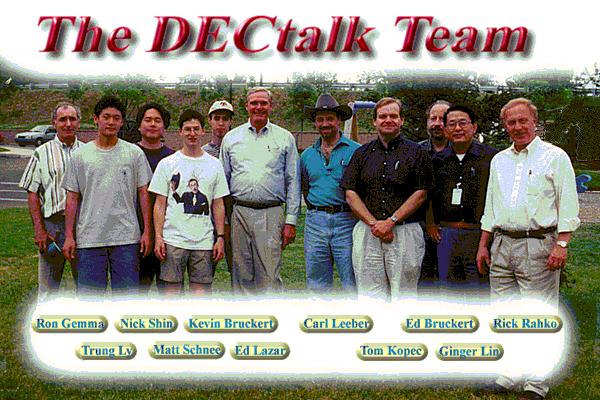
These files were shared by their original developer late Edward Bruckert on the DECtalk list in Oct/Nov 2015 and preserved on a HTTP server on datajake.braillescreen.net. Another developer also added more code in 09/2022 which is also preserved in the same location.
We're currently living out in Discord - Come have a chat!
master Literally just the source code dumped into the /src folder.develop Working Linux/Windows binaries (i386, x86_64 and aarch64), MacOS/iOS (Apple Silicon and Intel).If you're building on Ubuntu, obtain the following dependencies:
apt-get install build-essential libasound2-dev libpulse-dev libgtk2.0-dev unzip git(libgtk2.0-dev is only needed if you want the graphical frontend, libasound2-dev if you want ALSA sound output and libpulse-dev if you want pulseaudio audio-output)
# Run all these commands in the /src directory...
cd src

# Generates configure files
autoreconf -si

# Executes configure files
./configure

# Builds DECtalk with ALL cores (remove -j for single core)
make -j
The built files will be found in the /dist folder.
To build DECtalk without setting up a local build environment, run sudo docker-compose up
(and make sure you have Docker and docker-compose installed!)
Install Visual Studio 2022, enabling the "Desktop development with C++" workload from the Visual Studio Installer.
Optionally, also install the ARM64 build tools (untested) to create ARM64 binaries for Windows on ARM.
You can then open srcDECtalk.sln in Visual Studio.
There's a great article on CodeProject which explains how to install Visual Studio 6.0 from scratch. Read it here
You will also need to add your vcvars32.bat file to the environment variables.
Do this by adding C:Program Files (x86)Microsoft Visual StudioVC98Bin to your Windows system PATH.
The devopsvs6dt_buildall.bat
file is a great place to get started if you want to build individual components of DECtalk.
If you want to compile all files, execute the devopsvs6dt_buildall.bat file
from the root of the project folder.
You can then collate all files together by executing the devopsvs6dt_copyfiles.bat file.
Install Xcode command line tools. From the terminal:
% xcode-select --install
Or you may trigger an install by typing any of the following from the terminal:
git
clang
gcc
cd src/
autoreconf -si
./configure
make -j
The built files will be found in the /dist folder.