chatkore
1.0.0


Supports gpt-4-turbo/gpt-4o/dall-e-3/gpt-3.5-turbo/audio/embeddings
chatkore originally intended to provide developers with high-quality and stable OpenAI-related API call interfaces, which facilitates domestic users to use various open source ChatGPT projects or libraries in the AI field.
If you have any questions, please add the QQ group to contact customer service: group number 742077418
Official website: https://www.chatkore.com
API Document: Chatkore API Document Deployment-free version of the web page is now online: AI dialogue robot - chatkore, supports GPT3.5 and GPT4 switching, GPT4 does not have a limit of 25 messages per 3 hours. No need for an agent, you can experience it on the domestic network. Register to get 100 points.
For detailed instructions in the example, please pay attention to:
Zhihu number: chatkore
Headline number: chatkore
2024-11-21: Support o1-preview, o1-mini, o1-preview-2024-09-12, o1-mini-2024-09-12, gpt-4o-2024-11-20 models
2024-07-19: Supports gpt-4o-mini, gpt-4o-mini-2024-07-18 models, which can be used as an alternative model of 3.5
2024-05-13: Supports gpt-4o, gpt-4o-2024-05-13 models, with more discounted prices
2024-04-11: Support gpt-4-turbo, gpt-4-turbo-2024-04-09 models
2024-02-04: Support gpt-3.5-turbo-0125 model
2024-01-27: Support text-embedding-3-small, text-embedding-3-large, gpt-4-0125-preview models
2024-01-19: A brand new GPT dialogue site, just chat - chatkore
2024-01-17: Added a developer tool site, developer toolbox-chatkore
2023-12-05: Supports image editing and pseudo-original image api
2023-12-02: Added to the web version of AI painting function
2023-11-26: Support gpt-4-vision-preview, tts, whisper models
2023-11-11: Supports dall-e-2, dall-e-3 models
2023-11-07: Supports the latest gpt-3.5-turbo-1106, gpt-4-1106-preview model, which supports 16k context by default
2023-09-13: Added the commonly used prompt words propt collection, the commonly used prompt words collection - chatkore
2023-08-29: Add to local knowledge base examples, directory: examples/chat_demo/
2023-08-20: The new version of AI dialogue robot is launched, the new version of AI dialogue robot-chatkore
2023-07-31: Added the data analysis robot example, directory: examples/analysisBot/
2023-07-28: Add to voice chatbot examples, directory: examples/voiceChatBot/
2023-06-15: Supports the new models of gpt-4-0613, gpt-3.5-turbo-0613, gpt-3.5-turbo-16k, gpt-3.5-turbo-16k-0613, and supports function calling functions.
Please refer to demo.py for example code
Method 1
 import openai
openai . api_base = "https://api.chatkore.com/v1"
Method 2 (Method 1 does not work with this)
To modify the environment variable OPENAI_API_BASE, please search for it yourself for each system. If you modify the environment variables, please restart the system.
OPENAI_API_BASE=https://api.chatkore.com/v1 Find the API_URL_REDIRECT configuration in the config.py file and modify it to the following:
API_URL_REDIRECT = { "https://api.openai.com/v1/chat/completions" : "https://api.chatkore.com/v1/chat/completions" }Download link: https://github.com/Chanzhaoyu/chatgpt-web
ChatGPT open source desktop application, supports all desktop platforms.
Download link: https://github.com/Bin-Huang/chatbox/releases
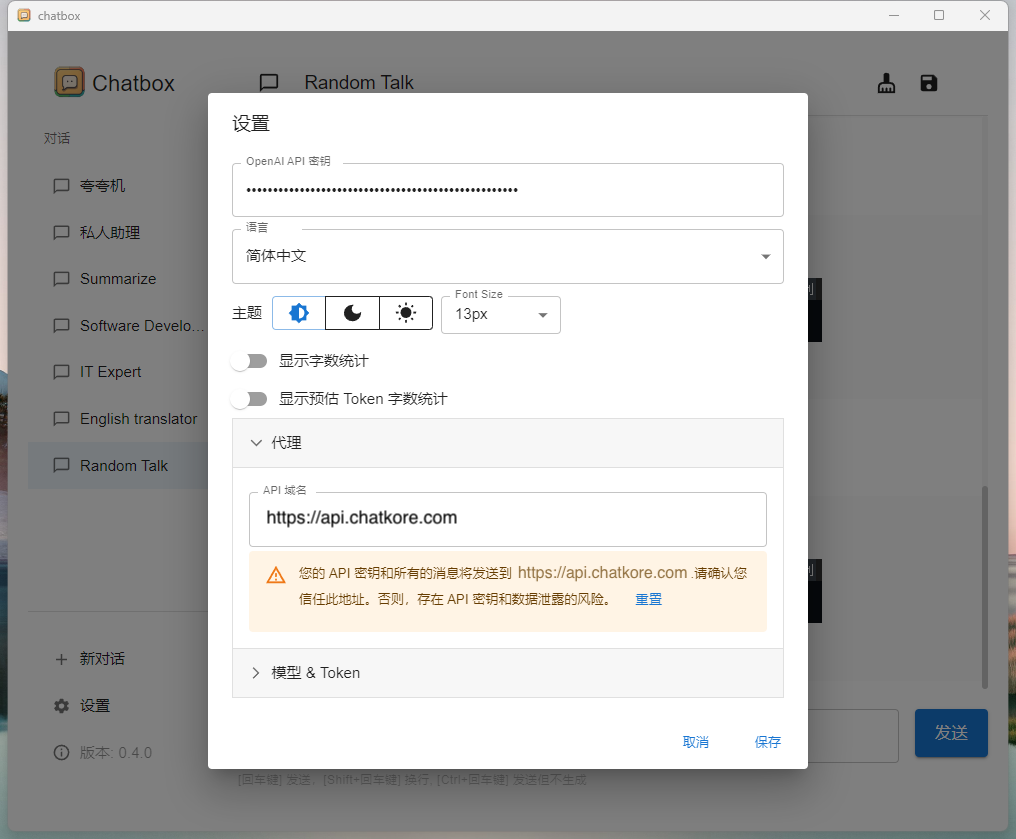
How to use: Fill in the purchased key in the settings as shown in the figure and set the agent to https://api.chatkore.com
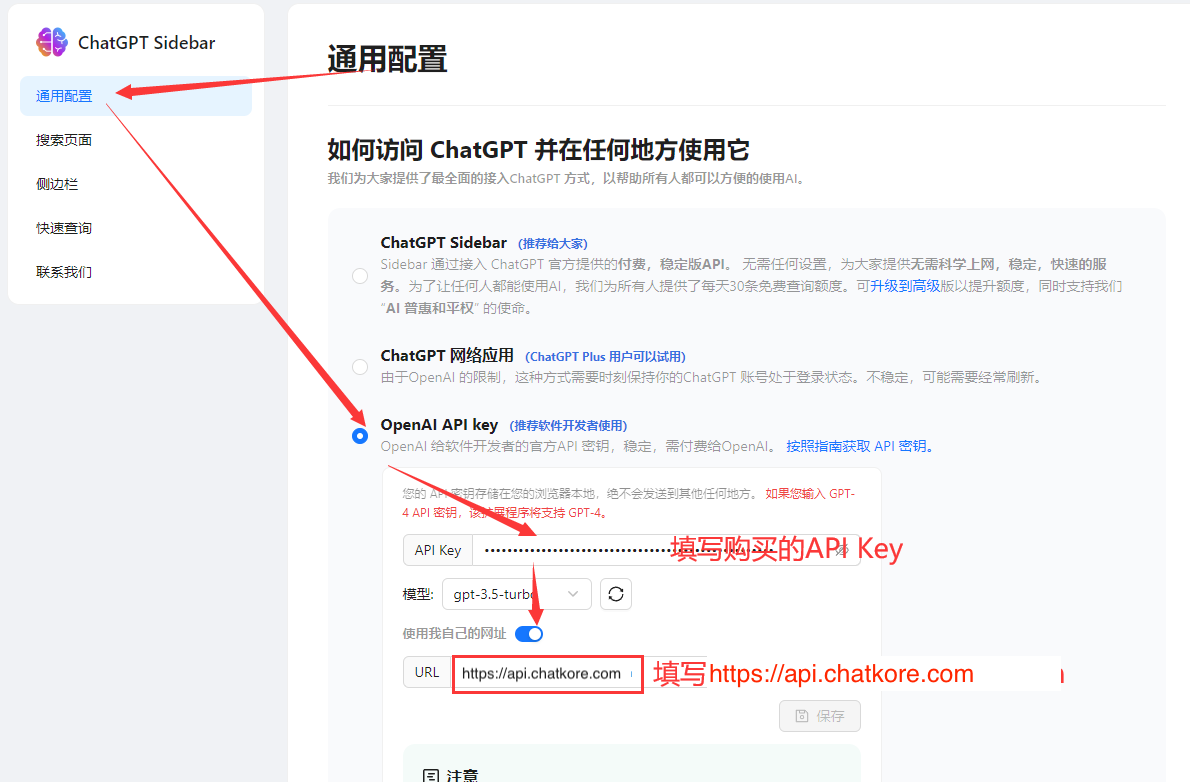
Official website link: https://chatgpt-sidebar.com/
After installing the plug-in, enter the settings page, modify the settings as shown in the figure, and modify the url to https://api.chatkore.com .
After installing the plug-in, configure the plug-in in Settings > Tools > OpenAI > GPT 3.5 Turbo as shown in the figure. The key is to modify Server Settings to https://api.chatkore.com/v1/chat/completions . And check Customize Server.
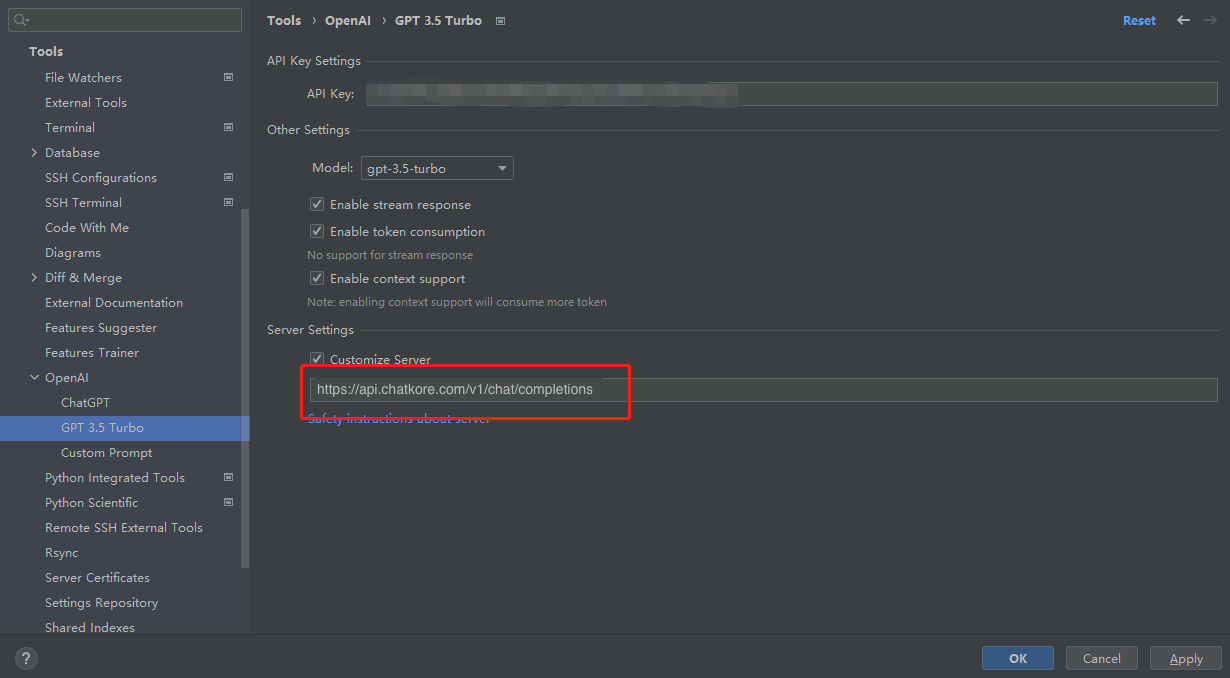
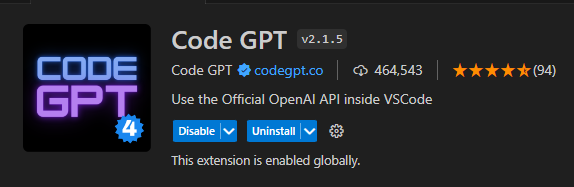
This plug-in is relatively troublesome to modify the Host, and you need to modify the source code before you can use it.
Install the plug-in. After installation, press Ctrl+Shift+P, enter Open Extensions Floder in the pop-up box 
Click Extensions: Open Extensions Floder, which will open the plugin directory and find the Code GPT folder. 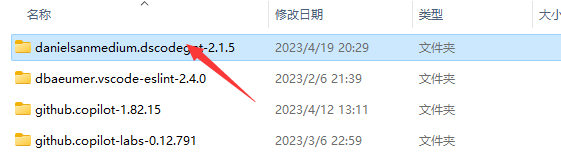
After opening, enter the open file ./src/clients/openai_client.js, search for api.openai.com in the file, and replace it with api.chatkore.com . Save the file. 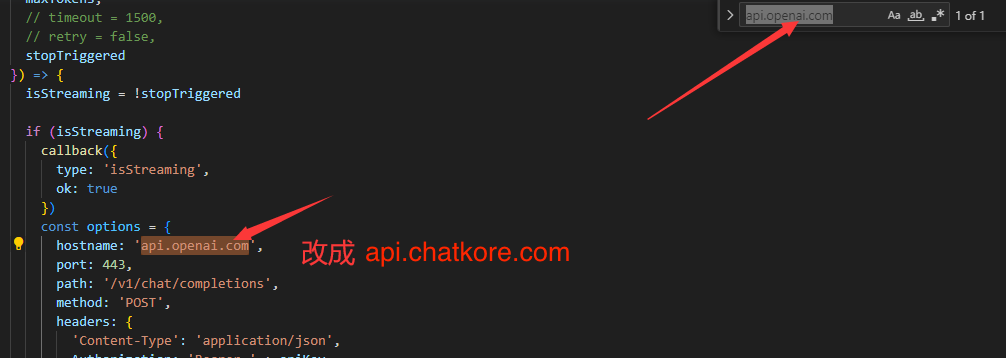
Go back to vscode again, press Ctrl+Shift+P, enter CodeGPT: Set API KEY in the pop-up box, and click CodeGPT: Set API KEY. Then enter the purchased key. 
After the above steps are completed, restart VSCode
Find the ChatGPT plugin in the Raycast Store and follow the prompts to install: 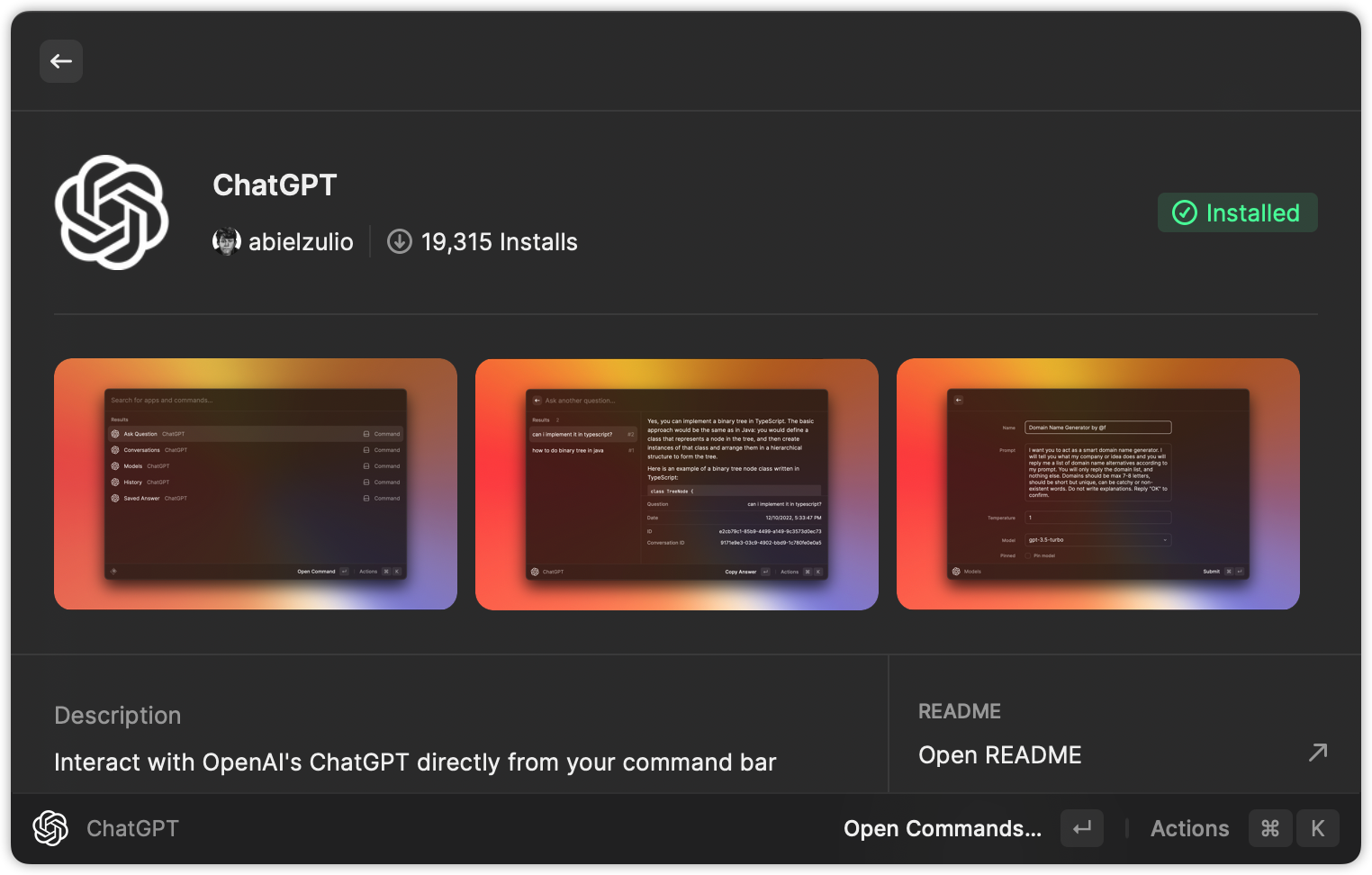
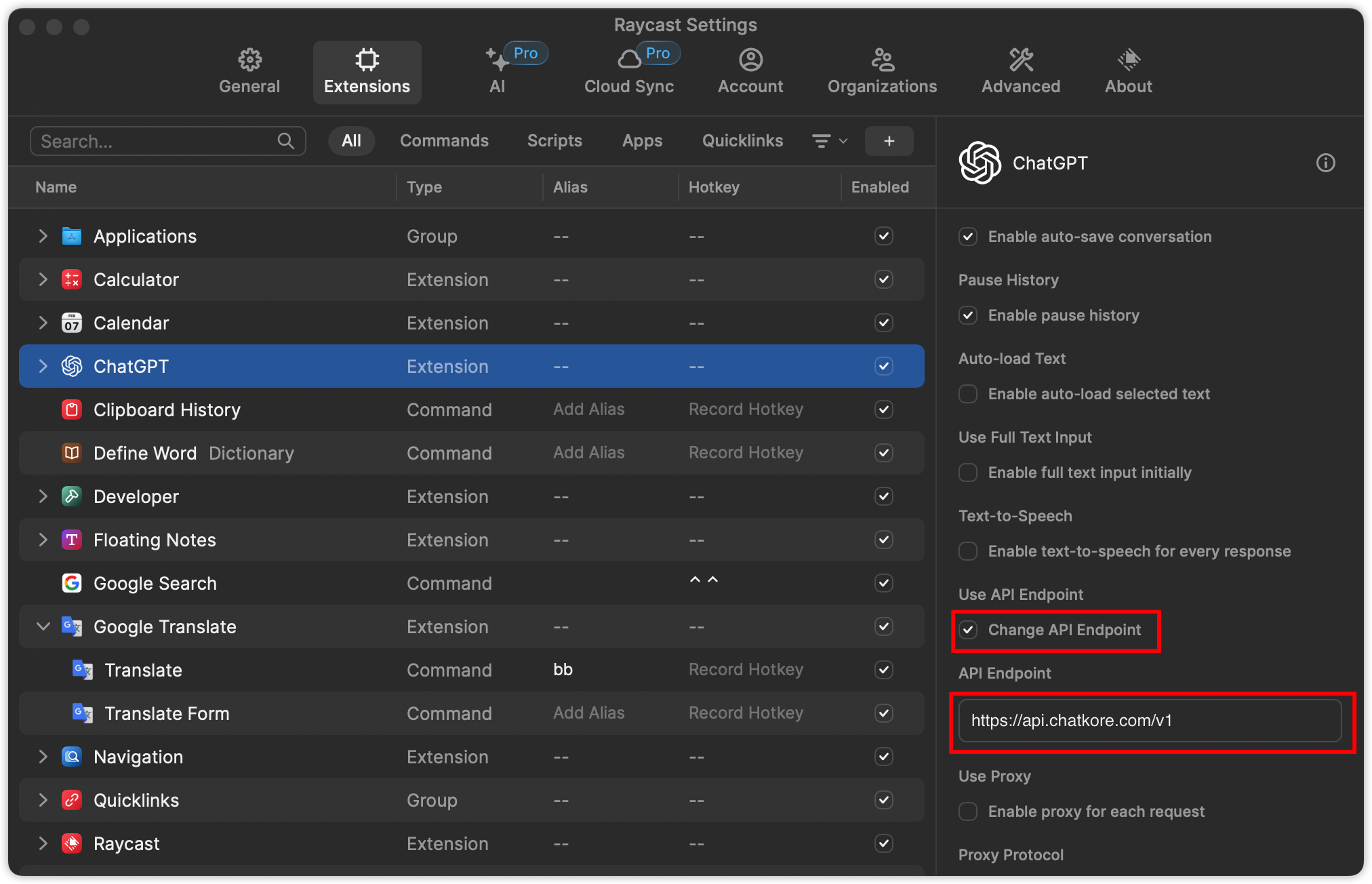
After the installation is completed, fill in our API Key Key in the plug-in configuration, and select Change API Endpoint , and fill in https://api.chatkore.com/v1 in API Endpoint 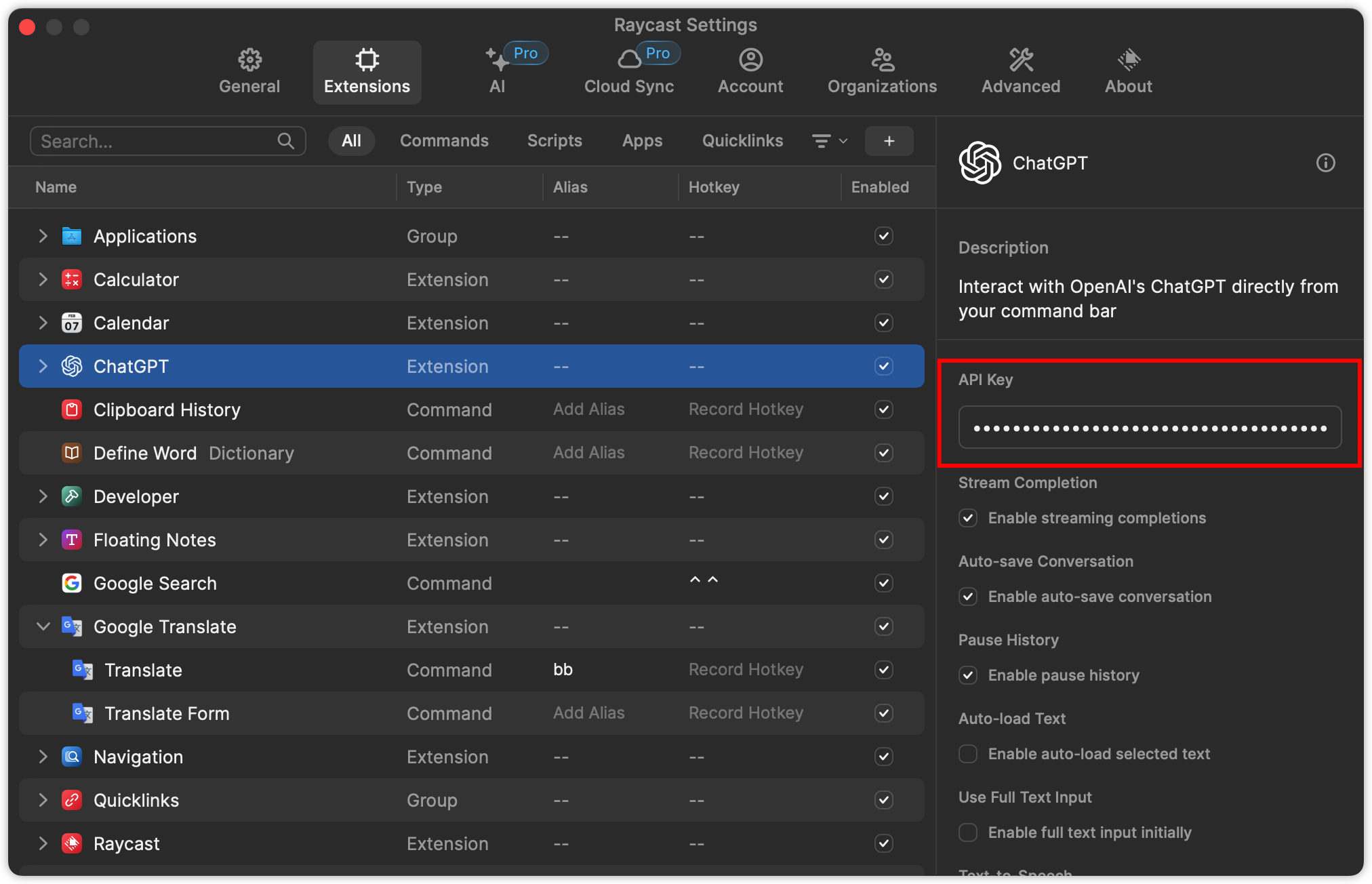
? enjoy it~