PowerPointReviewer
A PowerPoint Speech Reading Review Tool
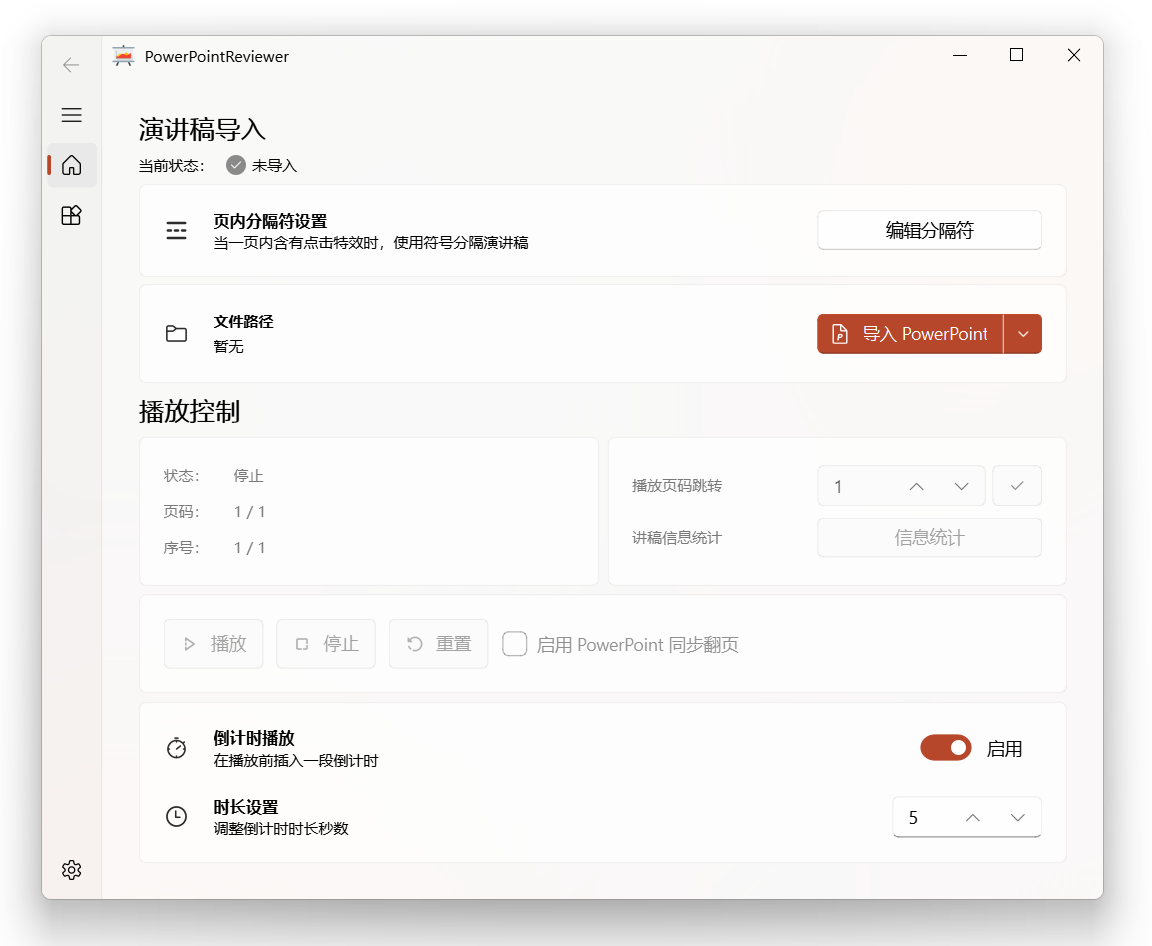
Functional introduction
A speech reading and review tool based on PySide6 implementation uses the TTS engine to read the notes in PPT, thereby helping you further improve the content and wording of the speech and helping you complete the wonderful PPT speech and presentation smoothly.
Basic Features
- Implemented based on Python and PySide6
- Support importing speeches from PPT notes and Word
- Supports editing in-page separators, used to perform click effects in one page PPT
- Supports insertion and setting countdown before reading aloud
- Supports PPT synchronous page turn function
- Supports stop reading aloud and start reading aloud from the current statement again
- Support page number jump
- Support statistical speech information
- Support speech text export, including: export to PPT notes, export to Word documents, export to JSON files
- Supports selection of TTS sound engine, supports setting sound speed and sound volume
- Supports online TTS engine (test features)
- Support check for updates
How to use
- Start the software and edit the separator according to your lecture text.
- Click the Import button (PPT or Word) to select your file path. After that, the software imports the lecture text and converts it to a voice file, which may take a little time.
- After the software is imported, the playback control function can be used. You can choose to play, stop, reset the audio, jump to play page numbers, and view statistics.
- If the countdown playback function is enabled, after clicking Play, the software will first play the countdown of the specified length according to the settings, and then play the lecture notes. This is usually enabled at the same time as PPT synchronous page turn function.
- If you enable the PPT synchronous page turn feature, you need to show your PPT after the software starts playing and keep the focus in the PPT projection window. The software will send the next page command based on your speech, and automatically synchronize the page turning.
- On the Utility page, you can freely convert imported lecture notes into PPT notes, Word documents, and JSON files.
- On the settings page, you can select the TTS sound engine (under Windows, there is only one Chinese sound engine by default, and you can add some other existing engines by modifying the registry), and set the sound speed and sound volume. After the setup is completed, it needs to be saved manually.
Format specifications
In order to facilitate quick access, this project provides PPT templates and Word templates, which are in the example directory of this project.
You can use this software to import, quickly preview the effects, and understand how it is implemented.
How to pack
This project provides Windows executable files. If you want to recompile this project from your code, you can refer to the following instructions.
Using pyinstaller:
pyinstaller -w -i . i mage p pt_ico.ico main.py -n PowerPointReviewer --add-data " venv \ Lib \ site-packages \ pptx \ templates \ *;. \ pptx \ templates "
Update log
Version 1.0
- 2023.10.31-1.0.2: Added new word count of speech; added online TTS engine (test features).
- 2023.10.31-1.0.1: Optimize the file name after the speech is converted; optimize the countdown logic for generation; optimize the text performance after the import is completed; optimize the text performance after the playback is completed; add the playback jump function; add the playback statistics function.
- 2023.10.19-1.0.0: Submit code to the code hosting platform.
If you encounter any bugs or have any suggestions, please feel free to submit an issue, thank you.








