CUA
1.0.0

create-universal-app (CUA) is an opinionated template for creating full-stack universal (mobile + web codeshare) apps with built-in auth for both mobile and web using Expo (mobile), NextJS (web), tRPC, Prisma, Tamagui (UI + styling), and Clerk (mobile + web auth). A demo is live at https://cua-demo.vercel.app/.
Here's a 20 minute Youtube tutorial going over everything if that's more of your style!
You can also run npx create-t3-universal-app to start your project (by albbus). Add one of the following flags if you want a specific variation of CUA:
--with-supabase--with-drizzle-pg--with-drizzle-sqlIf you have any question while using this, feel free to join our ?Discord?, we are all pretty active in there!
This repo is made on top of:
Your frontend code will be in React Native, meaning that you're going to write Views instead of divs. Since we are using Tamagui in particular, we're gonna write Stacks instead Views.
apps/expo and apps/next are practically empty folders that are simply referencing your packages/app folder.Your backend code is gonna be in packages/api. NextJS is going to run this code in a serverless environment, if you're a little confused about how that works here's a good video by Theo that talks about NextJS as a backend framework.
Note: you don't need to understand how everything works in detail before you can start using this template. As someone that wants to know how every bolt and nut works, I often get "blocked" by my own perfectionism, so I'm just throwing this out there in case you're feeling the same about something.
TLDR: it's for making things look pretty on both web and mobile while being really really fast and easy to work with. In more detail, Tamagui has 3 things:
Check out their docs for more informations.
What I like about Tamagui is that it's simultaneously Tailwind and DaisyUI that's built from the ground up designed for universal apps with its own compiler and core components.
Feel free to use Nativewind & Tailwind instead of Tamagui, you should be able to set things up fairly easily (and if you do please contribute to this template creating a branch with the Nativewind installation).
On a high level, clerk promises an overall user management solution instead of just authentication with things like the User Profile, Banning and Device management built-in. In practice, they have a very similar Expo/Next library with built in Hooks that are very nice to use! I've personally had an great time using Clerk compared to other solutions like Firebase or Supabase.
I recommend you either spin up a Postgres instance on Railway or use Supabase, you can bring your own as it doesn't matter too much.
yarn install to install packages and build the project..env.example file, removing .example, and entering your environment variables.
yarn db-push to push our Prisma schema to our DB.yarn web to start a web dev server.yarn native to run on iOS or Android. PS: for this to work, you'll need your web app running on localhost:3000, remember that your NextJS app is also your backend!yarn studio to start up your Prisma Studio. PS: the tRPC example query will show an example_entry that you can delete along with the connected example_user.yarn dev to start up all packages and applications simultaneously.To automate the process explained below you can use the VSCode extension t3-cua-tools, also available on the marketplace. It will create the files and add the necessary imports and navigation code for you.
packages/app/features/.packages/ui/.routeName.ts in packages/api/src/router/ and make sure to merge it in the index.ts app router.apps/expo/app/ and create a new routeName.tsx that's importing your element from /app/features/screenName/.apps/next/pages/, create a new folder with the name being your route and an index.tsx that's importing your element from /app/features/screenName/.After you have created a new project on Vercel and linked it with your Github repo you'll have to enter your environment variables:
NEXT_PUBLIC_CLERK_PUBLISHABLE_KEYCLERK_SECRET_KEYDATABASE_URL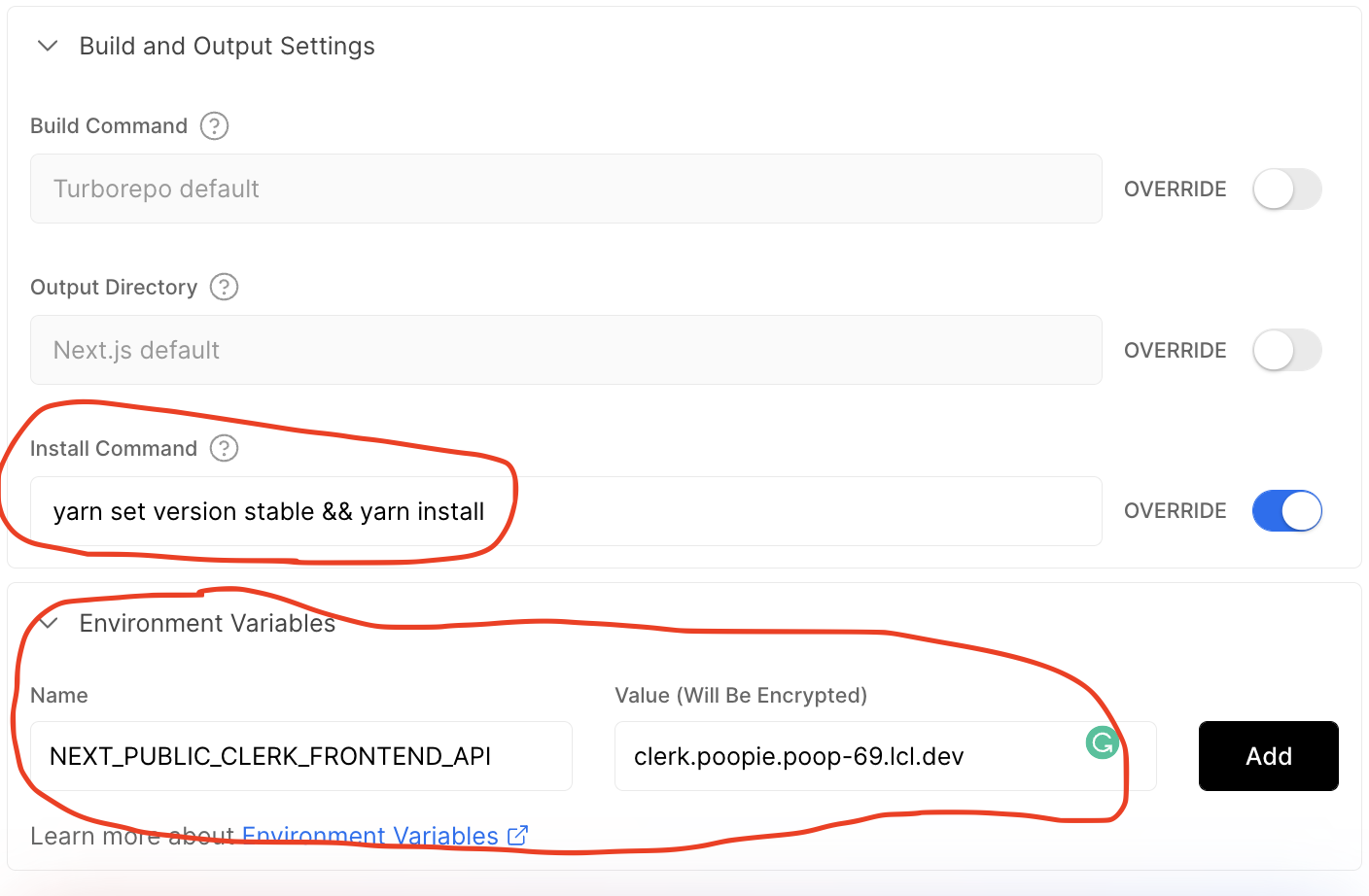
Where should I install the packages?
If it contains native code you must install it into the /expo folder.
How do I know if it contains native code? In general if it involves some interactions with the phone OS like the APIs to interact with storage, camera, gyro, notification, etc. it involves native code!







