nextjs pwa firebase boilerplate
1.0.0


Next.js serverless PWA with Firebase and React Hooks
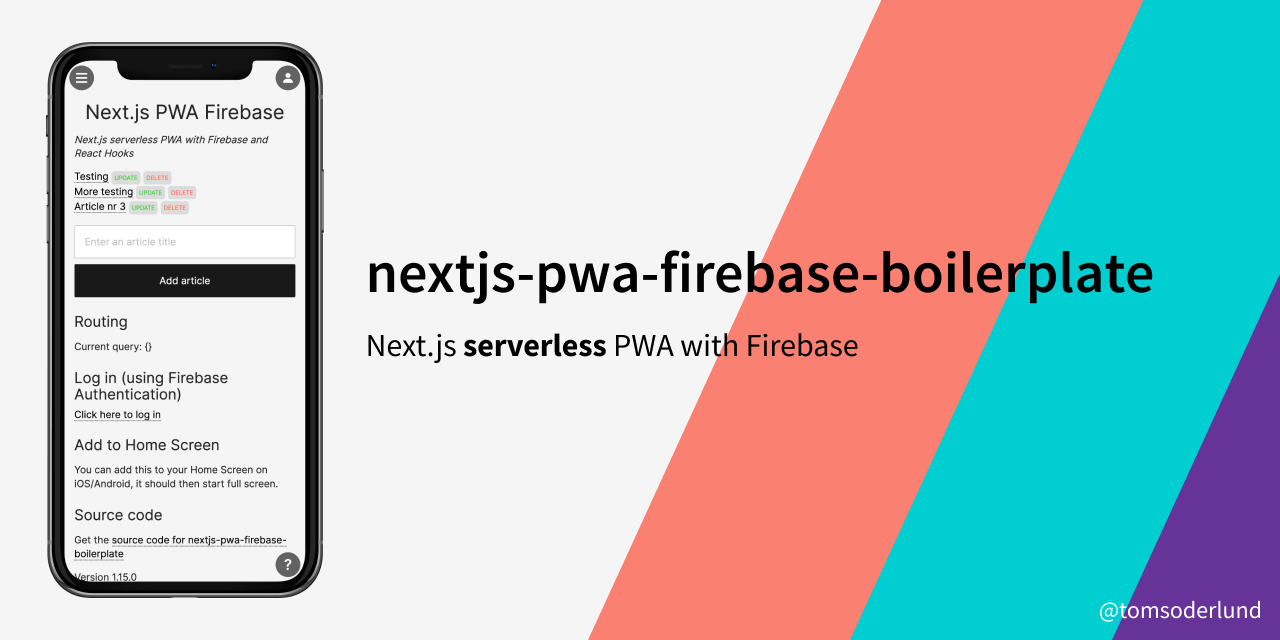
Note 1: This boilerplate is being converted to TypeScript. For pure JavaScript, see branch old-javascript
Note 2: this is my v4 boilerplate for React web apps. See also my GraphQL + Postgres SQL boilerplate, Redux + REST + Postgres SQL boilerplate and Redux + REST + MongoDB boilerplate. For a simple Next.js landing page, see nextjs-generic-landing-page.
Did you or your company find nextjs-pwa-firebase-boilerplate useful? Please consider giving a small donation, it helps me spend more time on open-source projects:
This is a great template for a any project where you want React (with Hooks) (with static site generation (SSG) or server-side rendering (SSR), powered by Next.js) as frontend and Firebase as backend. Lightning fast, all JavaScript.
manifest.json and offline support (next-offline).getStaticProps or SSR getServerSideProps.getStaticProps/getServerSideProps when changing/adding database tables.sitemap.xml and robots.txt.google-site-verification support (see config/config.ts).config/config.ts and .env.local file.yarn lint/yarn fix).yarn unit, not yet included).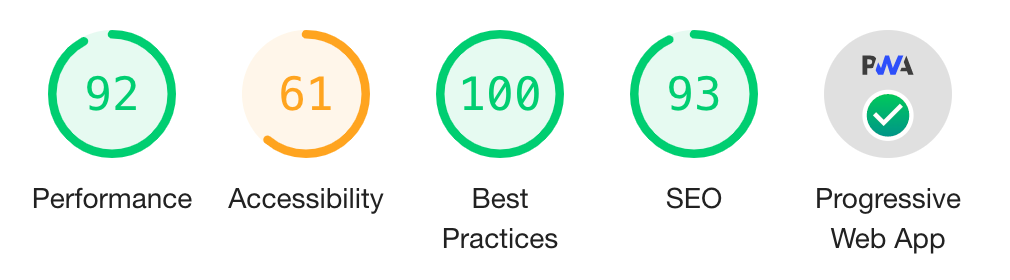
See nextjs-pwa-firebase-boilerplate running on Vercel here.
Clone this repository:
git clone https://github.com/tomsoderlund/nextjs-pwa-firebase-boilerplate.git [MY_APP]
cd [MY_APP]
Remove the .git folder since you want to create a new repository
rm -rf .git
Install dependencies:
yarn # or npm install
At this point, you need to set up Firebase Firestore, see below.
When Firebase is set up, start the web app by:
yarn dev
In production:
yarn build
yarn start
If you navigate to http://localhost:3004/ you will see a web page with a list of articles (or an empty list if you haven’t added one).
name’s “Next.js Firebase PWA”, “nextjs-pwa-firebase-boilerplate” and description “Next.js serverless PWA with Firebase and React Hooks” to something else.version in package.json to 0.1.0 or similar.license in package.json to whatever suits your project.The main database item is called Article, but you probably want something else in your app.
Rename the files:
git mv hooks/useArticles.tsx hooks/use{NewName}s.tsx

mkdir -p components/{newName}s
git mv components/articles/CreateArticleForm.tsx components/{newName}s/Create{NewName}Form.tsx
git mv components/articles/ArticleDetails.tsx components/{newName}s/{NewName}Details.tsx
git mv components/articles/ArticleList.tsx components/{newName}s/{NewName}List.tsx
git mv components/articles/ArticleListItem.tsx components/{newName}s/{NewName}ListItem.tsx
rm -r components/articles

mkdir pages/{newName}s
git mv "pages/articles/[slug].tsx" "pages/{newName}s/[slug].tsx"
rm -r pages/articles
Then, do search/replace inside the files for different casing: article, Article, ARTICLE.
Do search/replace for 3004 to something else.
Set up the database (if you don’t need a database, see “How to remove/replace Firebase as database” below):
firebaseConfig (from when setting up the Firebase web app) to lib/data/firebase.ts.env.local file, setting the NEXT_PUBLIC_FIREBASE_API_KEY value.yarn remove firebaselib/data/firebase.ts and modify hooks/useArticles.tsx.createSqlRestRoutesServerless in sql-wizard to set up your own API routes.yarn remove firebaseyarn add @supabase/supabase-jsNEXT_PUBLIC_SUPABASE_API_KEY to .env.locallib/data/supabase.ts:import { createClient } from '@supabase/supabase-js'
const supabaseUrl = process.env.NEXT_PUBLIC_SUPABASE_URL
const supabaseKey = process.env.NEXT_PUBLIC_SUPABASE_API_KEY
export const supabase = createClient(supabaseUrl, supabaseKey)
lib/data/firebasepages/_app.tsxpublic/app.cssPageHead.tsxpublic/manifest.jsonYou need to enable Email/Password authentication in https://console.firebase.google.com/project/YOURAPP/authentication/providers
Note: If you set up your project using the Deploy button, you need to clone your own repo instead of this repository.
Setup and deploy your own project using this template with Vercel. All you’ll need is your Firebase Public API Key.







