open im uniapp demo
v2.x


OpenIM Docs • OpenIM Server • open-im-sdk-uniapp • openim-sdk-core
OpenIM Uniapp Demo is an open source instant messaging application based on local plug-ins, OpenIM Server and Uniapp. It demonstrates how to quickly integrate instant messaging into any single application using OpenIM.
You can obtain permission to use source code to create compiled versions that are not generated by OpenIM in one of two ways:
This is a Uniapp project that relies on HBuilderX. Please read the documentation before development.
Note: Demo is only used to demonstrate the introduction and use of the SDK, and is not a complete application.
To run iOS and Android, native plug-ins must be installed. The middle layer openim-uniapp-polyfill combines App native plug-ins and JSSDK capabilities, and is compatible with a set of code to develop APP, H5, and applets (SDK and im-server versions >= 3.8.2).
| - | Install openim-uniapp-polyfill | Install @openim/client-sdk | Install App native plug-in | Create custom dock debugging | |
|---|---|---|---|---|---|
| Only develop H5 and mini programs | Directly refer to the JSSDK document, refer to Browser and MiniProgram for SDK calls | ||||
| Only develop apps | ✅ | ✅ | ✅ | ||
| Develop App, H5 and applets at the same time | ✅ | ✅ | ✅ | ✅ | |
Follow the steps below to set up your local development environment:
Install the latest official version of HBuilderX.
Run npm install to install all dependencies.
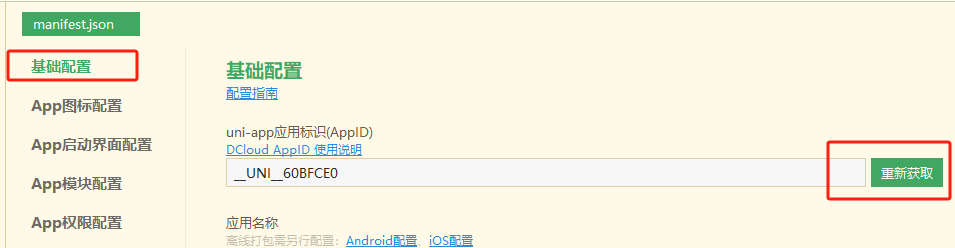
Modify the configuration file to your own AppID in the following files:
Open manifest.json using Hbuilder
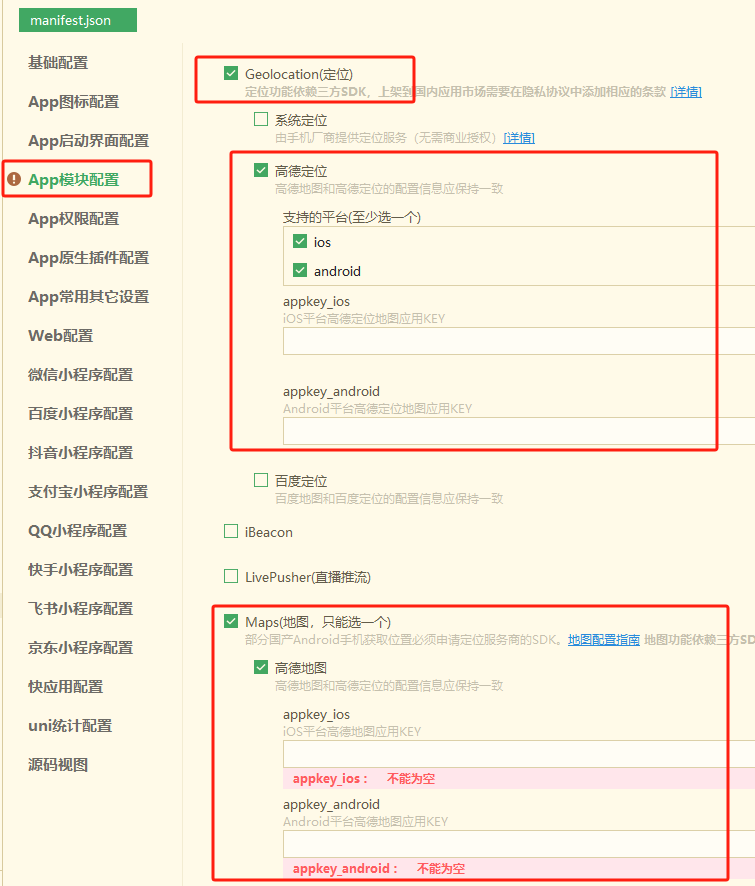
If you want to use the location function, modify the configuration file to your own Gaode Map appkey in the following files:
Open manifest.json using Hbuilder
Modify the request address to your own OpenIM Server IP in the following file:
Note: You need to deploy OpenIM Server first. The default ports of OpenIM Server are 10001, 10002, and 10008.
common -> config.js
 const wsUrl = "ws://your-server-ip:10001"
 const apiUrl = "http://your-server-ip:10002"
 const registerUrl = "http://your-server-ip:10008"
Select the cloud plugin (required)
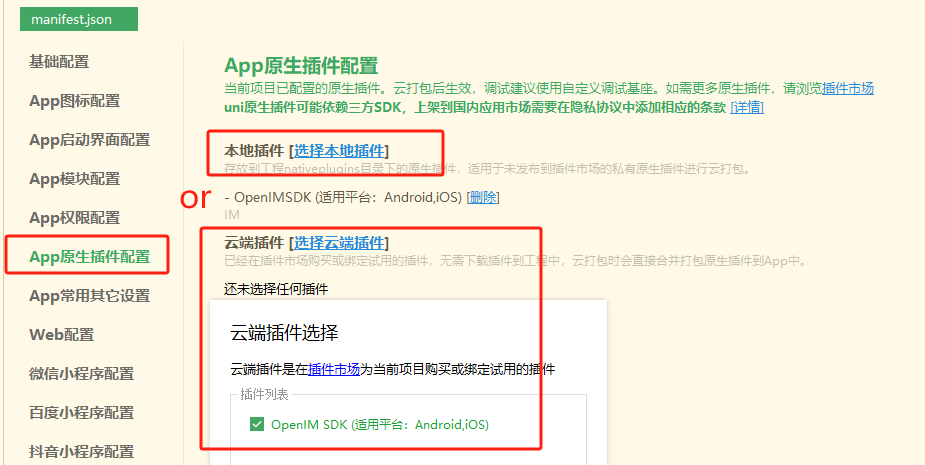
Selecting a cloud plugin requires selecting your project Appid and entering the Android package name.
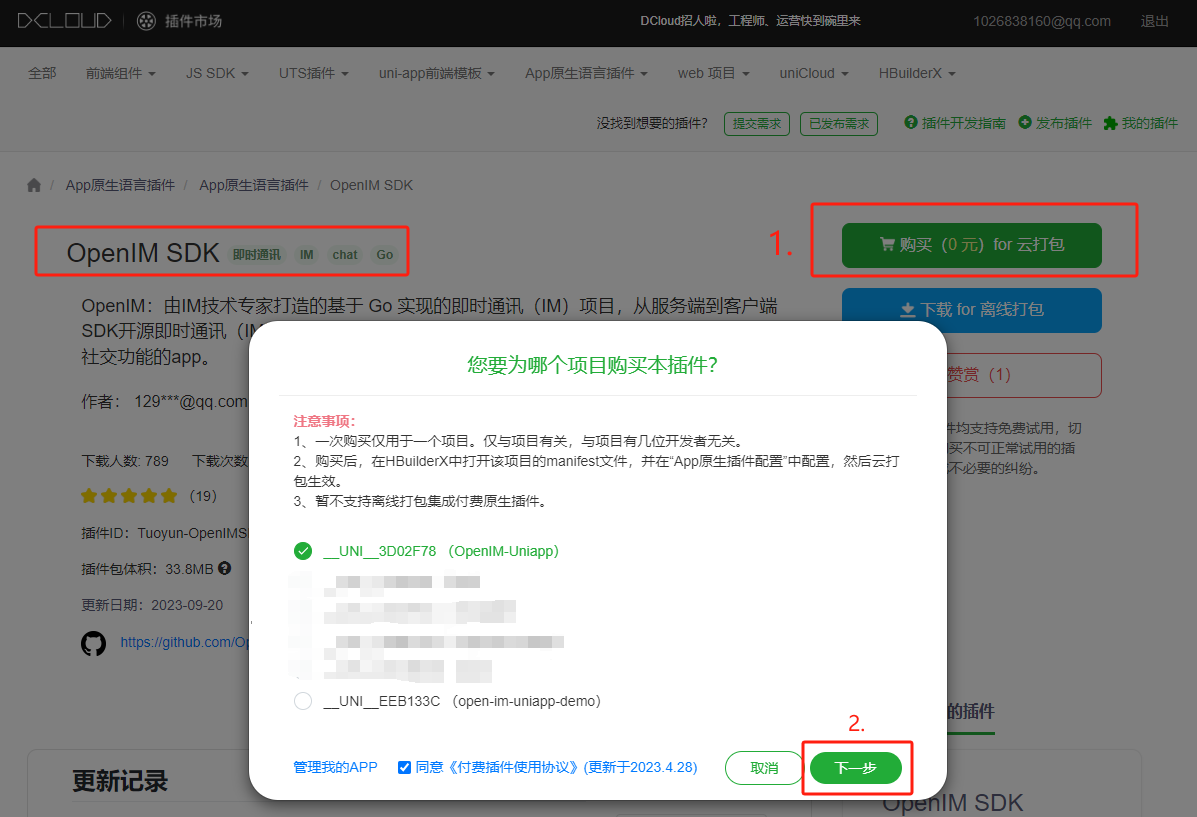
Cloud packaging custom debugging dock
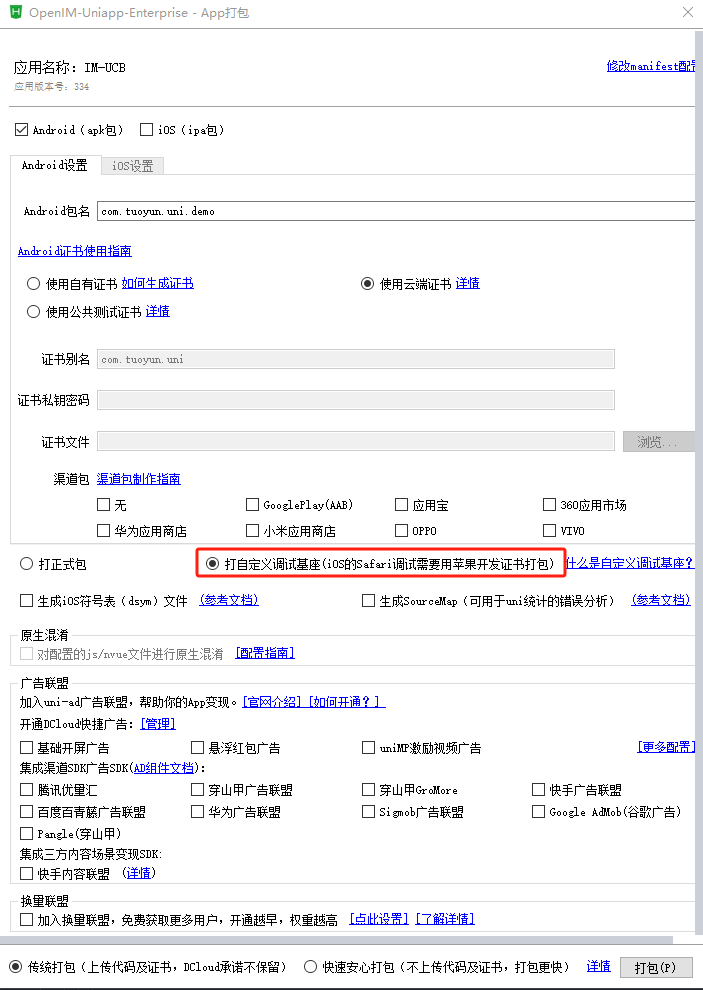
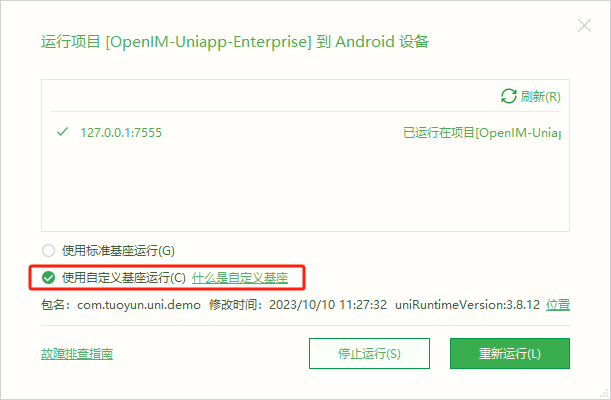
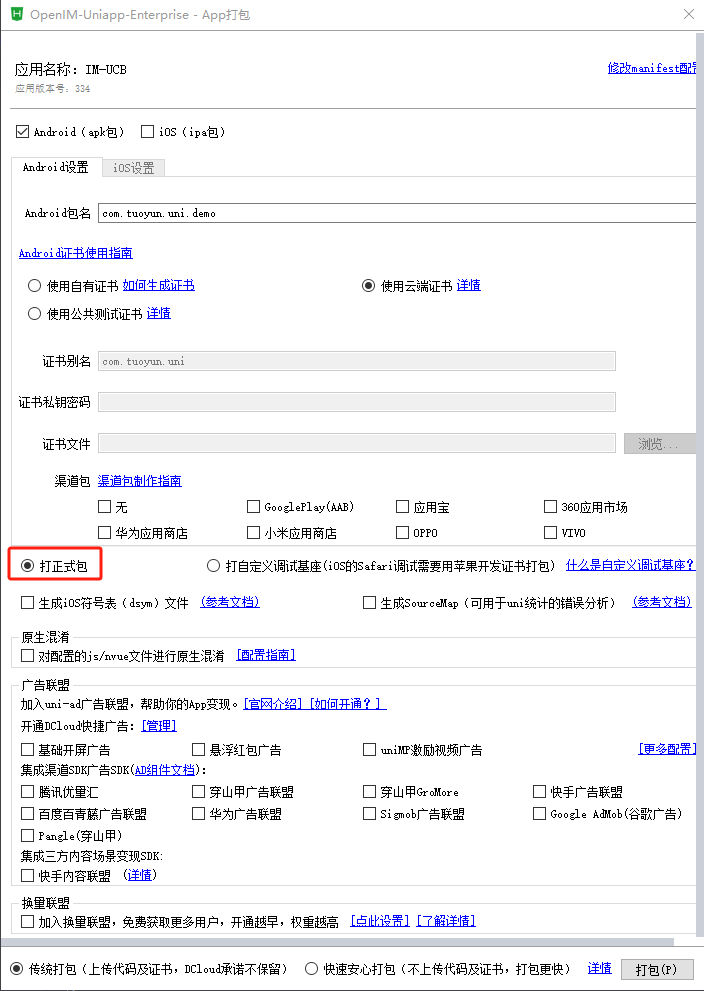
We want anyone to be involved in our community and contribute code, we provide gifts and rewards, and we welcome you to join us every Thursday night.
Our meetings are in OpenIM Slack, and you can then search the Open-IM-Server channel to join.
We record every biweekly in GitHub discussions, our historical meeting minutes and conference replays are available in Google Docs?
Check out our User Case Study page for a list of project users. Don't hesitate to leave a comment and share your use case.
This warehouse is licensed under the GNU Affero General Public License Edition 3 (AGPL-3.0) and is subject to the following additional terms. Not allowed for commercial use. For details, please see here.







