ghChat
v2.5

GitAds

English | Simplified Chinese
The reason why it is called ghChat is to think about doing some GitHub integration in the future, hoping to make this instant messaging tool a chat tool for github. Currently, only github authorized login is supported and information displayed by github users is displayed. Then you can easily build a project group for your github project in ghChat, and then post the group link to readme to facilitate instant communication of projects.
The application online address (also a group link for the project), supports direct github authorization login
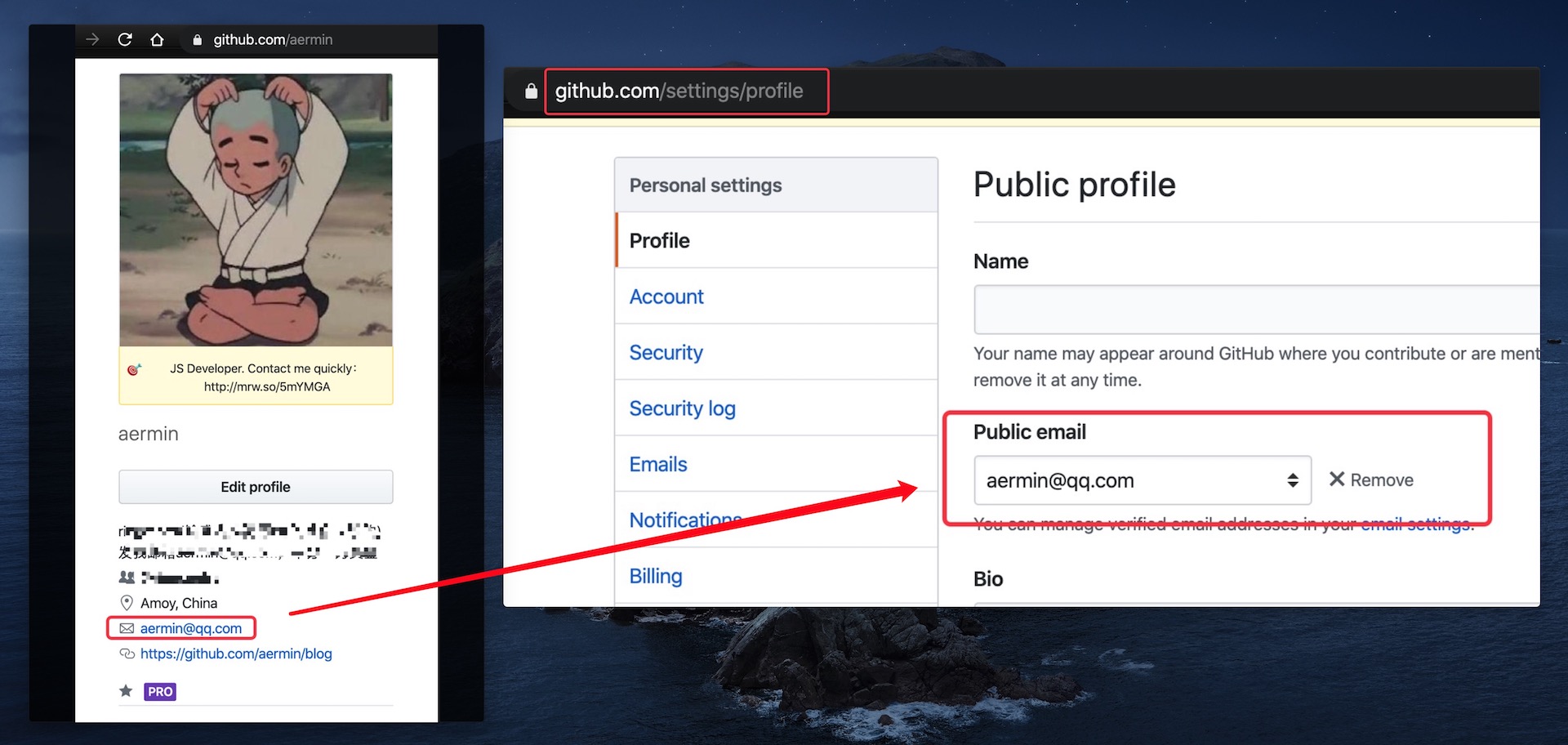
If github login fails
It is very likely that your github does not set public email
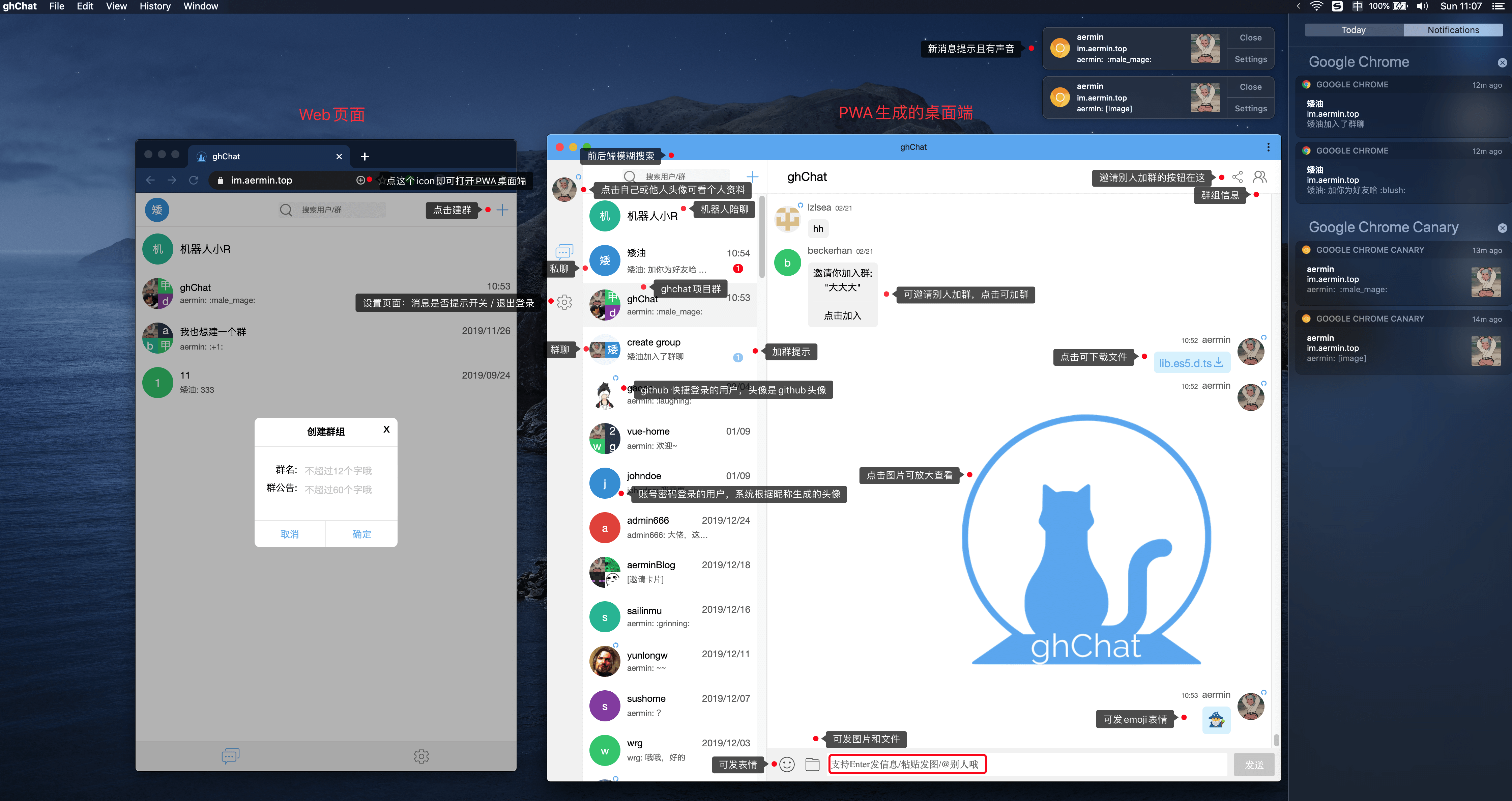
It is recommended to enable PWA
Front-end React family bucket, PWA, back-end node.js(koa2), back-end supports and writes some TS (most types have not yet been supplemented with T^T), databases MySQL, SocKetIO, JWT, etc., see package.json for details. In addition, Nginx, SSL, Pm2, etc. are used in the production environment. Welcome to join the ghChat group to communicate. I am online every day, and you can also click to chat with me privately.
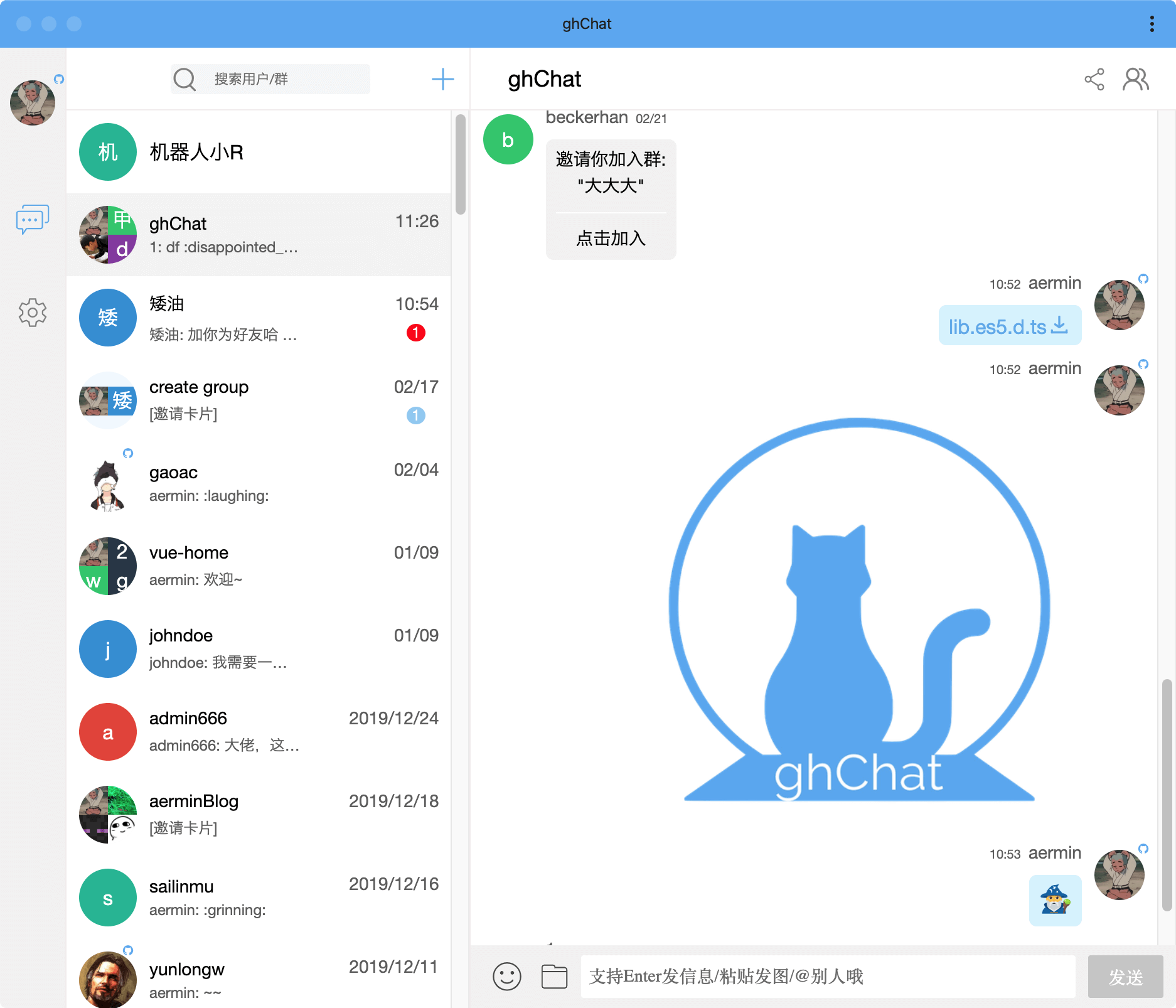
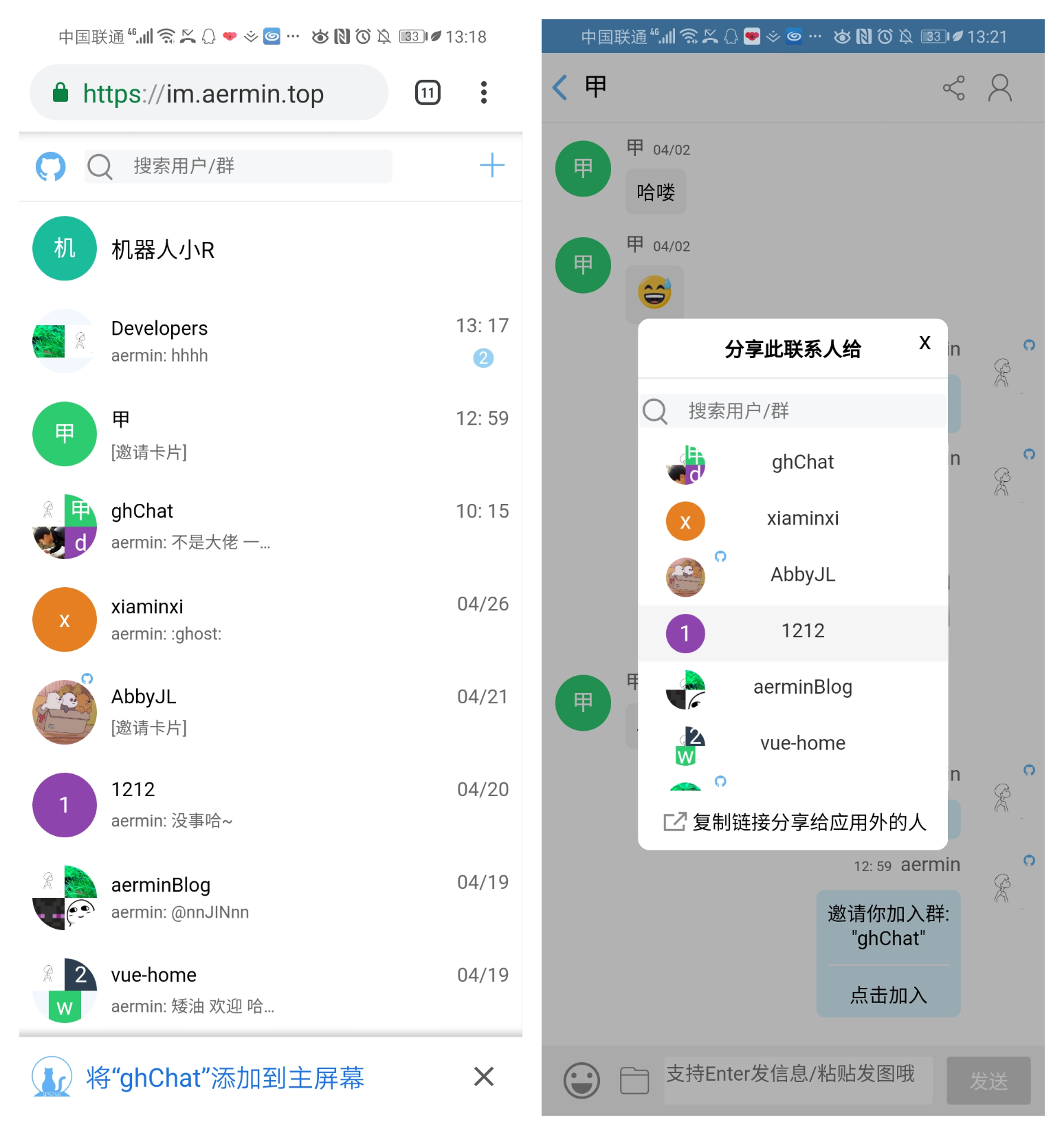
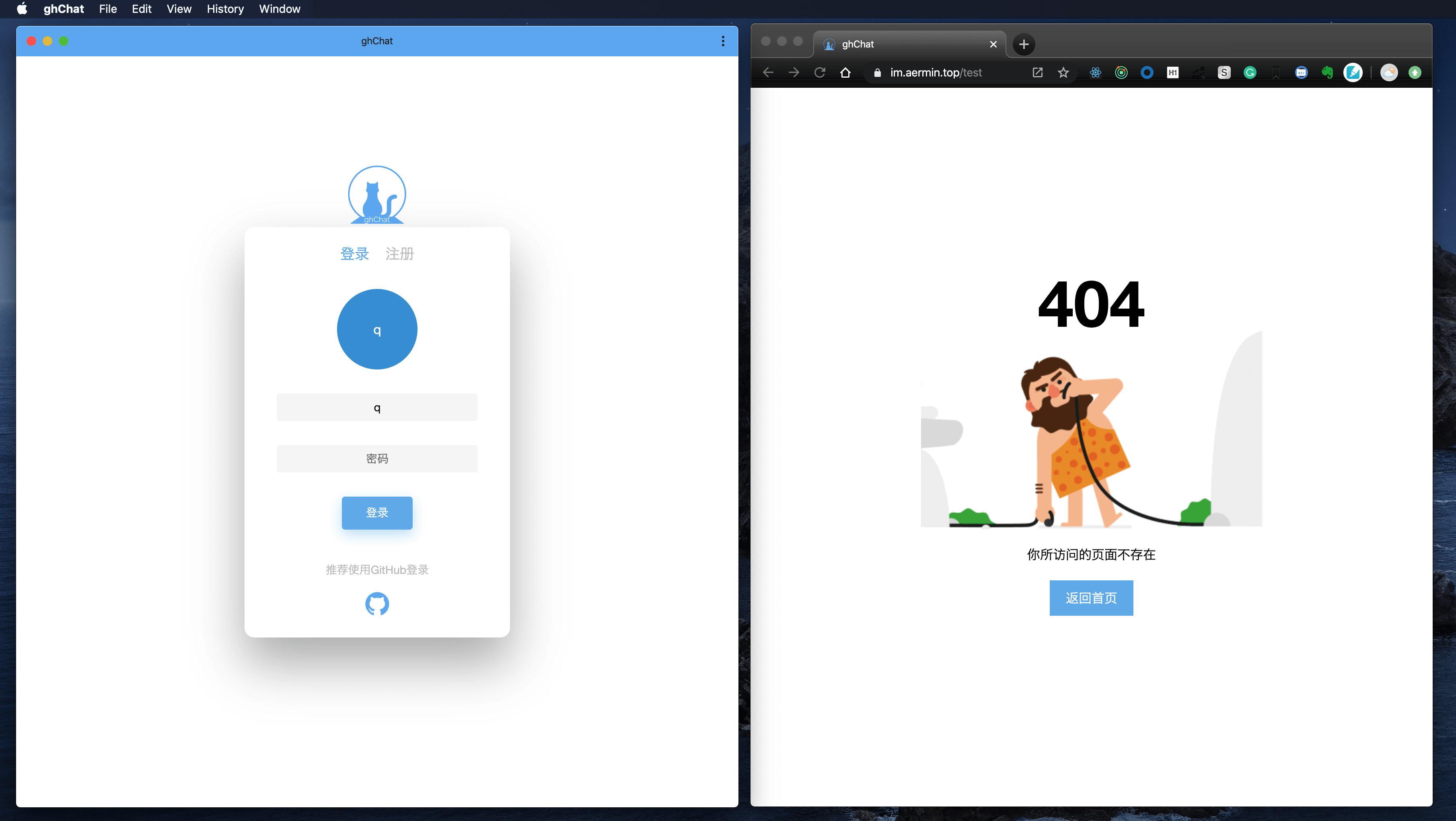
Login/Register/Login/Login with multiple devices at the same time
Support github authorization login/display information disclosed by github users
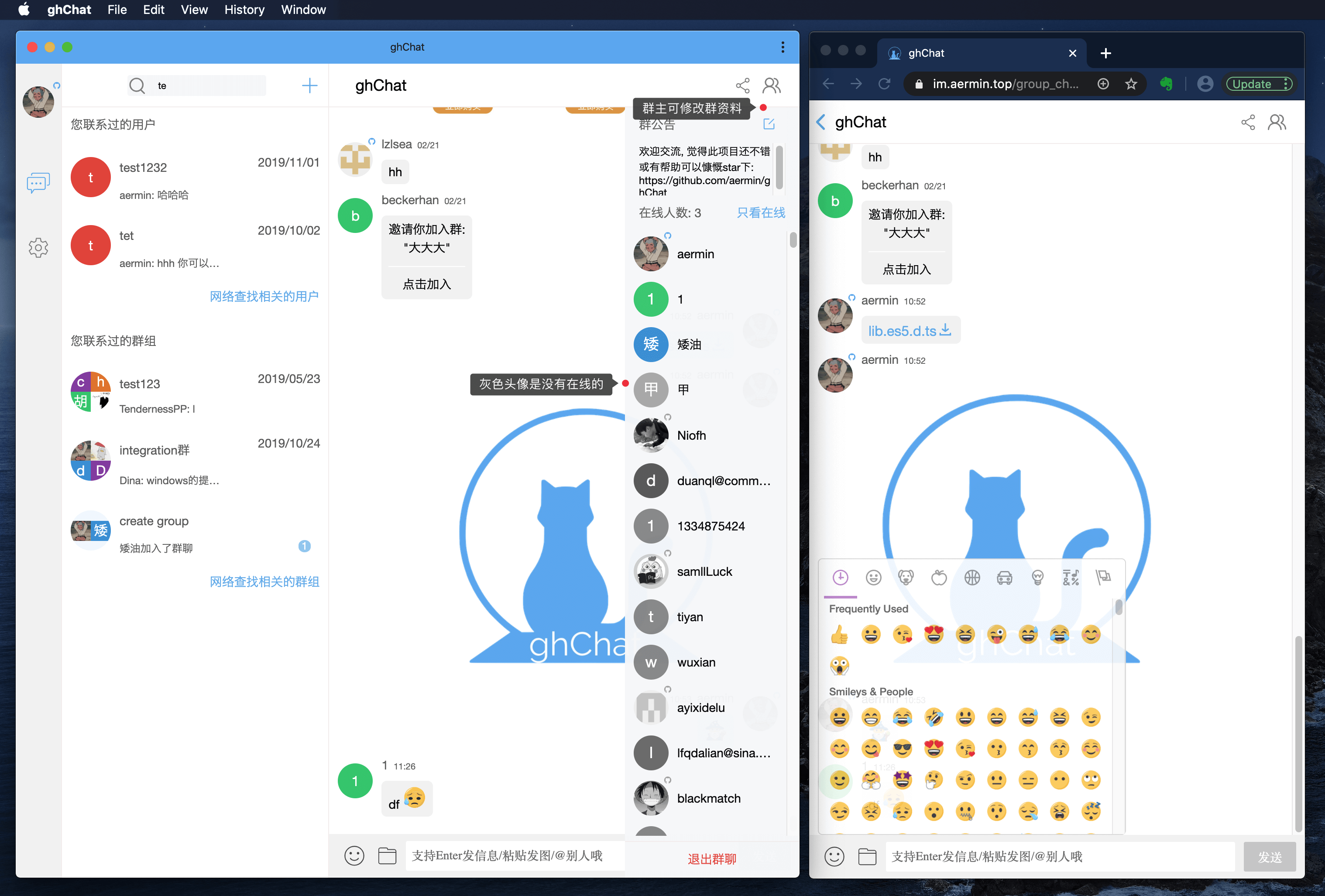
Responsive layout, adapted to desktop and mobile / most UI components are written by themselves
Private chat/add contacts/friend profile display/delete contacts
Group chat/Growing a group/Group information display/Group information editing/Group information/Newcomer entry notification
User search && group search: Support front-end fuzzy search and back-end fuzzy search
Send pictures/Posted expressions/Send files/Download files/Enter shortcut keys to send information/@Someone/Picture view/Send copy pictures (such as paste screenshots and post pictures directly)/Display chat page table according to descending order/Share group|Contact people to other people|Group (support both inside and outside the application)
Browser desktop notification/Switch settings for message prompts/Number of list unread messages/Refresh|Reopen|(different accounts) to re-log page, the number of unread messages on the list will still be displayed accurately
gzip compression/subcontracted build files/lazy chat content loading/routing on demand/interface request frequency limit/WebSocket management mechanism
Robot smart chat reply / Deploy SSL certificate / Support PWA / Backend support TS
Support Markdown/ Support reference chat content/backend encapsulation into SDK/Internationalization/CI CD
 ├── LICENSE
├── README-zh_CN.md
├── README.md
├── package-lock.json
├── package.json
├── postcss.config.js
├── server // 后端代码
│   ├── ecosystem.config.js
│   ├── init // 初始化mysql数据库的脚本
│   ├── nodemon.json
│   ├── package-lock.json
│   ├── package.json
│   ├── secrets.ts // 放一些非公开的secret
│   ├── src
│     ├── app
│     ├── context
|     ├── controllers
|     ├── index.ts
|     ├── middlewares
|     ├── routes // 后端路由,跟登录注册模块有关
|     ├── server.ts
|     ├── services
|     ├── socket // 除了登录注册,其他都用socket 来通信
|     └── utils
|     ├── configs
|       ├── configs.common.ts // 后端通用配置
|       ├── configs.dev.ts // 后端开发配置
|       └── configs.prod.ts // 后端生产配置
    └── main.ts
│   ├── tsconfig.json
│   ├── tslint.json
│   └── webpack.config.js
├── src // 前端代码
│   ├── App.js
│   ├── app.scss
│   ├── assets
│   ├── components
│   ├── containers
│   ├── index.html
│   ├── index.js
│   ├── manifest.json // PWA需要
│   ├── modules
│   ├── redux
│   ├── router
│   ├── service-worker.js // PWA需要
│   └── utils
├── webpack.common.config.js  // 通用webpack设置
├── webpack.prod.config.js //生产相关的webpack配置
└── webpack.dev.config.js //开发相关的webpack配置
git clone https://github.com/aermin/ghChat.git
cd ghChat
npm i
cd ghChat/server
npm i
 //需要先在本地建一个名为ghchat的mysql数据库
数据库配置参考如下(ghChat/server/src/configs/configs.dev.ts) 的dbConnection

npm run init_sql    //然后查看下数据库是否init成功
ps: If you want to use github authorization to log in, send pictures and files (using Qiniu Cloud cdn), you have to fill in the corresponding configuration in the file (ghChat/server/src/configs/configs.dev.ts), otherwise it will not be used by default.
npm run start
cd .. // 返回到ghChat/目录
npm run start
Prerequisite: Create secrets.ts file in the ghChat/server/ folder
 export default {
  port: '3000', // server 端口
  dbConnection: {
    host: '', // 数据库IP
    port: 3306, // 数据库端口
    database: 'ghchat', // 数据库名称
    user: '', // 数据库用户名
    password: '', // 数据库密码
  },
  client_secret: '', // github的client_secret
  jwt_secret: '', // jwt的secret
  qiniu: { // 七牛云cdn配置
    accessKey: '',
    secretKey: '',
    bucket: ''
  },
  robot_key: '', // 机器人聊天用到的key => 请自己申请 http://www.tuling123.com/
};
1.build front-end code
 cd src
npm run build:prod
2.build backend code
 cd sever
npm run build:prod
npm run start:prod )Here we have a ghChat development process, which will constantly update and summarize the problems, knowledge points, and pitfalls that will be encountered when doing this full-stack project.
MIT
Code is not easy, please indicate the source for reference
If it is helpful to you or thinks it is not bad, you can star or give me a reward (〃'▽'〃)







