Compose Bubble
v1.1.0

Chat/Speech bubble width different arrow, background, shadow properties to create chat bubbles like whatsapp, telegram or other messaging apps have or arrows with arrow at bottom to create info bubble.
To get a Git project into your build:
allprojects {
  repositories {
      ...
      maven { url 'https://jitpack.io' }
  }
}
dependencies {
	  implementation 'com.github.SmartToolFactory:Compose-Bubble:Tag'
}
Modifier.bubble, or createBubbleShape function to create this as Shape or BubbleLayout as in demo such as
@Composable
fun BubbleLayout(
    modifier: Modifier = Modifier,
    bubbleState: BubbleState,
    backgroundColor: Color = Color.White,
    shadow: BubbleShadow? = null,
    borderStroke: BorderStroke? = null,
    content: @Composable () -> Unit
) {
    Column(
        modifier.bubble(
            bubbleState = bubbleState,
            color = backgroundColor,
            shadow = shadow,
            borderStroke = borderStroke
        )
    ) {
        content()
    }
}
There are 4 demos to test bubbles.
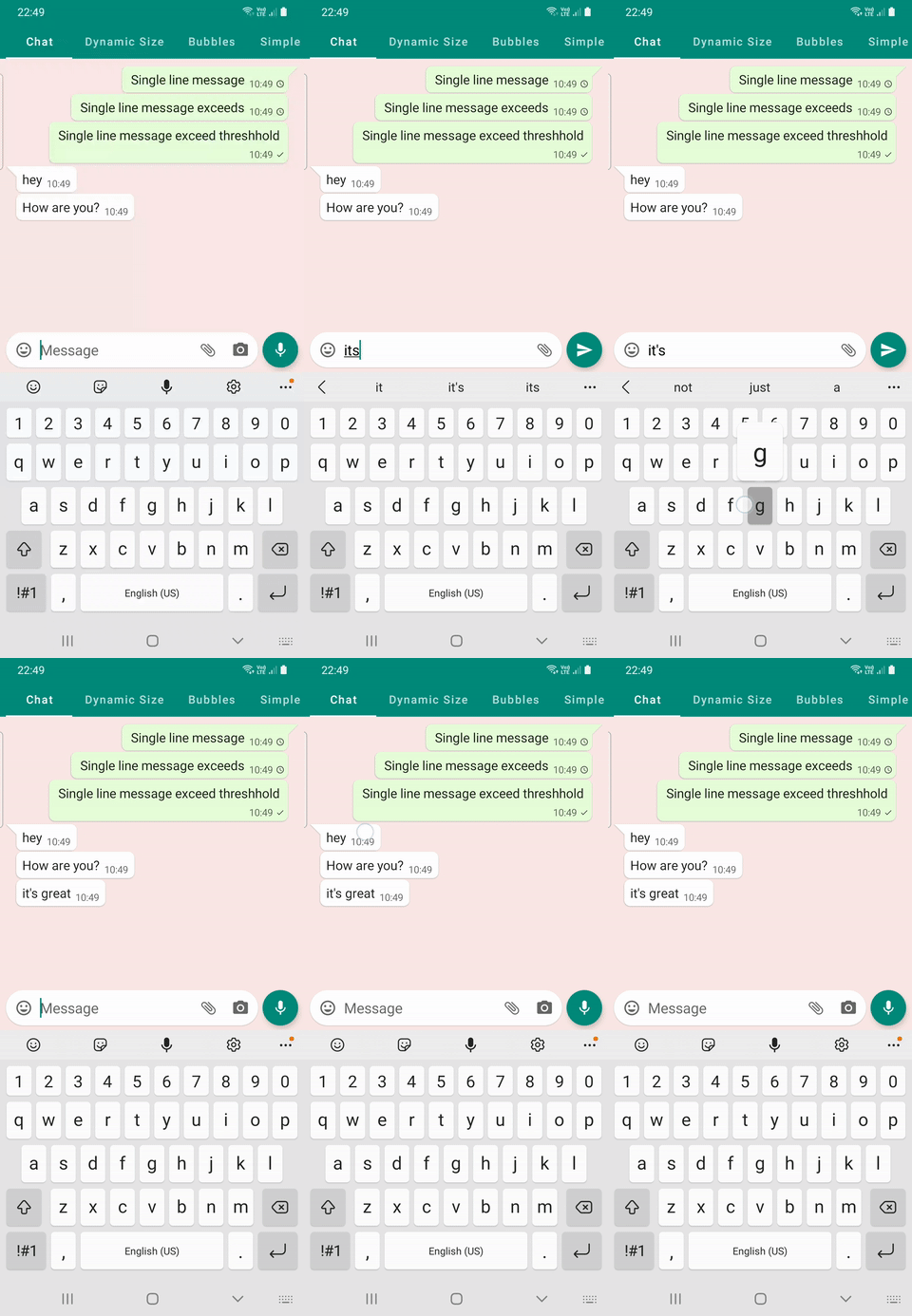
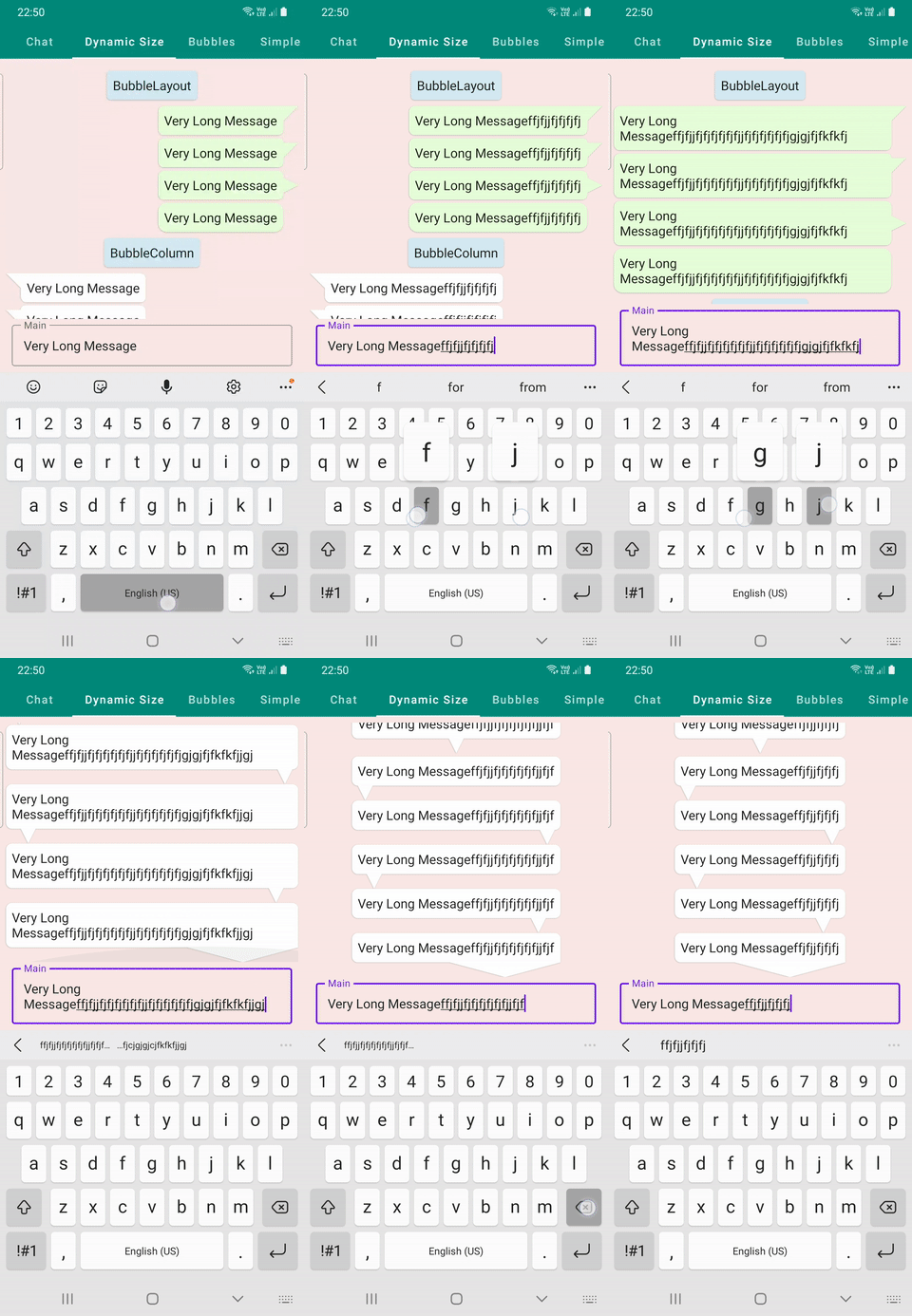
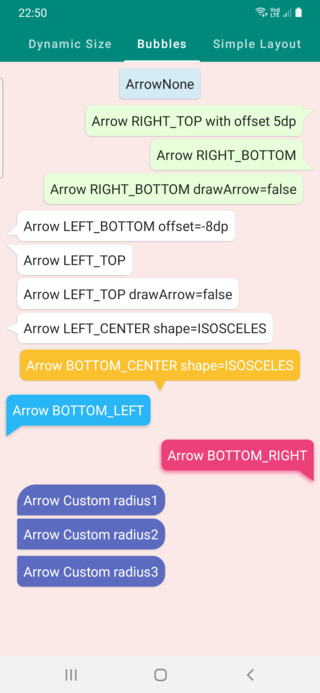
DemoFullChat is small chatting sample which displays arrow on first message from sender or userDemoDynamicSize is for changing bubbles dynamically to observe changes in real time. You can add your custom bubbles to test dynamic changes.DemoBubbles displays some sample bubblesDemoSimpleLayout is for demonstrating Constraints.offset(x,y) and Contrainsts.constrainWidth on Layout and Placeable| Full Chat z | Dynamic Size | Bubble Samples |
|---|---|---|
 |
 |
 |
class BubbleState internal constructor(
    var backgroundColor: Color = DefaultBubbleColor,
    var cornerRadius: BubbleCornerRadius = BubbleCornerRadius(
        topLeft = 8.dp,
        topRight = 8.dp,
        bottomLeft = 8.dp,
        bottomRight = 8.dp,
    ),
    var alignment: ArrowAlignment = ArrowAlignment.NONE,
    var arrowShape: ArrowShape = ArrowShape.TRIANGLE_RIGHT,
    var arrowOffsetX: Dp = 0.dp,
    var arrowOffsetY: Dp = 0.dp,
    var arrowWidth: Dp = 14.dp,
    var arrowHeight: Dp = 14.dp,
    var arrowRadius: Dp = 0.dp,
    var drawArrow: Boolean = true,
    var shadow: BubbleShadow? = null,
)
to create a BubbleState to modify bubble to be drawn use one of the overloads of remember functions
fun rememberBubbleState(
backgroundColor: Color = DefaultBubbleColor,
cornerRadius: Dp = 8.dp,
alignment: ArrowAlignment = ArrowAlignment.NONE,
arrowShape: ArrowShape = ArrowShape.TRIANGLE_RIGHT,
arrowOffsetX: Dp = 0.dp,
arrowOffsetY: Dp = 0.dp,
arrowWidth: Dp = 14.dp,
arrowHeight: Dp = 14.dp,
arrowRadius: Dp = 0.dp,
drawArrow: Boolean = true,
shadow: BubbleShadow? = null,
)







