MonoGame.Forms
1.0.0

MonoGame.Forms is the easiest way of integrating a MonoGame render window into your Windows Forms project. It should make your life much easier, when you want to create your own editor environment.
Note
Tip
AutoScaleMode = System.Windows.Forms.AutoScaleMode.None;. If you want to turn off scaling of your whole application, then you need to add a Manifest-File.Important
dotnet add package MonoGame.Forms.DX or use the Package Managerdotnet new install MonoGame.Forms.Templatesdotnet new mgf -n MyMonoGameFormsProjectdotnet new mgfn -n MyMonoGameFormsProjectdotnet new mgc -na MyMonoGameControldotnet new mgic -na MyInvalidationControl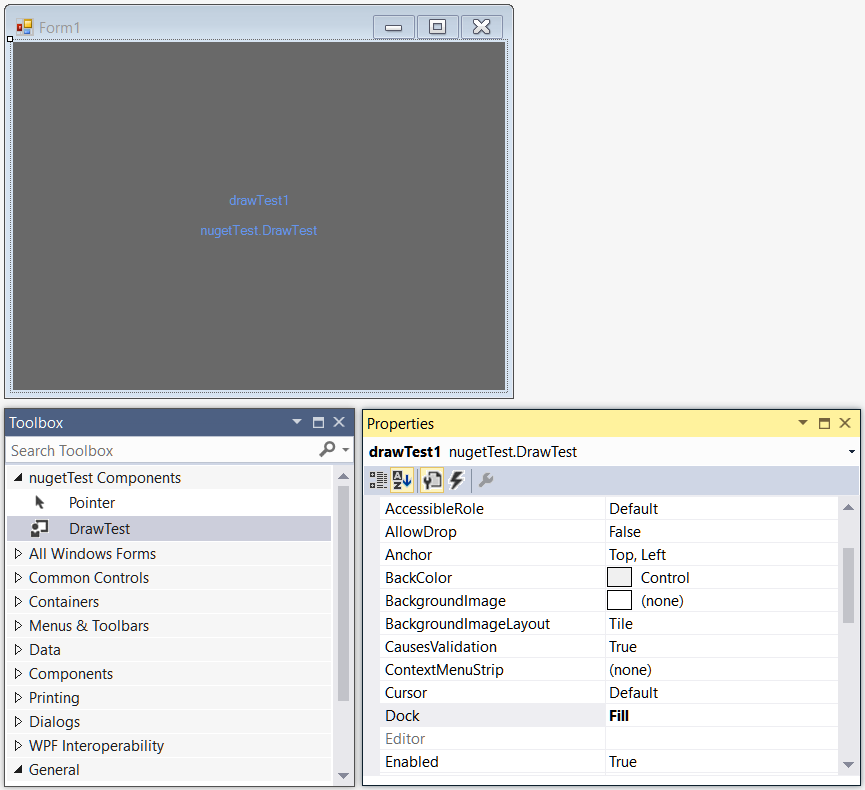
In MonoGame you could draw someting to the screen with the spriteBatch. In MonoGame.Forms you will do the same but you need to use the EditorService for this.
In the MonoGame.Forms.Control classes this service is called Editor. So, in order to draw something to the spriteBatch you need to do this:
Editor.spriteBatch.DrawString();Let's take a look at the final DrawTest class:
using Microsoft.Xna.Framework;
using MonoGame.Forms.Controls;

namespace nugetTest
{
    public class DrawTest : MonoGameControl
    {
        string WelcomeMessage = "Hello MonoGame.Forms!";

        protected override void Initialize()
        {
        }

        protected override void Update(GameTime gameTime)
        {
        }

        protected override void Draw()
        {
            Editor.spriteBatch.Begin();

            Editor.spriteBatch.DrawString(Editor.Font, WelcomeMessage, new Vector2(
                (Editor.graphics.Viewport.Width / 2) - (Editor.Font.MeasureString(WelcomeMessage).X / 2),
                (Editor.graphics.Viewport.Height / 2) - (Editor.FontHeight / 2)),
                Color.White);

            Editor.spriteBatch.End();
        }
    }
}
Result:
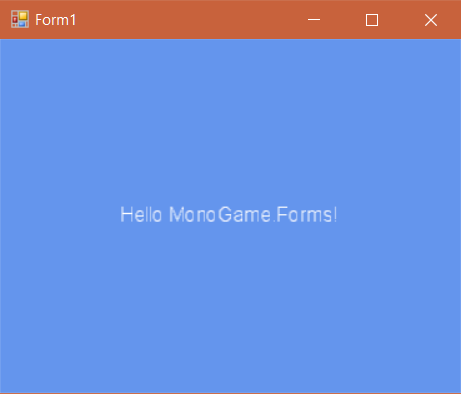
It's pretty much like in the MonoGame.Framework!
Take a look at the MonoGame.Forms.Samples-Project, which is part of this repo, to learn more about how MonoGame.Forms works.
This specific control class doesn't need to override the Update() method, because it gets manually updated (by you!).
You simply need to call Invalidate() on a custom InvalidationControl for every change you want to see on it. After calling this, your control does not consume CPU power anymore. This is great when creating preview controls for textures and similar things!
Here are some sample pics from the Blazor branch:






