neoeedit
v387

neoeedit - a smart, light, powerful text editor.
Smart philosophy:
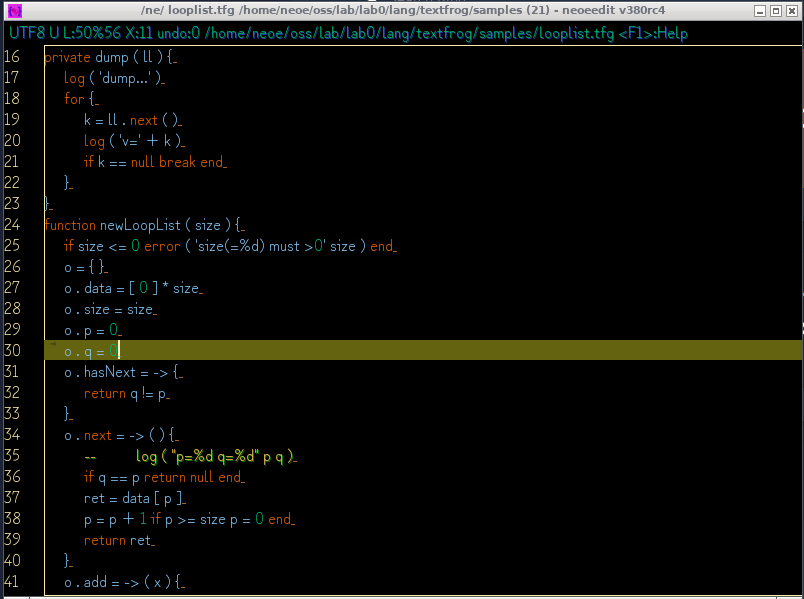
    ctrl-C/V/X: copy/paste/cut

    ctrl-1: go to file (and lineno) of current line.
    alt-E(or F9): execute current line as command line
    ctrl-O: list files in current dir, then use ctrl-1 to open one of them.
    alt-P: move cursor between pair marks. (works on (){}<>)
    ctrl-L: goto line
    ctrl-A: select all
    alt-A: select and copy current line
    ctrl-D: delete current line
    ctrl-R: remove all trailing spaces
    alt-H: show hex for selected string
    alt-W: wrap lines (at cursor position, CJK character's counted as two.)

    ctrl-S: save file
    F2 : save as

    ctrl-N: new empty document in current window
    ctrl-M: new empty document in new window
    ctrl-TAB: show all documents in window. You can jump to one of them by press ctrl-1 on it.
    ctrl-Q: quick switch between documents.
    ctrl-W: close current document, and record to open file history.
    alt-L: launch current line using system default launcher (for file, executable, text, or URL).
    ctrl-H: open file history
    ctrl-P: print (beautiful)

    ctrl-Z: undo
    ctrl-Y: redo

    ctrl-F: find/replace
    F3 : find next
    F4 : find prev

    ctrl-E: set encoding
    F5 : reload with encoding

    alt-left alt-right: quick indent
    home end, ctrl up,down,left,right: cursor control

    Keywords highlighting (java,c,python,lua,shader 500+ keywords)
    Comments auto detection, like # // -- /**/
    drag and drop files to open
    F1: help
    ctrl-F1: show banner

    Encoding auto detection . for UTF-8, UTF-16, UTF-32, SJIS, GBK. Good unicode support.

    replace/find in files, and in dir/sub-dir

    alt-: rectangular mode
    alt-/: switch line between / and  (for path seperator)

    ctrl-mouse scroll: zoom in/out
    ctrl-0: zoom reset

    alt-f:list fonts, then ctrl-1 on it to set font

    alt-j: script to process on the text

    alt-c: switch between preset color modes, there are 3 now: White, Black, Blue.

    alt-S : change line seperator between windows(rn) and unix(n)

    alt-R : readonly mode (for novel reading)

    It's also a image viewer! View large JPG, GIF, BMP, PNG images easily.
        Left, Right: view previous/next image
        Up, Down: rotate image
        0: reset image
        Ctrl-W / H / O: functions like what it did in text editor mode
        F1: toggle thumbnail
        `[` `]`:slide show speed
        ctrl-click, ctrl-drag to select an area, then ctrl-s to save.


    Configurable font List (in config file)

    Plugins:
    how to use: copy plugin jar into [home-dir]/.neoeedit/plugins/


    ctrl-space: toggle IME (need plugin `neoeime`, support Chinese,Japanese,English etc.)
    ctrl-shift-f: format source (need plugin `neoeformatter.jar`, support Java, C or C liked, Lua, json)

    select text using both mouse and keyboard
    cursor keys: up down left right home end(also Ctrl-Enter) pageup pagedown
    alt-pageup, alt-pagedown, alt-mouse scroll: horizon cursor movement

    (more...not listed or not added)
Just download a single jar to start: https://github.com/neoedmund/neoeedit/raw/master/dist/neoeedit.jar
java -Xmx2G -jar neoeedit.jar $1 &
neoeedit.regWindows Registry Editor Version 5.00
[HKEY_CLASSES_ROOT*ShellOpen with neoeedit]
[HKEY_CLASSES_ROOT*ShellOpen with neoeeditCommand]
@=""C:\Program Files\Java\jdk9\bin\javaw.exe" -Xmx1000M -jar "C:\neoe\neoeedit.jar" "%1""
[HKEY_CLASSES_ROOT*ShellCopy full nameCommand]
@=""C:\Program Files\Java\jdk9\bin\javaw.exe" -cp "C:\neoe\neoeedit.jar" "neoe.ne.CopyFullName" "%1""
(optional) download [exe|https://github.com/neoedmund/neoeedit/raw/master/neoeedit.exe] and put same dir with neoeedit.jar
or without neoeedit.exe:
start javaw -Xmx2G -jar neoeedit.jar %*
copy plugins/*.jar into [userhome]/.neoeedit/plugins/

(c) 2009-2099 neoe






