Nerd Fonts PowerShell Installer
1.0.0

This repository hosts a PowerShell script designed to automate the installation of Nerd Fonts on your system. Nerd Fonts patches developer-targeted fonts with a high number of glyphs (icons). Specifically, it targets coding-related and UI-enhancement purposes.
Before running the installation script, ensure that:
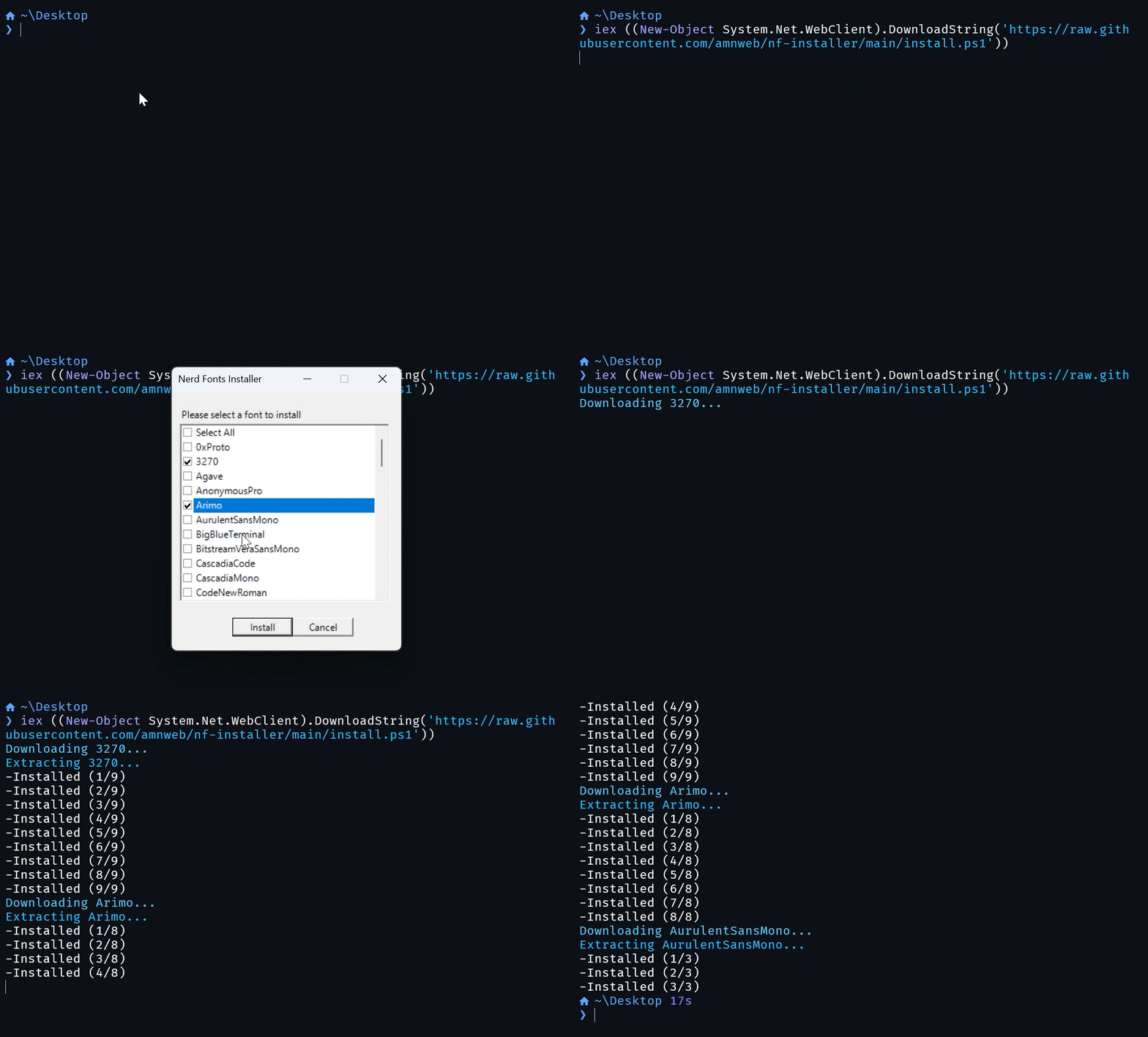
To install Nerd Fonts using the PowerShell script, follow these steps:
git clone https://github.com/amnweb/nf-installer.install.ps1or run directly from github
iex ((New-Object System.Net.WebClient).DownloadString('https://raw.githubusercontent.com/amnweb/nf-installer/main/install.ps1'))
Once the fonts are installed, you can select them in your terminal or code editor settings by looking for font names prefixed with 'NF' (e.g., FiraCode NF).
For example, to set a Nerd Font in Visual Studio Code, go to Settings > Text Editor > Font and enter the name of the Nerd Font you installed.








