mixfonts figma
1.0.0

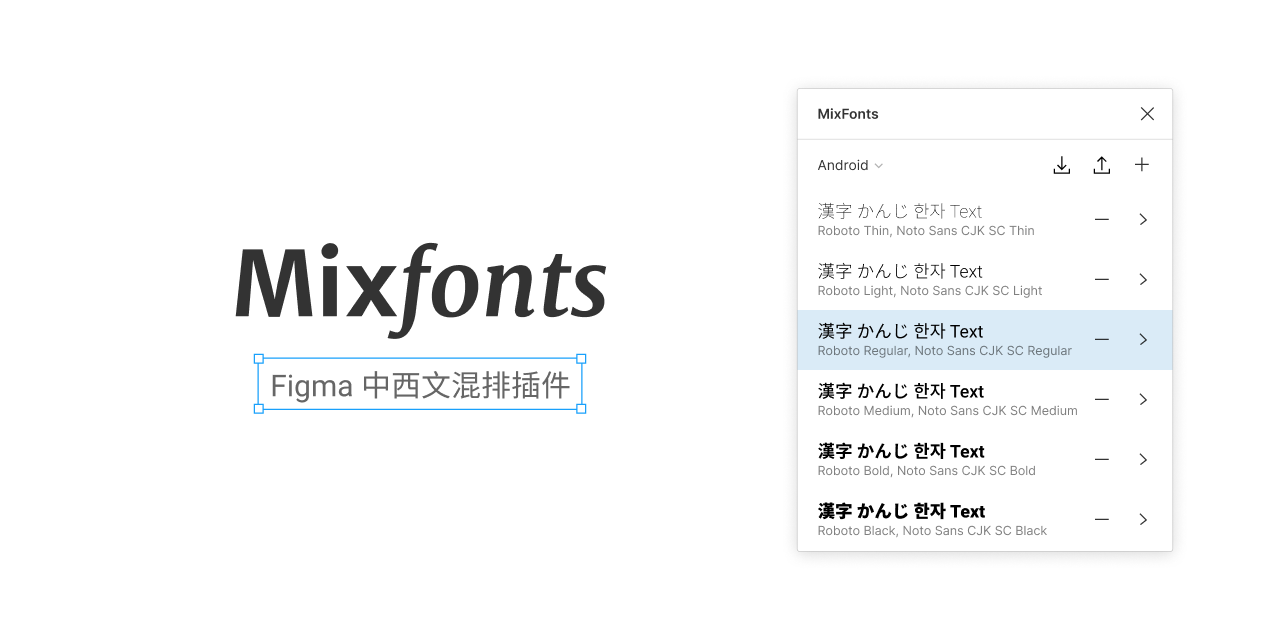
A Figma plugin let you easy to use different fonts for Latin and CJK characters.
https://www.figma.com/community/plugin/735711462872799891/MixFonts
Clone the repository.
Install the dependencies.
npm installBuild plugin.
npm run buildOpen Figma desktop app, and go to ☰ > Plugins > More > Development > New Plugin..., then choose manifest.json.
Import MixFonts rules from JSON file, and export rules as JSON file for sharing.
The first item in fonts array is font for Latin characters, and the second item for CJK characters.
[
  {
    "group": "Android",
    "fonts": [
      {"family":"Roboto","style":"Light"},
      {"family":"Noto Sans CJK SC","style":"Light"}
    ]
  },
  {
    "group": "Android",
    "fonts": [
      {"family":"Roboto","style":"Regular"},
      {"family":"Noto Sans CJK SC","style":"Regular"}
    ]
  },
  {
    "group": "Android",
    "fonts": [
      {"family":"Roboto","style":"Bold"},
      {"family":"Noto Sans CJK SC","style":"Bold"}
    ]
  },
  {
    "group": "iOS",
    "fonts": [
      {"family":"SF Pro Display","style":"Light"},
      {"family":"PingFang SC","style":"Light"}
    ]
  },
  {
    "group": "iOS",
    "fonts": [
      {"family":"SF Pro Display","style":"Regular"},
      {"family":"PingFang SC","style":"Regular"}
    ]
  },
  {
    "group": "iOS",
    "fonts": [
      {"family":"SF Pro Display","style":"Bold"},
      {"family":"PingFang SC","style":"Semibold"}
    ]
  }
]MIT
Buy me a coffee or donate $2.00 $5.00 $10.00 via PayPal.
使用支付宝或微信扫码打赏








