toyterm
1.0.0

toyterm is a toy terminal emulator for Linux.
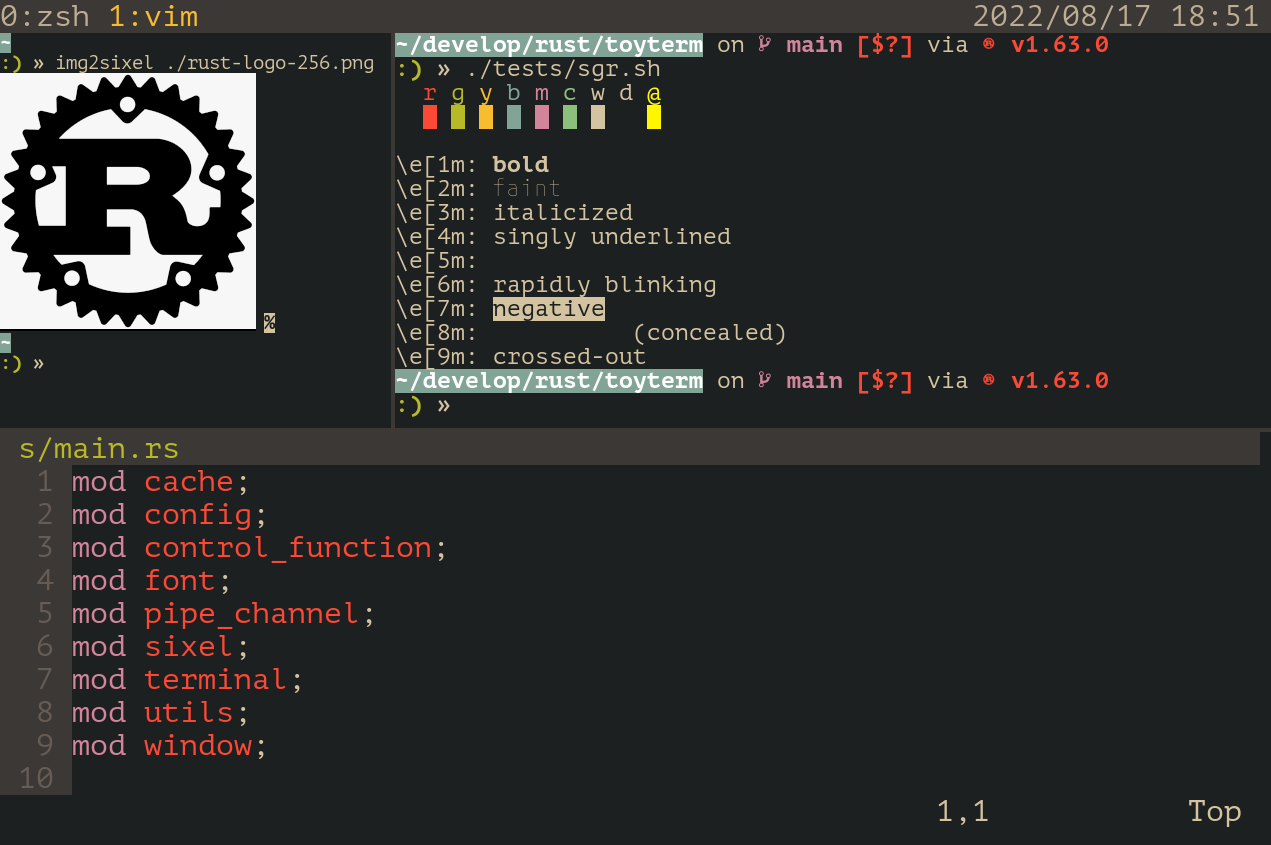
To install:
$ git clone https://github.com/algon-320/toyterm
$ cd toyterm
$ tic -x -o "$HOME/.terminfo/" toyterm.info
$ cargo install --path .$ sudo tic -x toyterm.info instead.To configure:
$ mkdir -p "$HOME/.config/toyterm"
$ cp ./config.toml "$HOME/.config/toyterm"
$ $EDITOR "$HOME/.config/toyterm/config.toml"
To uninstall:
$ rm "$HOME/.terminfo/t/toyterm-256color"
$ cargo uninstall toyterm
$ rm -r "$HOME/.config/toyterm"$ sudo rm /usr/share/terminfo/t/toyterm-256color too.| Key | Function |
|---|---|
Ctrl + - |
Decrease font size |
Ctrl + = |
Increase font size |
Ctrl + Shift + c |
Copy selected text |
Ctrl + Shift + v |
Paste clipboard text |
Ctrl + Shift + l |
Clear history |
| Up key | Send x1b[[A |
| Down key | Send x1b[[B |
| Right key | Send x1b[[C |
| Left key | Send x1b[[D |
| PageUp key | Send x1b[5~ |
| PageDown key | Send x1b[6~ |
| Delete key | Send x1b[3~ |
| Backspace key | Send x7f |
| Mouse Wheel | Same effect as arrow keys (Up/Down/Right/Left) |
| Shift + Mouse Wheel | Scroll history |
If feature multiplex is enalbed:
| Key | Function |
|---|---|
Ctrl + a, c |
Create a new window |
Ctrl + a, n |
Switch to next window |
Ctrl + a, p |
Switch to prev window |
Ctrl + a, % |
Split current pane vertically |
Ctrl + a, " |
Split current pane horizontally |
Ctrl + a, z |
Maximize current pane |
Ctrl + a, s |
Save current layout |
Ctrl + a, r |
Restore saved layout |
Ctrl + a, x |
Close currently focused pane |
Ctrl + a, Up/Down/Left/Right |
Focus up/down/left/right pane |
Ctrl + a, Ctrl + Up |
Move the partition up (i.e. Decrease the width of upper pane) |
Ctrl + a, Ctrl + Down |
Move the partition down (i.e. Increase the width of upper pane) |
Ctrl + a, Ctrl + Left |
Move the partition left (i.e. Decrease the width of left pane) |
Ctrl + a, Ctrl + Right |
Move the partition right (i.e. Increase the width of right pane) |
Ctrl + a, Ctrl + a |
Send x01 (Ctrl + a) |
toyterm aims to support the standard control functions described in ECMA-48. Some private functions, widely used by modern terminals, may be supported as well. Currently toyterm supports the following functions.
CHA
CUB
CUD
CUF
CUP
CUU
DCH
DL
DSR
ECH
ED
EL
HVP
ICH
IL
RM
SGR
e[0m, e[me[1me[2me[5me[6me[7me[8me[30m..e[37me[90m..e[97me[39me[70me[38;2;{R};{G};{B}me[38;5;{idx}me[40m..e[47me[100m..e[107me[49me[80me[48;2;{R};{G};{B}me[48;5;{idx}mSM
VPA
SetScrollRegion (DECSTBM): e[{top};{bottom}r
SelectCursorStyle:
e[0 qe[2 qe[4 qe[6 qq (sixel string...) ST
e7e8toyterm supports the following modes.
?25)
?80)
?1000)
?1006)
?1049)
?2004)
x1b[200~ at the beginning and x1b[201~ at the end of a pasted text.This software is licensed under MIT License.
The embedded fonts (M PLUS 1 Code) are redistributed under the Open Font License (OFL).
See also src/font/OFL.txt for more details.








