fbCharm
1.0.5


If you are a WEB developer, I believe you will be familiar with the font-family attribute of CSS. Usually we will set a long list of fonts (family) for the font-family property, like this:
. text { font-family : Menlo , Monaco , Consolas , "Courier New" , monospace , Arial , "Microsoft YaHei" , "黑体" , "宋体" , sans-serif; }Some people will definitely ask, why do you need to set this up? If you are careful enough, you will definitely find that when you browse the web page, the English font and Chinese font are not the same font. If you see the fonts presented by the web page on different operating systems or even on different computers, you will see that the fonts presented on the web page are different. Why is this?
In addition, when you use Microsoft Word for paragraph typesetting, you will find that Word can automatically apply Chinese fonts to Chinese styles and English fonts to English styles. How is this done?
In actual typesetting needs, in order to look good, we usually need to make different font settings for text (script) in different languages to achieve the best visual effect. Of course, for us, the most common thing is mixed Chinese and English. Usually the design drafts given by designers are very beautiful, but different fonts are used in Chinese and English. How can our developers restore the original design of the design draft with high fidelity?
Obviously, for WEB developers, there is already a good solution, but for students on other clients, this should probably be a bit difficult. We usually tell designers: "The system does not support it" or "can't do it". So, in fact, can it be done? The answer is yes.
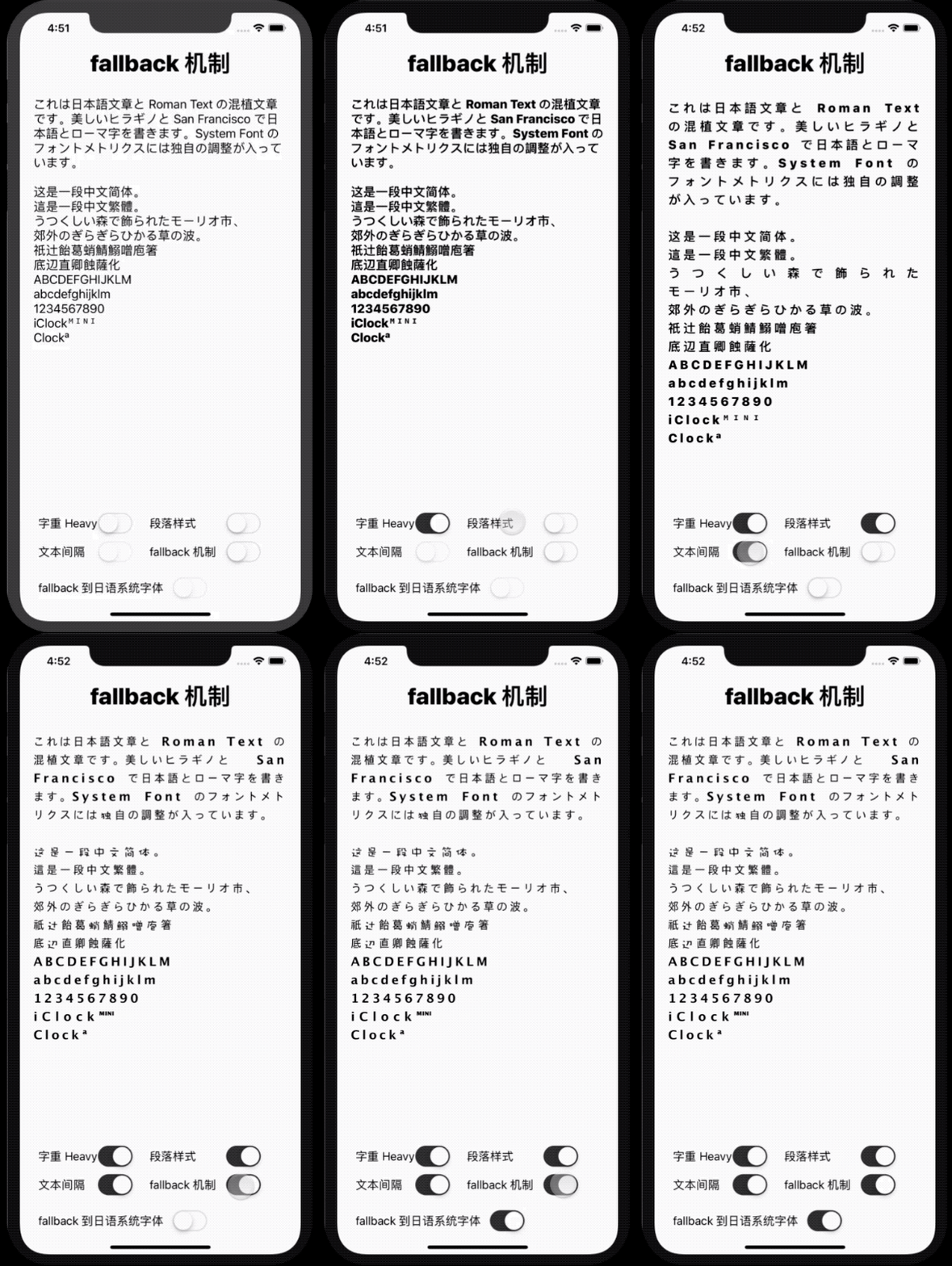
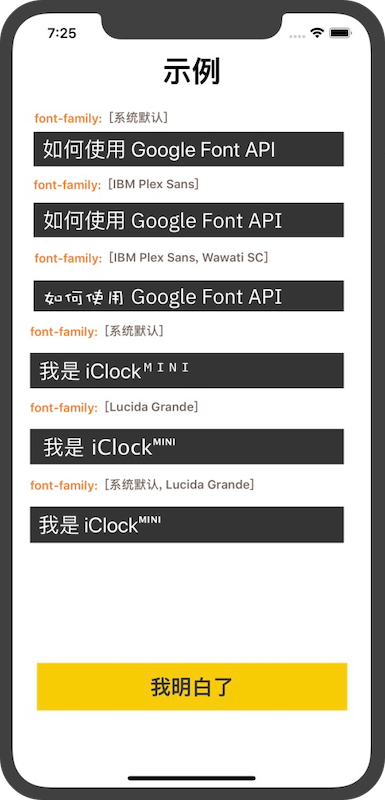
Method 1: fbCharm is available through CocoaPods. To install it, simply add the following line to your Podfile:
pod 'fbCharm'
 let text = "これは日本語文章と Roman Text の混植文章です。美しいヒラギノと San Francisco で日本語とローマ字を書きます。System Font のフォントメトリクスには独自の調整が入っています。 n n这是一段中文简体。 n這是一段中文繁體。 nうつくしい森で飾られたモーリオ市、 n郊外のぎらぎらひかる草の波。 n祇辻飴葛蛸鯖鰯噌庖箸n底辺直卿蝕薩化n ABCDEFGHIJKLM n abcdefghijklm n 1234567890 n iClockᴹᴵᴺᴵ n Clockª "
let fontSize : CGFloat = 22.0

// 適当に行間を空ける処理
let paragraphStyle : NSMutableParagraphStyle = NSMutableParagraphStyle ( )
paragraphStyle . minimumLineHeight = fontSize * 1.5
paragraphStyle . maximumLineHeight = paragraphStyle . minimumLineHeight

let attributedString = NSMutableAttributedString ( text : text , families : [ " Lucida Grande " , " Baskerville " , " Apple SD Gothic Neo " ] , size : 18.0 , weight : . light , kern : 4.0 , paragraphStyle : paragraphStyle )
self . label . attributedText = attributedString

//let font = UIFont(families: ["Lucida Grande", "Baskerville", "Apple SD Gothic Neo"], size: 20, weight: .medium)
//self.label.font = font
//self.label.text = text