SwiftUIFontIcon
2.1.0

The easiest way to implement font icons in your SwiftUI project.
The library is super super easy to use, just something like this :)
import SwiftUIFontIcon

// ...

FontIcon.text(.materialIcon(code: .access_alarm))
FontIcon.text(.materialIcon(code: .access_alarm), fontsize: 30)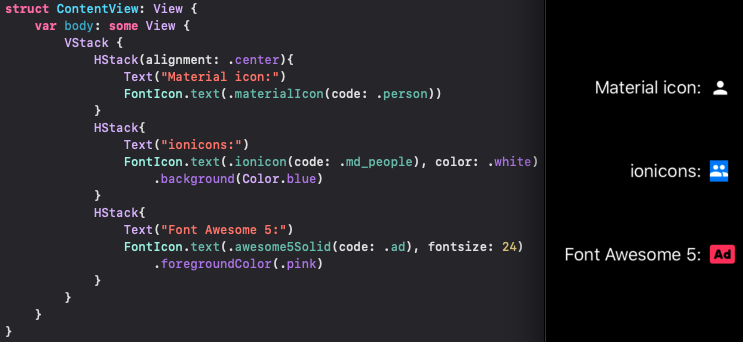
FontIcon.button(.ionicon(code: .md_add_circle), action: {})
FontIcon.button(.materialIcon(code: .settings), action: {}, padding: 8)
.background(RoundedRectangle(cornerRadius: 4).foregroundColor(.blue))CocoaPods is a dependency manager for Cocoa projects.
You can install it with the following command:
$ gem install cocoapodsTo integrate SwiftUIFontIcon into your Xcode project using CocoaPods, specify it in your Podfile:
use_frameworks!

pod 'SwiftUIFontIcon'The preferred way of installing SwiftUIFontIcon is via the Swift Package Manager.
Xcode 12 integrates with libSwiftPM to provide support for iOS, watchOS, and tvOS platforms.
https://github.com/huybuidac/SwiftUIFontIcon) and click Next.master).To run the example project of SPM, using xcode 12 beta
To run the example project of Cocoapods, using xcode 11 || 12 beta
Currently, SwiftUIFontIcon supports:








