font tester chrome
v 3.2

Font tester about

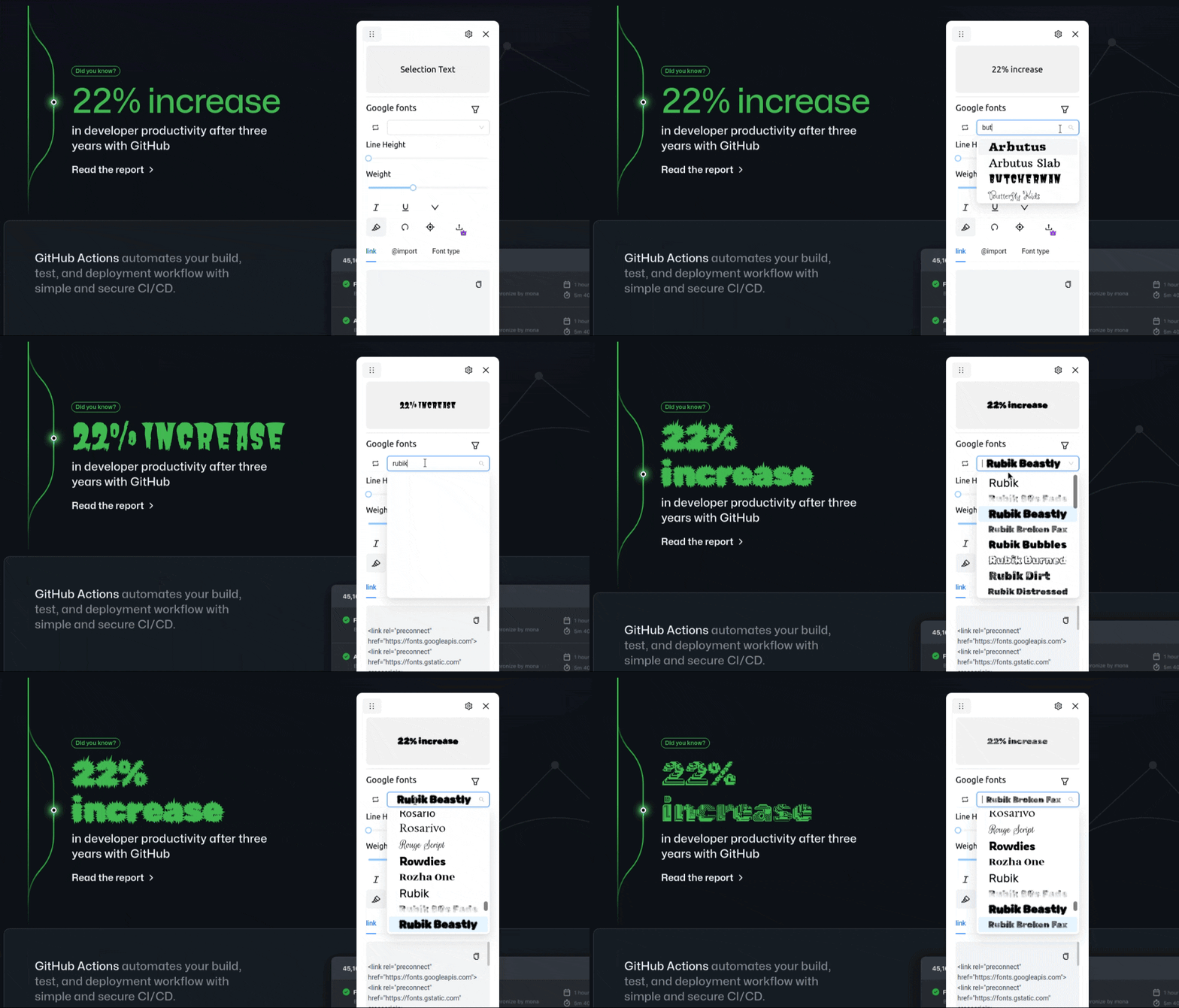
Finding it difficult to choose the right font? Now test 1000+ free google font types on your website.
Get Better at website Typography using this extension.
Now you can go to your website, click on the extension, test fonts and pick the one you like along with the code.
Download the extension from Chrome Extension store
or
You can download the dist folder from releases and load it manually
read more in changelogs
✅ Test 1000+ google fonts
✅ Find font types used on any webpage
✅ Preview fonts on the dropdown
✅ Move the modal around the webpage.
✅ Set italics, underline, weights, line height etc.
✅ Set font size, filter (premium users)
✅ Set color, letter spacing (premium users)
✅ Upload local fonts (premium users)
More on Roadmap
For full instructions and demo, read the Docs
Note
During partial text selection, the fonts applied will affect the entire text between the elements, because, inserting elements around selection may affect the style. However, In the future we may wrap an element around the selection, based on the user feedback.
Get advanced features and more
| Type | Free | Premium |
|---|---|---|
| Support open-source development | ?️ | ? |
| Priority support - (priorities your feature requests, issues) | community support | ✅ |
| Lifetime license (one-time purchase) | ?️ | ✅ |
| Free updates | ❓️ | ✅ |
| Upload local fonts | ✅ | |
| Adjust font size | ✅ | |
| Early access to upcoming features | ✅ | |
| Adjust font color | ✅ | |
| Dark theme | ✅ | |
| Extension for Edge and Firefox | ✅ | |
| Price | Free | Price |
| order now! | - | Get license |
a. You can use Font Tester extension to test different font's on any webpage.
a. You can use Font Tester extension to find font's on any webpage.
a. You can test local fonts by purchasing license. It comes with more features to help you test different typography.
The manifest.json required for extension is located inside the public folder.
To load the extension locally. Go to extension -> Load unpacked -> point to dist folder (the build folder).
For development use
npm run build:dev
This is because the extension requires to point to the build folder, using this command you won't have to rebuild on every save.
For development you can also use
npm start, but you won't be able to load it as extension but as a react app.
Some important notes:








