Miracode
v1.0 - Hello, World!

Download it here!
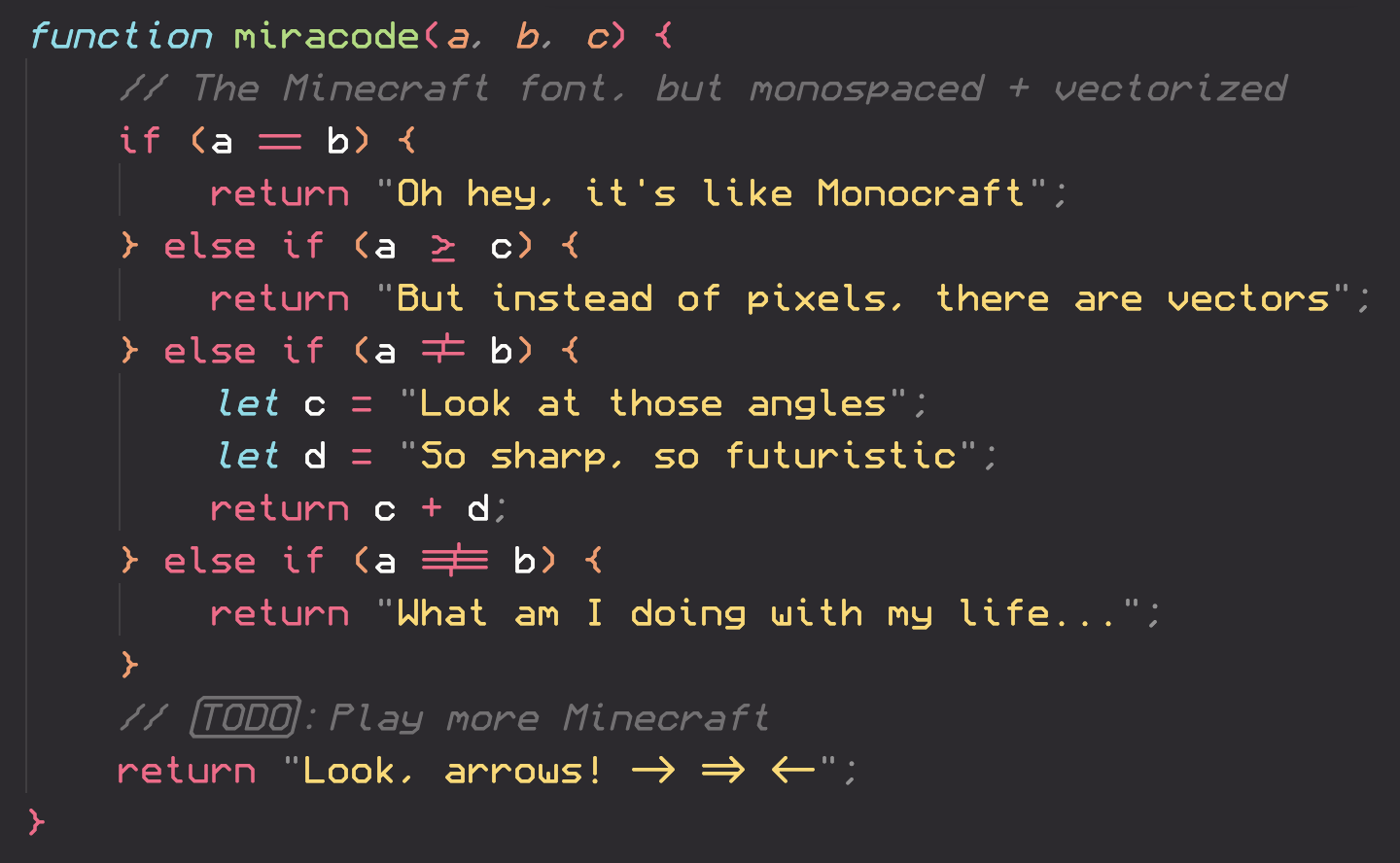
The font for those who like Monocraft but want to be able to read what they type!
Follow me for updates on this and other projects!
Download the most recent Miracode.ttf file from the Releases page. Right click on the downloaded font and select Install. You might need administrative access to install fonts, depending on your machine.
Download the most recent Miracode.ttf file from the Releases page. Double click on the downloaded font file and select Install Font in the window that appears. More help available here.
Download the most recent Miracode.ttf file from the Releases page. Move the file to ~/.local/share/fonts (create the folder if it doesn't already exist). In a terminal, run fc-cache -fv. Alternatively, log out and log in again.
After following the installation instructions up above, simply select the "Miracode" font (note the space) in any application that supports custom fonts. You might need to restart the application or your computer for the font to appear.
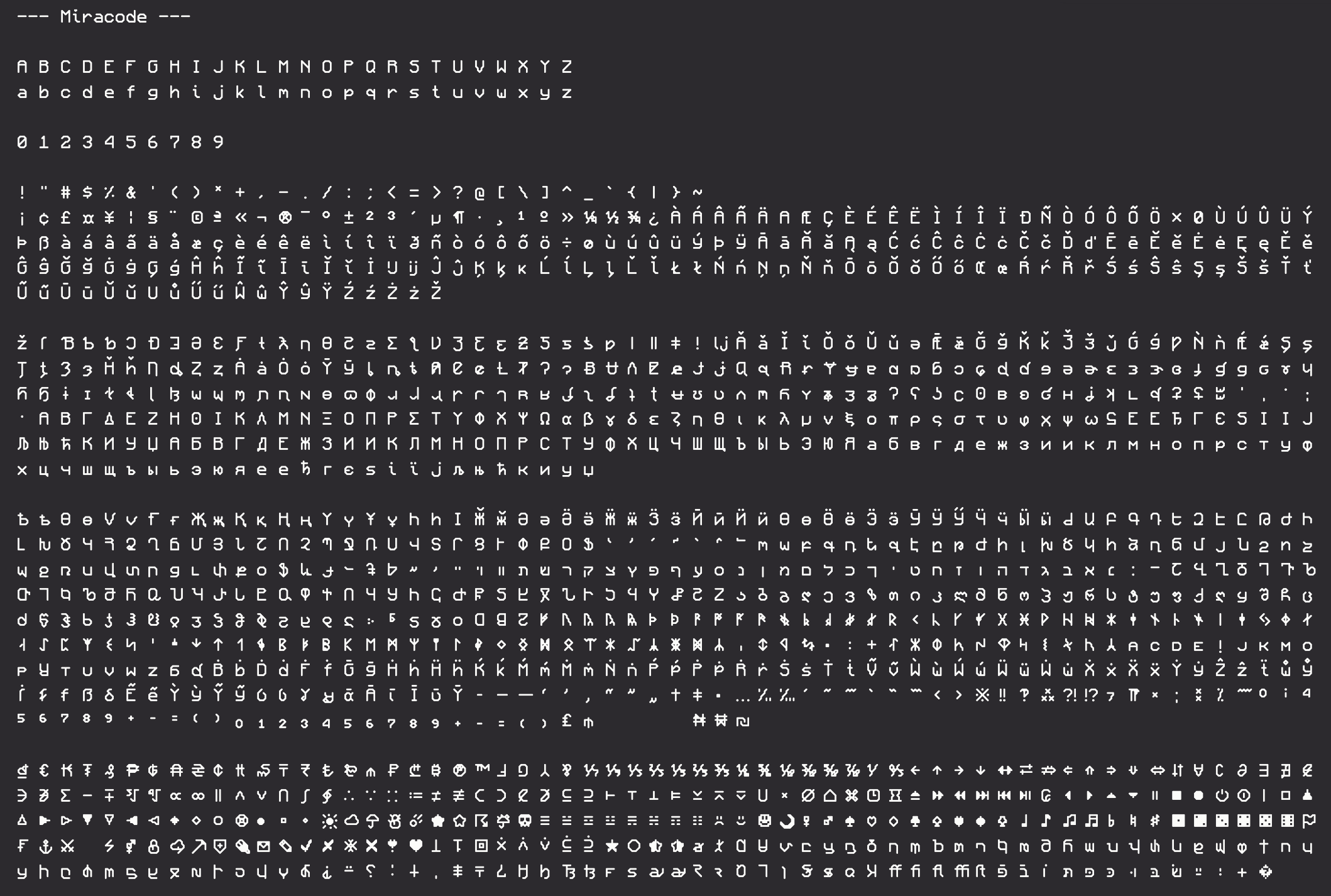
Using FontForge's excellent Python extension, the glyphs are created from configuration files representing each character's pixels. Diacritics are created separately and are combined with the original characters to create over 1500 unique glyphs. To learn more, check out the source code in the src folder.
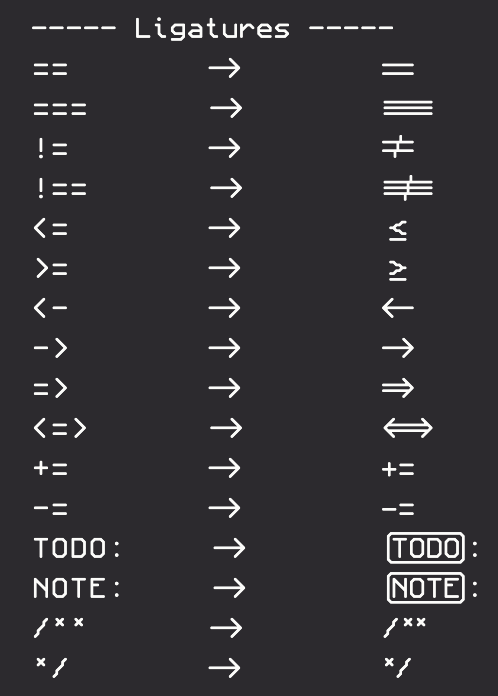
Unlike Monocraft, this font was made specifically with my use cases in mind and as such includes more weird features that Monocraft lacks. If you have any suggestions or improvements, feel free to open an issue or a pull request, but I can't guarantee that I'll accept every change!








