linky
2.0.2

NB : because this tool is targeted for French people, the documentation is ... in French
This module allows you to recover your LINKY CONSUMPTION AND CRODUCTION VIAGE API
It can be used in 2 ways:
Note that you need a Linky counter and an Enedis customer area to be able to use this module
linky with npm : npm i -g linkyFirst of all, you will have to log into your Enedis customer area and give them permission to share your data with an external application
Go to Conso.Boris.sh to give your agreement and recover a token
Then create a connection to your account with the following order:
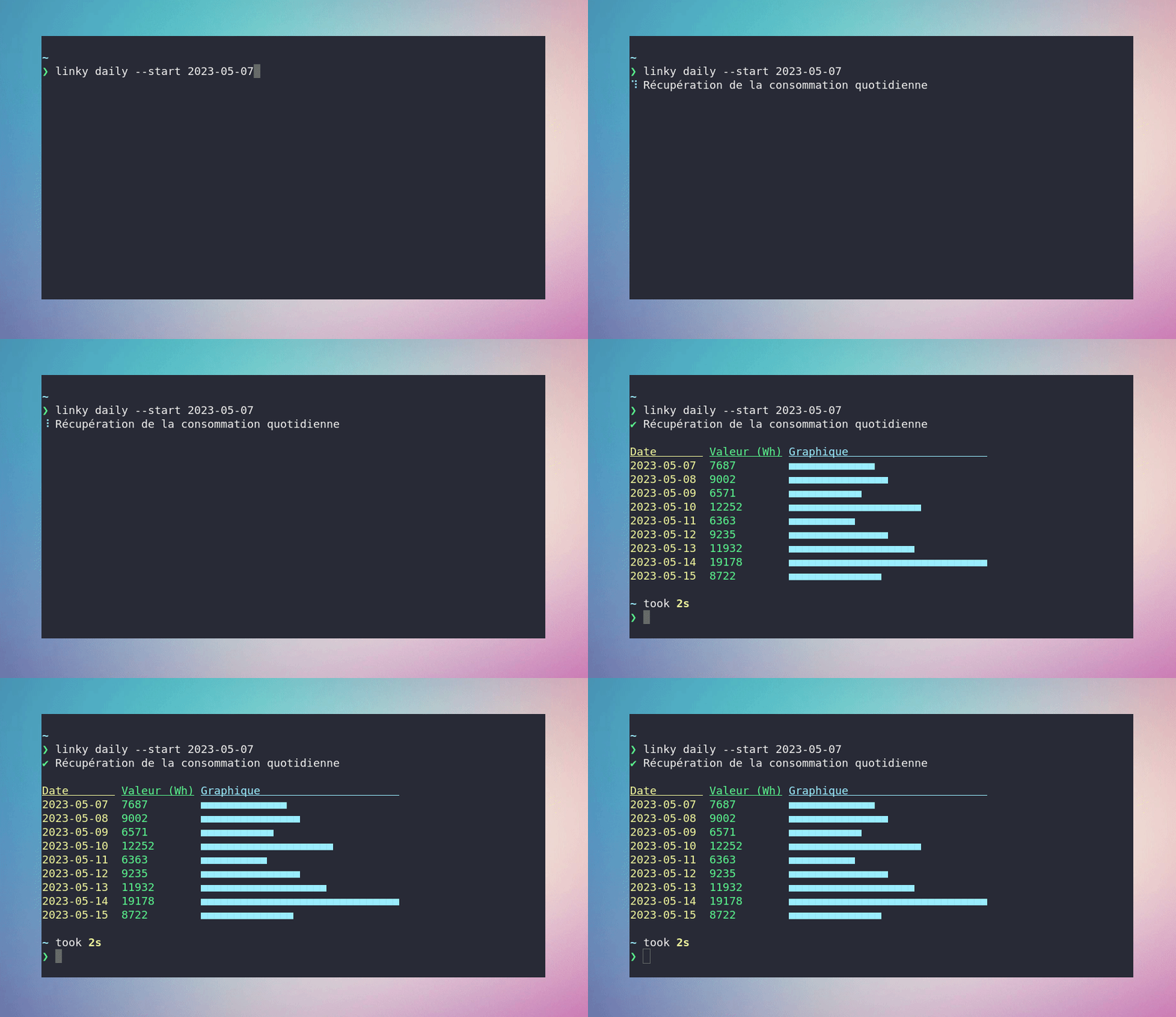
linky auth --token < votre-token > Once your token is saved, you can recover your daily consumption, your load curve (consumption by half an hour), and your maximum consumption per day
 # Récupère la consommation quotidienne du 1er au 3 mai 2023
linky daily --start 2023-05-01 --end 2023-05-04

# Récupère la puissance moyenne consommée le 1 mai 2023, sur un intervalle de 30 min
linky loadcurve --start 2023-05-01 --end 2023-05-02

# Récupère la puissance maximale de consommation atteinte quotidiennement du 1er au 3 mai 2023
linky maxpower --start 2023-05-01 --end 2023-05-04
If you produce electricity, you can also recover your daily production and your load curve (production per half hour)
 # Récupère la production quotidienne du 1er au 3 mai 2023
linky dailyprod --start 2023-05-01 --end 2023-05-04

# Récupère la puissance moyenne produite le 1 mai 2023, sur un intervalle de 30 min
linky loadcurveprod --start 2023-05-01 --end 2023-05-02 In the absence of parameters --start and --end , you recover the consumption / production / power of the day before
 # Récupère la consommation de la journée d'hier
linky daily

# Récupère la puissance moyenne consommée pendant la journée d'hier, sur un intervalle de 30 min
linky loadcurve

# Récupère la puissance maximale de consommation atteinte durant la journée d'hier
linky maxpower

# Récupère la production de la journée d'hier
linky dailyprod

# Récupère la production moyenne consommée pendant la journée d'hier, sur un intervalle de 30 min
linky loadcurveprod If your token gives access to the data of several PRMs, you can specify the PRM number to be used in each command with the parameter --prm
 # Récupère la consommation de la veille pour le compteur 111222333
linky daily --prm 111222333

# Récupère la production de la veille pour le compteur 777888999
linky dailyprod --prm 777888999
If you have several tokens, you can take the authentication step and specify the token to use in each command with the parameter --token
 # Récupère la consommation de la veille avec le token aaa.bbb.ccc
linky daily --token aaa.bbb.ccc

# Récupère la production de la veille avec le token xxx.yyy.zzz
linky dailyprod --token xxx.yyy.zzz You can change the output display format thanks to the parameter --format
The formats available are json , csv and pretty (by default)
linky daily --start 2023-05-01 --end 2023-05-02 --format json You can save your results in a file by combining the parameters --output and --format
 # Sauvegarde la courbe de charge de la veille au format JSON
linky loadcurve --output chemin/vers/ma_conso.json --format json

# Sauvegarde une semaine de consommation au format CSV
linky daily --start 2023-05-01 --end 2023-05-07 --output chemin/vers/ma_conso.csv --format csv
You can hide the progression messages and animations thanks to the parameter --quiet to facilitate integration into scripts
linky maxpower --quiet --format json | jq ' .interval_reading[0].value 'To see detailed help and more examples:
linky --help # Depuis un projet Node.js
npm i linky import { Session } from 'linky' ;
// Créez une session à partir du token
const token = 'xxx.yyy.zzz' ;
let session = new Session ( token ) ;
// Si le token permet d'accéder à plusieurs PRMs, vous pouvez préciser celui à utiliser
const prm = '123456' ;
session = new Session ( token , prm ) ;
// Si vous prévoyez de rendre votre application/service/module accessible au grand public,
// ajoutez un User-Agent au format string à la session.
// Celui-ci doit permettre d'identifier l'origine des requêtes envoyées à Conso API.
session . userAgent = 'Mon super service' ;
// Récupère la consommation quotidienne du 1er au 3 mai 2023
session . getDailyConsumption ( '2023-05-01' , '2023-05-04' ) . then ( ( result ) => {
console . log ( result ) ;
/*
{
"reading_type": {
"unit": "Wh",
"measurement_kind": "energy"
},
"interval_reading": [
{ "value": "12873", "date": "2023-05-01" },
{ "value": "12296", "date": "2023-05-02" },
{ "value": "14679", "date": "2023-05-03" }
]
...
*/
} ) ;
// Récupère la puissance moyenne consommée le 1er mai 2023, sur un intervalle de 30 min
session . getLoadCurve ( '2023-05-01' , '2023-05-02' ) . then ( ( result ) => {
console . log ( result ) ;
/*
{
"reading_type": {
"unit": "W",
"measurement_kind": "power"
},
"interval_reading": [
{ "value": "752", "date": "2023-05-01 00:30:00" },
{ "value": "346", "date": "2023-05-01 01:00:00" },
{ "value": "250", "date": "2023-05-01 01:30:00" },
...
*/
} ) ;
// Récupère la puissance maximale de consommation atteinte quotidiennement du 1er au 3 mai 2023
session . getMaxPower ( '2023-05-01' , '2023-05-04' ) . then ( ( result ) => {
console . log ( result ) ;
/*
{
"reading_type": {
"unit": "VA",
"measurement_kind": "power"
},
"interval_reading": [
{ "value": "4638", "date": "2023-05-01 12:06:20" },
{ "value": "4410", "date": "2023-05-02 19:27:46" },
{ "value": "3570", "date": "2023-05-03 21:42:12" }
]
...
*/
} ) ;
// Récupère la production quotidienne du 1er au 3 mai 2023
session . getDailyProduction ( '2023-05-01' , '2023-05-04' ) . then ( ( result ) => {
console . log ( result ) ;
/*
{
"reading_type": {
"unit": "Wh",
"measurement_kind": "energy"
},
"interval_reading": [
{ "value": "12873", "date": "2023-05-01" },
{ "value": "12296", "date": "2023-05-02" },
{ "value": "14679", "date": "2023-05-03" }
]
...
*/
} ) ;
// Récupère la puissance moyenne produite le 1er mai 2023, sur un intervalle de 30 min
session . getProductionLoadCurve ( '2023-05-01' , '2023-05-02' ) . then ( ( result ) => {
console . log ( result ) ;
/*
{
"reading_type": {
"unit": "W",
"measurement_kind": "power"
},
"interval_reading": [
{ "value": "752", "date": "2023-05-01 00:30:00" },
{ "value": "346", "date": "2023-05-01 01:00:00" },
{ "value": "250", "date": "2023-05-01 01:30:00" },
...
*/
} ) ;




