bookstore cms
1.0.0

Bookstore CMS
| Desktop View Representation |
|---|
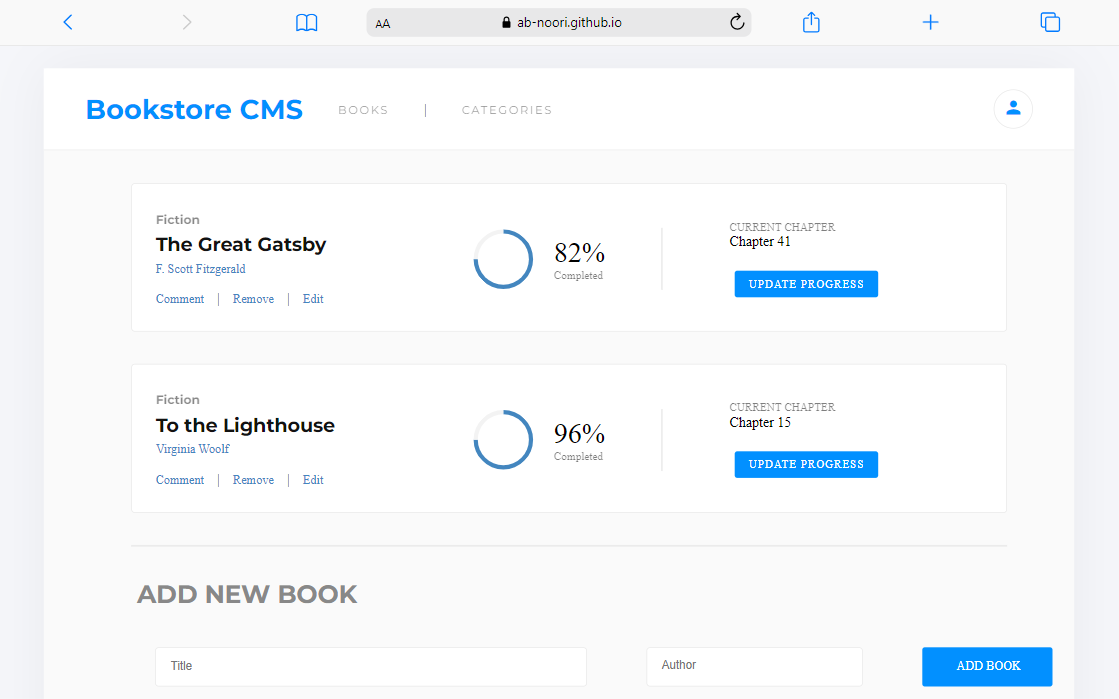 |
[Bookstore-CMS] Using React and Redux in the context of a real application to create a simplified version of Bookstore to: Display a list of books, Add a book and Remove a selected book.
(back to top)
- Live Demo on Gh-pages
(back to top)
To get a local copy up and running, follow these steps:
In order to run this project you need:
Clone this repository to your desired folder:
Use the following Commands:
cd your-desired-folder
git clone [email protected]:ab-noori/bookstore-cms.git
Install this project with:
 npx create-react-app my-app
 cd my-app
 npm start
Use the following commands to run on your local system:
npm run build
npm run deploy
Run the following script and style test:
npx eslint "**/*.{js,jsx}"
npx eslint "**/*.{js,jsx}" --fix

npx stylelint "**/*.{css,scss}"
npx stylelint "**/*.{css,scss}" --fix
1- install gh-pages with the following command:
npm i -D gh-pages
2- Add homepage to project's Jason file:
"homepage": "https://ab-noori.github.io/bookstore-cms",
3- Add the following scripts to the project's Jason file:
"predeploy": "npm run build",
"deploy": "gh-pages -d build "
4- Finally run the following command:
npm run deploy
(back to top)
? Abdul Ali Noori
(back to top)
Contributions, issues, and feature requests are welcome!
Feel free to check the issues page.
(back to top)
If you like this project, give it a star.
(back to top)
I would like to thank Microverse and my coding partners. Also, I want to give credit to Nerd's lesson
YouTub Channel, its react tutorial is really helpful.
(back to top)
How to make it mobile friendly?
How to design the site?
(back to top)
This project is MIT licensed.
(back to top)








