flex originals
1.0.0


Demo
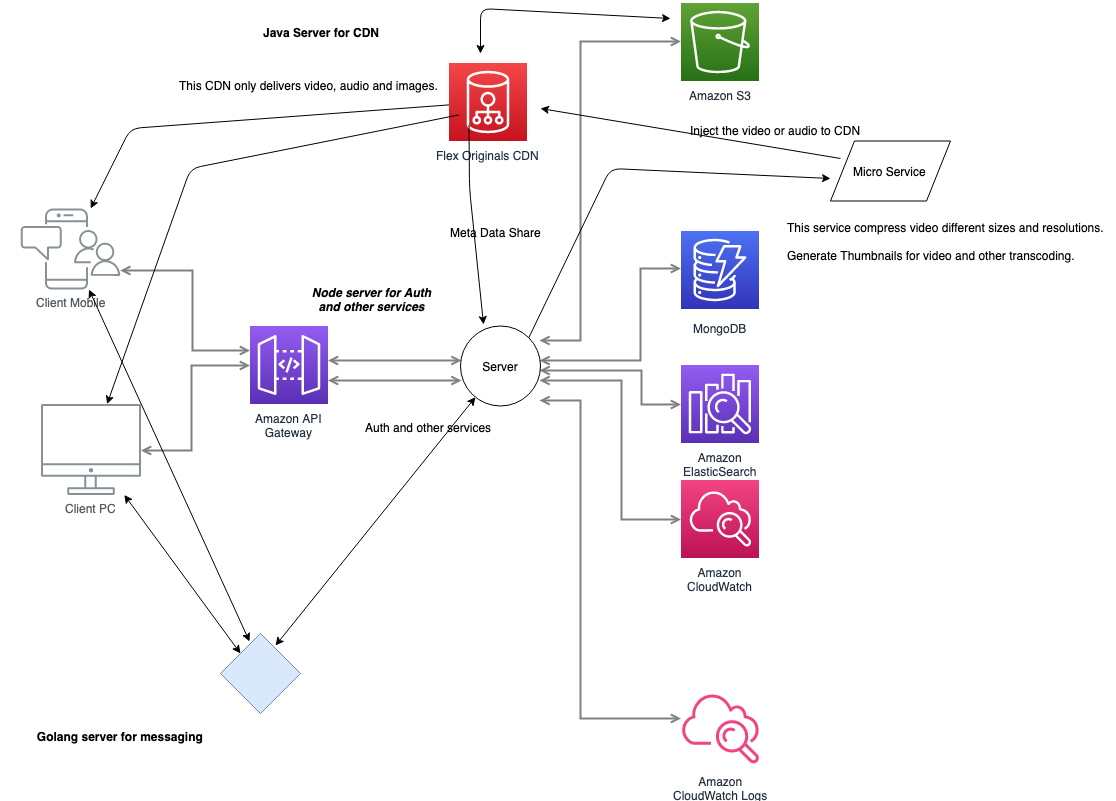
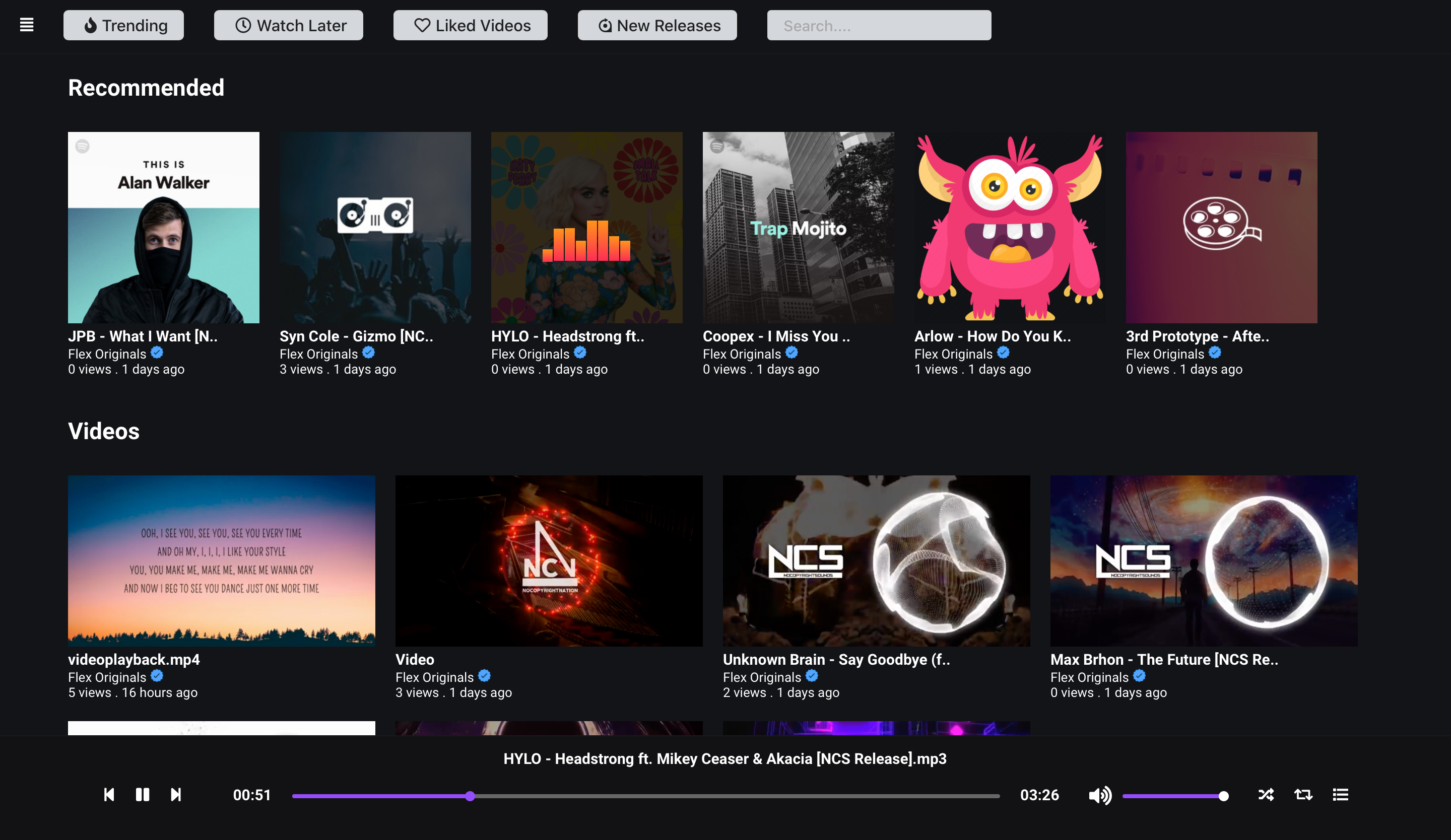
Flex Originals is an opensource project. Contributions are welcome
<input type="range"> for volume and <progress> for progress and well, <button>s for buttons. There's no
<span> or <a href="#"> button hacksplaysinline attributeYou can run the following scripts with yarn or npm like yarn install
| Script | Description |
|---|---|
install |
Project setup |
dev |
Compile and start development server with hot-reload |
build |
Compile and minify for production |
prod |
Start production server |
lint |
Run eslint for the entire project |
test |
Run all tests |
test:watch |
Start tests in watch mode |
Node installation on Windows
Just go on official Node.js website and download the installer.
Also, be sure to have git available in your PATH, npm might need it (You can find git here).
Node installation on Ubuntu
You can install nodejs and npm easily with apt install, just run the following commands.
$ sudo apt install nodejs
$ sudo apt install npm
Other Operating Systems
You can find more information about the installation on the official Node.js website and the official NPM website.
If the installation was successful, you should be able to run the following command.M
$ node --version
$ npm --version
If you need to update npm, you can make it using npm! Cool right? After running the following command, just open again the command line and be happy.
$ npm install npm -g
Follow this to install MongoDB in your computer.
official MongoDB website
INSTALLING COMPASS
$ ./install_compass
This will download the appropriate MongoDB Compass package for your platform
and install it.setx /M PATH "pathtoffmpegbin;%PATH%".Do not run setx if you have more than 1024 characters in your system PATH variable.sudo apt-get updatesudo apt-get install ffmpeg
sudo apt-get install frei0r-plugins
https://github.com/NJACKWinterOfCode/flex-originals.gitnpm installnpm run devsudo docker-compose up --build -d with nginix server to reverse proxy to ports use this settings.Copyright (c) 2019, Anurag Kumar Anurag Kumar







