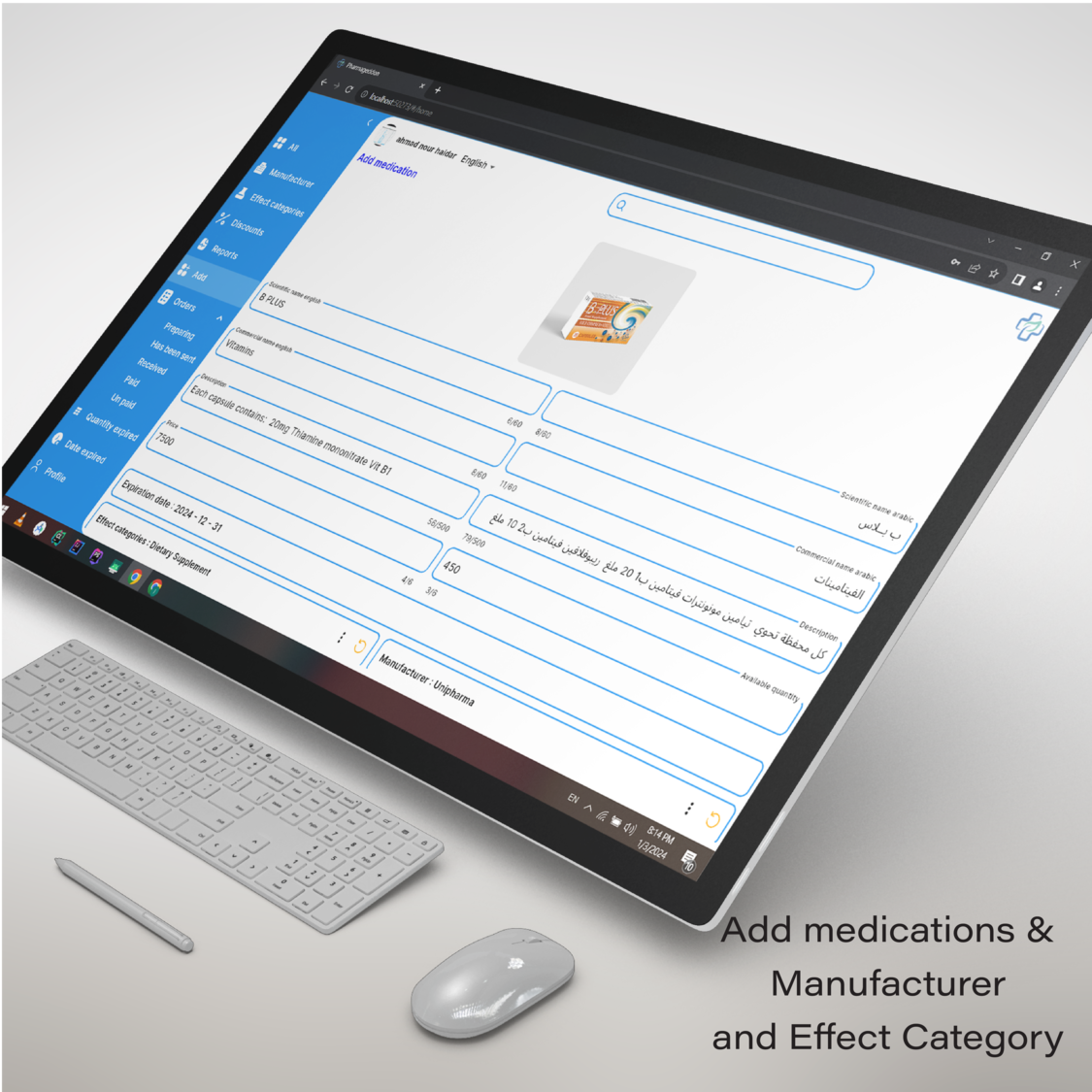
Pharmageddon Web Application
Pharmageddon is a comprehensive Flutter web application for managing drug warehouses and a mobile
application for pharmacies. It features secure authentication, detailed medicine information, order
tracking, multi-language support, and Firebase notifications to enhance user experience.
Table of Contents
- Features
- App Preview
- Installation
- Usage
- ? Contributing
- Team Members
- ? License
Features
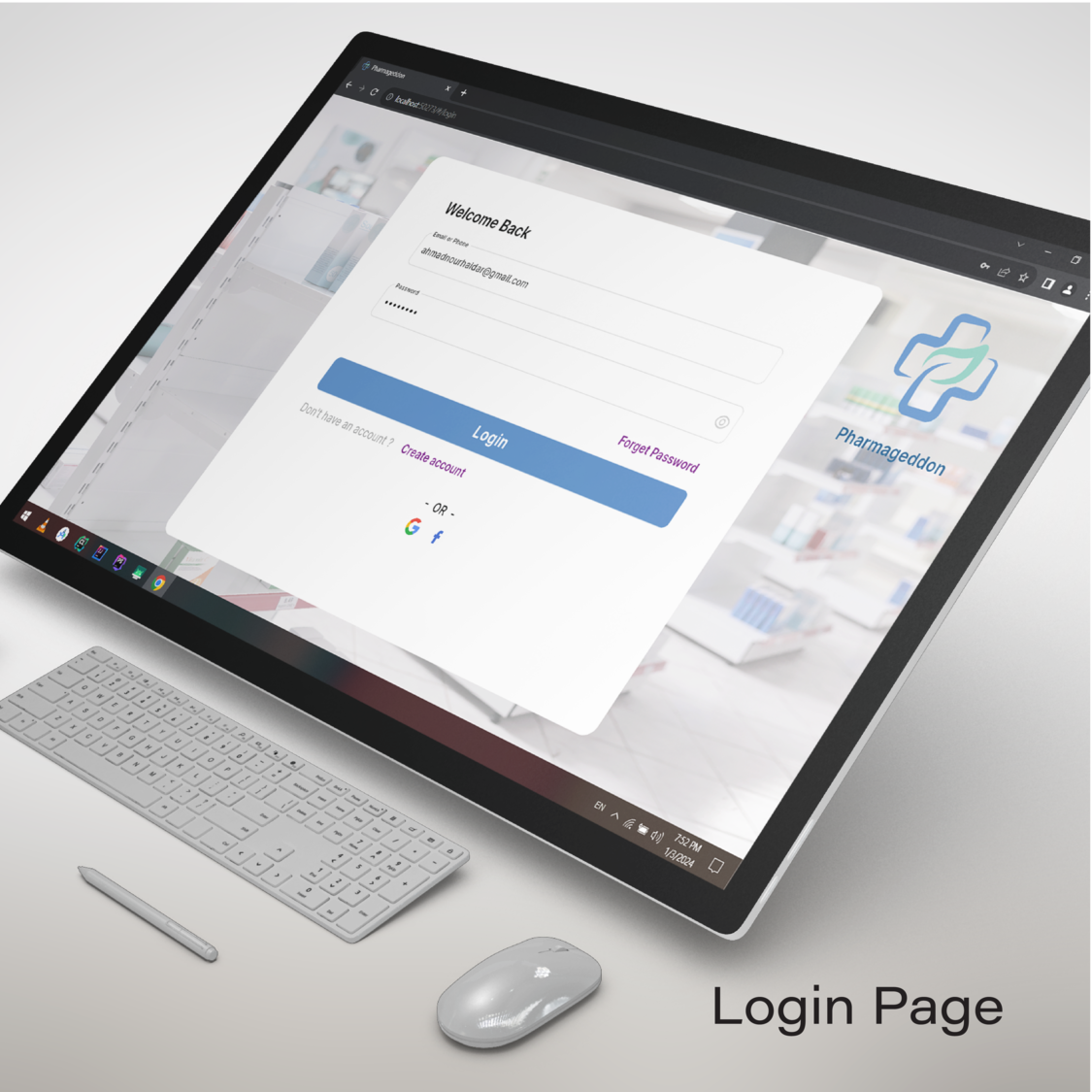
- Secure Authentication: Login and registration with secure authentication.
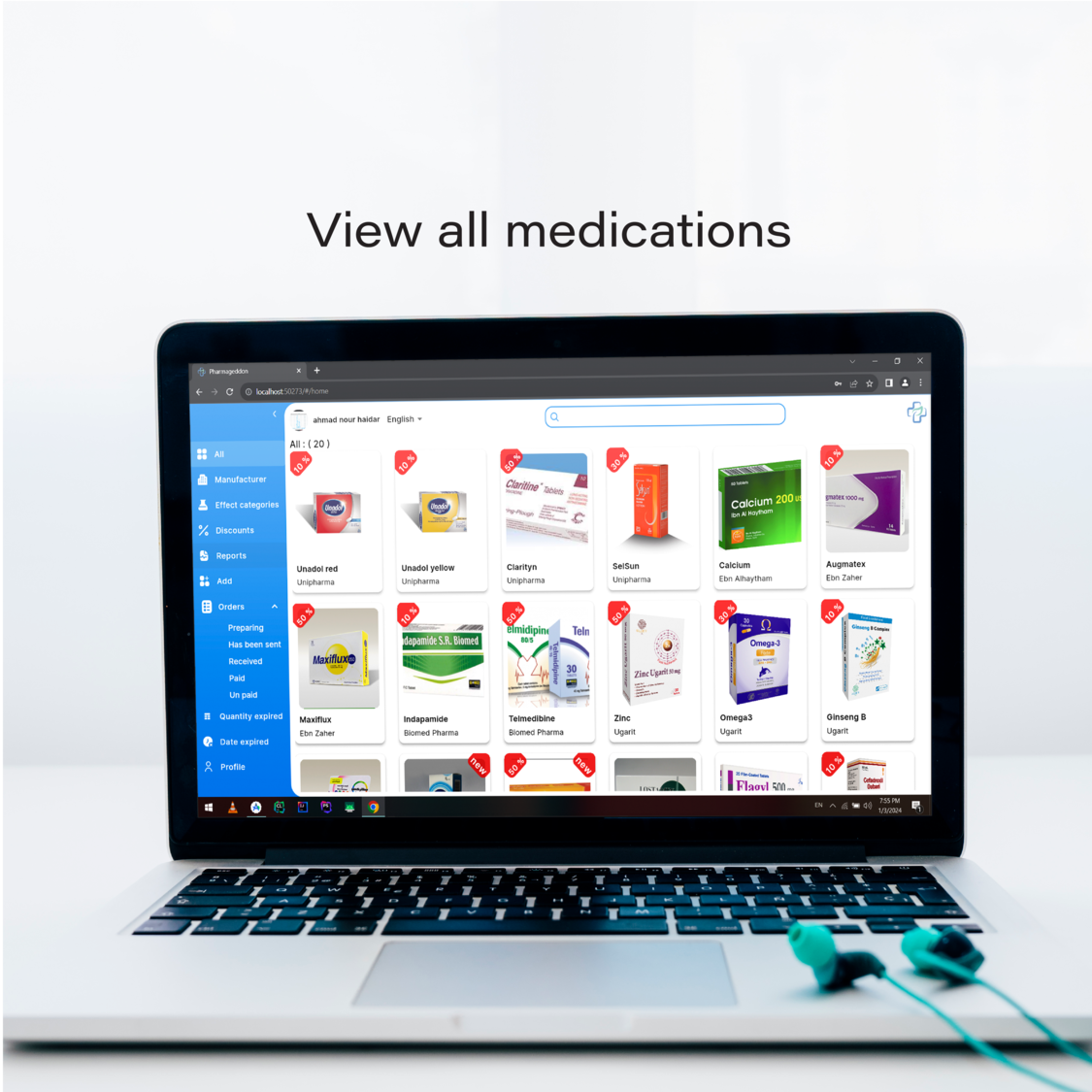
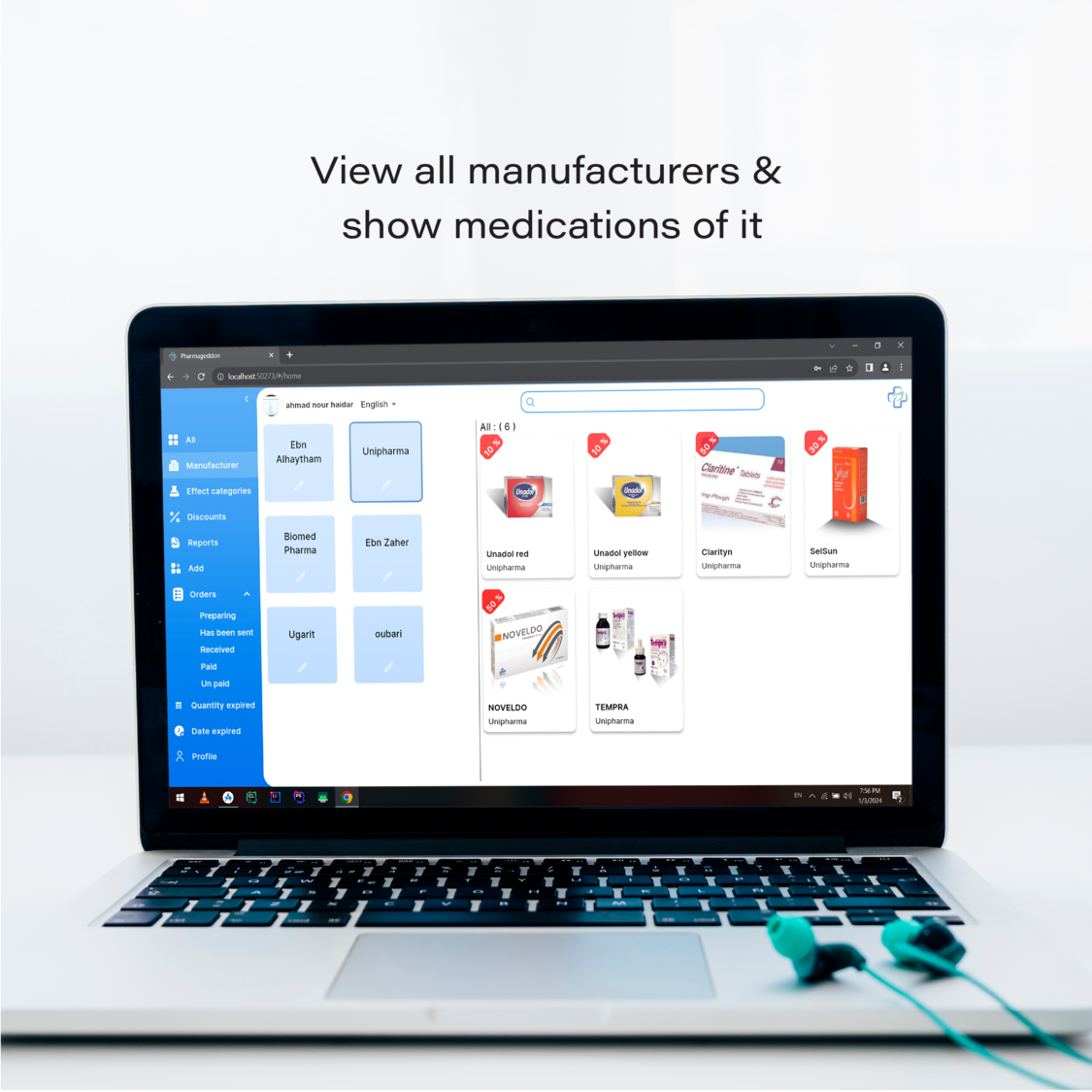
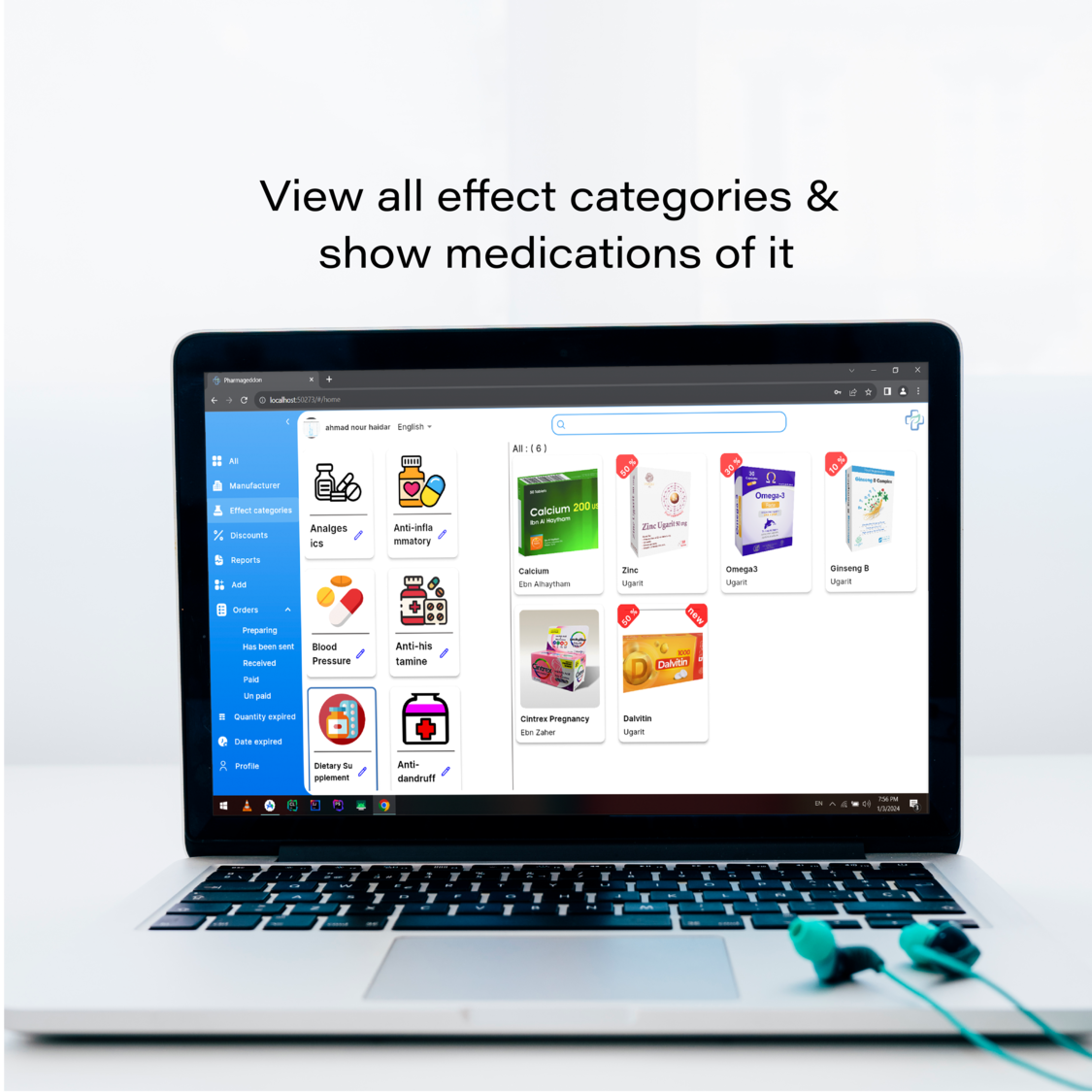
- Medicine Browsing: Browse and search for medications with detailed descriptions and
manufacturer information and effect categories.
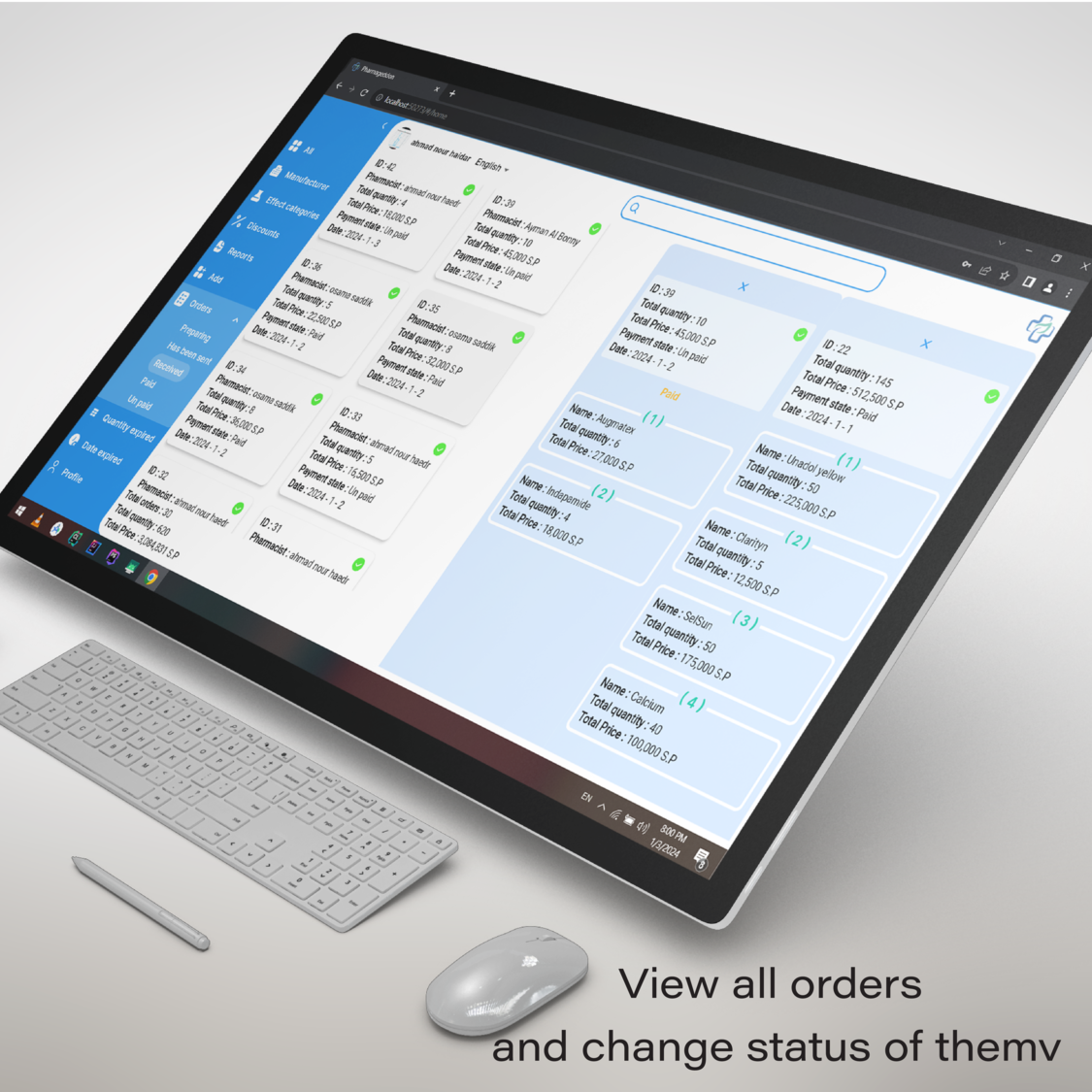
- Order Management: Add medications to your cart, adjust quantities, and place orders.
- Order Tracking: Track the status of your orders in real-time.
- Multi Language Support: Choose your preferred application language.
- Firebase Notifications: Receive real-time notifications about your orders and app updates.
App Preview
Installation
-
Clone the repository:
git clone https://github.com/Ahmad-Nour-Haidar/pharmageddon-web.git
-
Navigate to the project directory:
-
Install dependencies:
-
Run the web application:
Usage
- Register or Login: Open the app and either log in with your existing account or create a new
one.
- Browse Medications: Explore the list of available medications, read detailed descriptions,
and check manufacturer information.
- Manage Cart: Add desired medications to your cart, adjust quantities, and proceed to order.
- Track Orders: Monitor the status of your orders in real-time and receive notifications about
updates.
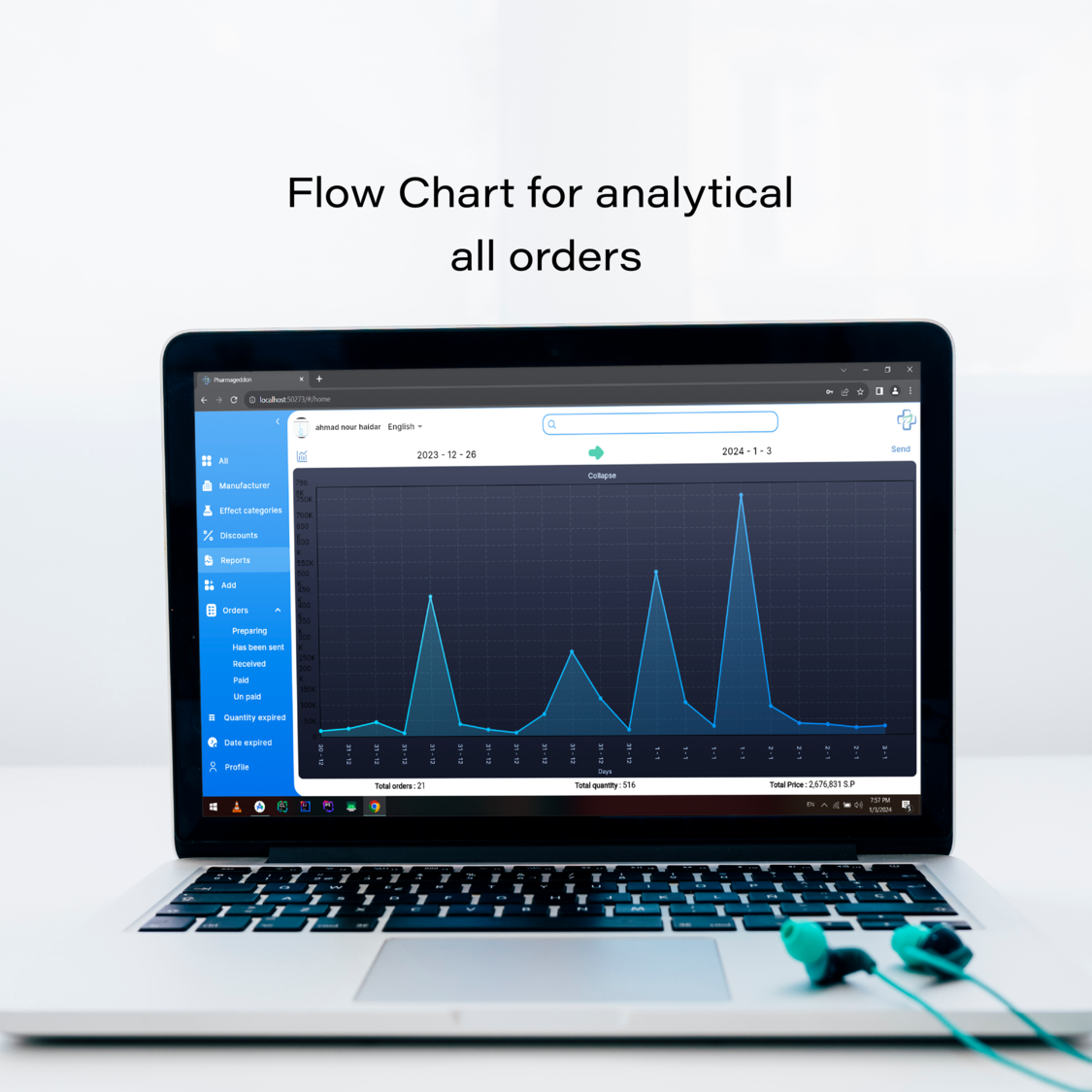
- View Analytics: Analyze your order history and details.
? Contributing
We welcome contributions to enhance the Pharmacie app. Here’s how you can help:
- Fork the repository.
- Create a new branch:
git checkout -b feature-branch
- Make your changes and commit them:
git commit -m "Description of the feature"
- Push to the branch:
git push origin feature-branch
- Create a pull request.
Please ensure your pull request adheres to the following guidelines:
- Describe the feature or fix in detail.
- Ensure the code follows the existing style and conventions.
- Include screenshots or demos of the new feature or fix if applicable.
Team Members
| S.No. |
Team Member Name |
GitHub |
Technology |
| 1. |
Ahmad Nour Haidar |
@Ahmad-Nour-Haidar |
Flutter Mobile |
| 2. |
Ayman Albonny |
@Ayman2023bo |
Flutter Mobile |
| 3. |
Osama Saddik |
@osamasaddik |
Laravel Backend |
? License
This project is licensed under the MIT License. See the LICENSE file for details.