image change detection template
1.0.0

With the Image Mask configurable template, create an app to visualize change between two images in an imagery layer or to mask user-set thresholds for calculated spectral indexes, like NDVI.
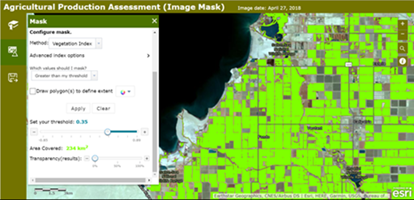
Check out two example applications built with the Image Mask template: one using the Change Detection tool, the other using the Mask tool.
There are three configurable app templates designed for imagery: Imagery Viewer, Image Mask, and Image Visit. Explore example applications built with these templates.
Image Mask is a configurable app template for identifying areas of an image that have changed over time or that meet user-set thresholds for calculated spectral indexes. The template also includes tools for measurement, recording locations, and more. App users can zoom to bookmarked areas of interest (or search for their own), select any of the imagery layers from the associated web map to analyze, use a time slider or dropdown menu to select images, then choose between the Change Detection or Mask tools to produce results.
Image Mask users can do the following:
For each imagery layer, create an app that gives users one or more of the following change detection options:
For each of the indexes, users also have a choice between three types of analysis:
Possible use cases include:
To deploy this application, download the template repo and unzip it.
Copy the unzipped folder containing the web app template files, such as index.html, to your web server. You can rename the folder to change the URL through which users will access the application. By default the URL to the app will be http://<Your Web Server>/<app folder name>/index.html
Change the sharing host, found in defaults.js inside the config folder for the application, to the sharing URL for ArcGIS Online or Portal. For ArcGIS Online users, keep the default value of www.arcgis.com or specify the name of your organization.
"sharinghost": location.protocol + "//" + <your organization name>.maps.arcgis.comarcgis is the name of the Web Adaptor: "sharinghost": location.protocol + "//" + "webadaptor.domain.com/arcgis"If you are using Portal or a local install of the ArcGIS API for JavaScript, change all references to the ArcGIS API for JavaScript in index.html to refer to your local copy of the API. Search for the references containing "//js.arcgis.com/3.21" and replace this portion of the reference with the url to your local install.
"//webadaptor.domain.com/arcgis/jsapi/jsapi" where arcgis is the name of your Web Adaptor.Copy a group ID from Portal/ArcGIS Online and replace the default group ID in the application's default.js file. You can now run the application on your web server or configure the application further.
Read instructions for making make the configurable template available through your organization.
Note: If your application edits features in a feature service, contains secure services or web maps that aren't shared publicly, or generate requests that exceed 200 characters, you may need to set up and use a proxy page. Common situations where you may exceed the URL length are using complex polygons as input to a task or specifying a spatial reference using well-known text (WKT). For details on installing and configuring a proxy page see Using the proxy. If you do not have an Internet connection, you will need to access and deploy the ArcGIS API for JavaScript documentation from developers.arcgis.com.
Find a bug or want to request a new feature? Please let us know by submitting an issue.
Esri welcomes contributions from anyone and everyone. Please see our guidelines for contributing.
Copyright 2018 Esri
Licensed under the Apache License, Version 2.0 (the "License"); you may not use this file except in compliance with the License. You may obtain a copy of the License at
http://www.apache.org/licenses/LICENSE-2.0.
Unless required by applicable law or agreed to in writing, software distributed under the License is distributed on an "AS IS" BASIS, WITHOUT WARRANTIES OR CONDITIONS OF ANY KIND, either express or implied. See the License for the specific language governing permissions and limitations under the License.
A copy of the license is available in the repository's license.txt file.







