Read Enhancer
v0.0.2


A Chrome Extension Used to Assist Your Reading Experience. Potentially increase your reading speed drastically by bolding certain charaters in a word.
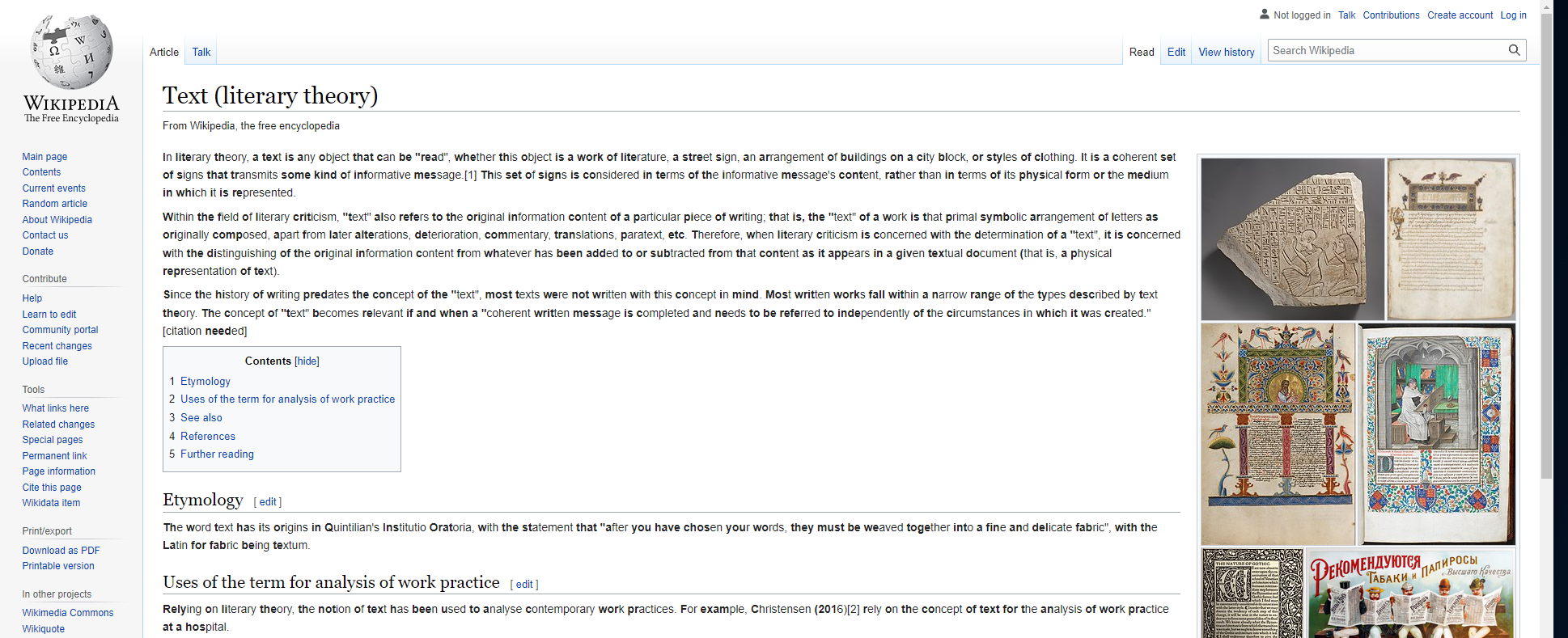
Currently, this package is published but is still under review, so using Chrome Development Features is required
Download the latest release of BER
Locate the ZIP file, and extract it. You should end up having something like this: 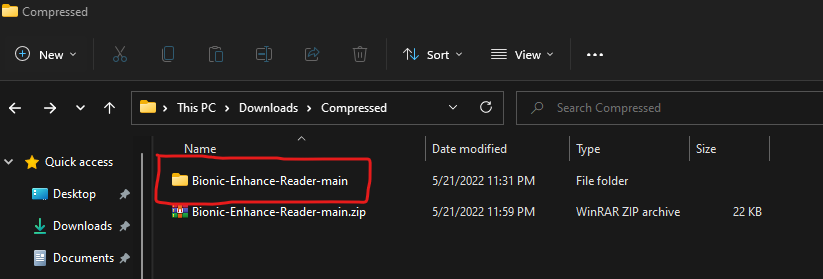
Open Chrome, Edge, or any browser that supports chrome plugin.
Navigate to your Extension Bar, Find the "Manage Extension Button" and click it. 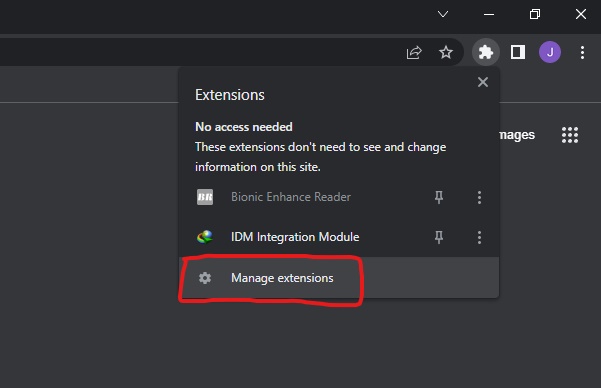
Once you're in the Extensions Section, on the top-right corner, turn on "Developer Mode" 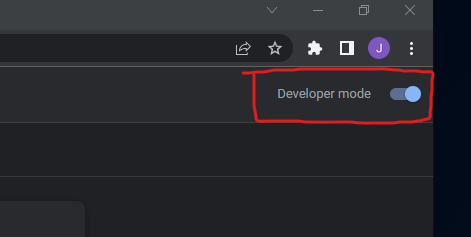
On the top-left corner, click "Load unpacked" 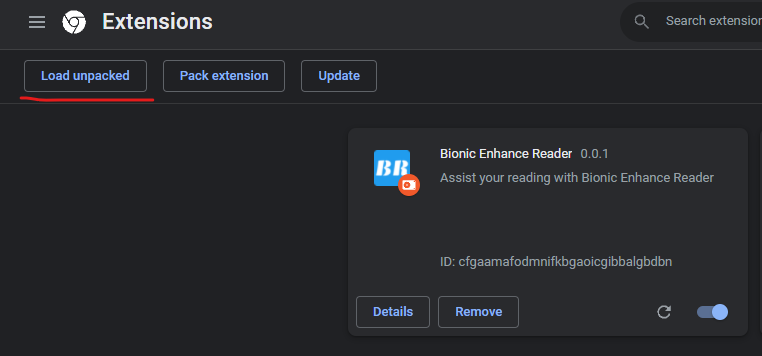
Select the entire FOLDER, and then click "Select Folder" 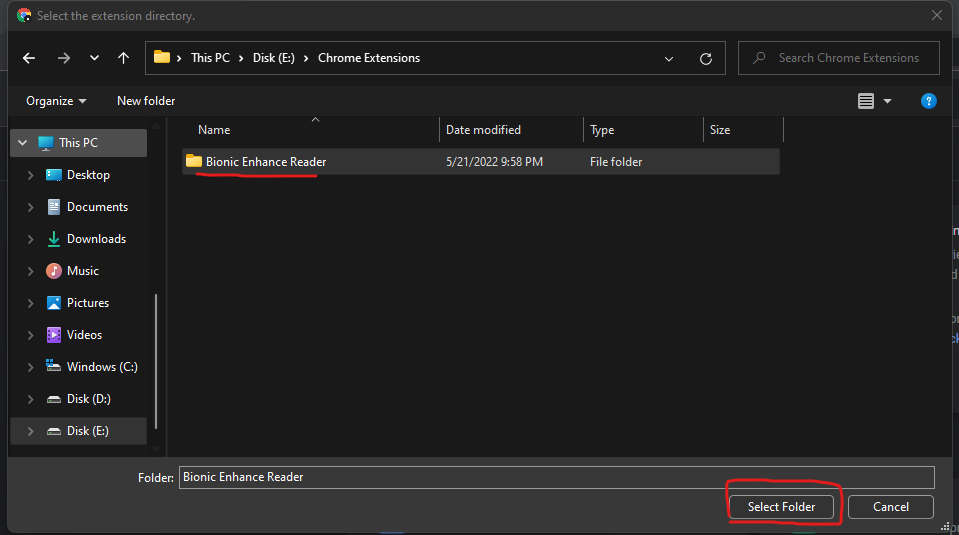
DONE!! Now any webpage should look like this: