Visual Knowledge Graph System
1.0.0

Easy visual knowledge graph system with G6, Neo4j database and Nodejs.
Main components:
G6: https://github.com/antvis/g6
autocomplete:https://github.com/devbridge/jQuery-Autocomplete
node-neo4j:https://github.com/philippkueng/node-neo4j
Neo4j:https://github.com/neo4j/neo4j
The visual knowledge graph system is an ultra-lightweight but complete web system. Neo4j serves as a graph database to store nodes and relationships, and uses Nodejs to start the service.
The data used in this system is the sample data that comes with Neo4j.
Existing features are limited, they include:
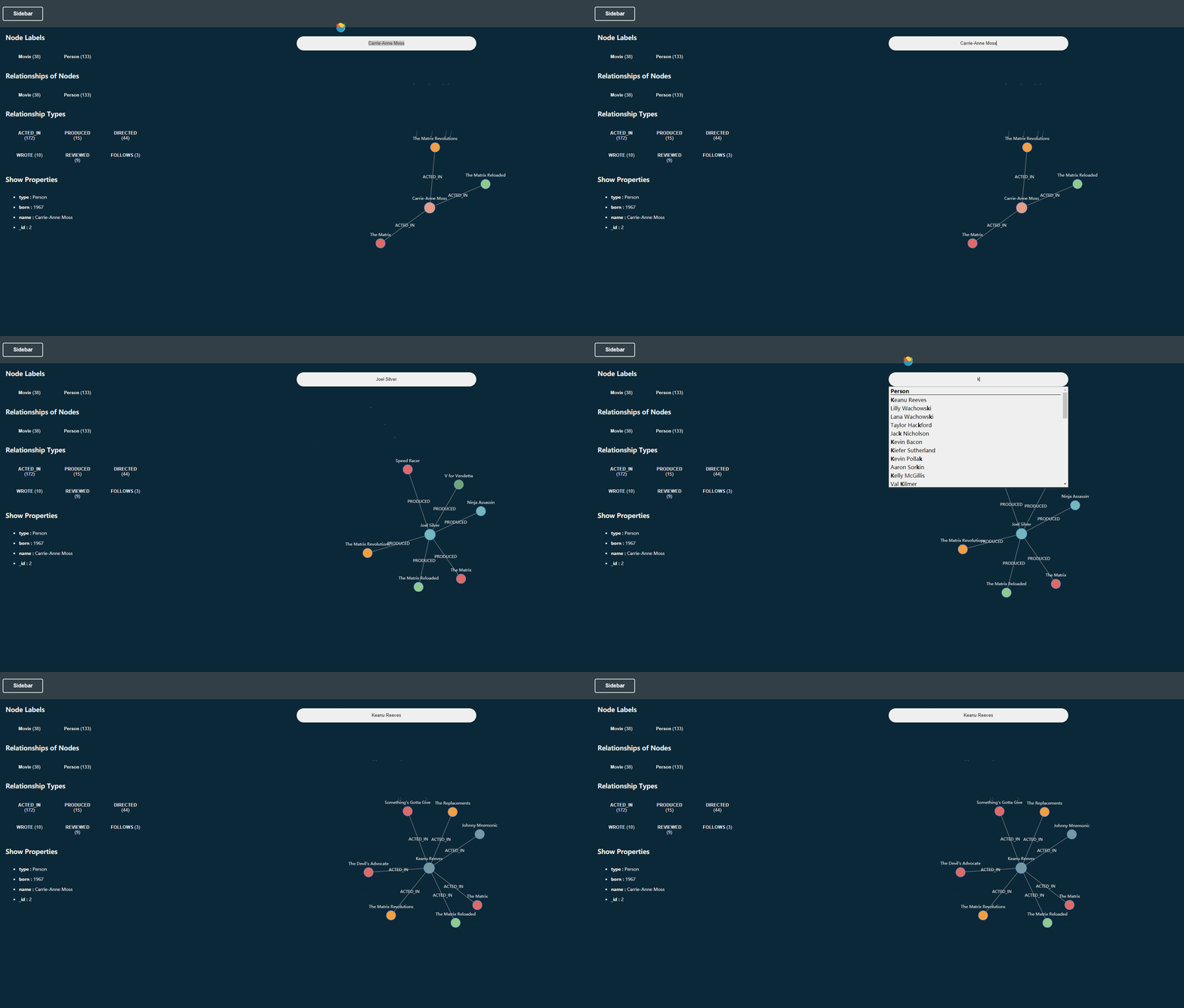
Search for entities by name: With an automatic completion search box, display the target node through search.
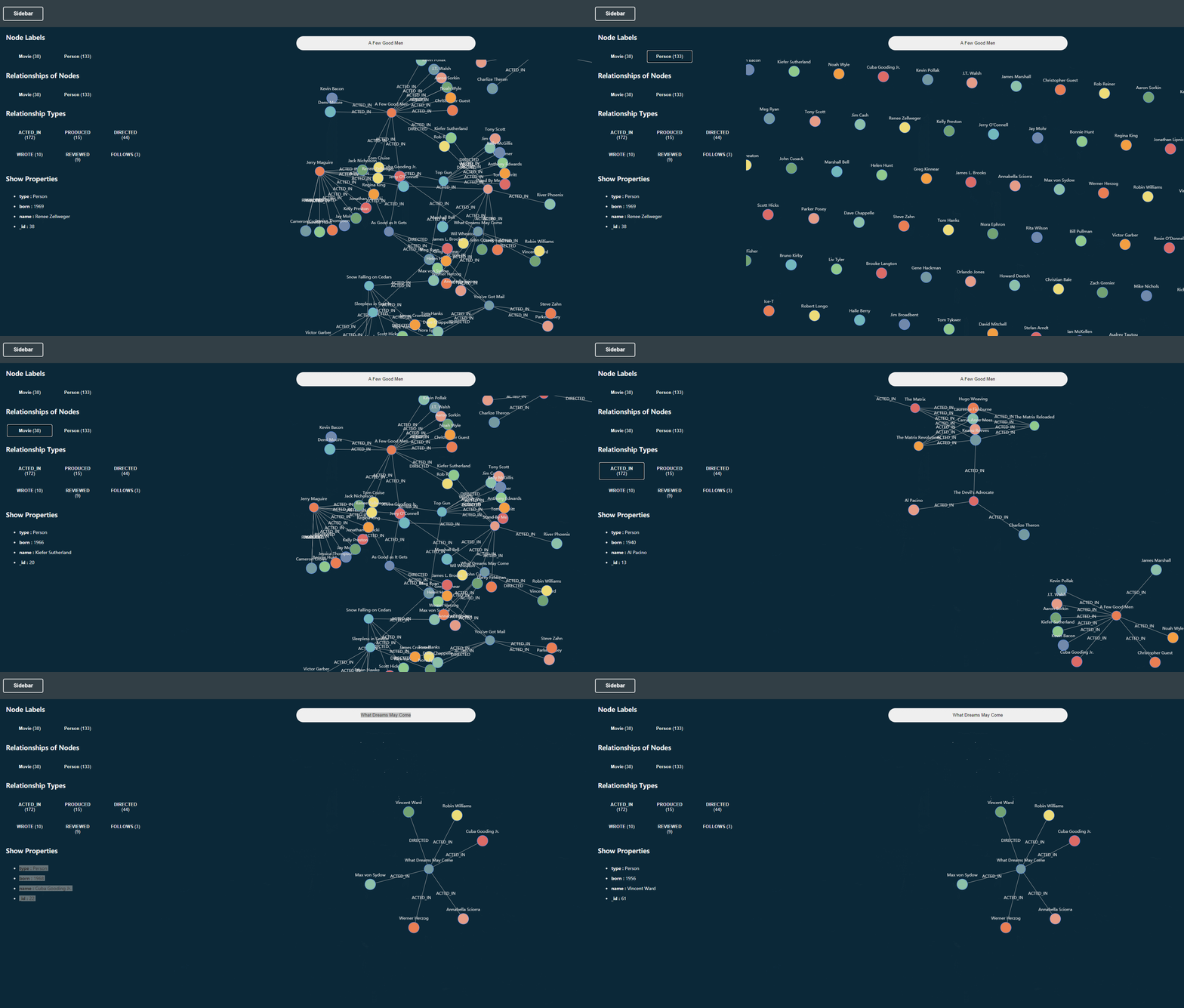
Display entity nodes according to entity type: Automatically obtain all entity types from the database, click the button to display some entities that meet the criteria.
Display relationships according to entity type: Click the button to display some entities that meet the conditions and their connected relationships.
Display relationships according to relationship tags: Automatically obtain all relationship tags from the database, click the button to display relationships that meet the conditions.
Drilling Entity: Double-click the entity node to expand the adjacent node with its step size of 1.
Display entity attributes: Move the mouse to the entity and the corresponding attributes of the entity will be displayed.
Database
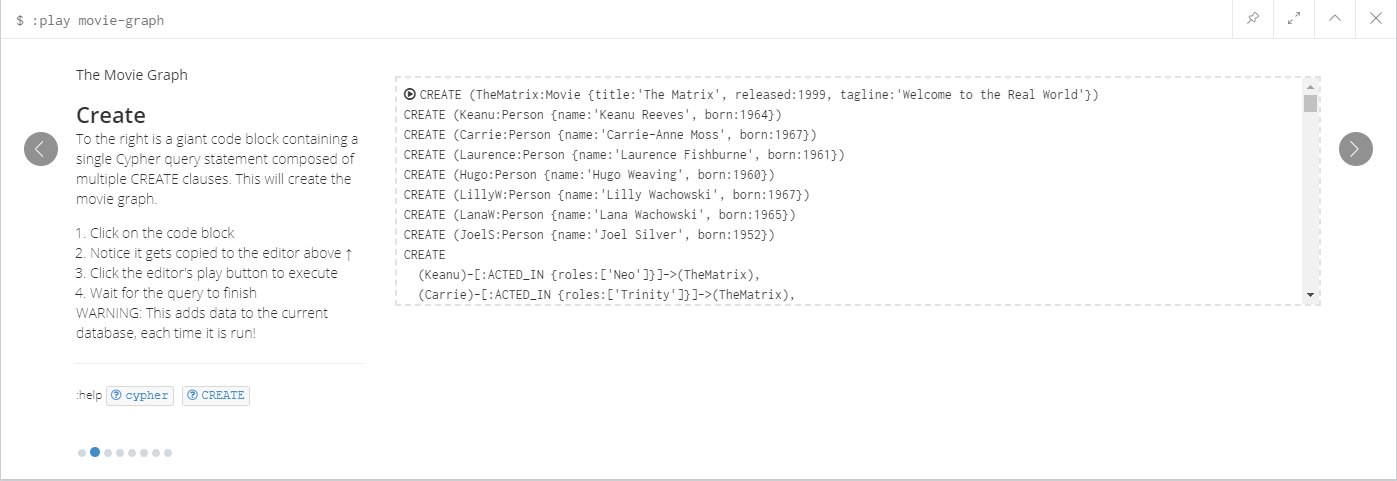
In order to better reproduce the data in this system, a new Neo4j database was created and the Cypher statement in the demo of tutorials was created.
:play movie-graph
Select the Cypher statement on the second page to complete the creation of demo data.
Login
The backend/config.json file sets the login name and password of the neo4j database, and it needs to be configured for the first run.
    "username": "neo4j",
    "password": "000000"
npm install
  node .backendindex.js
  http-server.cmd
If you have any questions or suggestions, please feel free to communicate with me through Issues!







