soulseek docker
1.0.0

soulseek.conf)-p 6080:6080 option./data/.SoulseekQt/1, this is saved every 60 minutes by default but can be forced to be more freuquent from Options -> General.Launch the Docker container and map the required volumes (see How to Launch section below).
Access the Soulseek UI by opening a web browser and navigating to http://docker-host-ip:6080 or https://reverse-proxy, depending on your configuration.
The container supports the following configuration options:
| Parameter | Description |
|---|---|
PGID |
Group ID for the container user (optional, requires PUID, default: 1000) |
PUID |
User ID for the container user (optional, requires PGID, default: 1000) |
VNC_PORT |
Port for VNC server (optional, default: 5900) |
NOVNC_PORT |
Port for noVNC web access (optional, default: 6080) |
MODIFY_VOLUMES |
Modify ownership and permissions of mounted volumes (optional, default: true) |
UMASK |
File permission mask for newly created files (optional, default: 022) |
VNCPWD |
Password for the VNC connection (optional) |
VNCPWD_FILE |
Password file for the VNC connection (optional, takes priority over VNCPWD) |
TZ |
Timezone for the container (optional, e.g., Europe/Paris, America/Vancouver) |
version: "3"
services:
  soulseek:
    image: realies/soulseek
    container_name: soulseek
    restart: unless-stopped
    volumes:
      - /persistent/appdata:/data/.SoulseekQt
      - /persistent/downloads:/data/Soulseek Downloads
      - /persistent/logs:/data/Soulseek Chat Logs
      - /persistent/shared:/data/Soulseek Shared Folder
    environment:
      - PGID=1000
      - PUID=1000
    ports:
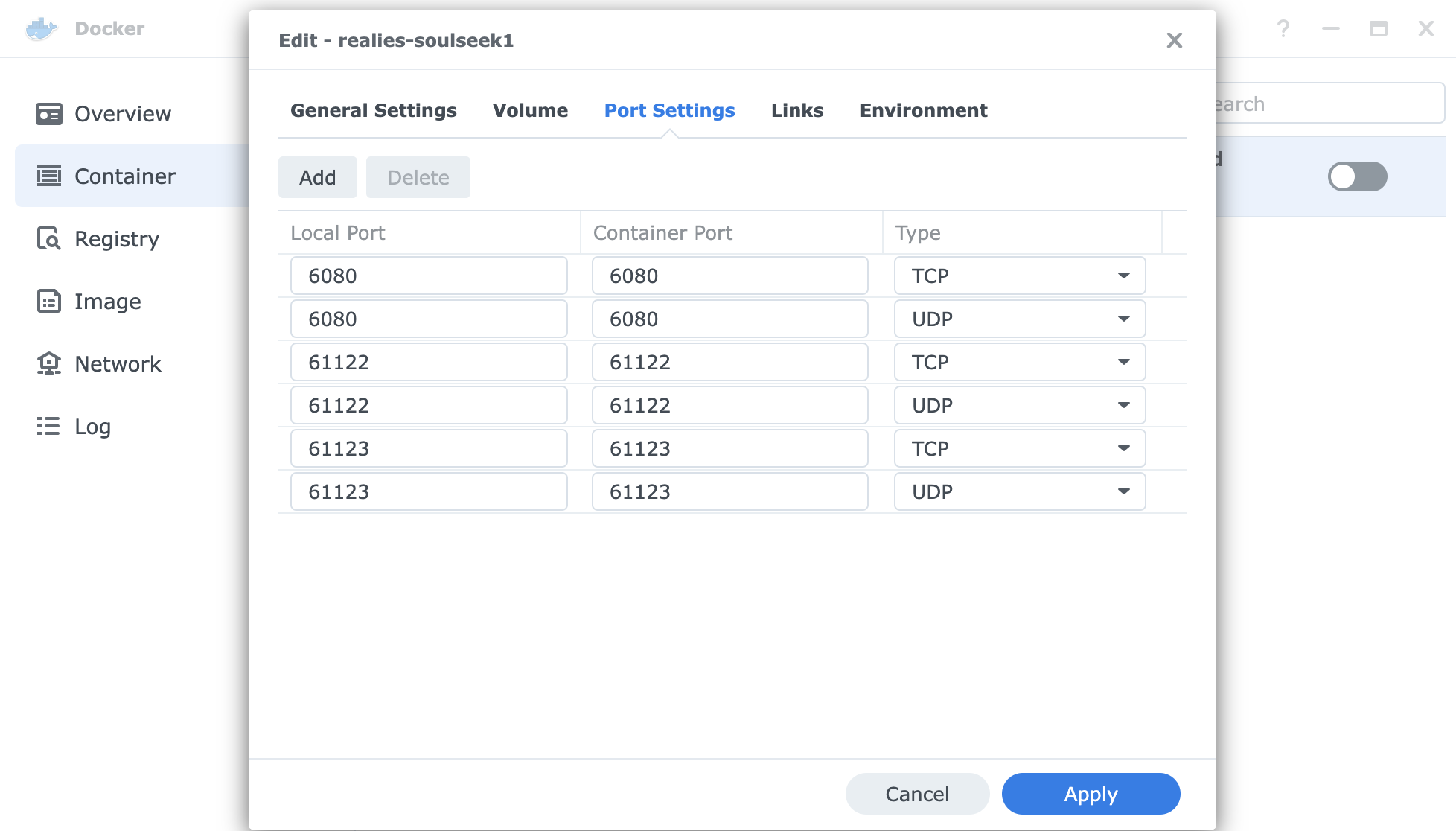
      - 6080:6080
      - 61122:61122 # example listening port, check Options -> Login
- 61123:61123 # example obfuscated port, check Options -> Logindocker run -d --name soulseek --restart=unless-stopped
-v "/persistent/appdata":"/data/.SoulseekQt"
-v "/persistent/downloads":"/data/Soulseek Downloads"
-v "/persistent/logs":"/data/Soulseek Chat Logs"
-v "/persistent/shared":"/data/Soulseek Shared Folder"
-e PGID=1000
-e PUID=1000
-p 6080:6080
-p 61122:61122 # example listening port, check Options -> Login
-p 61123:61123 # example obfuscated port, check Options -> Login
realies/soulseekPort Configuration
Volume Configuration
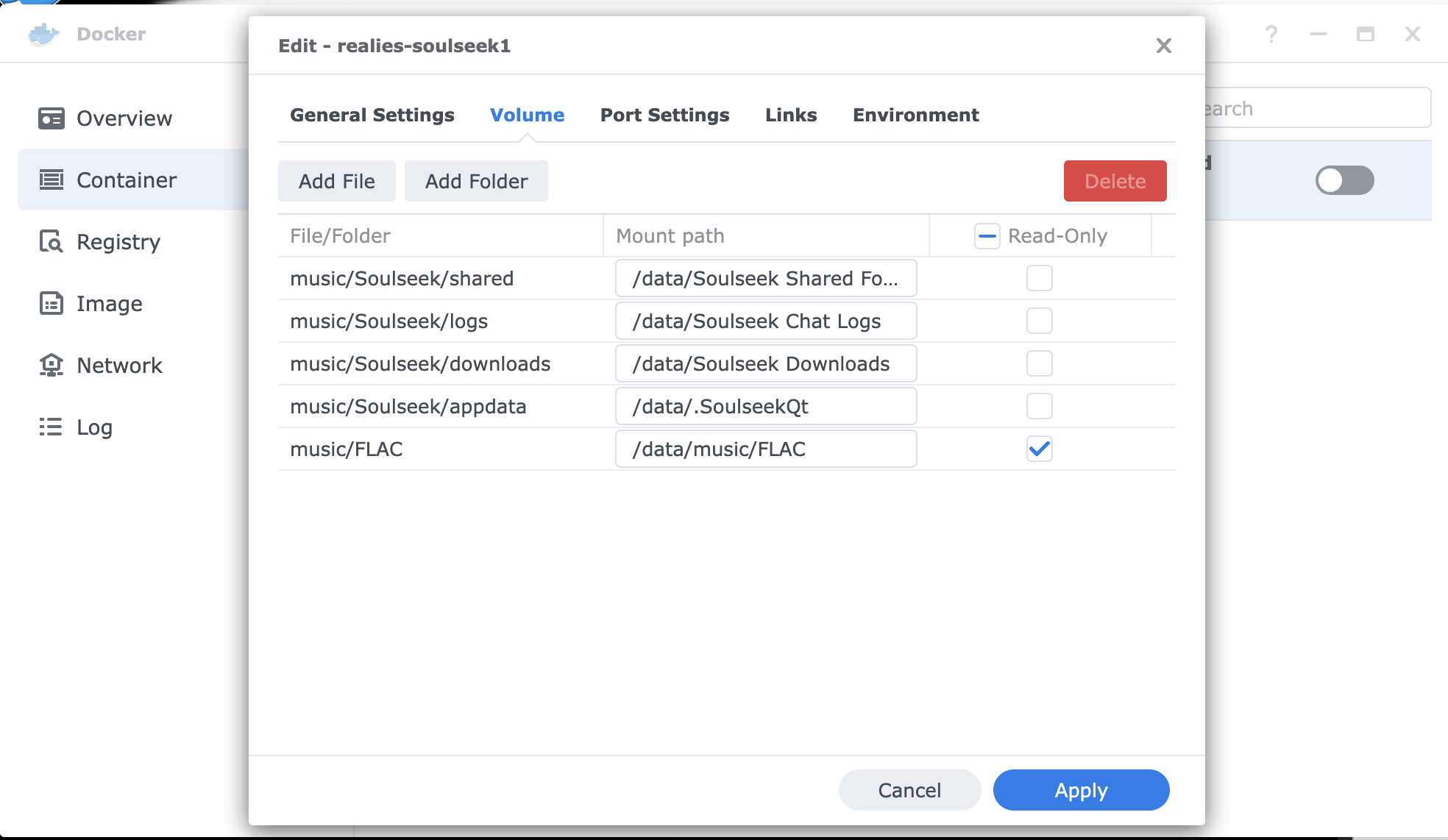
/music/FLAC for sharing; mount the directory you want to share.






