Major Project - Read for Speed
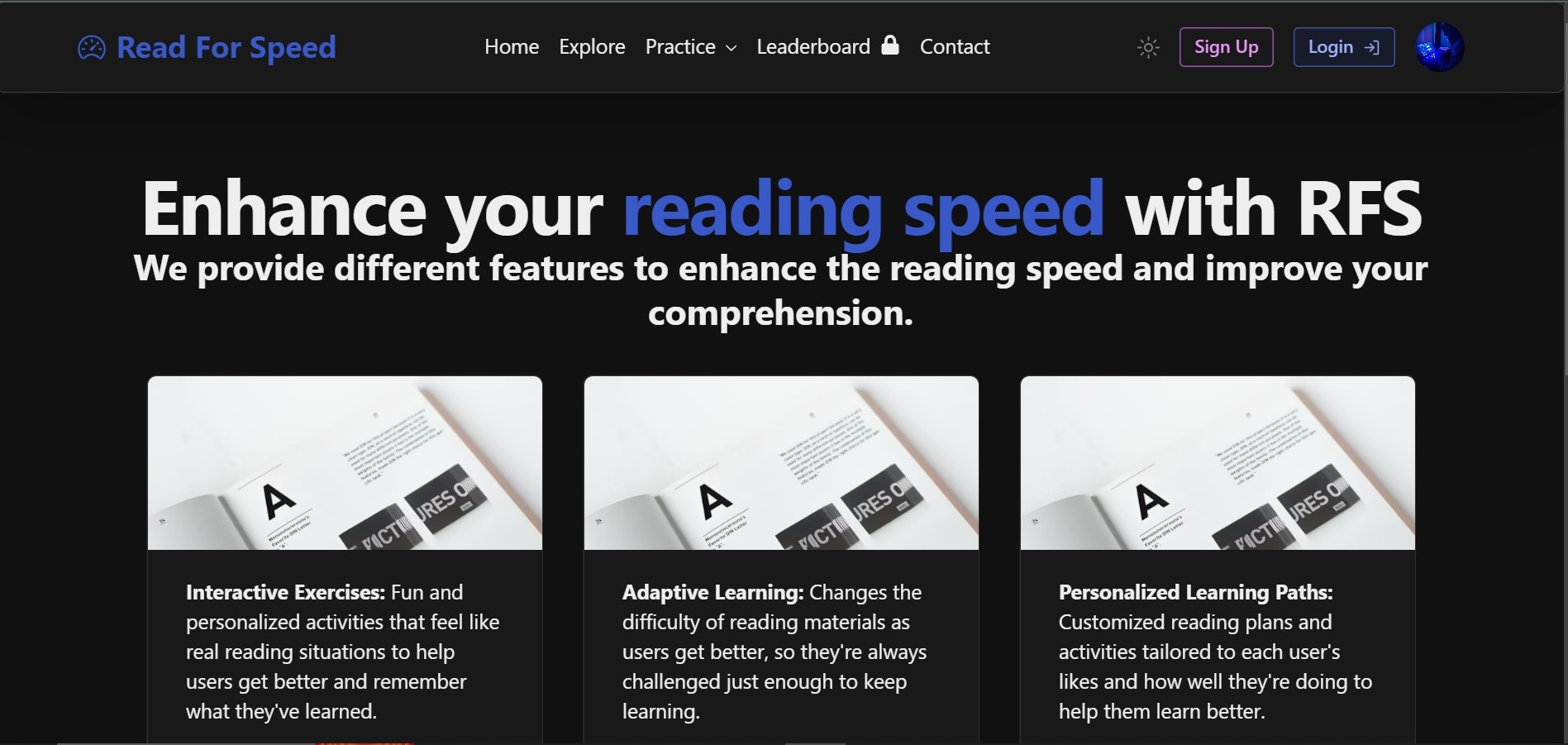
Read for Speed is a web application designed to help users enhance their reading speed and comprehension. It provides users with various exercises and tools to improve their reading skills efficiently.
Features
- Speed Reading: Practice speed reading with adjustable reading speeds.
- Comprehension: Measure comprehension with quizzes and exercises.
- Progress Tracking: Track your reading speed improvement over time.
- Customization: Choose reading materials according to your interests and preferences.
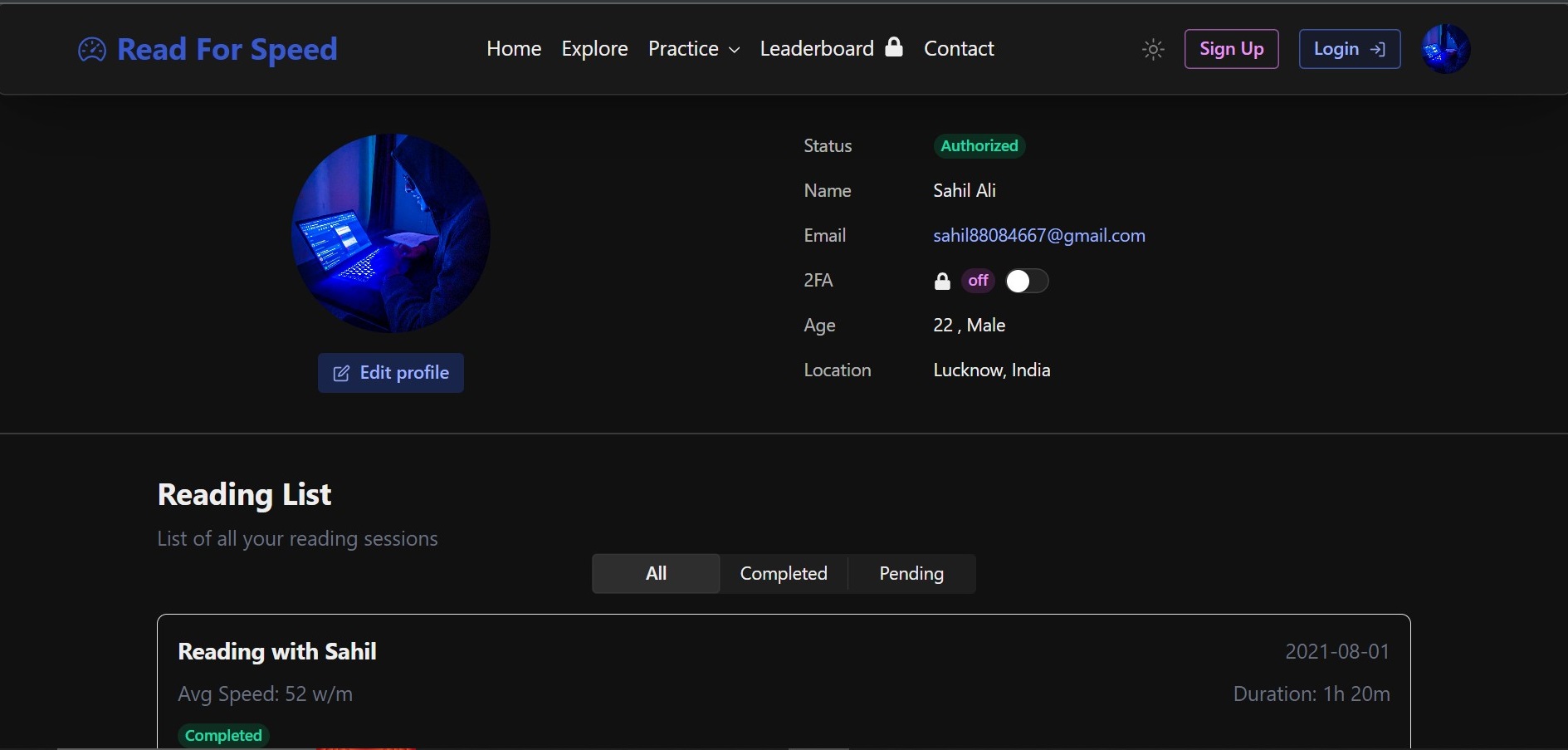
- Two-Factor Authentication: Secure your account with two-factor authentication.
- OAuth Sign-Up: Sign up using GitHub or Google accounts for easier access.
Tech Stack
- Frontend: React.js, Tailwind CSS, Radix UI
- Backend: Node.js, Express.js
- Database: MongoDB
- Authentication: JSON Web Tokens (JWT), OAuth with GitHub and Google
- Other Tools: Redux (for state management), Axios (for API requests), Google Translate API (for language translation)
Major Project - App Version
- Checkout the app version of the project here
Screenshots
Installation
- Clone the repository:
git clone https://github.com/SahilAli8808/Major-Project.git

git clone https://github.com/Kumailrizvi786/Major-Project.git

 cd Major-Project
- Split Terminal in 2 parts
2.1. Front-End
2.2. Back-End
- Install dependencies:
- Create a
.env file in the root directory of BackEnd folder and add the following environment variables:
PORT=your_local_port
MONGODB_URI= mongodb+srv://<username>:<password>@clusterrfs.ccumhyd.mongodb.net
JWT_SECRET=your_local_secret
EMAIL_USER = "[email protected]"
EMAIL_PASSWORD = 'some_password'
HTML_CONTENT_FOR_EMAIL_VERIFICATION = ''
GOOGLE_CLIENT_ID=your_google_client_id
GOOGLE_CLIENT_SECRET=your_google_client_secret
GITHUB_CLIENT_ID=your_github_client_id
GITHUB_CLIENT_SECRET=your_github_client_secret
- Run the development server:
For Front-End
For Back-End
- Open http://localhost:5173 to view the app in your browser.
Our Team
Table of Contributors Along with there Roles.
| Name of Contributors |
Profiles |
Roles |
| Sahil Ali |
@Sahilali8808 |
Full stack |
| Syed Kumail Rizvi |
@Kumailrizvi786 |
Fullstack |
| Mohd Maaz |
@maaz |
Fullstack |
Extra Features
- Dynamic Content Generation: Employ generative models such as GPT (Generative Pre-trained Transformer) to dynamically generate personalized reading exercises, prompts, or quizzes tailored to each user's learning goals and preferences.
- Personalized Learning Paths: Customized reading plans and activities tailored to each user's likes and how well they're doing to help them learn better.
- Adaptive Learning: Changes the difficulty of reading materials as users get better, so they're always challenged just enough to keep learning.
- Text Summarization: Makes long passages shorter, so users can understand the main ideas faster and easier.
- Feedback and Assessment: Gives users instant feedback on how fast they read, how well they understand, and tips to get better.
- Eye Movement Tracking: Watches how users' eyes move when they read to find out where they can improve and gives them exercises to help.
- Content Recommendation: This shows users reading materials they'll like based on what they've read before and what they're interested in.
- Natural Language Processing (NLP): Helps make reading materials easier to understand by breaking down hard sentences and words and explaining them.
- Interactive Exercises: Fun and personalized activities that feel like real reading situations to help users get better and remember what they've learned.
- Progress Tracking and Visualization: Keeps track of how users are doing over time and shows them graphs and charts to see how they're getting better, so they stay motivated to keep going.
- Text Import and Synchronization: Enable users to import text from various sources such as websites, PDF files, or ebooks, and synchronize their reading progress across devices.'
- Bookmarking and Annotation: Allow users to bookmark important passages, highlight text, and add annotations for future reference.
- Accessibility Features: accessible to users with disabilities such as screen reader compatibility, keyboard navigation, and high contrast modes.
CRUD Operations
- User Operations (Login /signup/security)
- High-level authentication
- image/blog/video crud
- Chat interface








