completador de musica
1.0.0

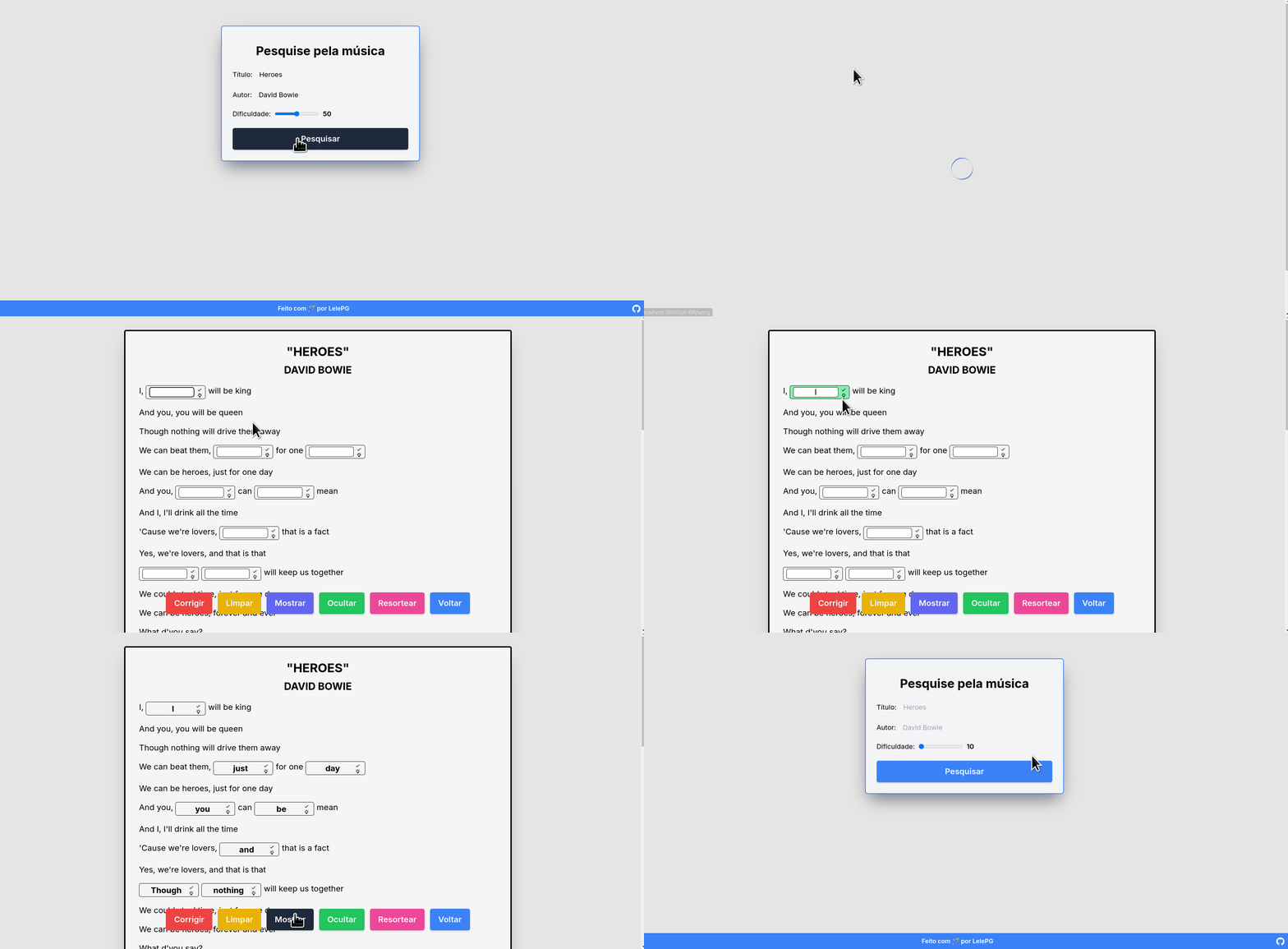 Click here to see the project working
This project is a web application developed with Frameworks Next.js and Tailwind that aims to help in the study of foreign languages through music. Once on the application home page you should inform the name of a song and its author, which will show a list of songs found, so just select the song you want, put it to play on some platform like YouTube or Spotify and fill the gaps present in the lyrics with the correct word. The gaps are randomly drawn, which allows you to always have different words to complete and thus improve your language skills trying to learn.
To start the application locally, you need to download this repository (either by the Github clone options or through a .zip file) and modify the called model.env.local file. This file needs to be renamed to .env.local and the value of the variable present in this file must be changed to a valid value of client Access token obtained from the Genius API, the base for the package used to get the letters. The documentation can be accessed by clicking here.
After that, on the project's main page you will need to run npm i commands to install the npm run dev premises to start the project. After compilation, the project will be available locally via localhost:3000 .
NOTE: Port 3000 is the default port, but I recommend that you see which port the project will really be run through the terminal where the npm run dev command has been used.
If you want to access the online project, click here to see deploy made on the Vercel platform.
On the application home page you should put the name of the music and the person or band which this song is associated with. In this home screen you can also select the difficulty of the music. The greater the difficulty, the more gaps will appear to make you complete. Once the name and authorship of the song have been selected, you must click the search button. This will make a list of results for your search rendering, and then just click on the card that contains the desired music, and here it is worth noting that as the songs are obtained through the API, music in multiple languages are available. Once you have clicked on the music card, the application will navigate to the song page, which has the interface below:
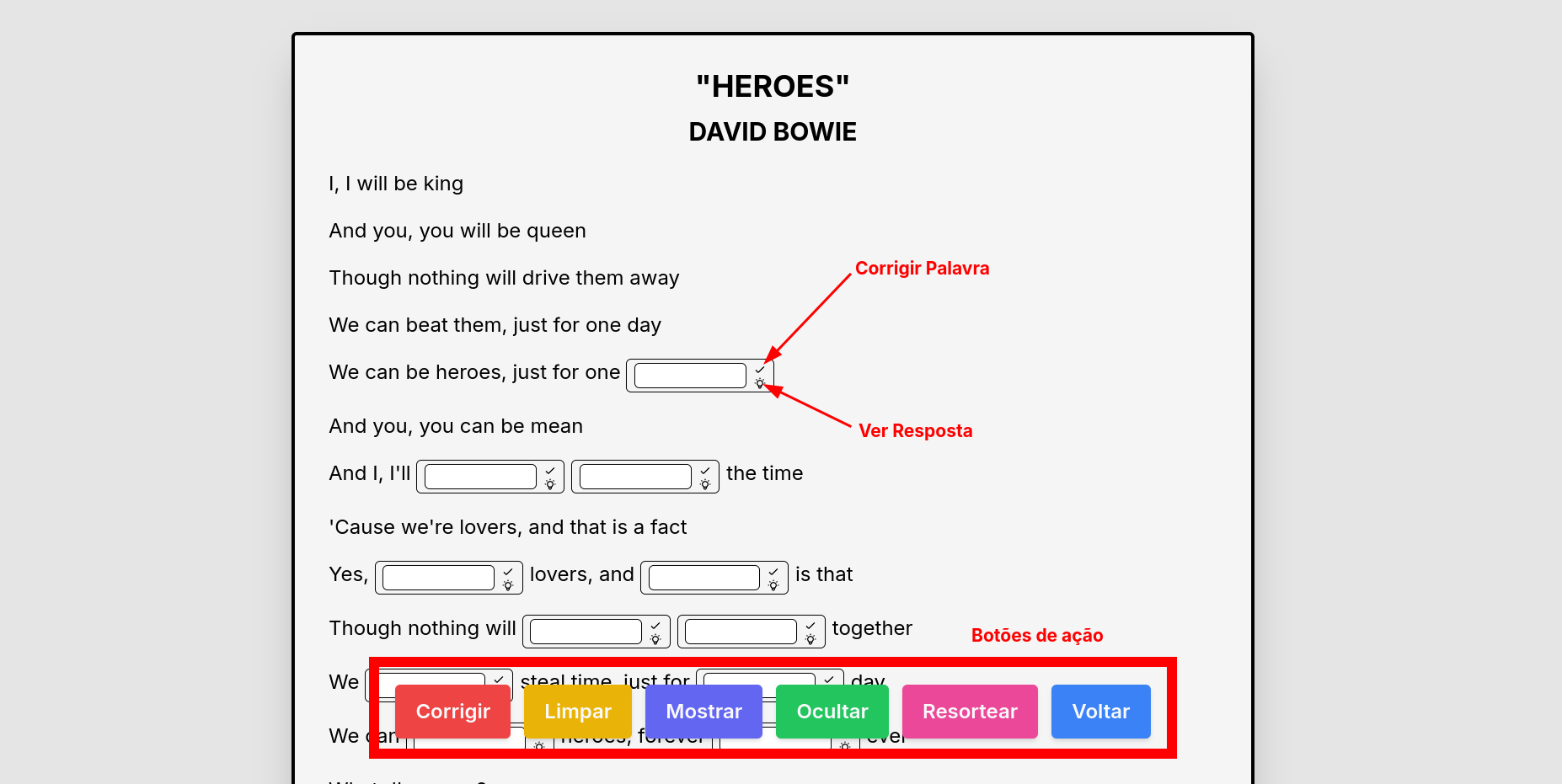
Each gap has two buttons. The first of these is the correction button indicated by a check that will correct the current gap leaving the green edge if the word has been typed correctly and red otherwise. The second button is the tip button represented by a lamp. This button will show the word that should be typed in that gap. These actions are individual and applicable only to the current gap.
Apart from these local actions the interface contains six global action buttons:
To contribute to the project, you can open an issue in the project talking a little about the feature you want to be implemented, or a bug you have found (I ended up not finding bugs which probably means I didn't look for them well enough hahaha). If possible, put some image related to the subject because it facilitates visualization and understanding.
If you want to implement something based on the project, feel free. This project is Open-Source so you don't need my permission to do anything. Just do the project fork and start your implementation as you find better, and if you want to send a pull request pro repository with your implementation, feel comfortable too. Just remember to put a message saying that improvements or what you have implemented. Oh, and if you don't want to do a PR but you have used this project as a base, you can open a number here with your repository link because I want to make a list so that those who access this project can also access other users' implementations.
If you want to do something, but you don't know what to do, you can take a look at the project's issues to see if we have something open and then just ask me to assign that task to you.







