wxmp
v2.4.0

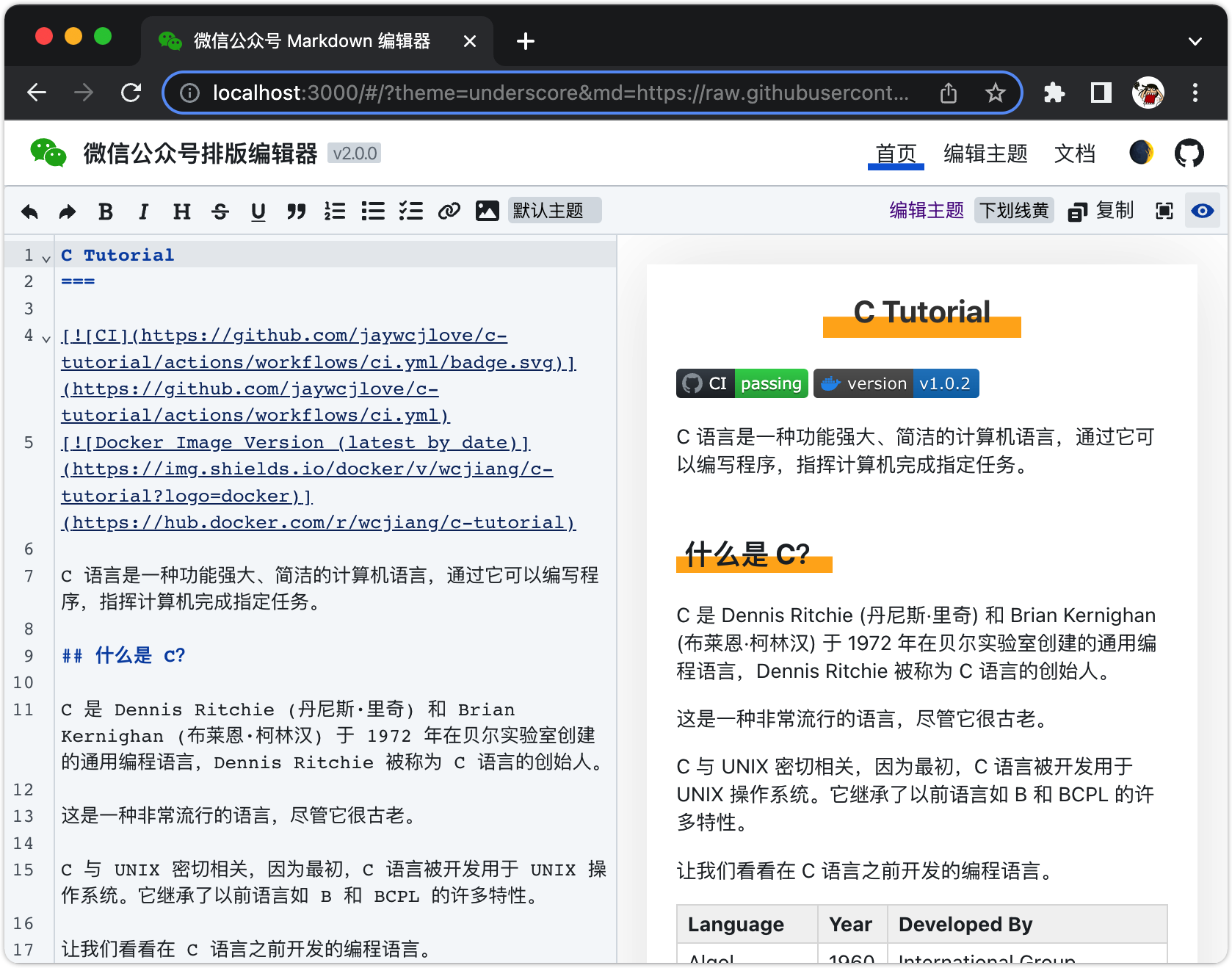
WeChat official account article Markdown online editor, use markdown grammar to create a beautiful and generous WeChat official account picture and text introduction. Due to the hassle of publishing versions and the inability to expand some functions, development has been stagnant. In the future, Chrome plug-ins will no longer be developed (the Chrome branch temporarily exists) and more rich functions will be customized through the web version.
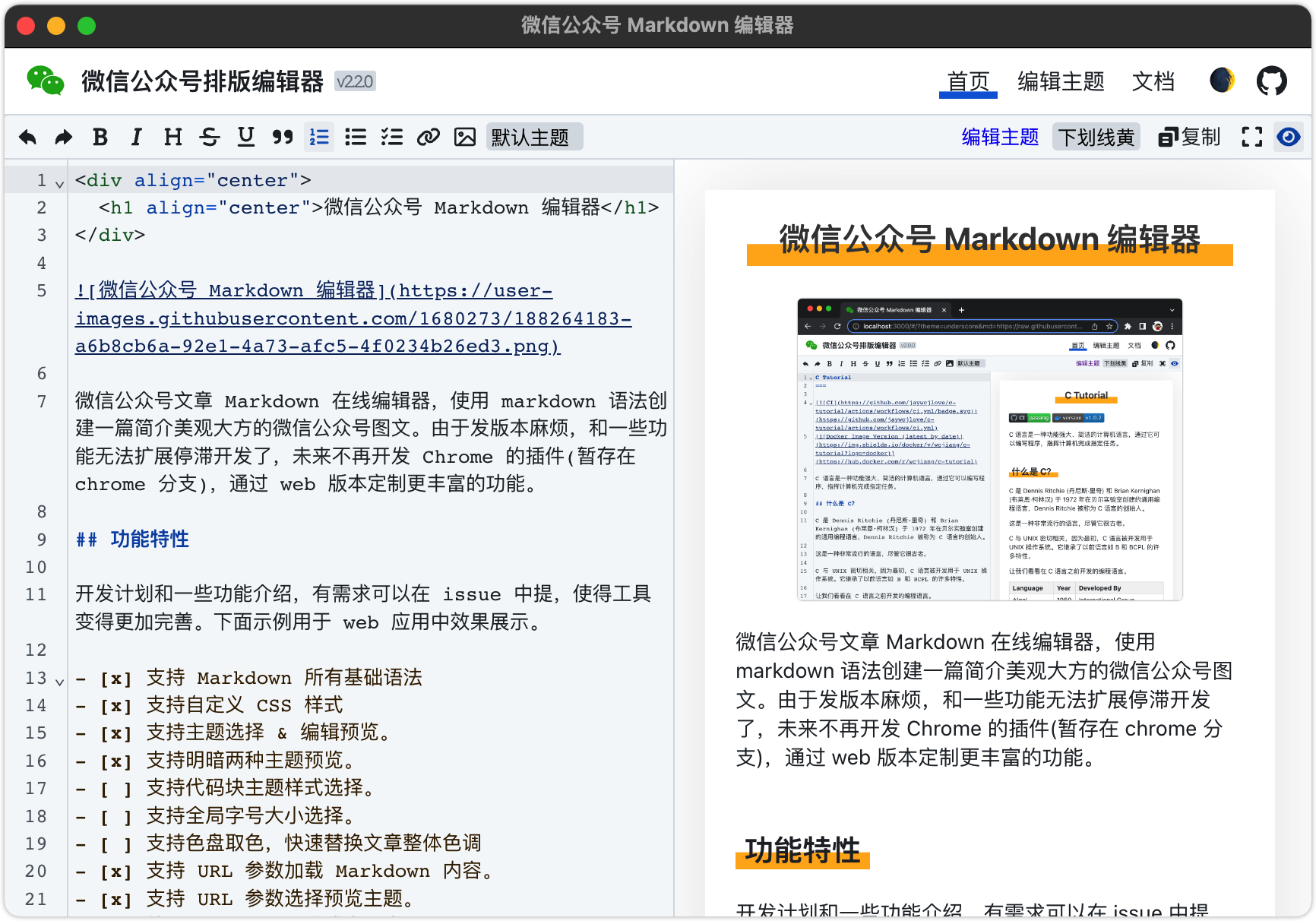
Development plans and some functions can be introduced in the issue if necessary, making the tools more perfect. The following example is used for effect display in web applications.
The following is jsx code block display example and highlight the code for effect display in web applications.
 function Demo ( ) {
  return < div className = "demo" > Hello World! </ div >
}
Below is css code block display example and highlight the code for effect display in web applications.
 li {
  font-size : 16 px ;
  margin : 0 ;
  line-height : 26 px ;
  color : rgb ( 30 41 59 );
  font-family : -apple-system-font , BlinkMacSystemFont , Helvetica Neue , PingFang SC , Hiragino Sans GB , Microsoft YaHei UI , Microsoft YaHei , Arial , sans-serif;
}Used for displaying effects in web applications.
Inline Code {code: 0}
The table cannot use custom styles, no solution is found yet
| Header 1 | Header 2 |
|---|---|
| Key 1 | Value 1 |
| Key 2 | Value 2 |
| Key 3 | Value 3 |
Here is a simple Markdown 1 syntax footnote 2 . There are some additional text descriptions at the end of the page. Note that this is not the complete Footnote 3 feature.
 < ruby >
  汉 < rt > Han </ rt >
</ ruby >
Chinese character pronunciation effect: Chinese Character spell sound Note sound
HTML comments can also be used in markdown in Markdown. This feature is used to customize the styles for some content. Use HTML comments <!--rehype:xxx--> to enable Markdown to support style customization.
 ## 定义标题样式
<!-- rehype:style=display: flex; height: 230px; align-items: center; justify-content: center; font-size: 38px; -->

支持对某些文字变更样式,如_文字颜色_ <!-- rehype:style=color: red; --> ,文字颜色将被设置为红色(red)。<!--rehype:style= to start, --> to end, and wrap the css style in the middle, such as color: red; to set the text red.
This feature uses HTML comments to be ignored in markdown. It marks the content that needs to be ignored. The mark starts <!--rehype:ignore:start--> , the mark ends <!--rehype:ignore:end--> , and the mark is not displayed in the WeChat Markdown editor preview. Display content in other preview tools, such as GitHub.
 # 注释忽略

<!-- rehype:ignore:start -->内容在微信 Markdown 编辑器预览中不显示。在其它预览工具中展示内容。 <!-- rehype:ignore:end --> https://<URL>?md=<Markdown 资源 URL>
Sample URL to load Markdown content:
 https://jaywcjlove.github.io/wxmp/#/?theme=underscore&md=https://raw.githubusercontent.com/jaywcjlove/c-tutorial/master/README.md

Markdown URL 地址: https://raw.githubusercontent.com/jaywcjlove/c-tutorial/master/README.md
Store the default theme in the directory website/src/themes , configure the theme in website/src/store/context.tsx , and use css to define styles, and does not support complex selectors. An online theme editor is provided, welcome to modify and PR into the warehouse for everyone to use.
 /* 1~6 标题样式定义 */
h1 {} h2 {} h3 {} h4 {} h5 {} h6 {}
a { color : red; } /* 超链接样式定义 */
strong {} /* 加粗样式定义 */
del {} /* 删除线样式定义 */
em {}  /* 下划线样式定义 */
u {}   /* 下划线样式定义 */
p {}   /* 段落样式定义 */
ul {}  /* 无序列表样式定义 */
ol {}  /* 有序列表样式定义 */
li {}  /* 列表条目样式定义 */
blockquote {} /* 块级引用样式定义 */
table {}
td {}
th {}
pre {}        /* 样式定义 */
. code-highlight {} /* 代码块样式定义 */
. code-line {}      /* 代码块行样式定义 */
. code-spans {}     /* 代码块行样式定义 */

sup {} /* GFM 脚注样式定义 */
. footnotes-title {} /* GFM 脚注,参考标题样式定义 */
. footnotes-list {} /* GFM 脚注,参考列表样式定义 */

. image-warpper {} /* 图片父节点样式定义 */
. image {} /* 图片样式定义 */

/* 部分代码高亮样式 */
. comment {}
. property {}
. function {}
. keyword {}
. punctuation {}
. unit {}
. tag {}
. color {}
. selector {}
. quote {}
. number {}
. attr-name {}
. attr-value {}Easily deploy the "WeChat Official Account Markdown Editor" website application through docker.
docker pull wcjiang/wxmp
# Or
docker pull ghcr.io/jaywcjlove/wxmp:latest
docker run --name wxmp --rm -d -p 8113:3000 wcjiang/wxmp:latest
# Or
docker run --name wxmp -itd -p 8113:3000 wcjiang/wxmp:latest
# Or
docker run --name wxmp -itd -p 8113:3000 ghcr.io/jaywcjlove/wxmp:latestAccess the following URL in your browser
http://localhost:96611/
As always, thanks to our amazing contributors!
The contributor list of the above image, the contributor picture is automatically generated by action-contributors 4 .
Licensed under the MIT license.
GitHub-style Markdown specification https://github.github.com/gfm/ ↩
Footnotes https://github.blog/changelog/2021-09-30-footnotes-now-supported-in-markdown-fields/ ↩
WeChat articles do not support anchor jumps and opening third-party URL hyperlinks, so they do not support complete footnote features. ↩
Action Contributors https://github.com/jaywcjlove/github-action-contributors ↩







