ceshiya
1.0.0

The pure front-end interactive network security self-study network helps you become a network security expert!
By programmer fish skin
Online experience: http://ceshiya.yupi.icu
Demo video: https://www.bilibili.com/video/BV1y14y1175y/
Test Duck (Test Duck), a completely free interactive network security self-study tutorial website, its predecessor was an interview question-sweeping website (Test Duck) that has been attacked to collapse.
Unlike traditional teaching websites, Yushe has set more than 30 loopholes on the website based on his experience and lessons from the website attack! Everyone needs to discover these vulnerabilities and cause attacks on the website through free exploration and various tips, so as to learn network security knowledge in actual combat, which is easy and pleasant~
Students who are beginners in website development are prone to attacking the website due to various minor problems, causing psychological and economic losses.
Through this website, I hope everyone can realize the importance of network security and improve security protection awareness when developing websites.
Learning this knowledge is to better prevent, and not to use technology to commit illegal and evil!
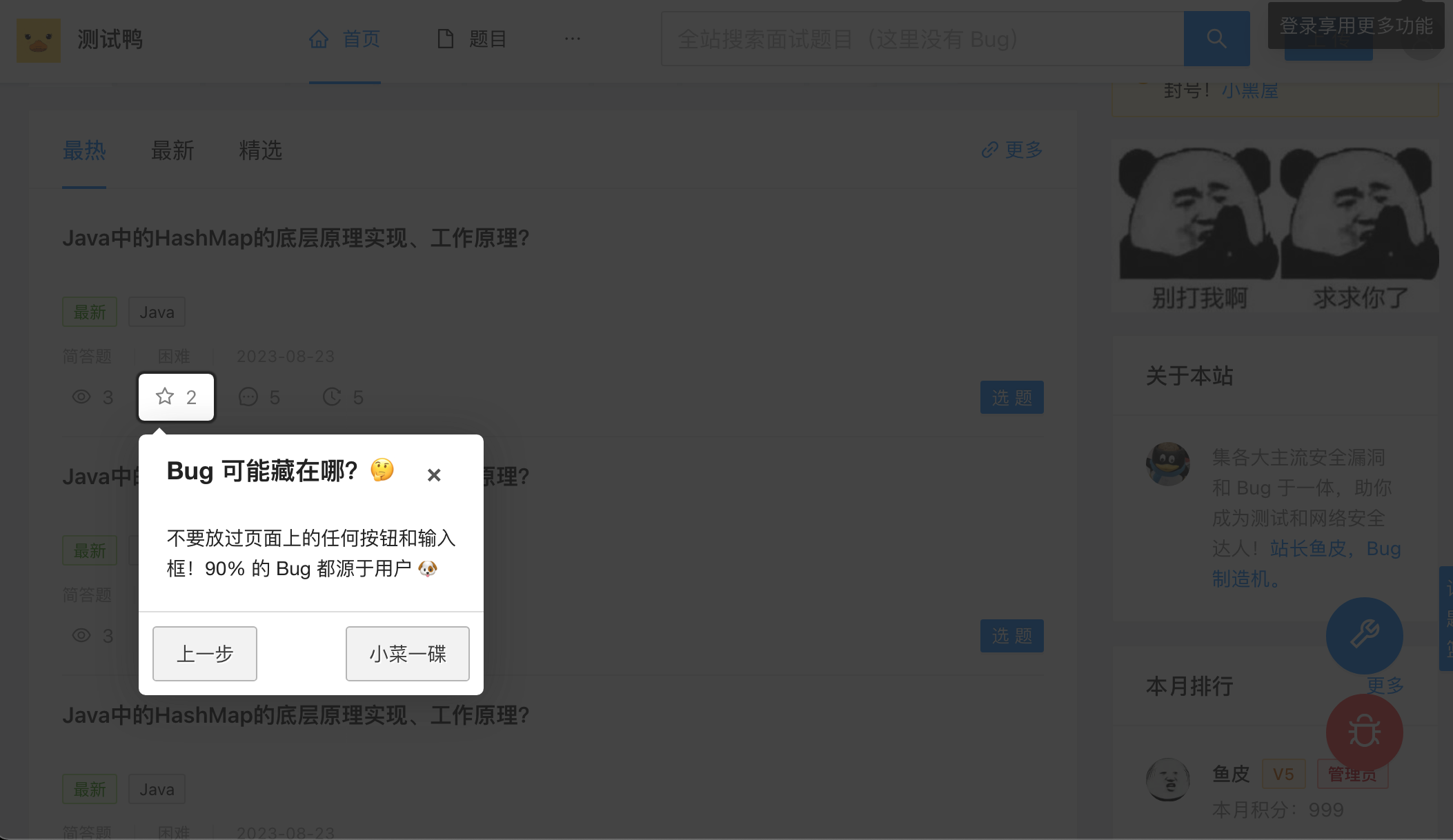
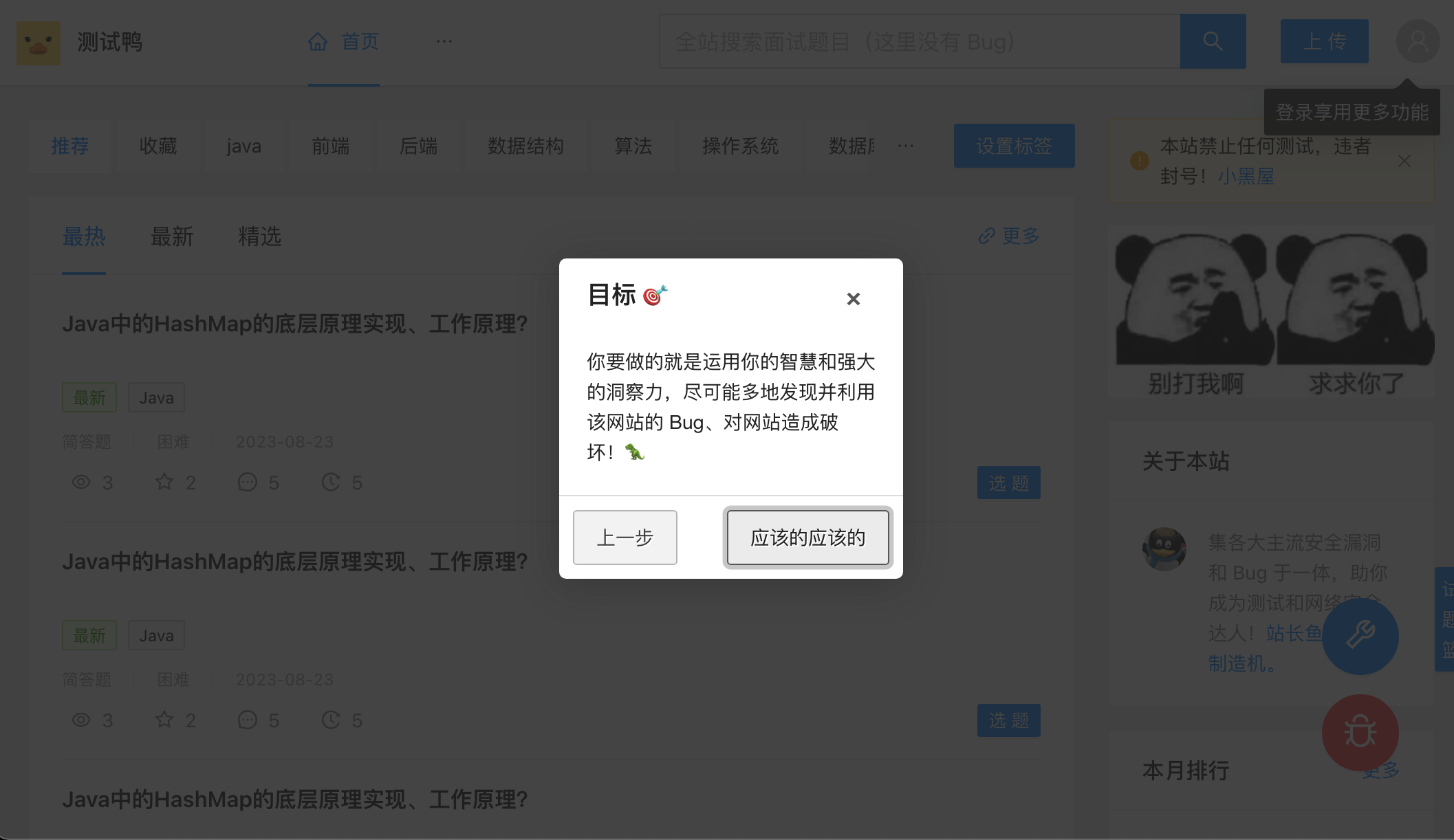
1) When you enter the homepage for the first time, a newbie guide will automatically pop up to teach you how to attack this website. Follow the guide and click Next.
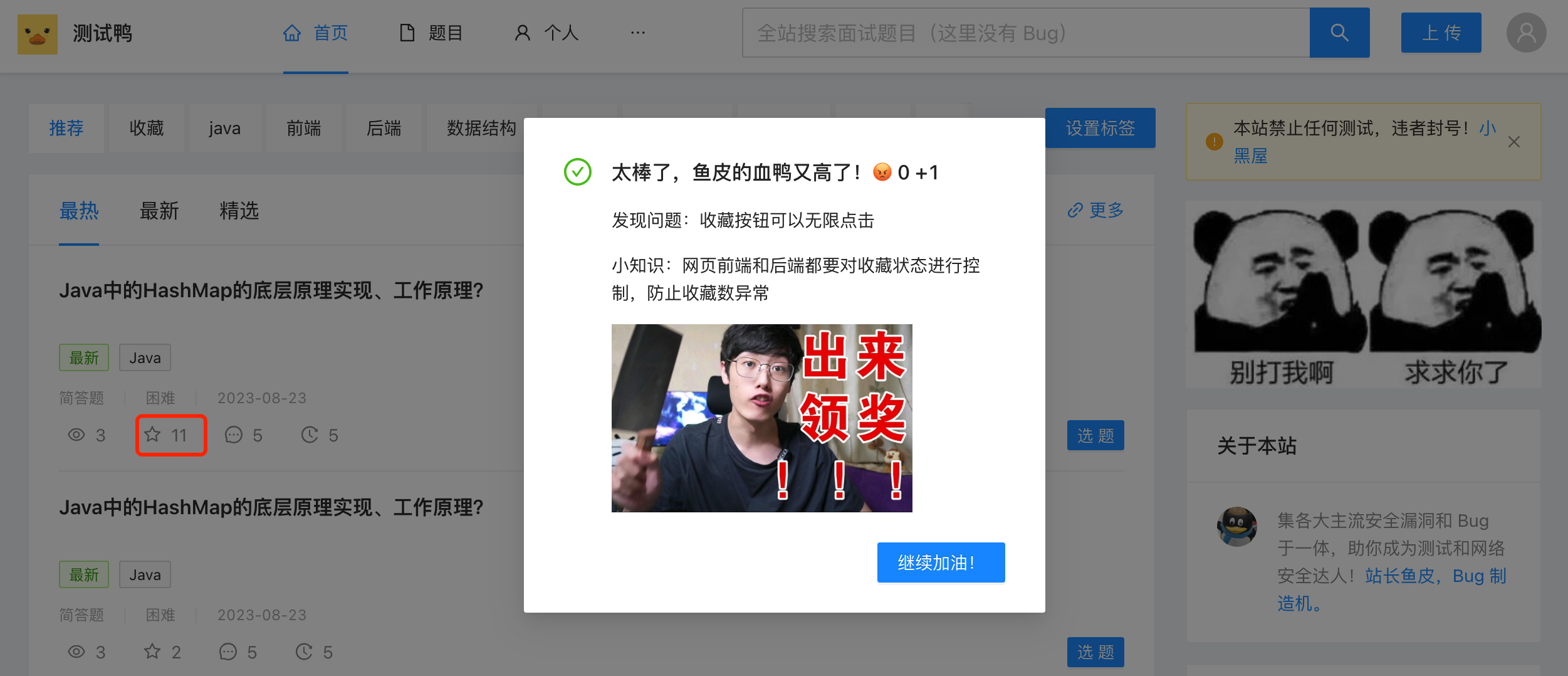
2) Any button or input box on the page may have hidden secrets. For example, clicking the "Favorite" button frantically does not give the system a chance to react, and then a bug appears.
Whenever you find a bug, the blood duck value of the webmaster fish skin will rise rapidly, and you can also see the little knowledge points given by fish skin, as well as a high-definition uncensored fish skin's thriller. It is said that there are 5 pictures in total. After collecting them, the dragon may not be summoned, but the fish skin will invite you to have tea.
3) You can help yourself attack the website through the toolkit in the lower right corner:
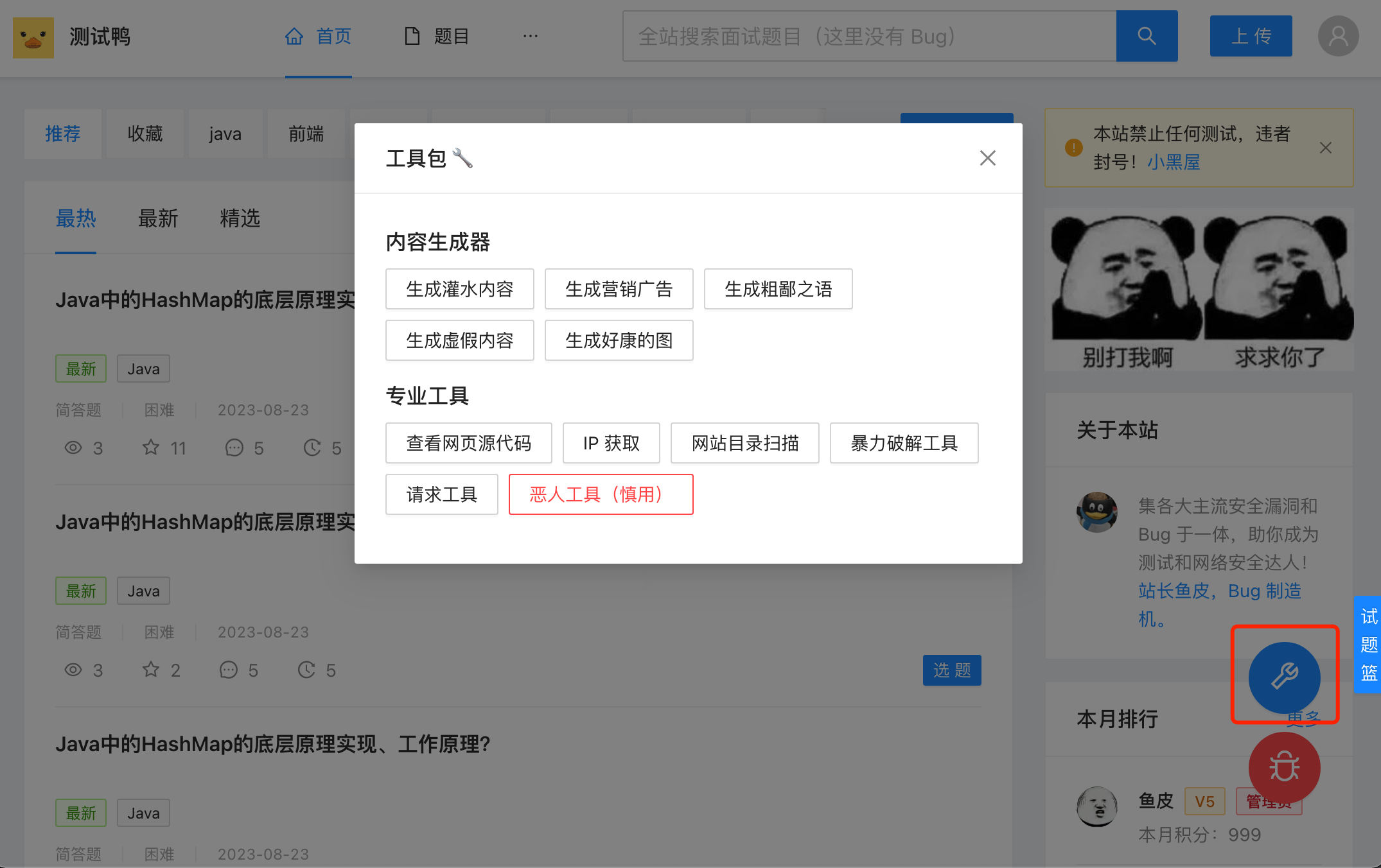
For example, the request tool in the picture above can help you bypass the front-end interface and directly obtain data from the website background?
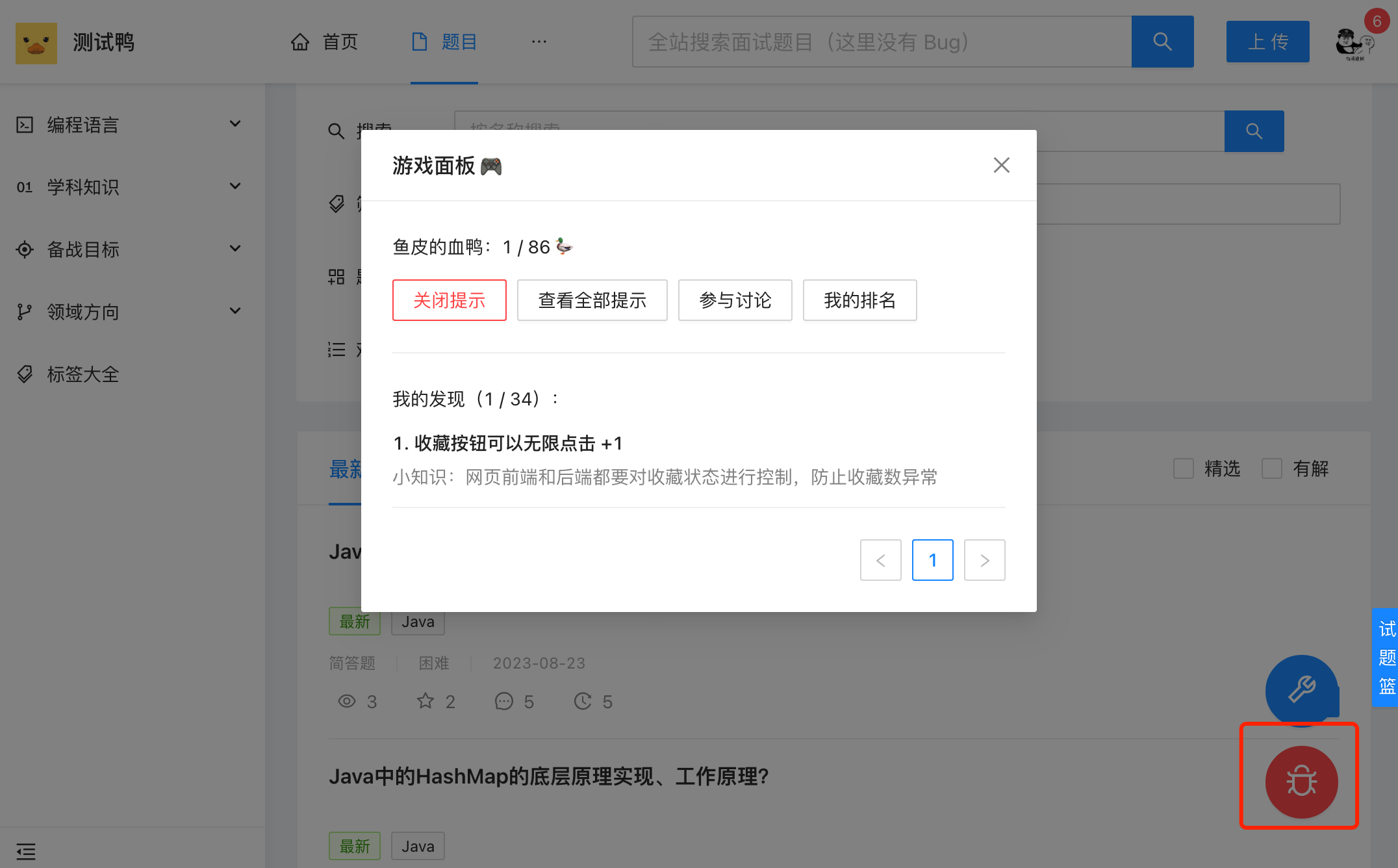
4) Click the Bug icon in the lower right corner to pop up the game panel, which can view the score, found bugs, get prompts, view your ranking, etc.
Since the project is implemented with a pure front-end, it is very easy to start the project locally!
There are many online visitors and may be stuttered, so it is recommended that you use it locally~
1) Download the code of this project
2) Enter the project root directory and execute npm install to install the project dependencies
3) Execute npm run dev local startup
Complete interview question-solving website front end
30+ interactive bug levels
Game Toolbox
Game Panel
This project is implemented using a pure front-end, and does not require any front-end knowledge of the back-end~
Q: Why use pure front-end implementation?
A: The website focuses more on front-end interaction and does not require back-end storage; it can also reduce attack risks + save money
This website is a pure front-end website transformed from a complete front-end project interview. Here we share the general website transformation process. You can try to turn the projects you do into an interactive teaching website.
The steps are as follows:
1) Complete front-end page development (if there is already a project, this step has been completed by default)
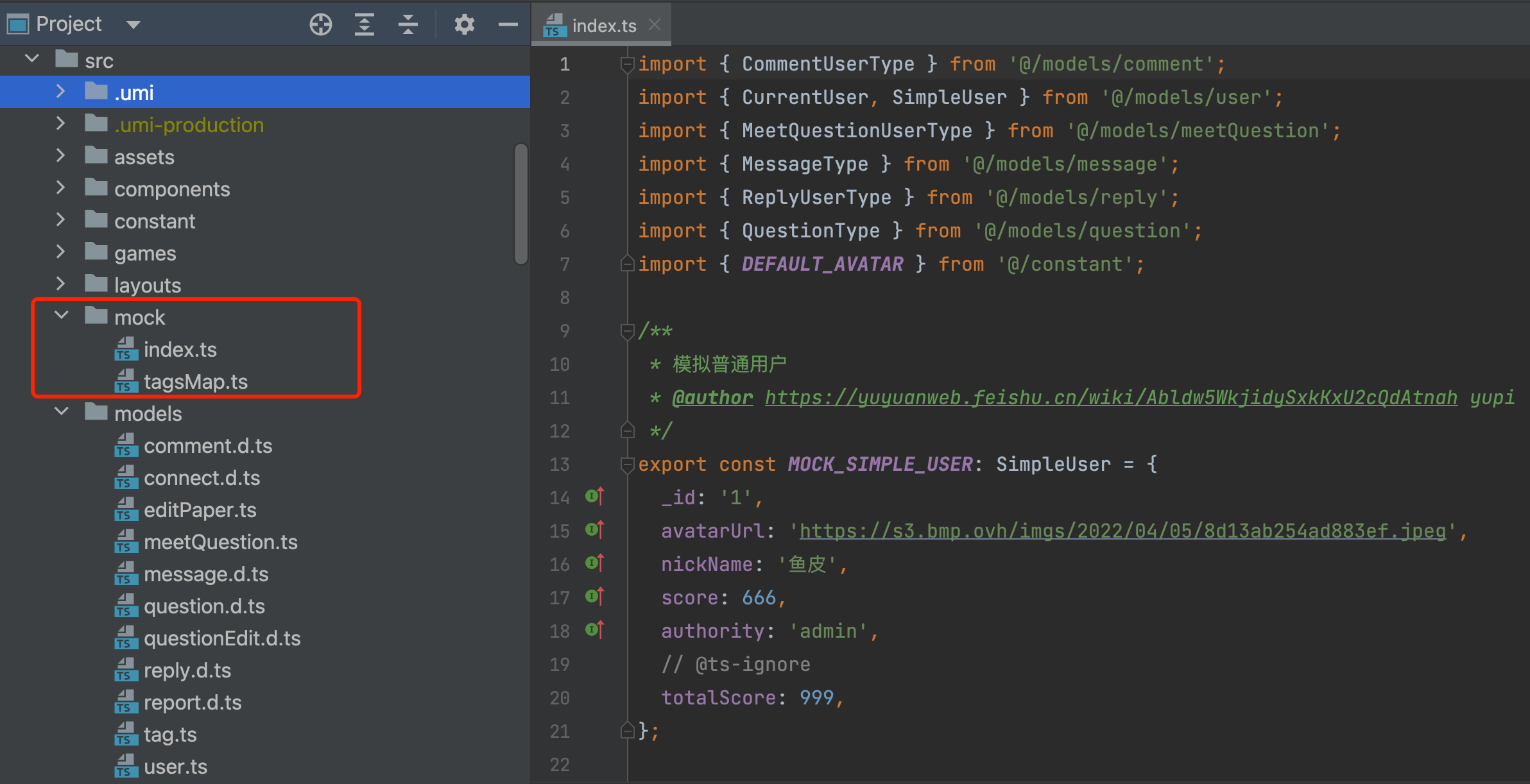
2) Page data static: Create a mock directory to store fake data written by humans; then transform all the service layer code interacting with the backend into operation and obtaining fake data in the mock directory.
3) Create a game mechanism: See below for specific implementation methods
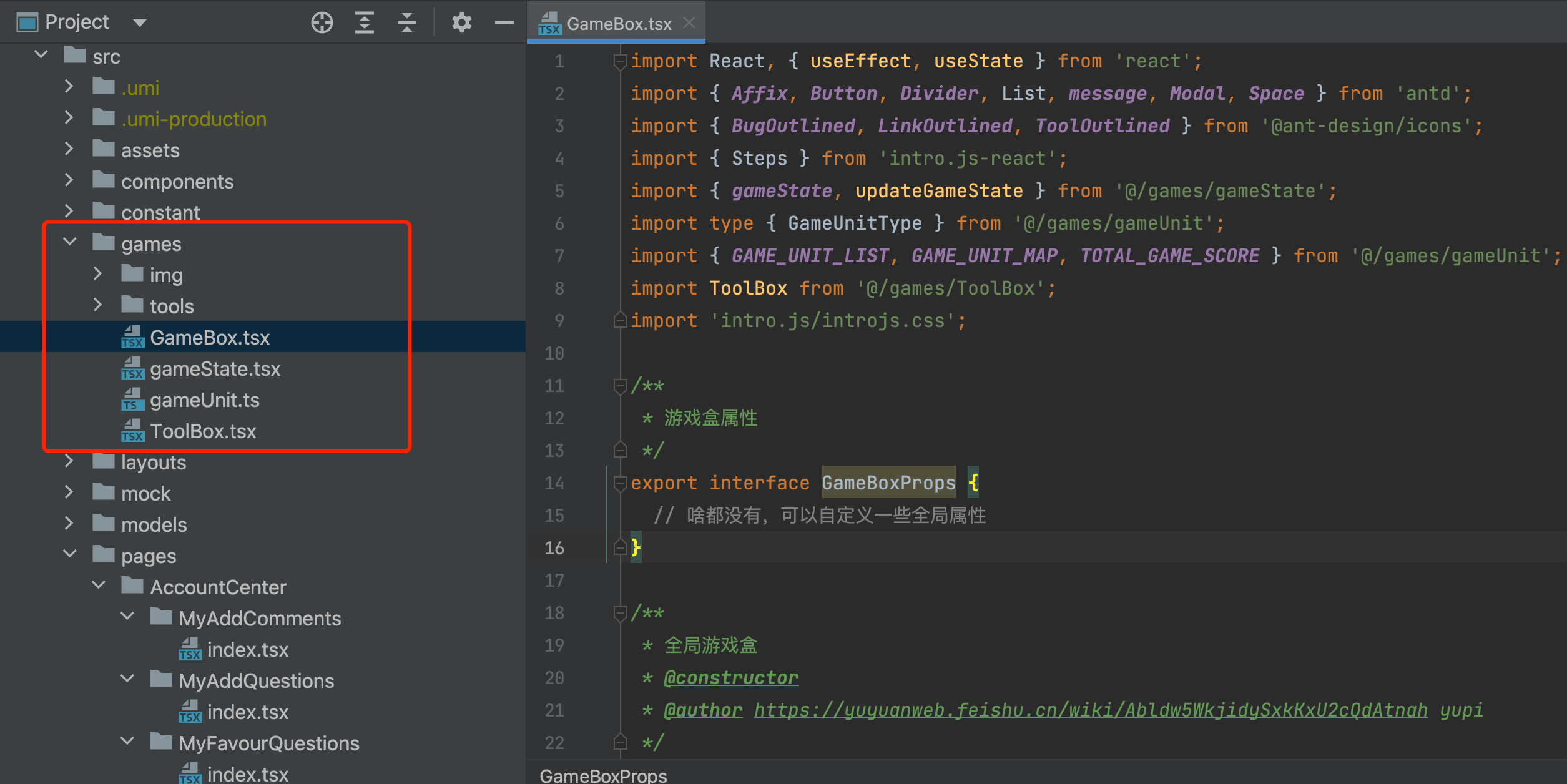
First, follow the idea of componentization, encapsulate all game-related code into the games directory, and provide a GameBox component for front-end page introduction, rather than directly intruding into existing business code:
How to trigger the corresponding level to complete after the user performs a certain operation?
The implementation idea adopted here is similar to the "burying points" in front-end monitoring business.
First, we define the game's level in gameUnit.ts (called unit units here). The sample code is as follows:
 /**
 * 游戏单元类型
 */
export type GameUnitType = {
  key : string ;
  desc : string ;
  type : string ;
  score : number ;
  knowledge : string ;
  no ?: number ; // 题号
  href ?: string ; // 更多知识的链接
} ;

/**
 * 游戏单元列表
 */
const GAME_UNIT_LIST : GameUnitType [ ] = [
  {
    key : 'favourInfinite' ,
    desc : '收藏按钮可以无限点击' ,
    type : '逻辑漏洞' ,
    score : 1 ,
    knowledge : '网页前端和后端都要对收藏状态进行控制,防止收藏数异常' ,
  } ,
  {
    key : 'thumbUpInfinite' ,
    desc : '点赞可以无限点击' ,
    type : '逻辑漏洞' ,
    score : 1 ,
    knowledge : '网页前端和后端都要对点赞状态进行控制,防止点赞数异常' ,
  } ,
] ;
Then we write a global game state storage file gameState.tsx to record the levels, scores, game configuration and other information that the user has completed:
 /**
 * 游戏全局状态类型
 * @author https://yuyuanweb.feishu.cn/wiki/Abldw5WkjidySxkKxU2cQdAtnah yupi
 */
export type GameStateType = {
  init : boolean ; // 是否为初始化
  score : number ; // 当前分数
  gameTip : boolean ; // 是否开启提示
  succeedUnitList : string [ ] ; // 已通过的关卡
} ;
It also provides a function that reports the doGameUnitSucceed notification. The parameter is the key of the level unit defined above. In this function, the current user's pass status is changed and a pop-up prompt is given.
The sample code is as follows:
 /**
 * 完成游戏
 * @param key
 */
const doGameUnitSucceed = ( key : string ) => {
  // 已经完成
  if ( gameState . succeedUnitList . includes ( key ) ) {
    return ;
  }
  gameState . succeedUnitList . push ( key ) ;
  const unit = GAME_UNIT_MAP [ key ] ;
  gameState . score += unit . score ;
  setTimeout ( ( ) => {
    Modal . success ( {
      title : `太棒了,鱼皮的血鸭又高了!? ${ gameState . score - unit . score } + ${ unit . score } ` ,
      content : ... ,
      okText : '继续加油!' ,
    } ) ;
  } , 1000 ) ;
  updateGameState ( gameState ) ;
} ;
After that, we only need to add a piece of pass logic to the corresponding page and function code. If the conditions meet, call doGameUnitSucceed(关卡key) pass notification function to achieve update and notification of the pass status.
For example, the following code adds the pass judgment logic to the like function:
 const doThumbUp = async ( id : string ) => {
  setThumbLoading ( true ) ;
  const res = await thumbUpComment ( id ) ;
  if ( res === 1 || res === - 1 ) {
    comment . thumbNum = ( comment . thumbNum ?? 0 ) + res ;
    // 点赞数 > 9 则过关
    if ( comment . thumbNum > 9 ) {
      // 注意这行代码是关键,触发过关
      doGameUnitSucceed ( 'thumbUpInfinite' ) ;
    }
  }
} ; Intro.js library, define the boot stage in GameBox game assembly, and then use LocalStorage to determine whether you need to display boots when entering the game for the first time.
The sample bootstrap phase code is as follows:
const [ steps ] = useState ( [
{
title : '欢迎来到测逝鸭 ?' ,
intro : '这是一个锻炼你网络安全能力的破站,准备好旅程了么????' ,
position : 'top' ,
} ,
{
title : '目标 ' ,
intro :
'你要做的就是运用你的智慧和强大的洞察力,尽可能多地发现并利用该网站的 Bug、对网站造成破坏!?' ,
nextLabel : '应该的应该的' ,
} ,
...
] ToolBox.tsx is essentially a page that integrates specific pass methods, which is considered a customized development. Each tool is stored as a separate page in the tools directory.
We welcome all kinds of heroes to participate in the contributions and benefit others and oneself~
Recommended contribution methods: add new game units (official cards), fix system bugs, and supplement network security knowledge points. Thank you for your contribution.
Thank you for reading, and welcome to join the author’s programming learning circle to learn more original projects~







