westore
1.0.0

setData and a more intuitive programming experience. Just update and no longer need to use setData .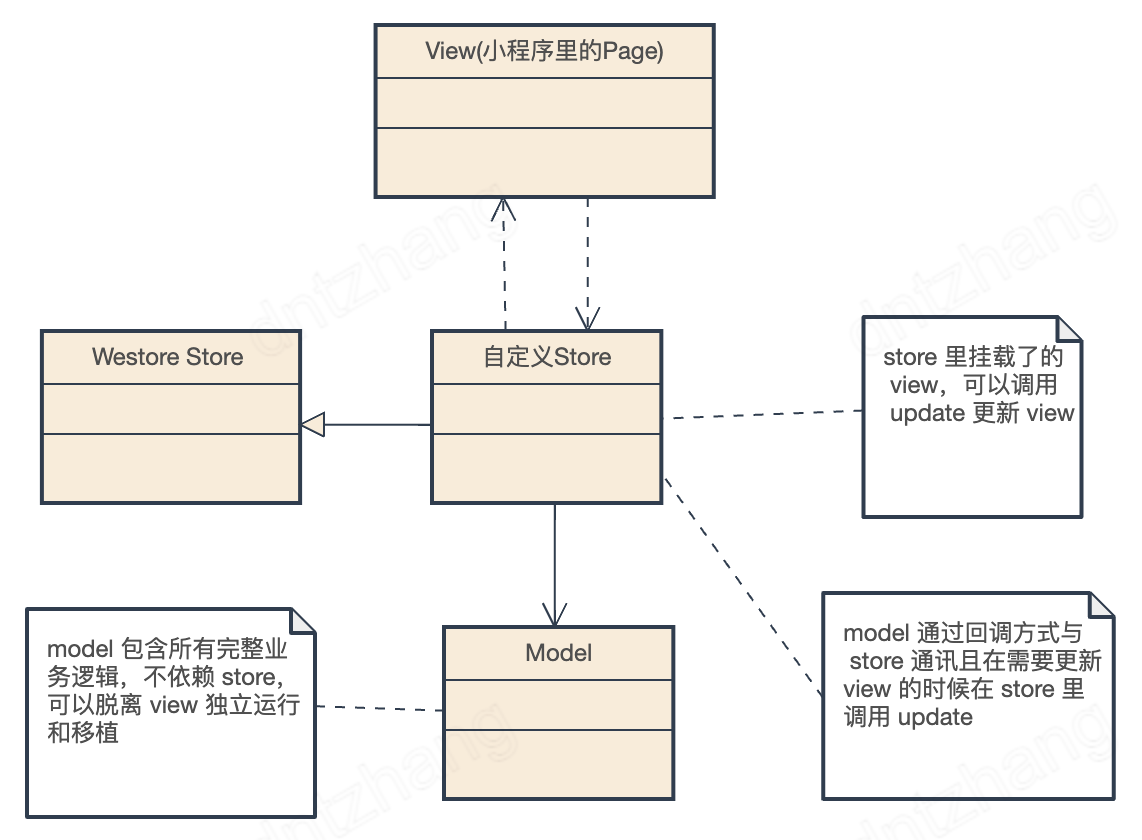
The Westore architecture is very similar to the MVP (Model-View-Presenter) architecture:
The Store layer can be understood as an intermediary in the mediator pattern , reducing the number of many-to-many relationships between the View and Model to 0, and is responsible for transit control of the interaction between the view object View and the model object Model.
As the projects carried by mini programs become more and more complex, a reasonable architecture can improve the scalability and maintenance of mini programs. Writing logic to Page/Component is a sin. When business logic becomes complex, Page/Component will become more and more bloated and difficult to maintain. Every time the requirements change, westore defines a reasonable mini-program architecture suitable for mini-programs of any complexity, making the project base more robust, easy to maintain and expandable.
npm i westore --savenpm related issues reference: Mini Program official documentation: npm support
| project | describe |
|---|---|
| westore | westore's core code |
| westore-example | westore official example |
| westore-example-ts | westore official example (ts+scss) |
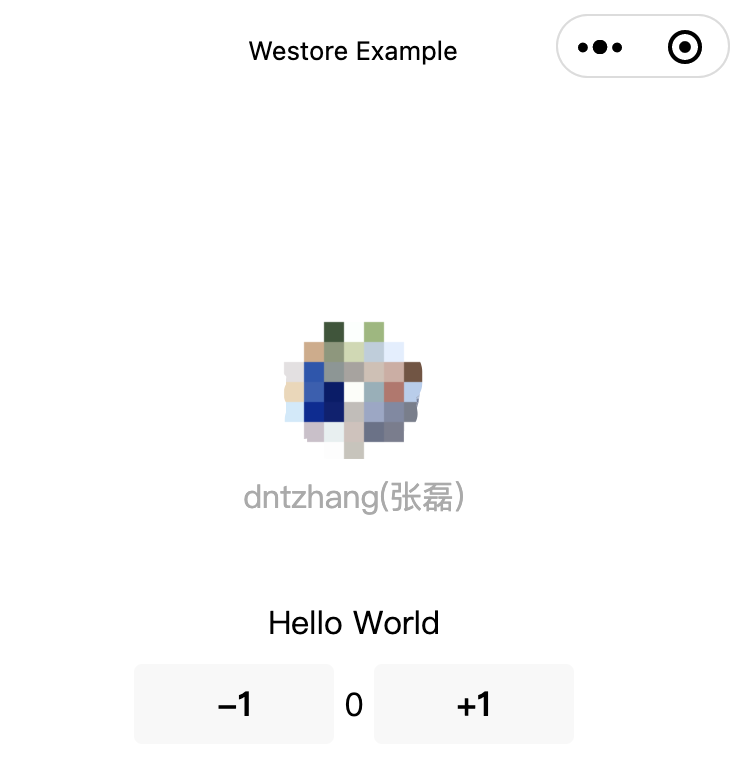
Its class diagram is as follows:
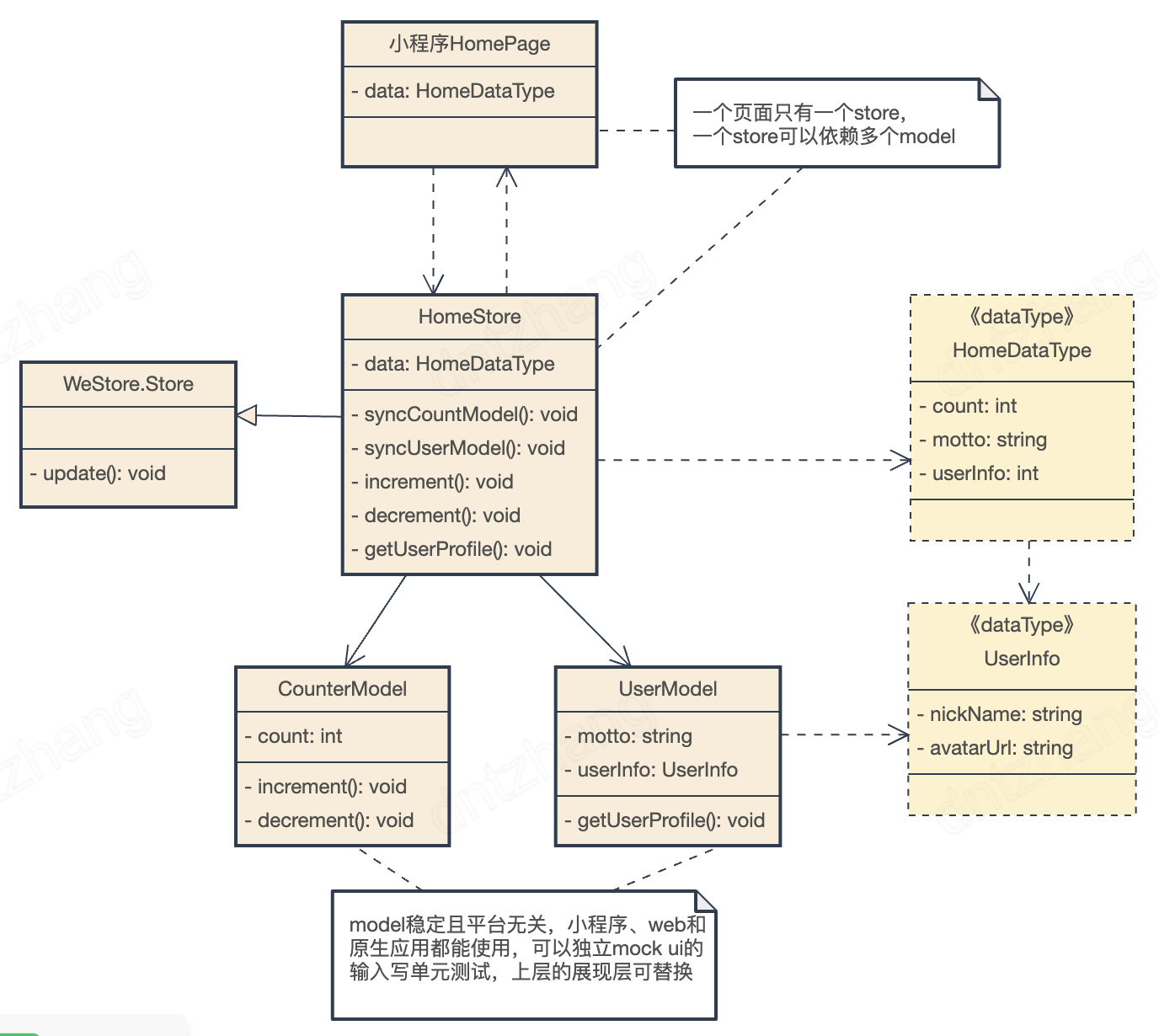
 // 平台无关的 Model
import Counter from '../models/counter'
// 平台无关的 Model
import User  from '../models/user'
import { Store }  from 'westore'

// 页面 store,一个页面一个
class HomeStore extends Store {
  constructor ( ) {
    super ( )
    this . data = {
      count : 0 ,
      motto : 'Hello World' ,
      userInfo : null
    }
    // 消费 Model
    this . counter = new Counter ( )
    // 消费 Model
    this . user = new User ( {
      onUserInfoLoaded : ( ) => {
        this . syncUserModel ( )
      }
    } )
    this . syncCountModel ( )
  }

  // 同步 Model 的数据到 ViewModel 并更新视图
  syncCountModel ( ) {
    this . data . count = this . counter . count
    this . update ( )
  }

  // 同步 Model 的数据到 ViewModel 并更新视图
  syncUserModel ( ) {
    this . data . motto = this . user . motto
    this . data . userInfo = this . user . userInfo
    this . update ( )
  }

  increment ( ) {
    this . counter . increment ( )
    this . syncCountModel ( )
  }

  decrement ( ) {
    this . counter . decrement ( )
    this . syncCountModel ( )
  }

  getUserProfile ( ) {
    this . user . getUserProfile ( )
  }
}

module . exports = new HomeStore
Universal Models are framework-free, and it is not even worth separating this logic for such a simple program, but as demand expands you will find the huge benefits of doing so. So here is a little more complicated example.
Game screenshot:
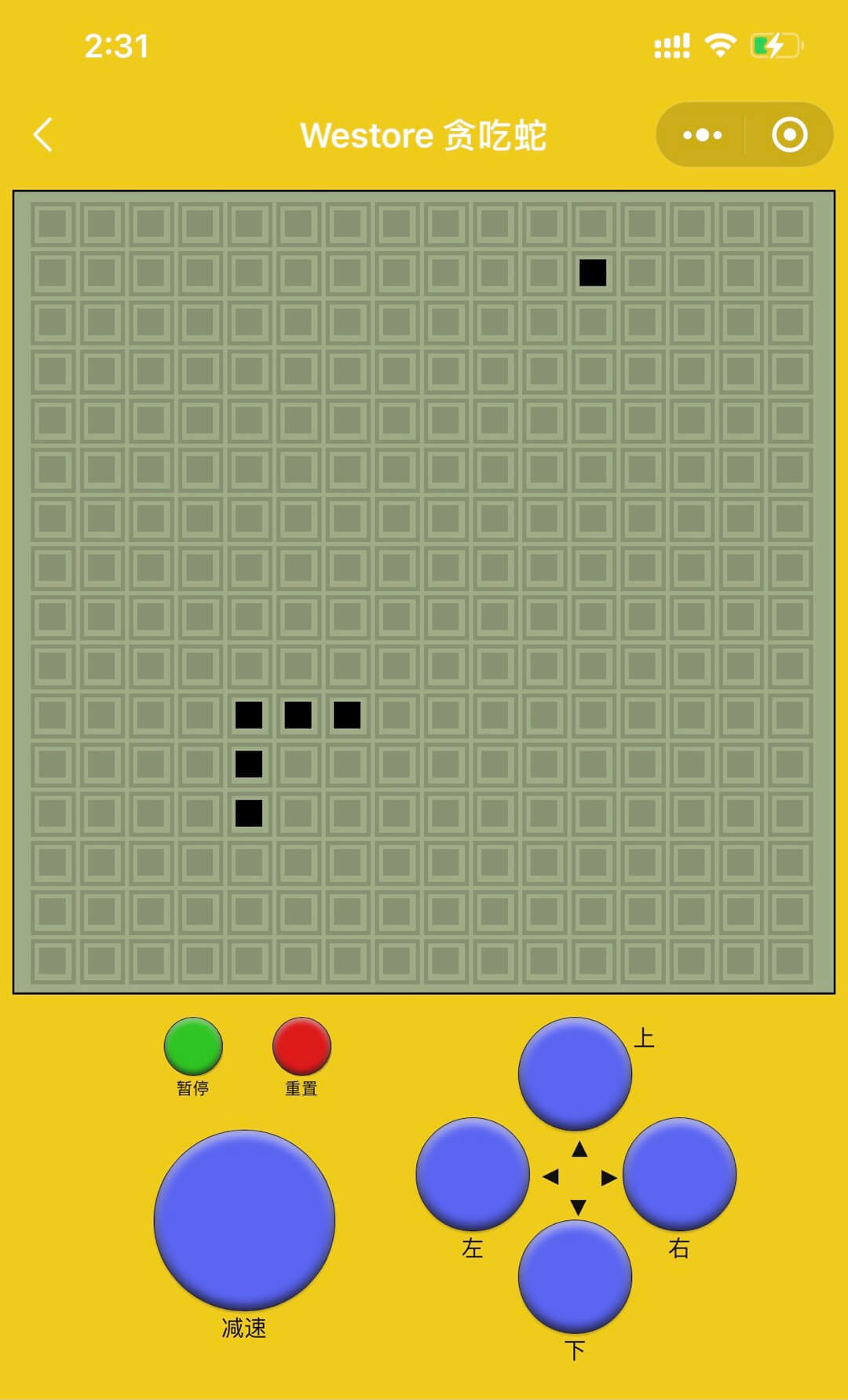
Design diagram:
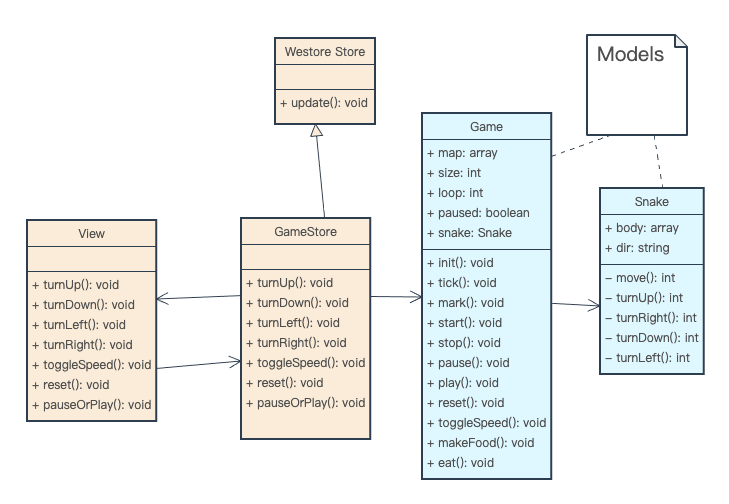
The light blue part in the picture can be reused in mini-program Snake, mini-game Snake and web Snake projects, without changing a line of code.
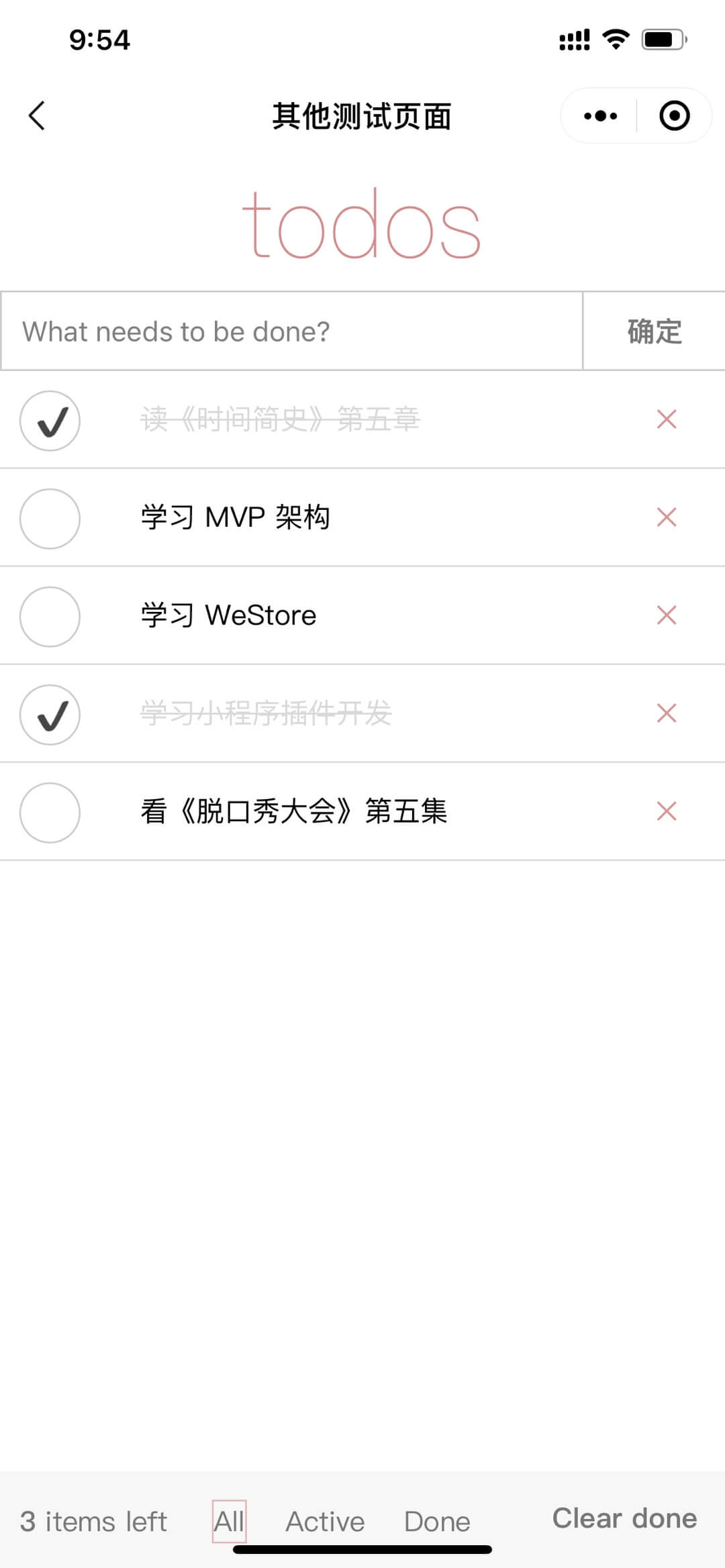
Application screenshot:
Design diagram:
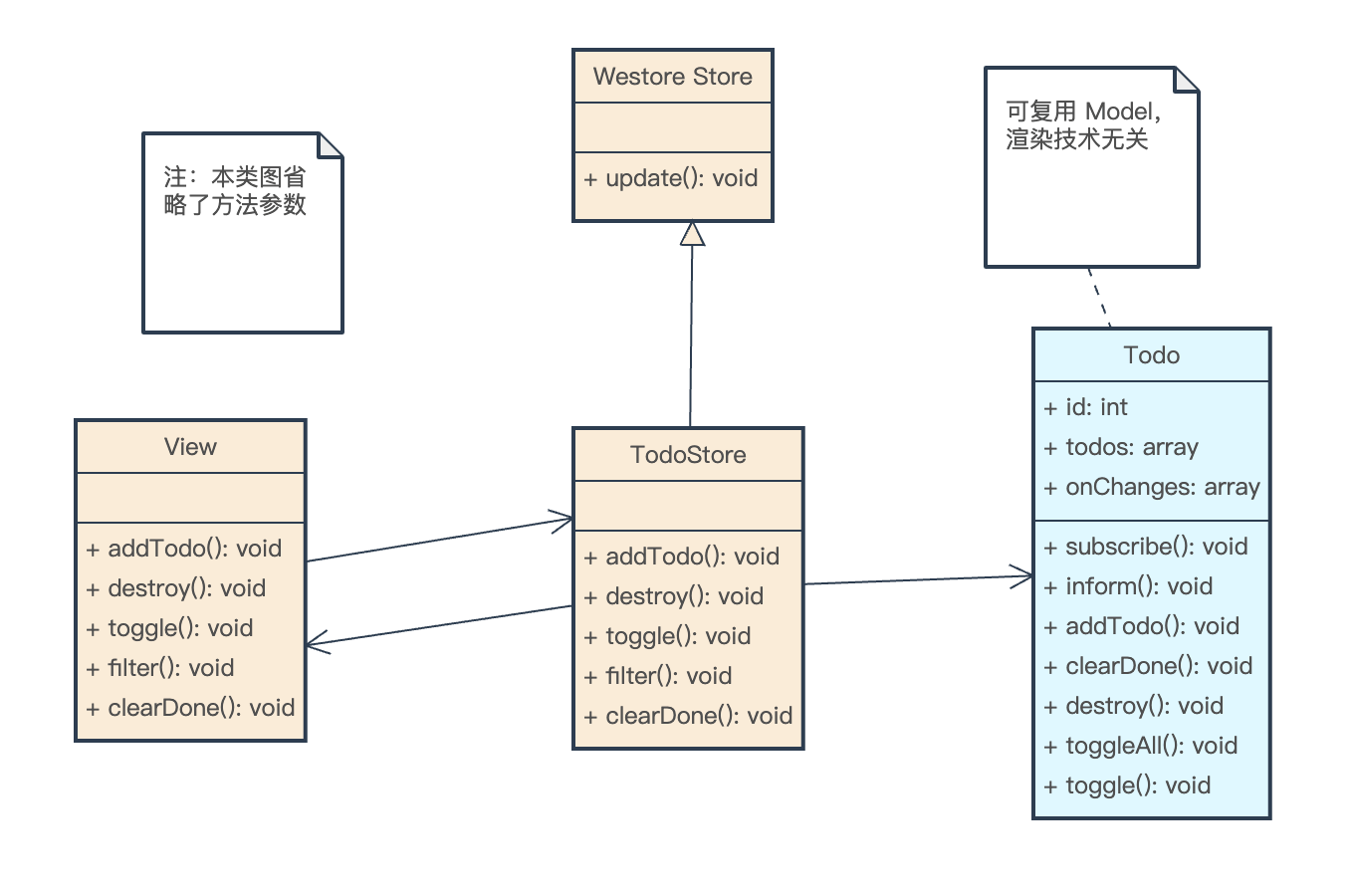
The light blue part in the picture can be reused in the applet TodoApp and Web TodoApp projects without changing a line of code.
The official example brings Snake and TodoApp into a mini program directory as follows:
 ├─ models    // 业务模型实体
│   └─ snake-game
│       ├─ game.js
│       └─ snake.js
│
│  ├─ log.js
│  ├─ todo.js
│  └─ user.js
│
├─ pages     // 页面
│  ├─ game
│  ├─ index
│  ├─ logs
│  └─ other.js
│
├─ stores    // 页面的数据逻辑,page 和 models 的桥接器
│  ├─ game-store.js
│  ├─ log-store.js
│  ├─ other-store.js
│  └─ user-store.js
│
├─ utils
Click here for detailed code
Scan the QR code to experience:

Answer Where did you go to setData? Before, we must first think about why Westore encapsulates this API so that users do not use it directly. In the applet, change the view through setData .
 this . setData ( {
  'array[0].text' : 'changed text'
} )
But the intuitive programming experience is:
this . data . array [ 0 ] . text = 'changed text'If data is not responsive, manually update:
 this . data . array [ 0 ] . text = 'changed text'
this . update ( )
The above programming experience is intuitive and more developer-friendly. Therefore, westore hides setData and is not directly exposed to the developer, but uses diffData internally to create the shortest update path, and only the update method is exposed to the developer.
Let’s take a look at the capabilities of westore diffData:
 diff ( {
    a : 1 , b : 2 , c : "str" , d : { e : [ 2 , { a : 4 } , 5 ] } , f : true , h : [ 1 ] , g : { a : [ 1 , 2 ] , j : 111 }
} , {
    a : [ ] , b : "aa" , c : 3 , d : { e : [ 3 , { a : 3 } ] } , f : false , h : [ 1 , 2 ] , g : { a : [ 1 , 1 , 1 ] , i : "delete" } , k : 'del'
} )
The result of Diff is:
{ "a" : 1 , "b" : 2 , "c" : "str" , "d.e[0]" : 2 , "d.e[1].a" : 4 , "d.e[2]" : 5 , "f" : true , "h" : [ 1 ] , "g.a" : [ 1 , 2 ] , "g.j" : 111 , "g.i" : null , "k" : null } 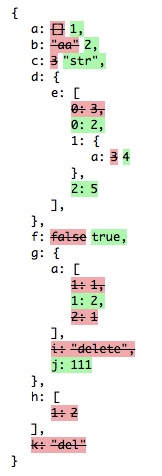
Diff Principle:
 export function diffData ( current , previous ) {
  const result = { }
  if ( ! previous ) return current
  syncKeys ( current , previous )
  _diff ( current , previous , '' , result )
  return result
}
The keys of the previous round of state.data are mainly synchronized to detect elements deleted in array or keys deleted in obj.

While improving the programming experience, it also avoids the problem of passing a large amount of new data every time setData is the shortest path update of setData.
So when you don't use westore, you can often see such code:

After using westore:
 this . data . a . b [ 1 ] . c = 'f'
this . update ( ) From the current perspective, most mini program projects accumulate business logic in the mini program's Page constructor, and there is basically no readability, which brings huge costs to later maintenance. The goal of the westore architecture decouples the business/game logic. Page is a pure Page. It is only responsible for displaying and receiving user input, clicking, sliding, long pressing or other gesture commands, and forwarding the instructions to the store. The store then calls the real program logic model. This hierarchical boundary is clear, with strong maintenance, extensibility and testability. The size of a single file module can also be controlled very appropriately.
MIT







