ProtobufDecoder
0.7.1

This application helps with analyzing Google Protocol Buffers payloads where you don't have a corresponding .proto file.
Scenarios where you might want to use this is to inspect the result of serialization or when you need to interoperate with a system talking Protobuf but which does not provide a .proto file.
It can be used for reverse engineering but bear in mind that this may not be legal in your jurisdiction.
ProtobufDecoder will read and decode binary data that you capture from either a debugger or a tool like Wireshark and parses the tags from the data. You can then analyze the payload to see which tags are present, what their types are (number, strings etc) and if there are embedded messages.
A changelog can be found here
.proto file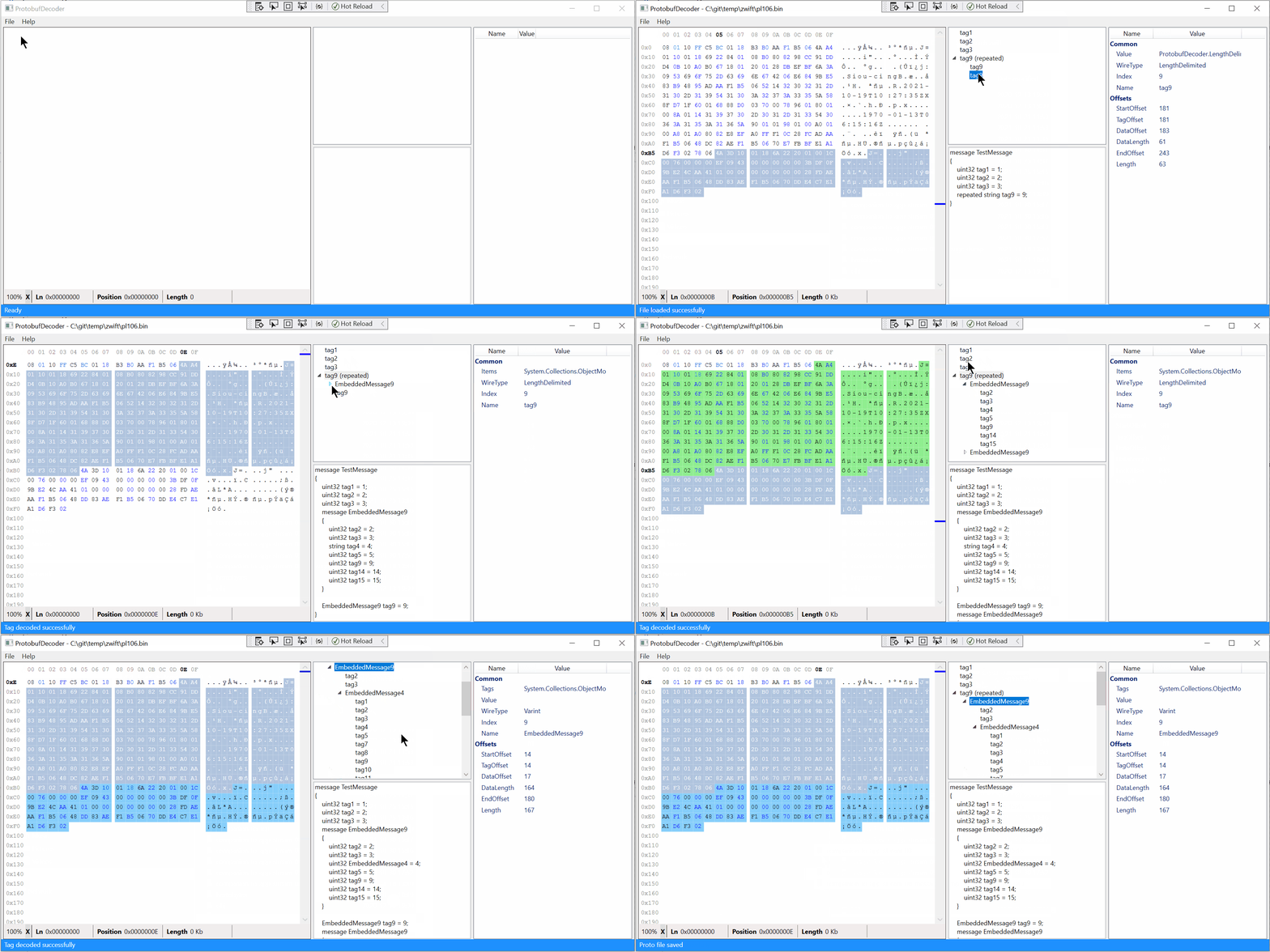
Download the latest installer from the Releases page.
When the application starts, open a file that contains a Protobuf payload either via File -> Open or using the keyboard shortcut Ctrl + O.
Please note that at this time the ProtobufDecoder only supports the a file that contains only a single raw Protobuf message. If the file contains a length prefix it will be automatically stripped (since version 0.4.0).
For the keyboard warriors: shortcut keys are available throughout the app and they are hinted in the menu items.
ProtobufDecoder supports opening a file directly by passing in a command line argument:
C:usersjohndoe> ProtobufDecoder.Application.Wpf.exe <path to binary>This will start ProtobufDecoder and immediately opens the specified file. If the file does not exist or can't be opened the error will be displayed in the status bar.
Currently there is no packaged release of the application which means you will need to compile the application yourself.
cd into the cloned directorycd src/ProtobufDecoder.Application.Wpfdotnet run -c ReleaseThat will restore the necessary packages, build the application and start it.
To make running the application easier after step 3 run:
dotnet publish -c ReleaseProtobufDecoder.Application.Wpf.exe in the src/ProtobufDecoder.Application.Wpf/bin/Release/net5.0-windows/publish folderYou can create a shortcut to that executable in the Start Menu or wherever you wish.
.proto file from decoded payload
.proto file and apply it to the decoded payload (to verify the .proto file and payload match)See LICENSE.
This application uses:







