codescene jenkins plugin
v1.0.1

A jenkins plugin for CodeScene by Empear.
CodeScene detects potential maintenance problems and early warnings in your codebase. The earlier you can react to those findings, the better. That’s why CodeScene offers integration points that let you incorporate the analysis results into your build pipeline.
This plugin lets you use CodeScene’s Delta Analysis to catch potential problems before they are delivered to your main branch.
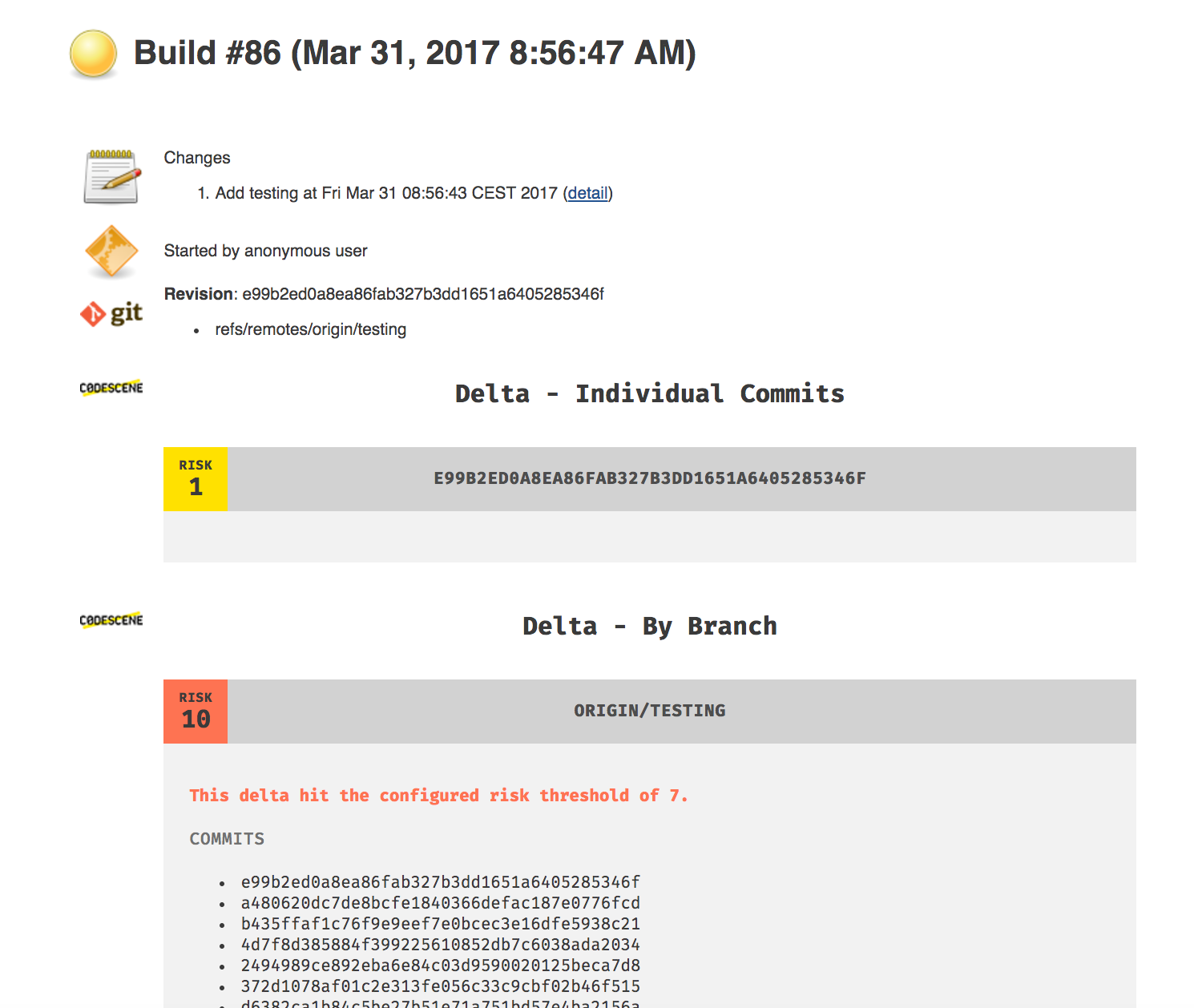
In addition to the risk classification, CodeScene also runs its set of early warning analyses:
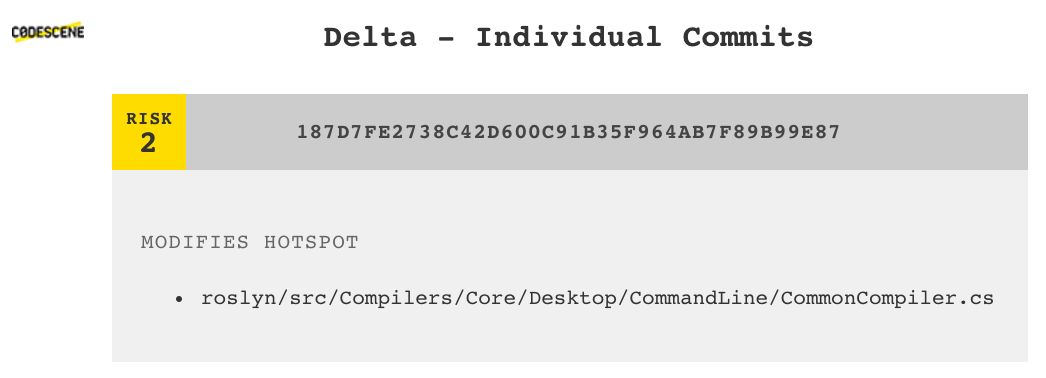
The early warnings and risk classification let you prioritize your code reviews and focus your time where (and when) it’s likely to be needed the most. Code reviewer fatigue is a real thing, so let’s use our review efforts wisely.
This plugin can be downloaded as an .hpi file from one the published
releases. Then,
in the Jenkins configuration UI for plugins, upload the .hpi file to install
it.
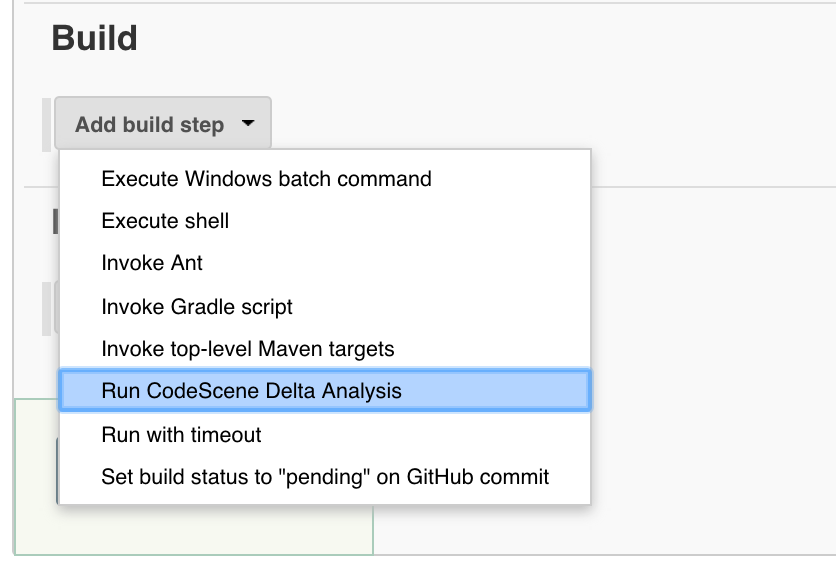
Enable the CodeScene integration by adding a new build step in your Jenkins configuration. Select the option Run CodeScene Delta Analysis.
Enter the required information in the CodeScene Jenkins configuration:
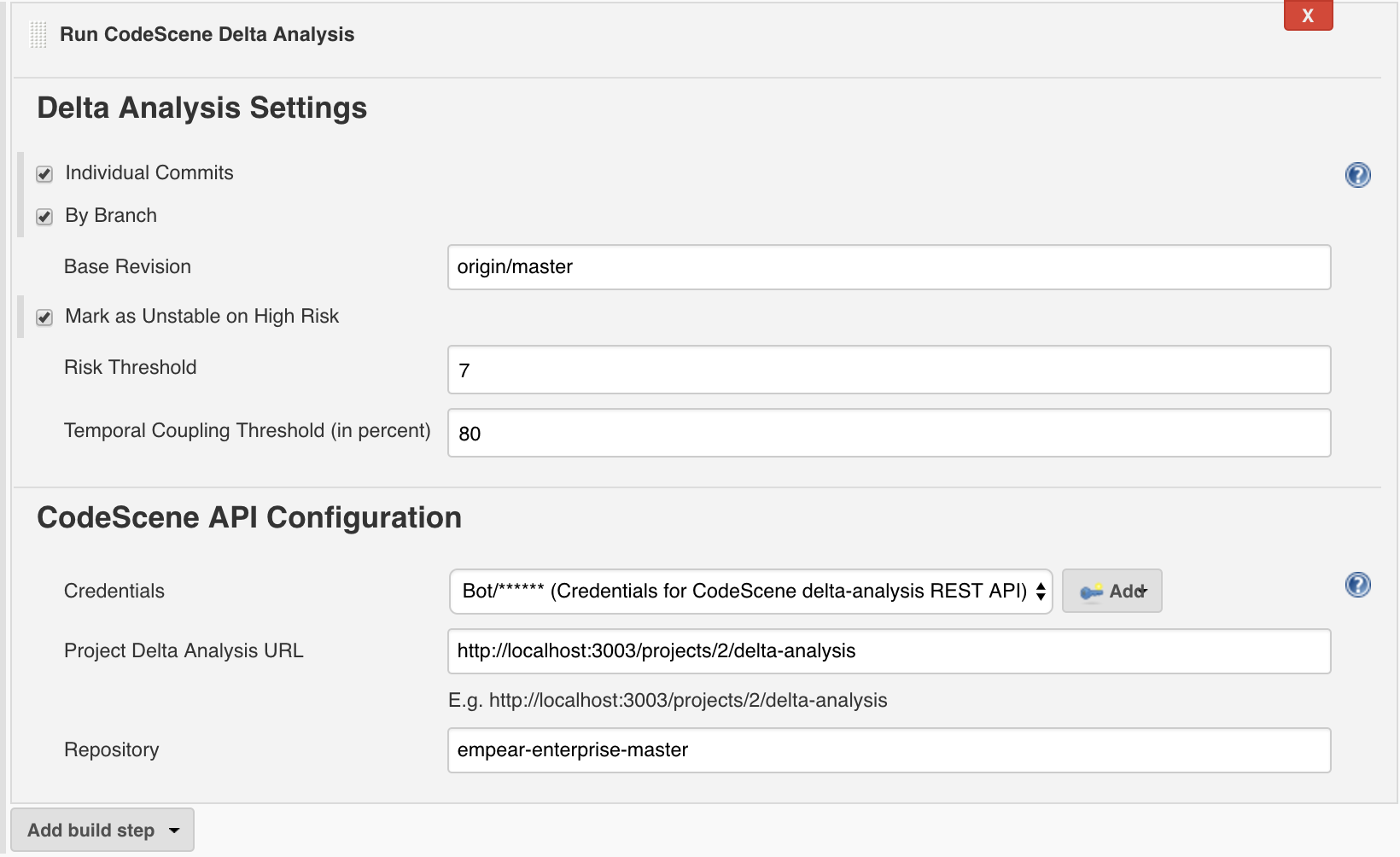
CodeScene gives you a number of options that controls the scope of the delta analysis:
You can also change the defaults for risk threshold and temporal coupling threshold
The CodeScene API configuration section has to match the information specified inside CodeScene itself and retrievable from the analysis configuration.
API Credentials should be added via jenkins credentials plugin. Check Injecting Secrets into Jenkins Build Jobs for more details.
1.1.0
@Symbol in CodeSceneBuilder.
Check https://github.com/jenkinsci/pipeline-plugin/blob/c84a9af/DEVGUIDE.md#defining-symbols
and https://wiki.jenkins-ci.org/display/JENKINS/Structs+plugin for more details.1.0.1
1.0.0
You're encouraged to submit pull requests, and to propose features and discuss issues.
Licensed under the MIT License.







