vscode checkstyle
1.0.0

checkstyle.json and checkstyle-excludes.jsonA configuration key named haxecheckstyle.sourceFolders holds an array of folder names where checkstyle should run. It defaults to ["src", "Source"], which is the equivalent to passing -s <src> -s <Source> to haxe-checkstyle CLI. Checkstyle will ignore any file not included in sourceFolders.
vscode-checkstyle accepts your regular haxe-checkstyle configuration files (checkstyle.json and checkstyle-excludes.json).
Unlike the CLI version vscode-checkstyle will search a file's path for a checkstyle.json configuration that is closest to it. Searching moves upwards and stops at (but includes) your workspace root.
That way you can have a library folder inside your workspace provide its own checkstyle.json (which might be different from your personal coding style).
If there is no checkstyle.json in any folders up to your workspace root, vscode-checkstyle tries to learn its location by reading key haxecheckstyle.configurationFile from your VS Code settings.
haxecheckstyle.codeSimilarityBufferSize sets a limit to how many files will be kept for CodeSimilarity check (Defaults to 100).
You can apply quickfixes one at a time or by selecting a range including multiple checkstyle violations.
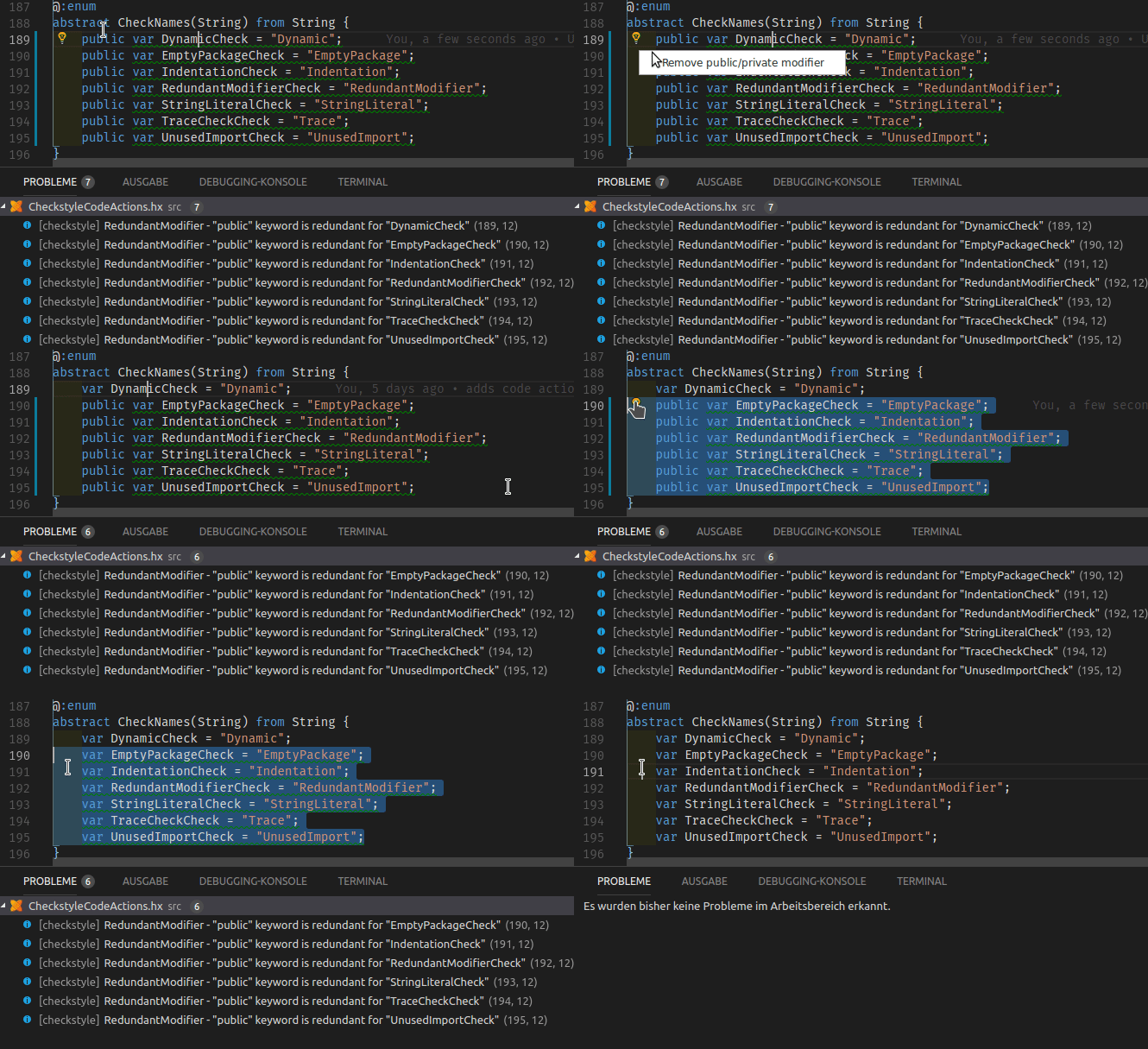
The following checks provide quickfixes:
vscode-checkstyle comes with JSON schemas for checkstyle.json and checkstyle-excludes.json, which will help you through autocomplete and tooltips when editing both file types. e.g.:
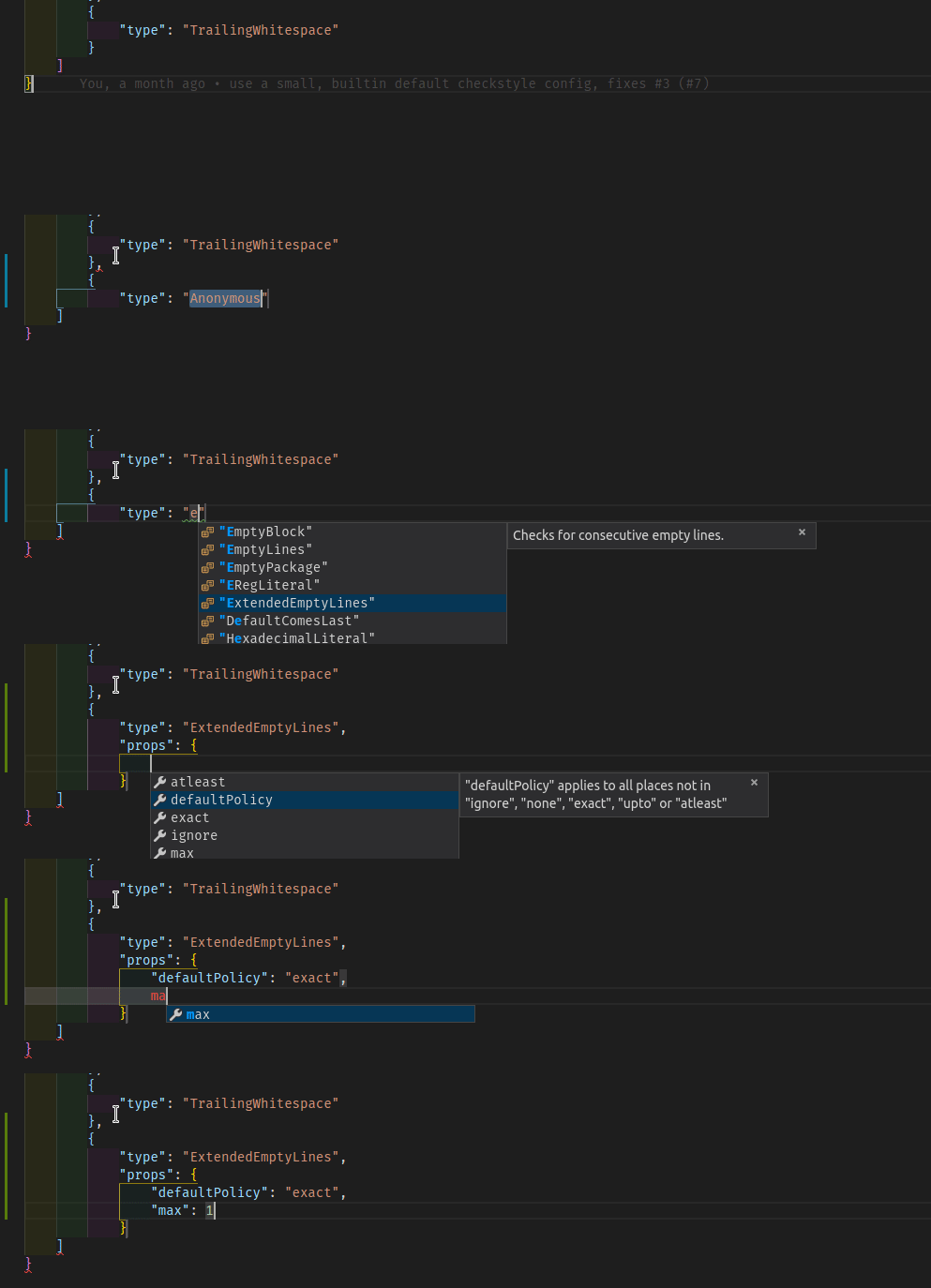
See Haxe-Checkstyle docs or use JSON Schema tooltips for documentation on checks.
haxecheckstyle.codeSimilarityBufferSize - defaults to 100)






