QtREAnalyzer
1.0.0

QtREAnalyzer is a Ghidra Analyzer designed to reverse-engineer binaries that utilize the Qt framework. Its primary function is to recover Qt-specific object and method information, providing valuable insights into binary structures.
This analyzer is tied to the Ghidra version it is being installed on. Currently is necessary to build it; built extensions will be provided in the future for the latest Ghidra versions.
QtREAnalyzerQtREAnalyzer foldercd QtREAnalyzerQtREAnalyzer$GHIDRA_DIR with your installation directory).
For example, if you have the following Ghidra installation path C:ghidra_11.0.3_PUBLIC you would run
gradle -PGHIDRA_INSTALL_DIR=C:ghidra_11.0.3_PUBLIC.gradle -PGHIDRA_INSTALL_DIR=$GHIDRA_DIRFile -> Install Extensions..., click on the
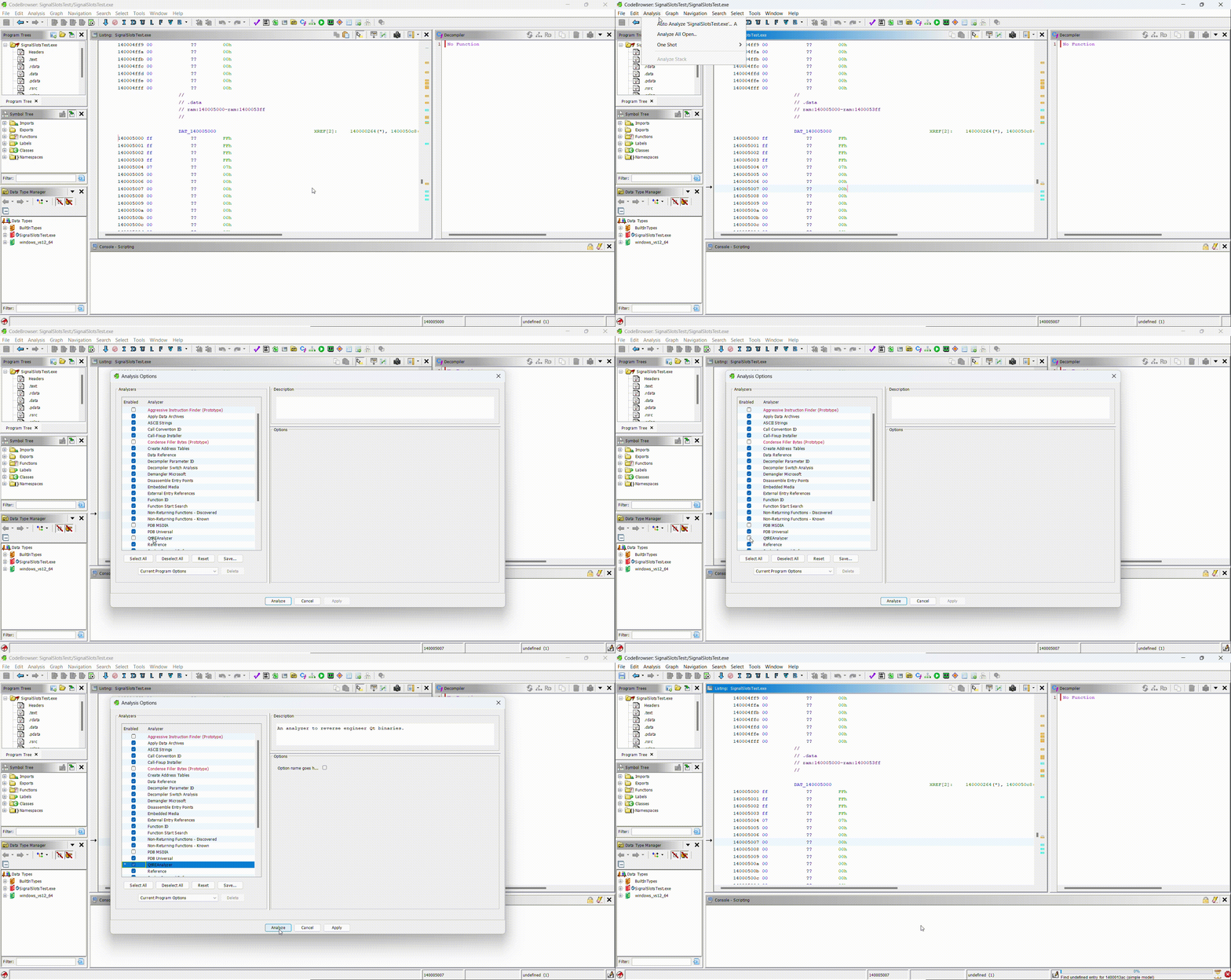
+ sign and select the QtREAnalyzerQtREAnalyzerdistghidra_*_QtREAnalyzer.zip and click OK.To verify QtREAnalyzer is correctly installed, you can open CodeBrowser and select
Analysis -> Auto Analyze ... A and check that the QtReAnalyzer option
exists.
Currently QtREAnalyzer only works with x32 or x64 binaries that have RTTI (i.e compiled with the MSVC compiler). This is so since QtREAnalyzer uses RTTI to find if classes inherit from QObject. This said if one wants to extend this analyzer to work with binaries without RTTI all that is necessary to do is modify the RttiClass.java file appropriately.
In very rare cases an incorrect signature will be applied to a function or a property will be added to a data type in the incorrect address. This is almost impossible to fix since the way QtREAnalyzer maps Qt signals, slots and propertie signatures to the corresponding function address/propertie offset is heuristic based. This shouldn't be a major limitation, in a file with over 10 000 Qt signals and slots checking manually a substantial sample I only found a handful of erroneously labeled symbols.
QtREAnalyzer would have not been possible without the following amazing resources:







