Choccy
v1.3.2


Choccy is a project that monitors GitHub repository updates and automatically performs CodeQL analysis scans on them.
Before running, you need to configure the code compilation environment yourself, CodeQL environment:
Download CodeQL binary and library https://github.com/github/codeql-cli-binaries/releases, https://github.com/github/codeql/tags
After decompression, it is placed in the same directory as the Choccy binary file, that is:
 $ tree . -L 1
.
├── choccy
├── codeql
└── codeql-codeql-cli-v2.19.4
The main configurations and functions are in the web interface, and there are only two command line parameters:
 -addr string
      监听地址和端口 (default "0.0.0.0:80")
-token string
      系统Token
When the program runs for the first time, it will create a choccy_data folder in the directory where it is located to save data. If the token is not specified, it will be randomly generated and output to the command line. The project itself has potential functions such as arbitrary command execution and file reading. Therefore, if the service is open to the public network, be sure to set a strong password.
You need to enter the web directory to compile the front-end first. When compiling the golang back-end, the front-end resource file will be automatically embedded.
 cd web
npm install
npm run build
cd ..
go build -o choccy main.go

# mac上交叉编译
# CGO_ENABLED=0 GOOS=linux GOARCH=amd64 go build -o choccy_linux_amd64 main.go
# CGO_ENABLED=0 GOOS=windows GOARCH=amd64 go build -o choccy_windows_amd64.exe main.go
# CGO_ENABLED=0 GOOS=darwin GOARCH=amd64 go build -o choccy_darwin_amd64 main.go Before using, configure the CodeQL environment, and it is best to also configure the GitHub Token in设置, otherwise it may be restricted from access by the GitHub API.设置-其他- --ram 2048 in CodeQL附加命令行选项is the maximum memory allowed to be used by CodeQL, and the unit is MB. Please increase it as appropriate according to the configuration of your system, otherwise it may affect the scanning speed or cause scanning failure.
Currently, it supports Release scanning, default branch scanning, and original CodeQL database scanning of GitHub repository. GitHub will automatically compile CodeQL databases for many repositories (can be viewed through the interface https://api.github.com/repos/<owner>/<repo>/code-scanning/codeql/databases <owner>/<repo>/code-scanning/codeql/databases). This will save the steps of configuring the local compilation environment and the time to compile the database locally. Therefore, the scanning mode will give priority to the original database. Take the java-sec-code project as an example:
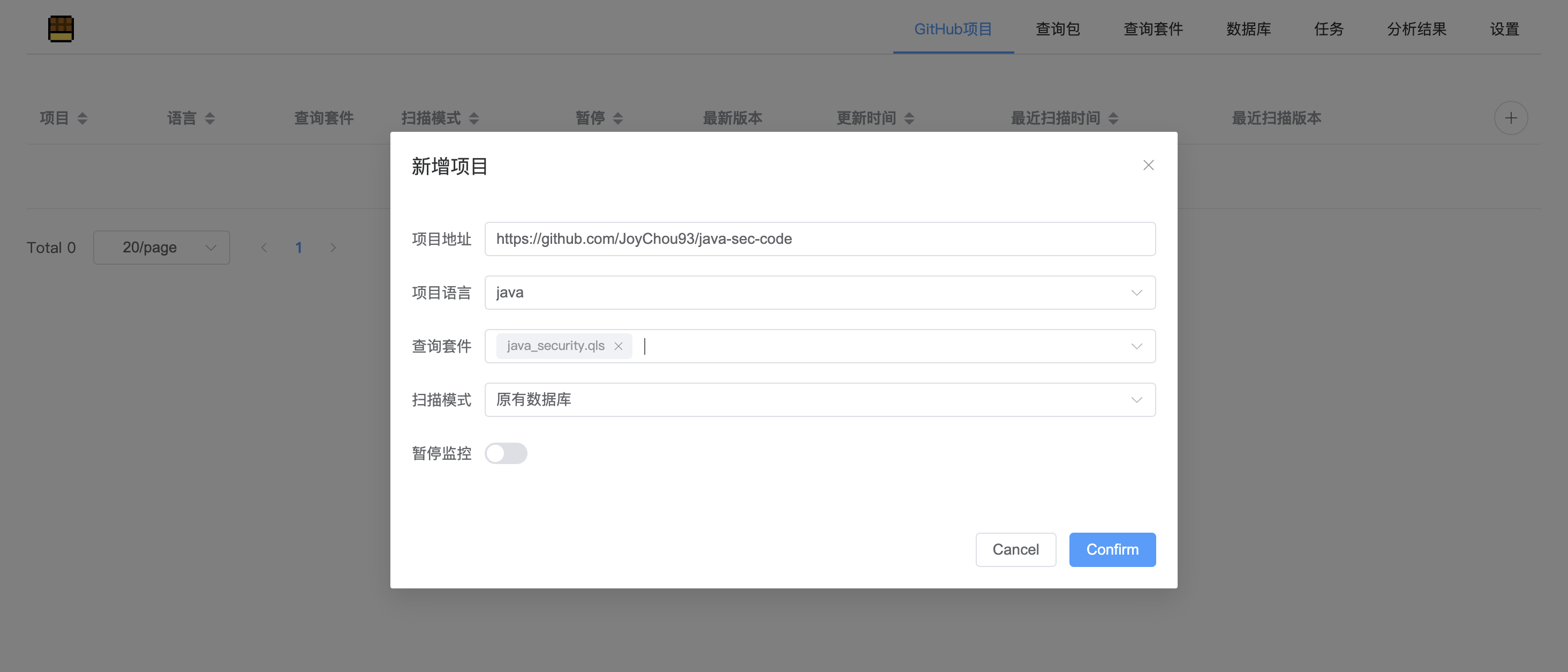
The query suite is a collection of a series of query statements. You can click查询套件in the menu bar to view and edit it. Here you can first select the preset java_security.qls .
Then click加入扫描队列on the right side of the project, which will immediately create a task to version the project and scan.

In the任务tab, you can see the current task execution status and execution log:
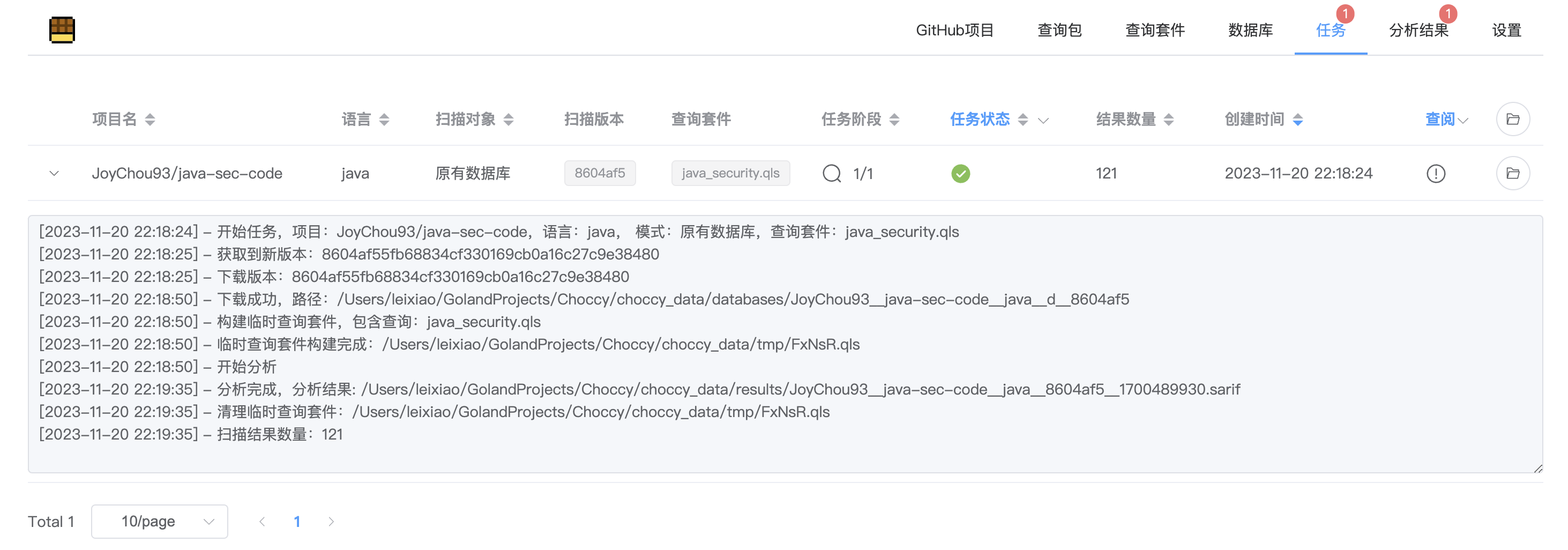
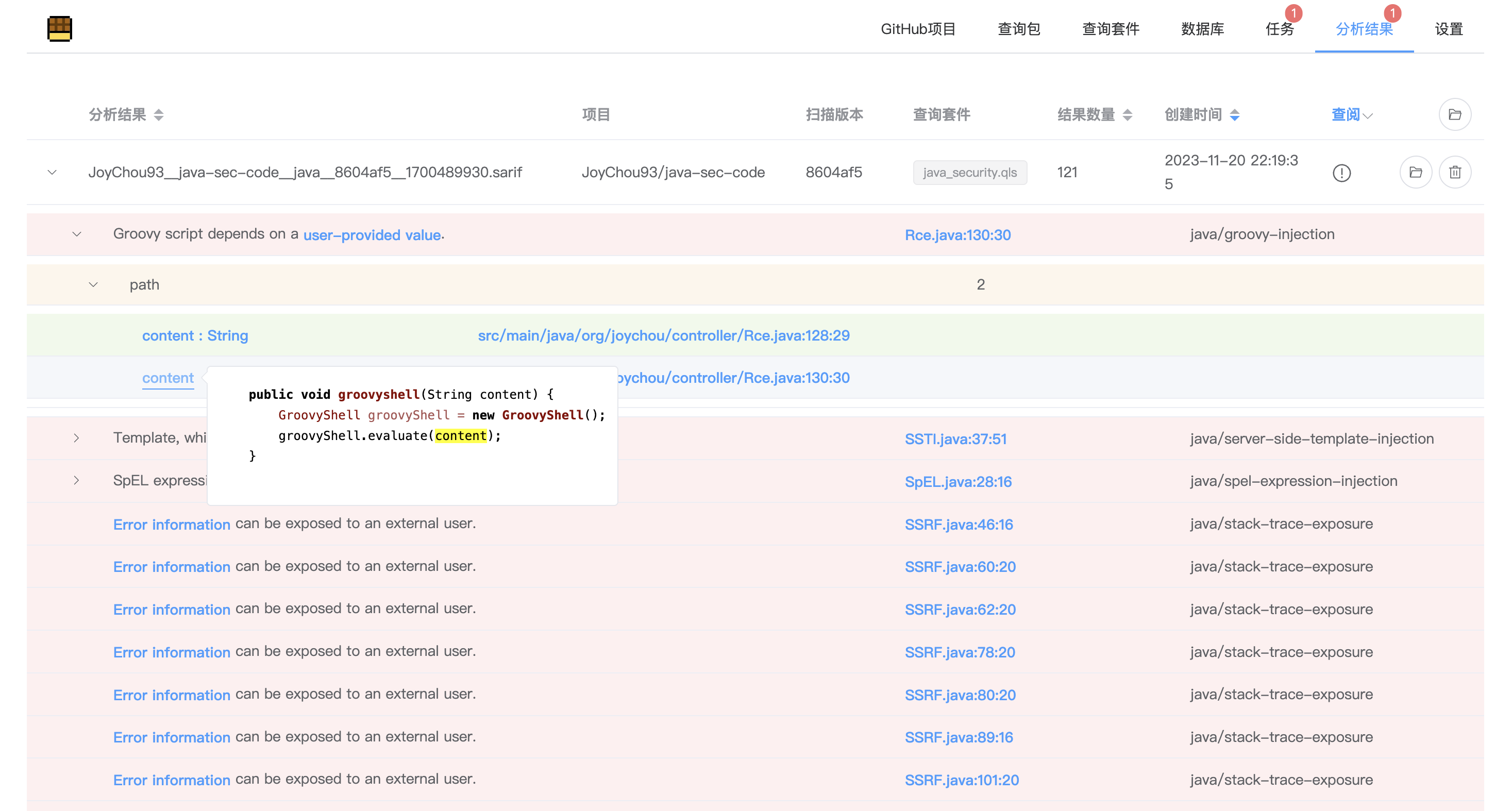
After the execution is completed, you can see the specific scan results in the分析结果tab. The display of the results completely replicates the display effect of the CodeQL plug-in in vscode, and some optimizations have been made, including vulnerability information, vulnerability location, corresponding rule ID, complete call link of vulnerability, and vulnerability context code. Click the hyperlink to jump to the corresponding code location of the GitHub repository.
After the project is added, the latest version will be pulled every week for scanning. This can be configured in设置-其他-定时扫描Cron表达式:
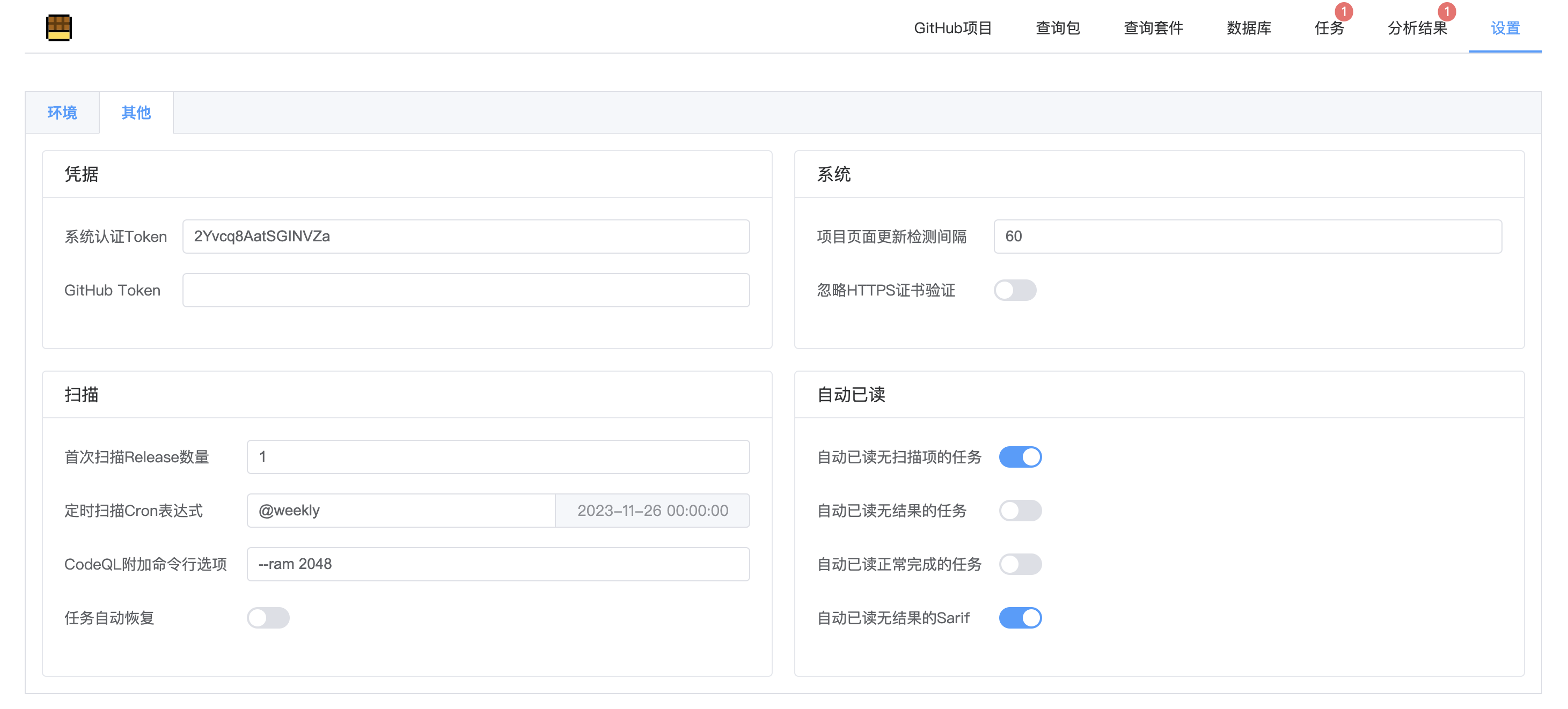
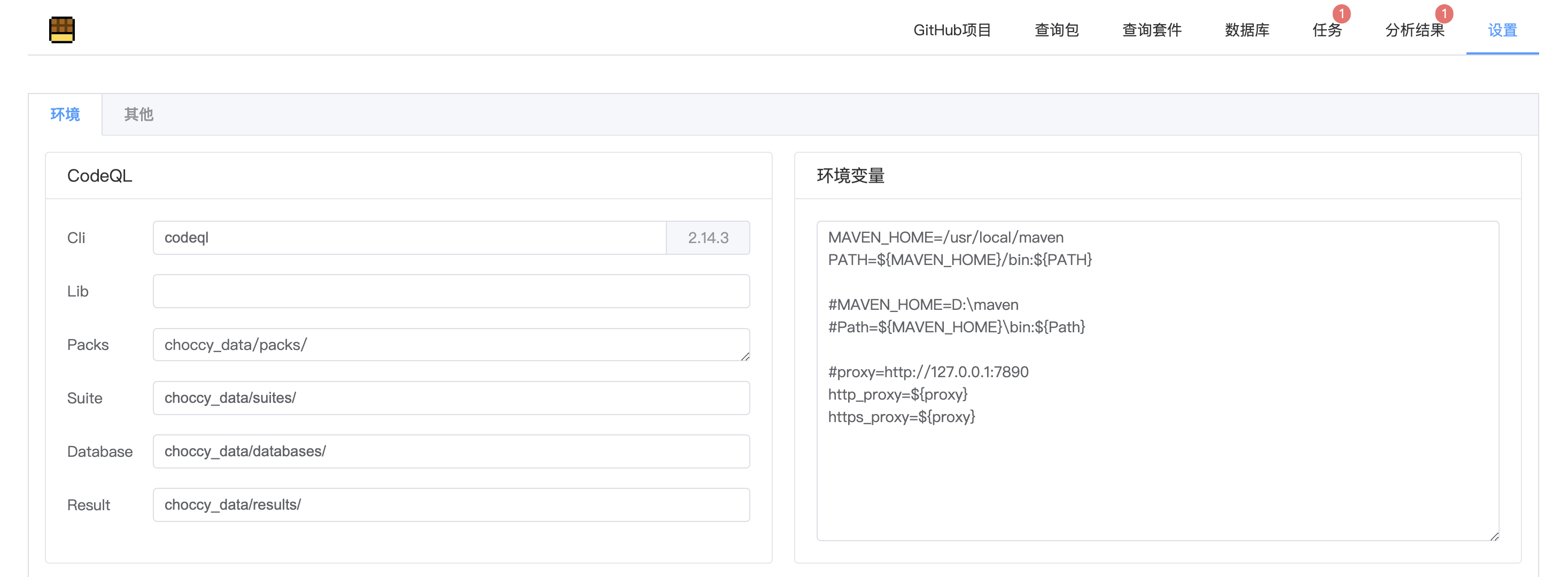
In addition,设置-环境-环境变量can configure the proxy when the system accesses GitHub, etc.
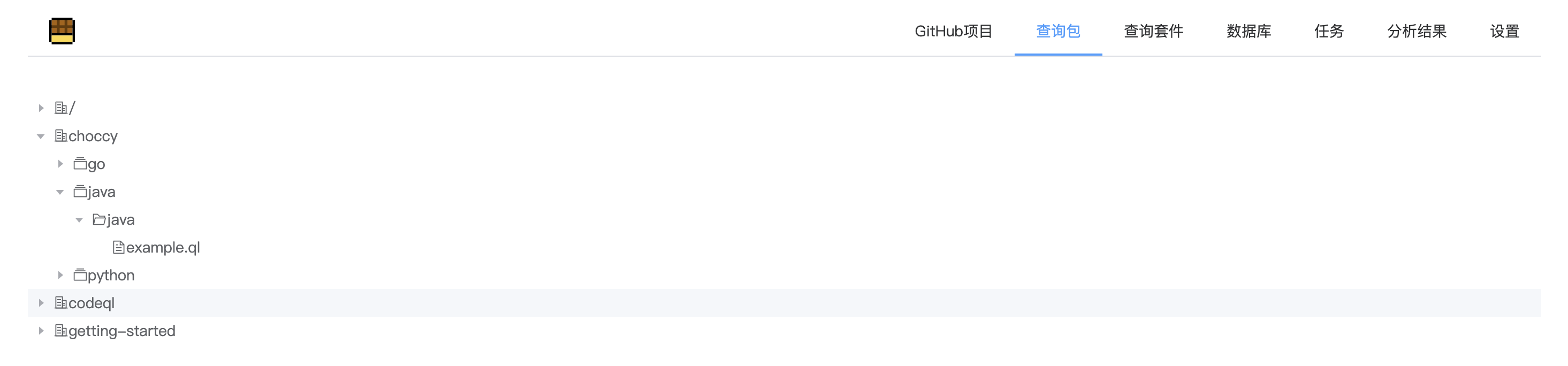
You can put your own query library or query statement into the Packs directory. After the placement is completed, you can go to查询包tab to view:
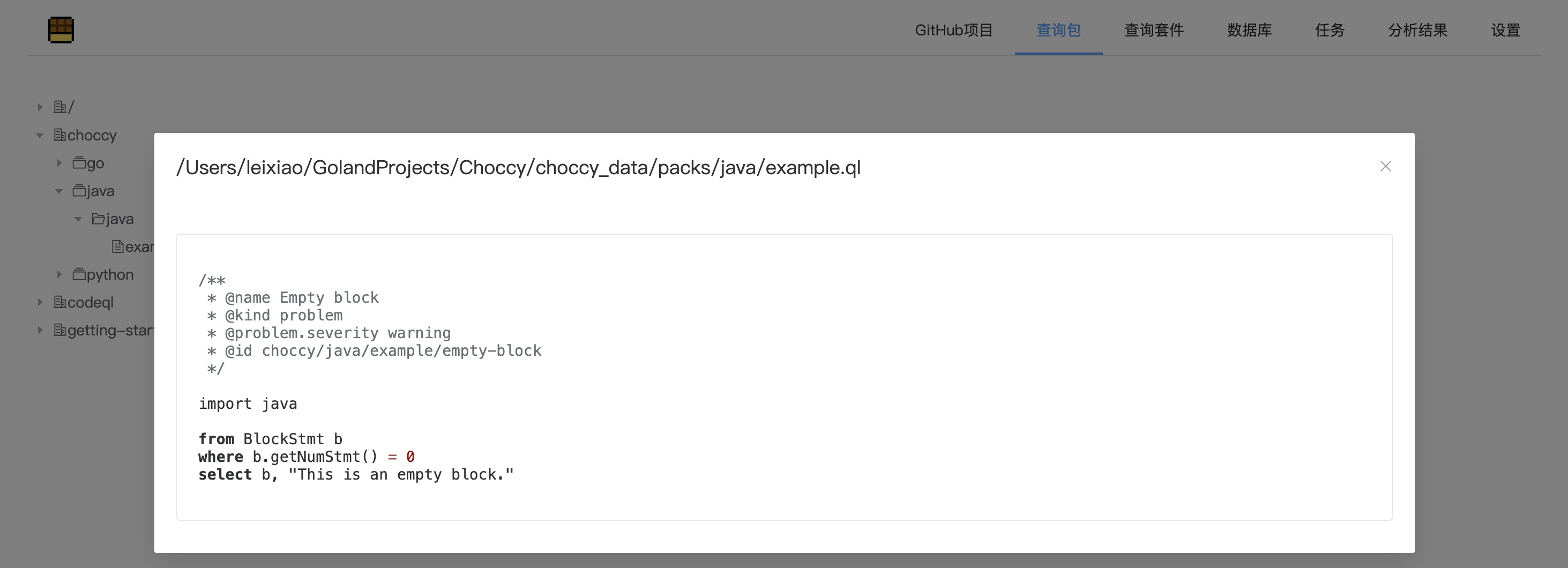
Query Suite is a collection of a series of CodeQL rules that can be edited and viewed in查询套件tab:
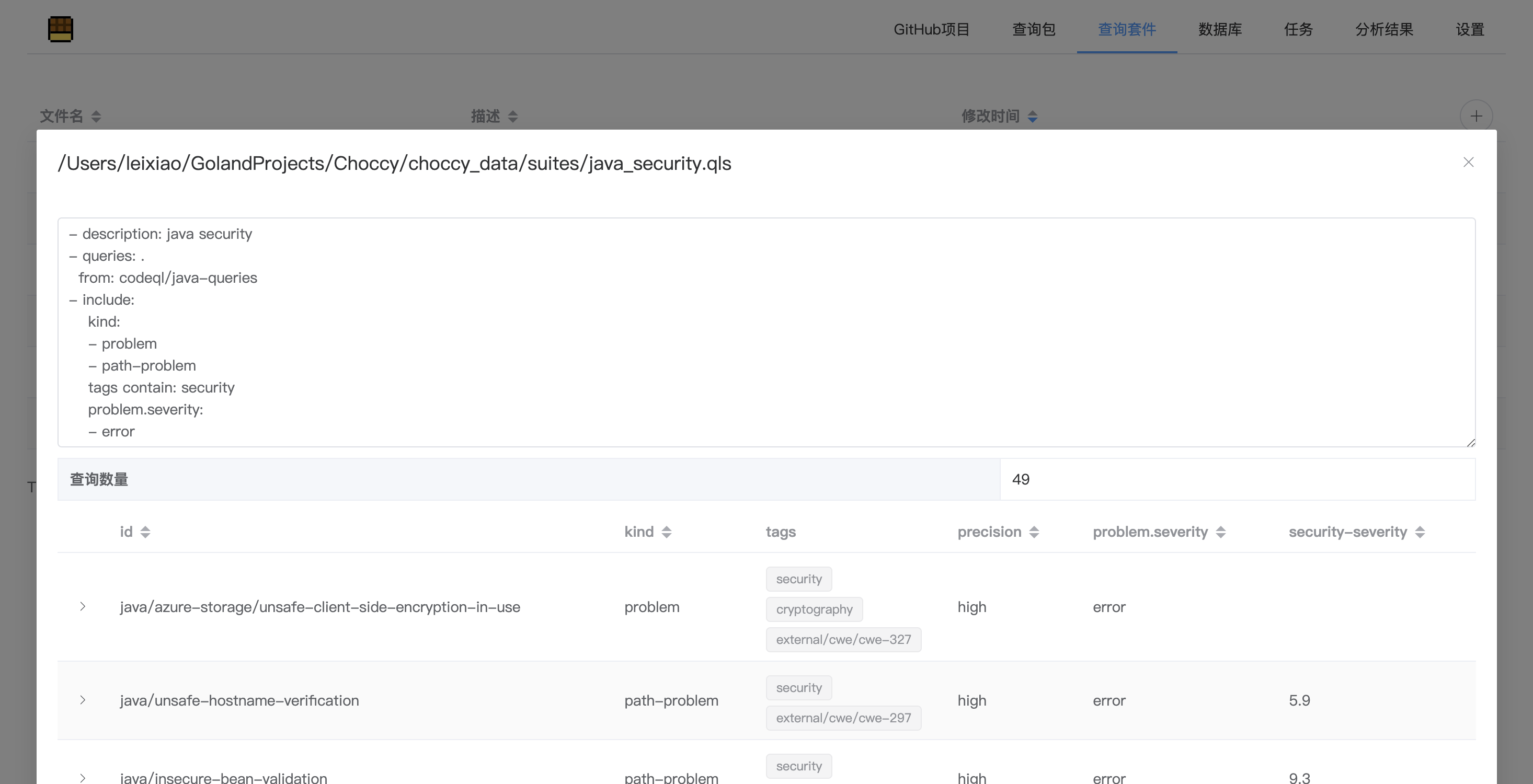
The official syntax reference document: https://docs.github.com/zh/code-security/codeql-cli/using-the-advanced-functionality-of-the-codeql-cli/creating-codeql-query-suites
On数据库page, click the plus icon in the upper right corner to package the local database into a zip compressed package, then upload, wait for upload and import to complete (the page cannot be closed during upload)
(The upload function does not use block transmission, so the available memory of the server must be greater than the file size)
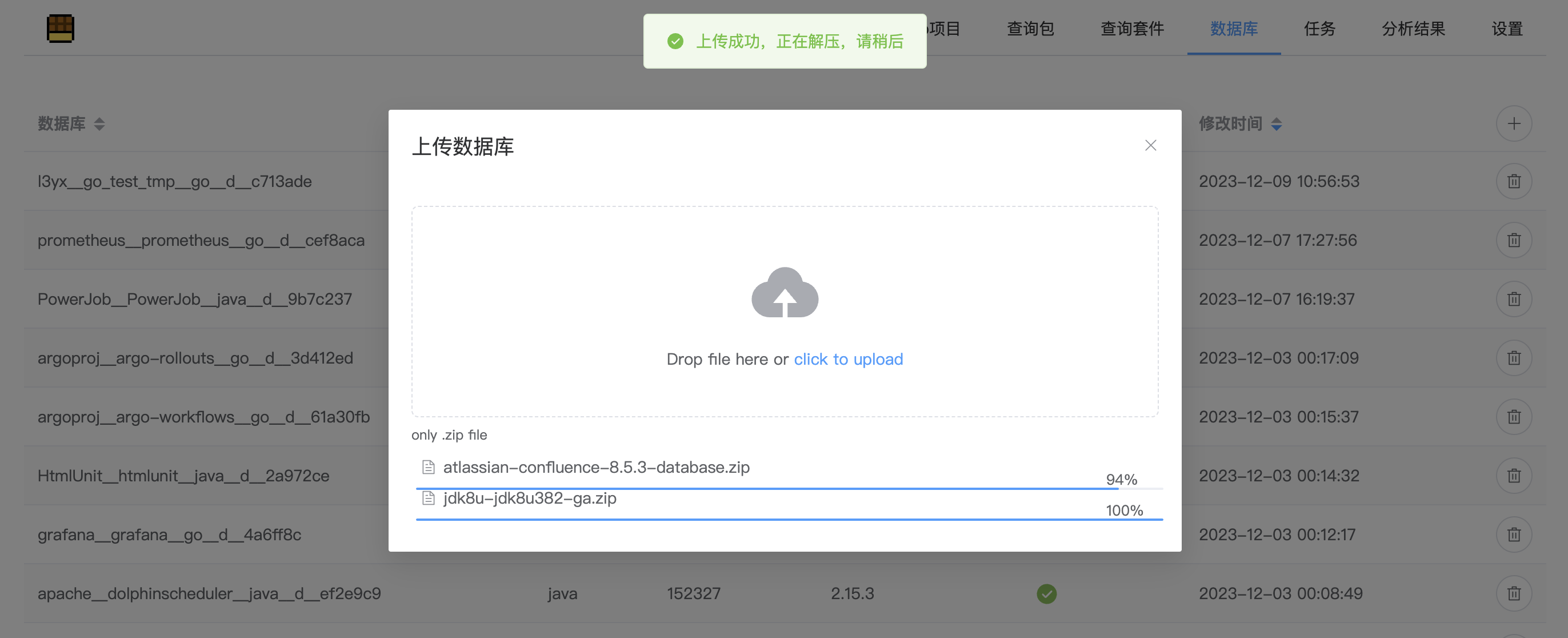
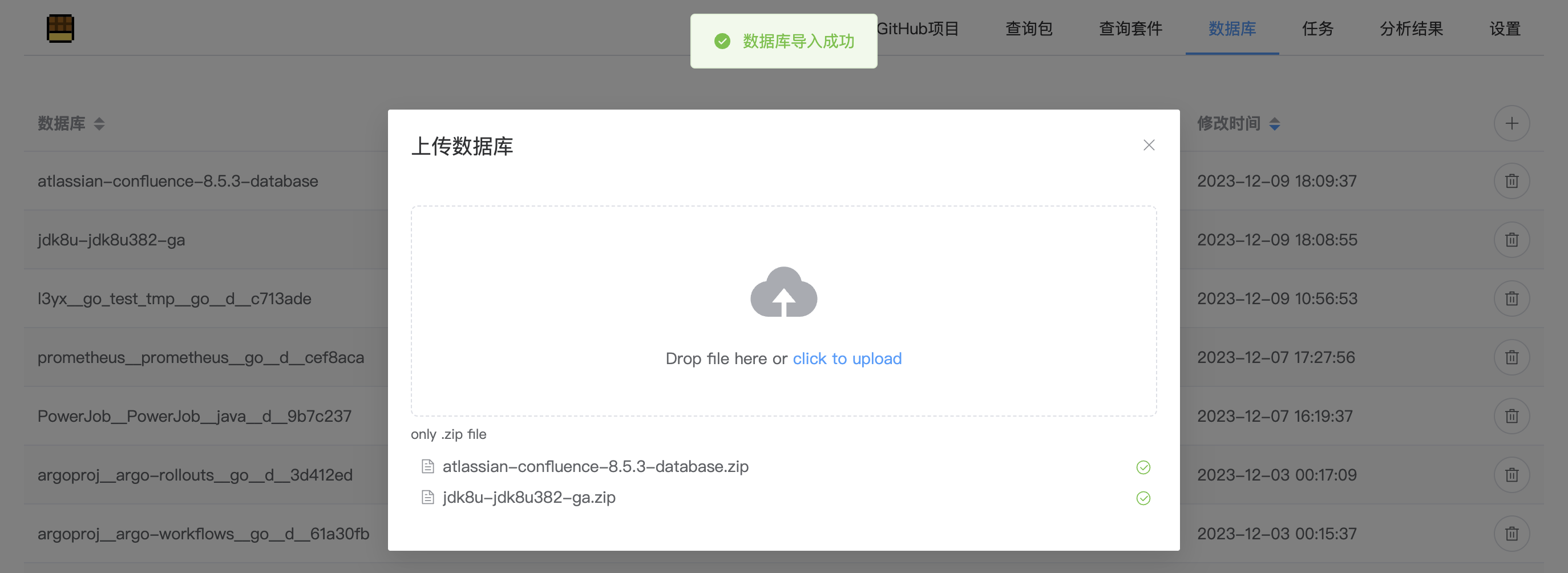
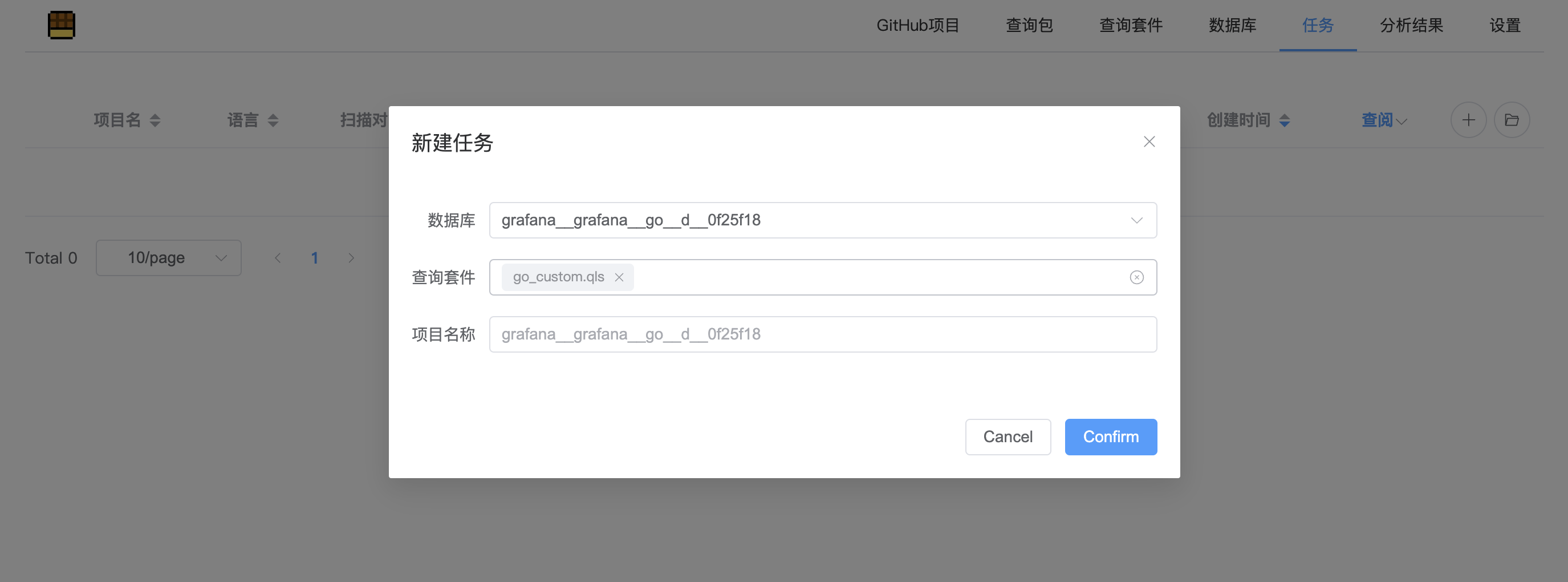
On任务page, click the plus icon in the upper right corner and select the database and query suite. The project name is the same as the database name by default.
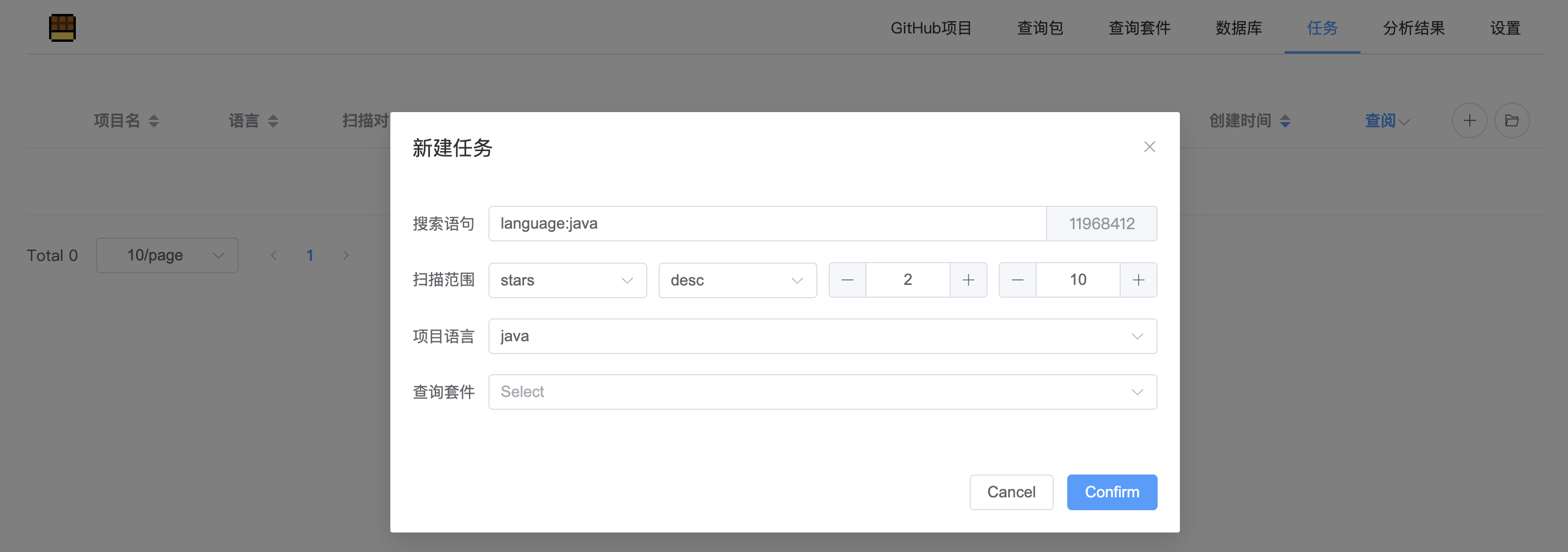
On任务page, select the plus icon in the upper right corner and click从GitHub批量创建

搜索语句is a search of the repository, syntax reference: https://docs.github.com/en/rest/search/search?apiVersion=2022-11-28#search-repositories
扫描范围refers to which part of the scan after sorting in a certain order. In the following screenshot, the number of stars will be sorted in reverse order, and the 11th and 12th warehouses will be scanned.
This tool is for legal learning or research behavior only. During the use of this tool, you should ensure that all your behavior complies with local laws and regulations. If you have any illegal acts during the use of this tool, you will bear all consequences at your own discretion, and all developers and all contributors of this tool do not bear any legal or joint liability. Please do not install and use this tool unless you have fully read, fully understood and accepted all terms of this Agreement. Your use or your acceptance of this Agreement by any other express or implied manner is deemed to have read and agreed to the binding of this Agreement.







