Send Emails Python
1.0.0

This is a tutorial to make your own app that sends emails.
Click here to clone this repository.
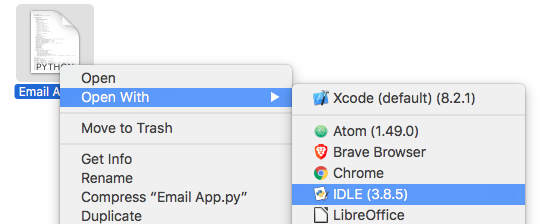
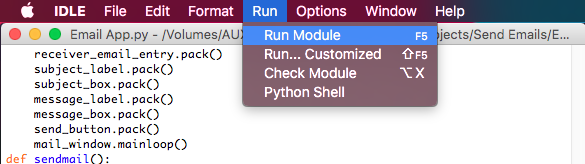
Open 'Final Code.py' in IDLE.
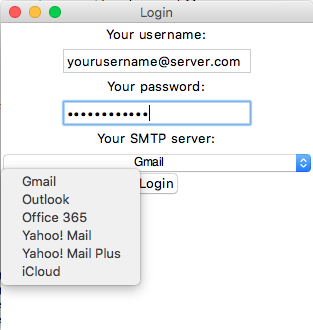
Select your SMTP Server from the dropdown menu. It is usually the word that is followed by the '@' in your email address.
Once you are sure that all the details are correct, click on 'Login'. You will be connected to your server when you send your email, not yet.
Now, you should see a new window with the title 'Send Mail'. The first entry is for you to fill in your recipients' email addresses. separate the email addresses with a whitespace.
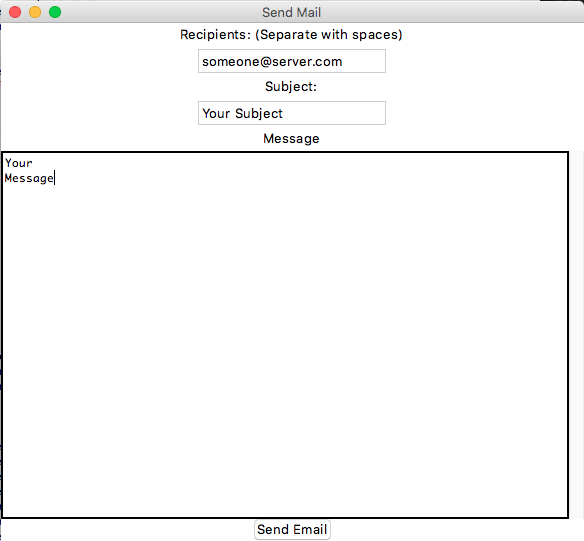
The second entry is for you to type the subject of your email.
The huge text box below the subject entry is for your message. If you finish the screen, you can still scroll in this text box. A signature as 'Sent with Python smtplib and ssl modules' is sent in the end, always.
Once you are sure you want to send your email, click on 'Send Email'. In a few seconds, you email would have reached the reciepants. If you are using Google or Yahoo account that does not allow unidentified apps to send emails, please disable that.





