exercism.nvim
1.0.0

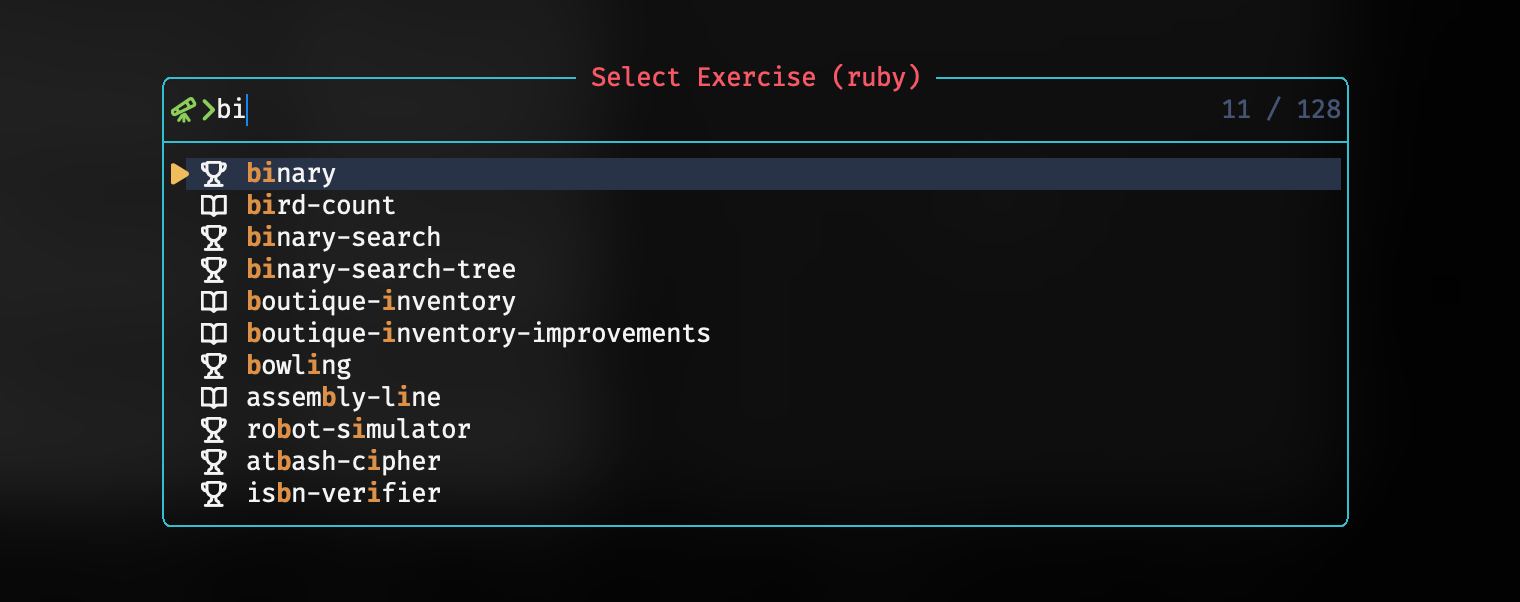
exercism.nvim integrates exercism into Neovim by providing a set of commands and keybindngs to help you solve exercises faster.
exercism configureset -g @tea-default-command 'nvim' for a better experience-- Lazy
{
'2kabhishek/exercism.nvim',
cmd = {
'ExercismLanguages',
'ExercismList',
'ExercismSubmit',
'ExercismTest',
},
keys = {
'<leader>exa',
'<leader>exl',
'<leader>exs',
'<leader>ext',
},
dependencies = {
'2kabhishek/utils.nvim', -- required, for utility functions
'stevearc/dressing.nvim', -- optional, highly recommended, for fuzzy select UI
'2kabhishek/termim.nvim', -- optional, better UX for running tests
},
-- Add your custom configs here, keep it blank for default configs (required)
opts = {},
},exercism.setup({
exercism_workspace = '~/exercism', -- Default workspace for exercism exercises
default_language = 'ruby', -- Default language for exercise list
add_default_keybindings = true, -- Whether to add default keybindings
icons = {
concept = '', -- Icon for concept exercises
practice = '', -- Icon for practice exercises
},
})exercism.nvim adds the following commands:
ExercismLanguages: Lists all available languages, select one to list exercises.ExercismList [language]: Lists exercises for the specified language, if not specified, uses the default_language.ExercismTest: Runs tests for the current exercise.ExercismSubmit: Submits the current exercise.Here are the default keybindings:
<leader>exa for ExercismLanguages<leader>exl for ExercismList<leader>ext for ExercismTest<leader>exs for ExercismSubmitYou can change these by setting
add_default_keybindingstofalseand adding your own keybindings.
Run :help exercism.txt for more details.
I really like exercism but the back and forth between the browser and the terminal was a bit annoying. So I decided to integrate it with Neovim.
hit the star button if you found this useful
Source | Blog | Twitter | LinkedIn | More Links | Other Projects





