vim practice
1.0.0



Vim vs. EmacsVim 's pathVim configuration/plugin resourcesVimVim opens garbled fileVim font settingsVim Mapcrontab -e modification failedVim Chinese word participle support 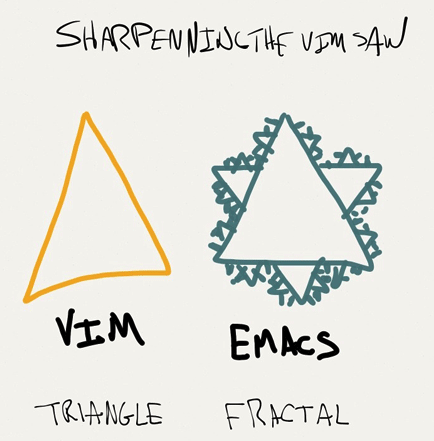
Vim vs. Emacs It is very dangerous to talk about a "religious" issue at the beginning! ? This section will not say what's wrong with the two editors. Besides, I am not familiar with Emacs , I only talk about the feeling I have learned.
Vim: God of Editor;Emacs: God's Editor. ?
The above joke is not important, what is important is efficiency: heavy_exclamation_mark:
I personally missed the Emacs circle, but the awesome editor is Vim first. As an outsider in Emacs circle, my feeling about the comparison between the two is:
Vim , starting from the editorial concept and thinking deeply, realizes platformization through editing-oriented language and scripting/programming capabilities.Vim provides an edit-oriented language:diw : delete in word , delete the word where the cursor is located; dd : delete the line (repeat commands are line operations).x : Delete a character, 5x : Repeat 5 times to delete the character (that is, delete 5 characters).norm commands or macros. I won't expand here anymore.Emacs , the platform concept is very deep, and it carries and drives the editorial concept with platform-based ideas.Emacs into Vim . Of course, Emacs also provides a set of self-editing styles, based on combining shortcut keys. Now various software provide shortcut keys to speed up operations, especially programmers' IDE rely heavily on skillful use of shortcut keys.Emacs , please read:Vim , also mentioned one thing:vi pursues fast - fast start-up programs, efficient editing texts, and focused functions, while Emacs pursues rich and powerful functions and convenience brought by integration. In Emacs , you can send emails, go to news groups, listen to MP3 , browse web pages, play games, and you can almost login -> emacs -> logout :-), vi and Emacs are programmers' editors. In comparison, Emacs provides a programmer's life atmosphere.Vim to Emacs to EvilEmacs is just a powerful platform that provides a variety of customizations to meet the different needs of everyone. So Thanks Evil , I have made Emacs an ideal " Vim Emacs Editor " and I can use it in a more convenient way to work.spacemacs , which is already the most popular Vim / Emacs configuration distribution. I haven't started it yet. It's really like there are mountains outside the mountain and learning is endless~ ?Editing is a rewarding activity. -- Alan J. Perli
Editing is a process of scrutinizing and rewriting. ——Alan Jay Pelley (scientist in computer programming, winner of the first Turing Award)
Human intelligence output includes "entry" and "edit" operations.
At present, "keyboard entry"/"keyboard editing" is the mainstream method.
The key to keyboard operation efficiency is "typing fingering"/"blind typing".
For input, of course, there are also voice inputs, etc. (I hope that the brain wave input method will become a reality?).
For Chinese, there are many other things, namely "input method", such as Wubi and Pinyin.
The importance of "Editor" to editing is self-evident.
In summary, the smart output includes:
The order of "typing fingering" and "editor" above is important. If you can't type blindly , then don't think about finding an editor to be efficient! ?

Vim 's pathVim overall commentary article and found it worth getting started.Vim has a reputation, but the problem is actually the entry threshold.vimtutor , learn some basic operations. At this time, you should pay attention to:Vim environment. First of all, we should avoid restarting the machine in order to exit Vim ~Vim Practical Skills - Edit Text at the Speed of Thinking" to complete practice and concept reserves.spf13-vim distribution, which is comfortable, powerful and professional Vim environment configuration.spf13-vim will be filled in.surround .Vim is awesomeVIM is awesome — But don't overdo itVim leveling guide - coolshell.cn | Original English Learn Vim ProgressivelyVimVim / Vim to use efficient configuration/easy plug-ins that feel/get-in-hand.Vim / Programmer's editor - VimVim 's style, ability and consistent design.Vim EfficiencyVim PluginsVim is not IDE ?" "series:Vim configurations for programming? - ZhihuVIM be configured? - ZhihuVim and Emacs but sneer IDE ? - ZhihuEmacs ' article (It can be said that you can compete and learn from each other with a shiny opponent, compared to loneliness that is extremely cold at a height!)Vim to Emacs to EvilEmacs is just a powerful platform that provides a variety of customizations to meet the different needs of everyone. So Thanks Evil , I have made Emacs an ideal " Vim Emacs Editor " and I can use it in a more convenient way to work.Emacs is a kind of faith! Introduction to the world's strongest editor"vimtutor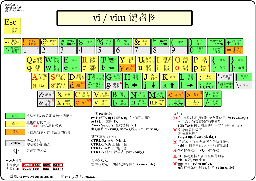
The content is relatively concise and has a Chinese version:
Vim Cheat Sheet Chinese version - vim.rrr.comvi / Vim Cheat Sheet and Tutorial Chinese version (right picture, click to see the larger picture)More content:
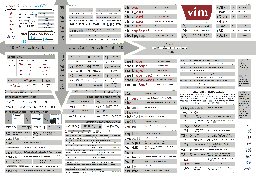
Vim Cheat-Sheet (Picture right, click to see the larger image)There are a few Cheat Sheets, don’t look at you more~ Of course there are more Vim Cheat Sheets?
Vim user manual/reference is Vim 's built-in help system, rich in content! !Vim 's built-in help :h :h 'option' :h command :h :ex_command :h ctrl-wVim help system, that is, how to use Vim 's help system: :h helphelpVim books beansVim Practical Skills - Editing Texts at the Speed of Thinking" | Practical Vim, Second Editionvi and Vim Editors (Chinese version) | "Learning the vi and Vim Editors", with a steady writing (very consistent with my style):vi / ex ) and then explain Vim , which can better understand the applicable scenarios of functions from the historical development process.vi / Vim 's surrounding information, such as vi / Vim 's famous quotes, various variants, vi / Emacs ' culture, etc.Vim | Chinese translationVim information. Vim configuration/plugin resourcesspf13-vim - a distribution of Vim plugins and resources - Vim 's configuration collection and configuration framework.spf13-vim is first of all, a Vim configuration framework , showing its level!vimrc - Over the last 10 years, I have used and tweaked Vim.Vim configuration is definitely worth referring to and learning!Janus : Vim DistributionVim configuration version!Vim , tmux and iTerm 2 .Vim + Emacs distribution (I haven't joined the Emacs circle, please learn about it as a breadth)spacemacs - A community-driven Emacs distribution - The best editor is neither Emacs nor Vim , it's Emacs and Vim !star in this project! Also note that compared with spf13-vim (a new warehouse built on 2010-04-20), spacemacs is out even shorter (a new warehouse built on 2012-12-17)SpaceVim - A community-driven vim distribution inspired by spacemacs !Vim Awesome - a comprehensive, accurate, and up-to-date directory of Vim plugins, Vim plugin browsing siteYCMYCM Youtube video address explains when getting started with Vim
Vim is a continuous process that can continuously improve abilities and gradually improve efficiency.Vim during your daily work! Because the efficiency required for urgent work is inconsistent with the inefficiency Vim explored when he first started studying!Vim command memory methodAlso give practical Tips:
Hack (customized) your keyboardCaplock key to ECS key through Seilkarabiner to quickly navigate in Vim.vimrc - Your new friend!dotfiles ), or learn from https://github.com/thoughtbot/dotfilesvimtutor /learning through the game http://vim-adventures.com/~ Youtube Video Address, 2007-02-13, a speech delivered by Vim author Brian Moolenaar on Google , explaining the editor selection and methods and concepts for efficient editing.
Vim is better than Emacs " will not be discussed here, but you may think Emacs is not a good thing~?Notepad , you've wasted a lot of your life! ?Vim ~? There is no other way out! ( There is NO other RULE! ) Summary page for this part:
Attached from the original text:
@oldratlee This is my favorite section?
Attached from the original text:
How not to edit effectively
Welcome experts to give advice! Please submit an Issue.
VimQuestion description:
Originally, Vim has a pattern ( Normal/Command/Insert/Replace/Visual/... ), and Chinese needs to switch input methods (you are in the Chinese input or English input state), Chinese editors need to remember which state they are currently in, which I personally think is very painful.
Ideal state expectations:
Normal/Command mode, it will automatically switch to the English input method.Insert mode, restore the input method status (Chinese input/English input).Solution:
For the solution, please refer to @CodeFalling 's perfect solution to the input method switching problem of Vim/Emacs under Mac :
fcitx-remote-for-osxVim plugin fcitx-vim-osx PS: Thanks for your PERFECT works! @CodeFalling
Vim opens garbled fileQuestion description:
Vim opens files with garbled code, and the common reason is encoding recognition errors.
Solution:
You can set up the encoding sequence of Vim for attempting to identify in the .vimrc configuration file, and use the encoding in the sequence in sequence until this encoding can correctly display the characters in the file:
 " 需要配置到 .vimrc 中
set fileencodings = ucs - bom,utf - 8 ,gb18030,utf - 16 le,big5,euc - jp,euc - kr,latin1
If it is still recognized as garbled (for example, the file contains multiple encoded characters, there will be garbled), you can explicitly specify the encoding in the command mode to reopen the file, with the following command:
 " 用UTF8编码重新打开加载当前文件
: e ++ enc = utf - 8
" 用GBK编码重新加载
: e ++ enc = gbk
" GB18030字符集是GBK的超集,为了方便键入使用GBK名

" 可以进一步在 .vimrc 中配置Mapping,省得繁琐的键入
nnoremap <Leader> eu :e ++enc=utf-8 <CR>
nnoremap <Leader> eg :e ++enc=gb18030 <CR>
For more reasons analysis and processing methods, please refer to @Dianhu's article VIM file encoding identification and garbled processing, which is easy to explain and incisive!
PS:
Like Vim , character encoding is also a very computer-style topic. I won’t explain it here. If you are not clear about it, you can search and study it yourself.
Question description:
As the title.
Solution:
 " 设置写文件时使用UTF8编码
: set fileencoding = utf - 8
" 写文件(完成文件编码转换)
: w

" 为了方便键入,使用短选项名fenc并写成一行
: se fenc = utf8 | w

" 文件转换成GBK编码
: se fenc = gbk | w
" GB18030字符集是GBK的超集,为了方便键入使用GBK名

" 可以进一步在 .vimrc 中配置Mapping,省得繁琐的键入
nnoremap <Leader> eU :set fileencoding=utf-8 | w <CR>
nnoremap <Leader> eG :set fileencoding=gb18030 | w <CR>
References: How can I change a file's encoding with vim? - vi.stackexchange.com
Vim font settingsQuestion description:
Appropriate fonts can be easily recognized and improve efficiency and mood. It cannot be said that it is not important! ?
Vim commands running in the console, the fonts are configured by the terminal.GUI Vim is configured by Vim himself. Under Mac , iTerm / terminal applications are commonly used in terminals, and GUI Vim uses MacVim applications.
Solution:
See the instructions on a separate page: Setting Vim fonts.
Vim MapQuestion description:
In the following scenario, you will want to view all Vim Map :
Vim can customize its own commands in order not to rewrite existing shortcut keys ( Map )Map alreadySolution:
 redir > map .txt | silent map | redir END
" 如果文件已经存在加上!来覆盖输出的文件
redir ! > map .txt | silent map | redir ENDcrontab -e modification failedQuestion description:
After crontab is modified, the crontab: temp file must be edited in place error message, and crontab has not been modified.
$ crontab -e
# ... I do my thing in vim & :wq
" crontab.9ZcXiFaawt " 6L, 203C written
crontab: temp file must be edited in place
Solution:
Set in the .vimrc configuration file, do not use backup files for crontab files:
 " 需要配置到 .vimrc 中
autocmd BufNewFile , BufRead crontab.* set nobackup | set nowritebackup
For more instructions, see:
Vim Chinese word participle supportQuestion description:
Unlike in English, the separation of Chinese words is not as obvious as spaces, and word-related movement becomes very troublesome.
Solution:
No solution has been found yet. In general, this problem is not a big deal, and it is an alternative approach:
Hack /acceleration system, you can simply use hjkl to quickly navigate in a small/large range.CTRL-D/CTRL-F ).fz/Fz/tz/Tzn/N Related resources for Vim participle
Vim and Chinese Participle - google groupVim mode?Vim&Emacs 





