crux passkey
1.0.0

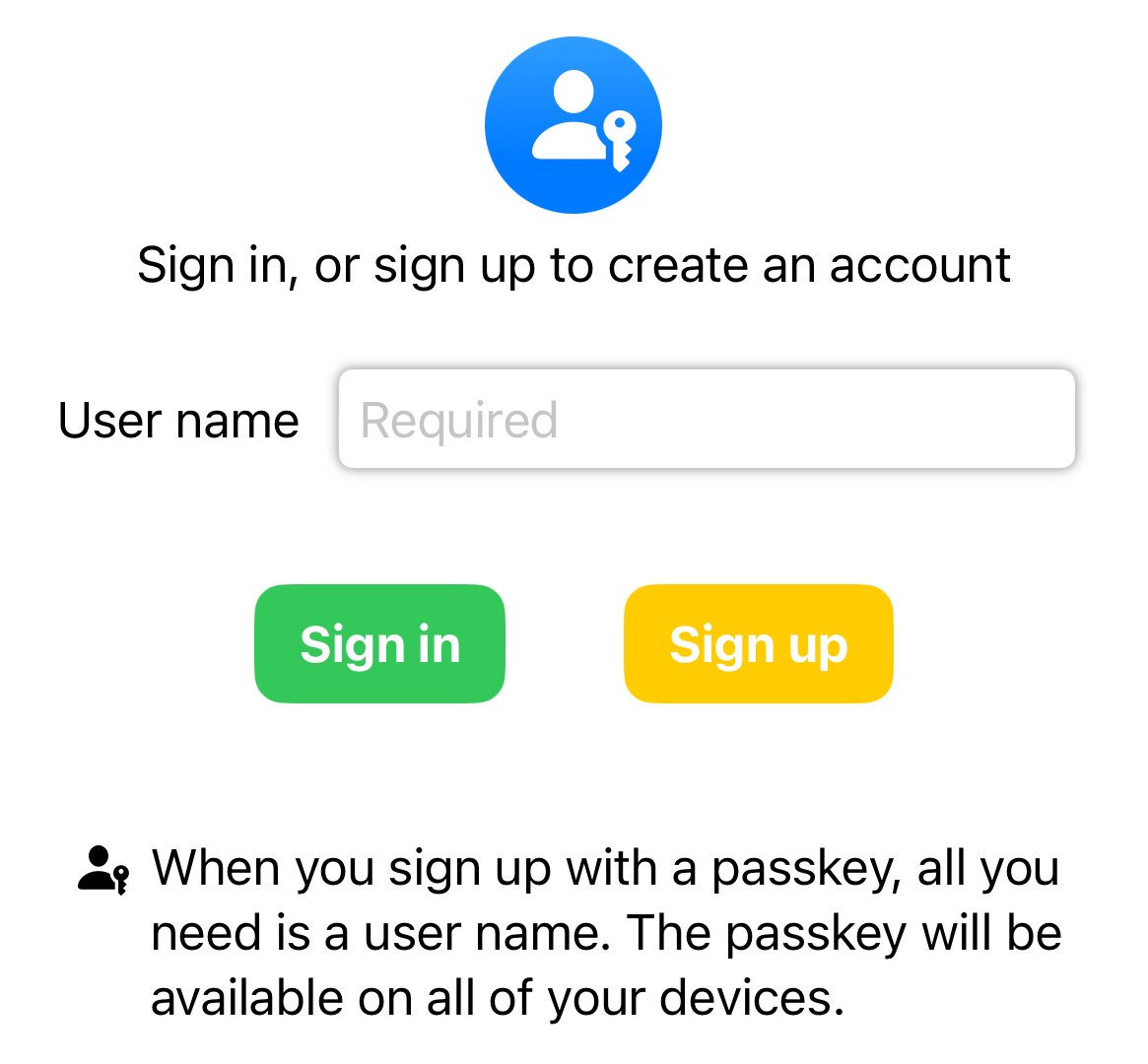
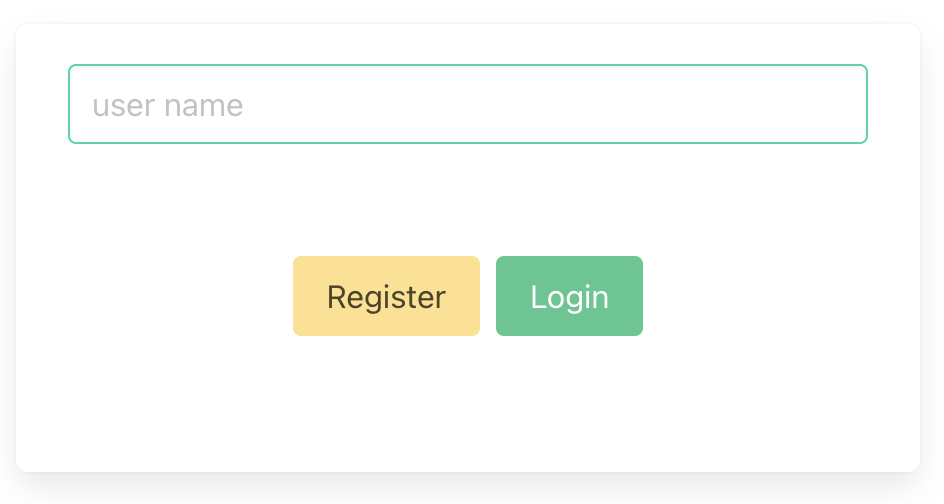
Passkeys are awesome! Just a public/private key pair that you can use to authenticate with a website (or an associated app).
They are much more convenient than passwords because you don't have to remember anything, or choose something that satisfies increasingly complex rules. They are also more secure because they're tied to the site you're authenticating with, potentially eliminating phishing, and only a public key is stored on the server so there is nothing worth stealing (the public key is, you guessed it, public).
The private key is kept by you. Or rather, your password manager, so it can be shared between devices. Apple, Google, Microsoft and Amazon are actively encouraging uptake. If you store a passkey in a password manager (such as Dashlane, 1Password or Apple Keychain) you can also share it with friends.
Registering with, and logging into, websites and apps has, until now, been a huge barrier, but with passkeys it is finally solved. Let's implement them everywhere so we can finally consign passwords to the bin. Passkeys are easier and more secure — what's not to like?
At Red Badger, we maintain the open source multi-platform app development toolkit called Crux. It uses Rust and WebAssembly to make it easy and fun to build apps that run on iOS, Android and Web (and command line, and terminal apps, and...).
Crux allows us to build the functionality of our app once, and test it in milliseconds, allowing us to ensure our app works correctly, and exactly the same way, on all platforms.
This repo is about bringing passkeys to Crux apps.
It's not massively complicated to do this, but there are a few steps for both registration and login that you need to get right. It's a bit tricky to add it to existing web applications (and iOS apps and Android apps) and make sure that the implementation is correct on all three. Crux helps here. We can just build and test it once.
The shared directory in this repo, contains a Crux
passkey Capability, which, along with
the crux_http Capability, is
orchestrated by a Crux auth app, with tests,
that can be used as a "sub-App" — nested inside another Crux app.
My plan was great — bringing together really cool tech like passkeys, Rust, WebAssembly, and Crux — but I wanted more.
So I added Fermyon Spin into the equation. Spin is great! It's Serverless without the cold start. Ultra lightweight services that are started in response to an incoming request (in microseconds) and die after the request has been processed.
To support passkeys, we need a
backend that exposes the
WebAuthn protocol. It's written in
Rust and compiled to WebAssembly (wasm32-wasi). I had to jump through a few
hoops, like vendoring a Wasm-compatible version of OpenSSL — we're on the
bleeding edge here — but it works!.
The server also hosts a Leptos web app written in Rust.
It can be deployed, as is, to Fermyon Cloud.
Change to the crux-passkey-server directory:
cd crux-passkey-serverCreate a .env file with the following contents:
export SPIN_VARIABLE_DOMAIN_LOCAL=localhost
export SPIN_VARIABLE_DOMAIN_REMOTE=crux-passkey-server-8sdh7f6w.fermyon.app # Change this to your own domain
Create an SSL cert (preferably issued by a trusted CA) and key and place them in
the certs directory. The filenames should be cert.pem and key.pem. You can
follow the instructions
here
(you may need to add the CA to your browser's trust store — or trust them in
KeyChain on MacOS — spin 2.0 crashes on use of self-signed certs)
Start the local spin server:
./run.shAnd then open your browser at https://localhost
Or publish to Fermyon Cloud (you'll need to have a Fermyon account and have installed the Fermyon CLI):
./cloud_create_db.sh # Only need to do this once
./deploy.sh
And then open your browser at https://crux-passkey-server-8sdh7f6w.fermyon.app (or whatever your domain is)
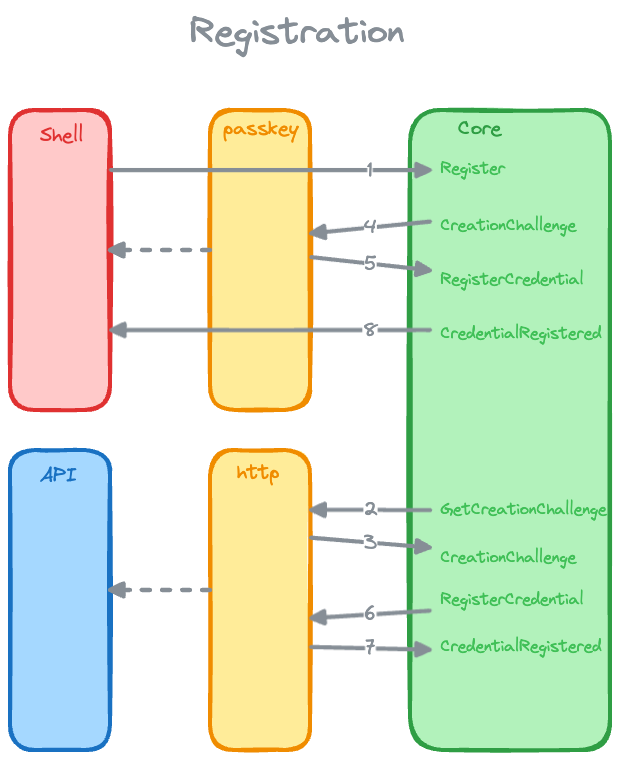
The diagram above shows the registration process.
The user enters their email address and clicks "Register" (web), or "Sign Up" (iOS app).
The auth App, via the GetCreationChallenge event and the crux_http
Capability, sends a POST request to the backend.
The backend responds with a PublicKeyCredentialCreationOptions object, via
the CreationChallenge event.
For the iOS app, this is passed, via the passkey Capability, to the
iOS-shell side of the passkey Capability implementation, which uses an
ASAuthorizationController
to prompt the user to create a passkey.
For the web Shell, this is passed, via the passkey Capability, to the
browser's
navigator.credentials.create
method by the web-shell side of the passkey Capability implementation,
which prompts the user to create a passkey.
The user creates a passkey and the passkey Capability returns a
RegisterPublicKeyCredential object, via the RegisterCredential event,
which contains the public key, the signed challenge, and other information.
The RequestCredential event is handled by the app, sending a POST
request, via the crux_http Capability, to the backend with the
RegisterPublicKeyCredential object.
The backend verifies the information and registers the user by storing the
user's public key in it's database, responding with a 201 Created status
code.
The CredentialRegistered event is handled by the app, which updates its
state to indicate that the user is registered.
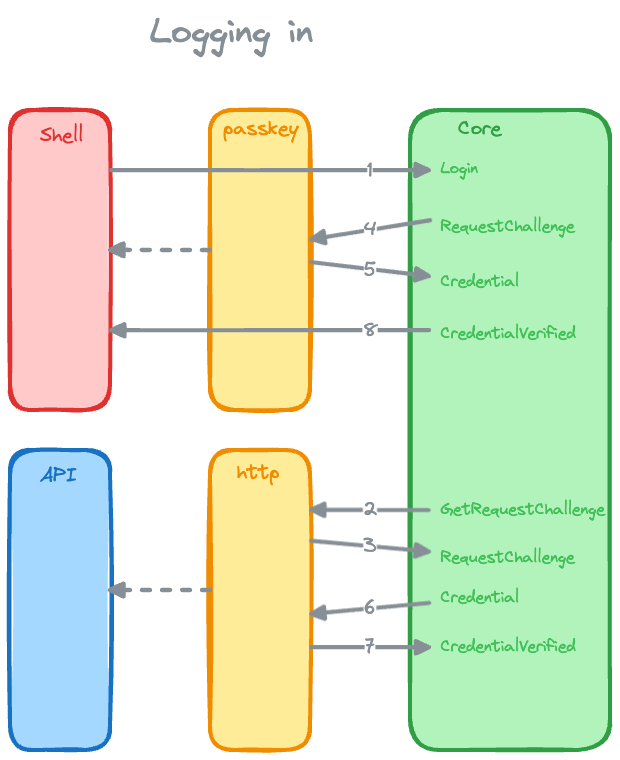
The user enters their email address and clicks "Login" (web), or "Sign In" (iOS app).
The auth App, via the GetRequestChallenge event and the crux_http
Capability, sends a POST request to the backend.
The backend responds with a PublicKeyCredentialRequestOptions object, via
the RequestChallenge event.
For the iOS app, this is passed, via the passkey Capability, to the
iOS-shell side of the passkey Capability implementation, which uses an
ASAuthorizationController
to prompt the user to login with their passkey.
For the web Shell, this is passed, via the passkey Capability, to the
browser's
navigator.credentials.get
method by the web-shell side of the passkey Capability implementation,
which prompts the user to login with their passkey.
The user enters their passkey and the passkey Capability returns a
PublicKeyCredential object, via the Credential event, which contains the
signed challenge, and other information.
The RequestCredential event is handled by the app, sending a POST
request, via the crux_http Capability, to the backend with the
PublicKeyCredential object.
The backend verifies the information and responds with a 200 OK status
code.
The CredentialVerified event is handled by the app, which updates its state
to indicate that the user is logged in.
The shared directory contains the core of the implementation. It's an example
of a root Crux App that nests an
auth Crux App. The auth App orchestrates the
crux_http and
passkey Capabilities to provide
passkey registration and login functionality against
the backend.





