Kotlin Android Mobile App Demo
A simple mobile app written in Kotlin using Android Studio.
- Click the button to change the background color of the app from Red to Blue.
- The button text will also change from "Red" to "Blue" and vice versa.
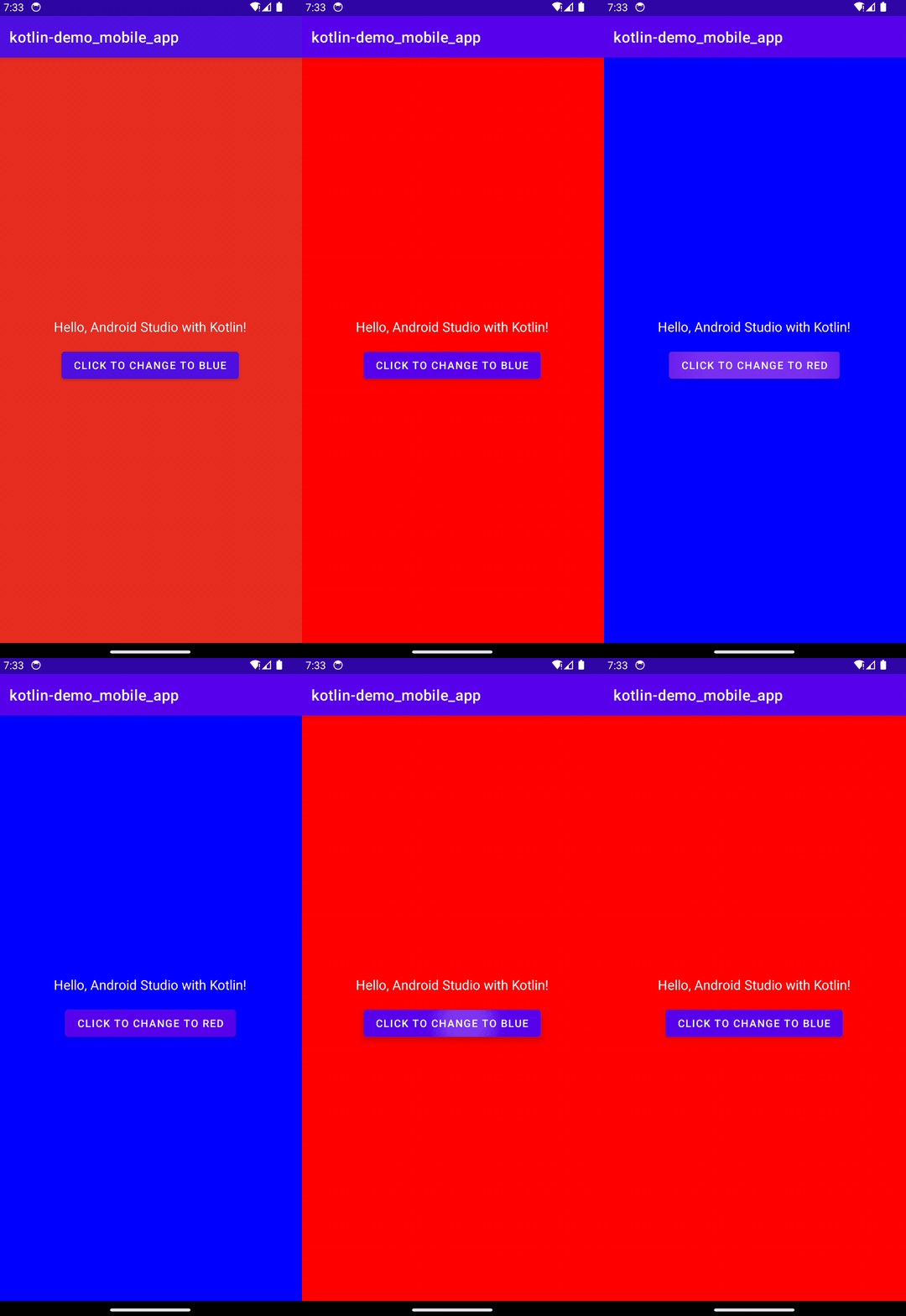 It's easy to get started with Kotlin and Android Studio!
Table of Contents
- Getting Started
- Resources
- License
- Credits
Getting Started
- Download and install Android Studio.
- Clone this repository to your local machine.
- Open the project in Android Studio.
- Install the Android Emulator of your choice.
- Click the
Run button to run the app in the Android Emulator.
Resources
- Android Studio
- Android
- Kotlin
- Kotlin Documentation
- Kotlin Tutorial 1
- Kotlin Tutorial 2
- Kotlin Tutorial 3
- Kotlin Tutorial 4
- Kotlin Tutorial 5
- Kotlin Tutorial 6
License
This project is released under the terms of The Unlicense, which allows you to use, modify, and distribute the code as you see fit.
- The Unlicense removes traditional copyright restrictions, giving you the freedom to use the code in any way you choose.
- For more details, see the LICENSE file in this repository.
Credits
Author: Scott Grivner
Email: [email protected]
Website: scottgrivner.dev
Reference: Main Branch