ReactNativeAuth
1.0.0

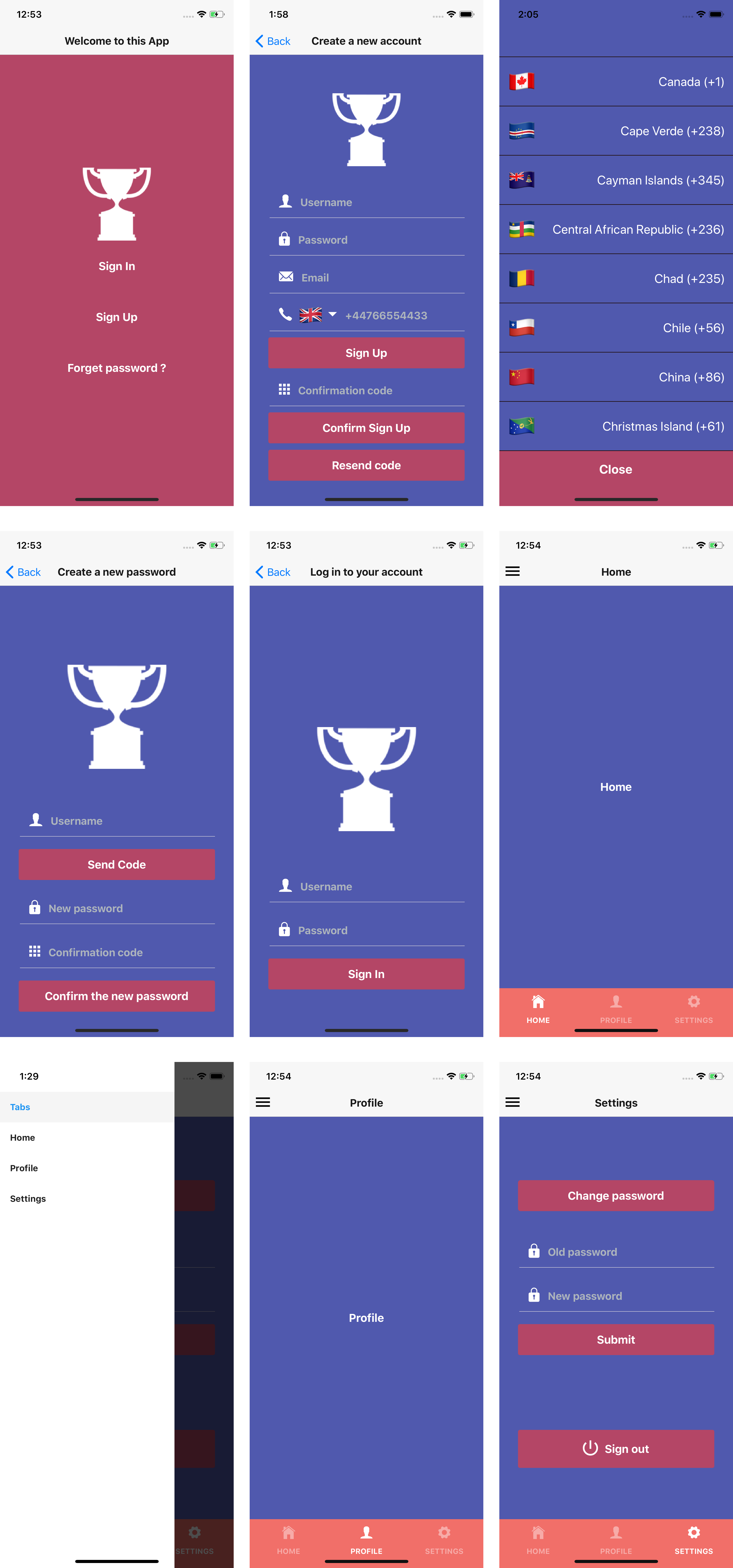
Complete user authentication flow for mobile applications with React Native, Expo, AWS Amplify, react-navigation, and native-base.
The technologies used in this app are the following:
Navigation is done with: react-navigation.
Front end: Expo.
Layout: native-base.
Back end: AWS Amplify.
Users are taken to the welcome screen.
Users can sign up, sign in, request a password change, navigate between screens.
International phone input is included in the sign up screen.
Users are redirected to the home screen after log in.
Users can navigate between screens using the bottom tab navigator or the drawer navigator.
Users are kept logged in until they sign out from the app.
Expo CLI
npm install -g expo-cliAWS account
Node JS with NPM
AWS Amplify CLI
npm install -g @aws-amplify/cliamplify configure (link for a step by step video).git clone https://github.com/yhenni1989/ReactNativeAuth.git
cd ReactNativeAuth
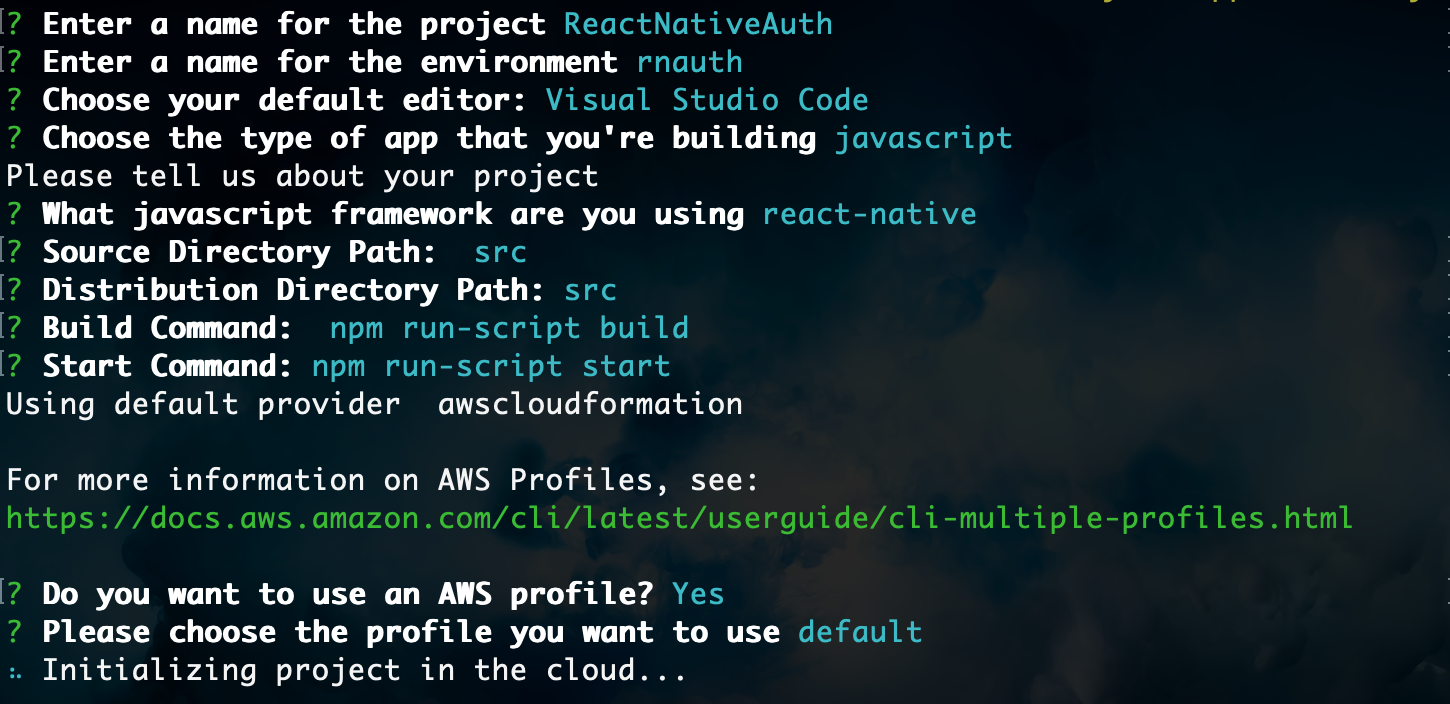
amplify init
Follow the same instructions as below.
amplify add auth

# When prompt, choose: Yes, use the default configuration.
amplify push

Are you sure you want to continue? Yes
After few minutes of automated operations, the Amplify CLI will create an Amazon Cognito User Pool and Identity Pool to store users crendentials.
yarn

# or

npm install
expo start --ios

# or

expo start --android
A full series of articles detailing the building process of this app can be found here.
A demo video of the authentication flow is found here.





