ansible lmde workstation
1.0.0

| Project | Description | Author | Update |
|---|---|---|---|
Anxible-Lmde-Workstation | The purpose of this project is to automate the LMDE (Linux Mint Debian Edition) (Linux Mint) system, as well as some additional settings and also system version upgrade. | Glauber GF (@mcnd2) | 2022-05-18 |
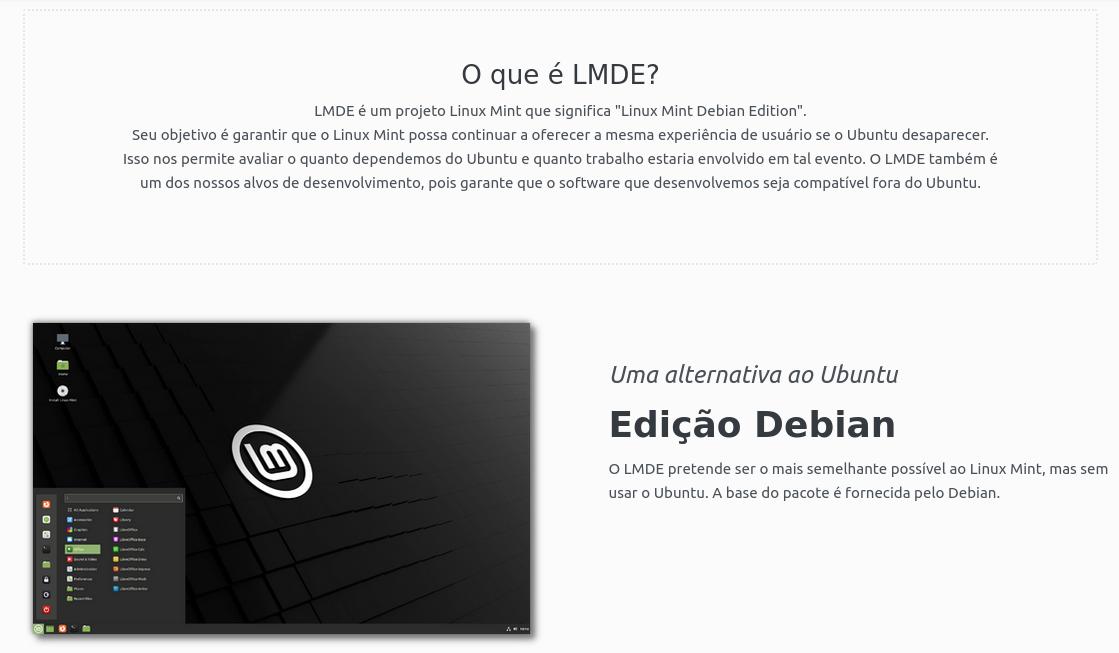
The purpose of this project is to execute with Ansible to LMDE's post-institutional settings, installing packages, adding repositories, configuring some system files etc.
The project was designed to automate LMDE 5 post-installation (Elsie) in an 8th generation Dell Latitude 3400 Core I7 notebook.
In this project, third party repositories were added to use the user needs and configuration for cloud AWS access.
See a brief description of the tasks within each role .
In the roller add-repository , other repositories, from third parties, for use of applications.
 Atualizando Repositorios;
Adicionando Repositorio Flathub Flatpak;
Adicionando Keys para Validacao dos Repositorios de Terceiros;
Adicionando dos Repositorios de Terceiros;
Atualizando Repositorios;
Adicionando Token do Malwarebytes.
In the AWS-CLI ROLLER is performed the installation of packets and configuration for access and use of resources and services at Cloud AWS.
Note: To run the AWS-CLI roller, remember to run the Ansible-Vault as there is sensitive information in the variables thus making it encrypted. The information in these variables in this project is fictitious, so this is decrypt.
 $ ansible-vault encrypt roles/var/main.yml
$ ansible-vault decrypt role/aws-cli/var/main.yml
$ ansible-playbook --ask-vault-pass -i hosts main.yml -t aws_cli
 Instalando o Python3 PIP;
Instalando o boto via PIP;
Instalando a AWS CLI;
Executando AWS Configure inserindo Id, Key, Region e formato no profile Default
Criando o diretório ~/.ssh caso nao exista;
Copiando a chave ssh de acesso na AWS;
Configurando o .bashrc awsgo/alog (SSH) e data no historico.
In Role Install-APP is executed the installation of applications of the LMDE repository as well as FlatPak and '.DEB' Packages for VPN client.
 Instalando Pacotes Flatpak;
Download Pacotes ".deb" para VPN FortiClient;
Criando uma Lista de Pacotes ".deb" para VPN FortiClient;
Criando Variavel da Lista dos Pacotes para VPN FortiClient;
Listando os Pacotes com DEBUG;
Instalando o FortiClient e suas dependencias;
Instalando Pacotes ".deb" APPs da Internet;
Instalando Pacotes dos Repositorios;
Parando o AnyDesk;
Desabilitando o autostart do AnyDesk.
This project is available to the community. Use and make modifications according to the scenario and need of each.
GNU General Public License ( GNU General Public License ), GNU GPL or simply GPL .
GPLV3
Copyright (C) 2022 Glauber GF (@mcnd2)
This program is free software: you can redistribute it and/or modify under the terms of GNU General Public License as published by Free Software Foundation, either the license version 3 or (at your choice) any later version.
This program is distributed in the hope of being useful, but without any guarantee; without even the implicit guarantee of commercialization or adequacy to a certain purpose. See GNU General Public License for more details.
You must have received a copy of the GNU General Public License along with this program. Otherwise, consult https://www.gnu.org/licenses/.
This program is free software: You can redistribute it and/or modify it under the gnu general public license as published by the free software foundation, either version 3 of the license, or (at your option) any later version.
This program is distributed in the hope that it will be useful, but with any warranty; Without Even the Implied Warranty of Merchantability or Fitness for Private Purpose. See the GNU General Public License For More Details.
You Should Have Received A Copy of the Gnu General Public License Along with this Program. If not, see https://www.gnu.org/licenses/





