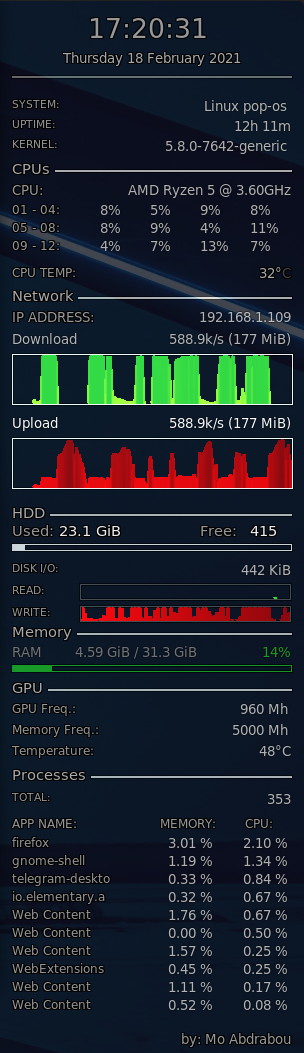
Conky_Desktop_Guru
1.0.0

Run the following command to install conky:
sudo apt install conky-all
Create the config file:
conky -C > ~/Documents/conky.config
Create the conky folder in the home directory:
mkdir ~/.config/conky
Replace the content of the created config file with the content from this file "You can use any text editor to copy the content"
Copy the file to the conky folder in your home directory:
cp -v ~/Documents/conky.config ~/.config/conky
Adjust the hardware configuration according to your settings
Network adapter parameter "Replace enp6s0 with the name of your network adapter". Run the below command to find the name of your network adapter:
sudo ifconfig

Processor "Replace AMD Ryzen 5 @ 3.60GHz with the name of your processor"

The number of your CPU cores, run the following command to find out how many cores is your CPU:
nproc
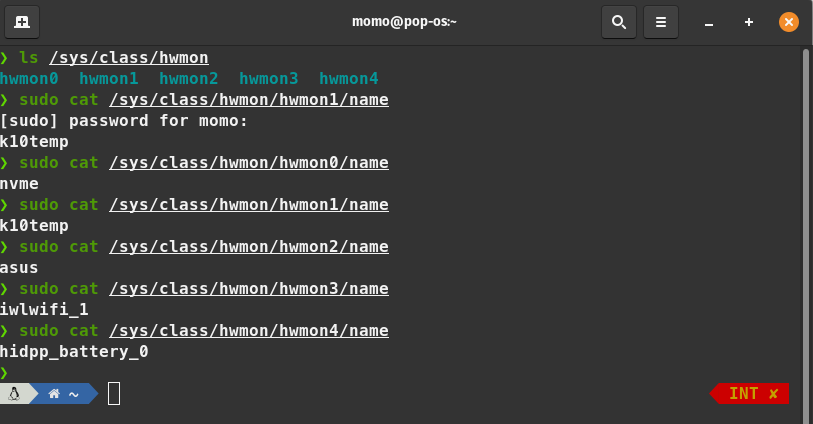
Temp sensor. You can run this command to find out how many sensors you have:
ls /sys/class/hwmon
sudo cat /sys/class/hwmon/hwmon4/name
Create an auto start item for conky to load once system is started