Regulus Spotify
Install Script 1.1

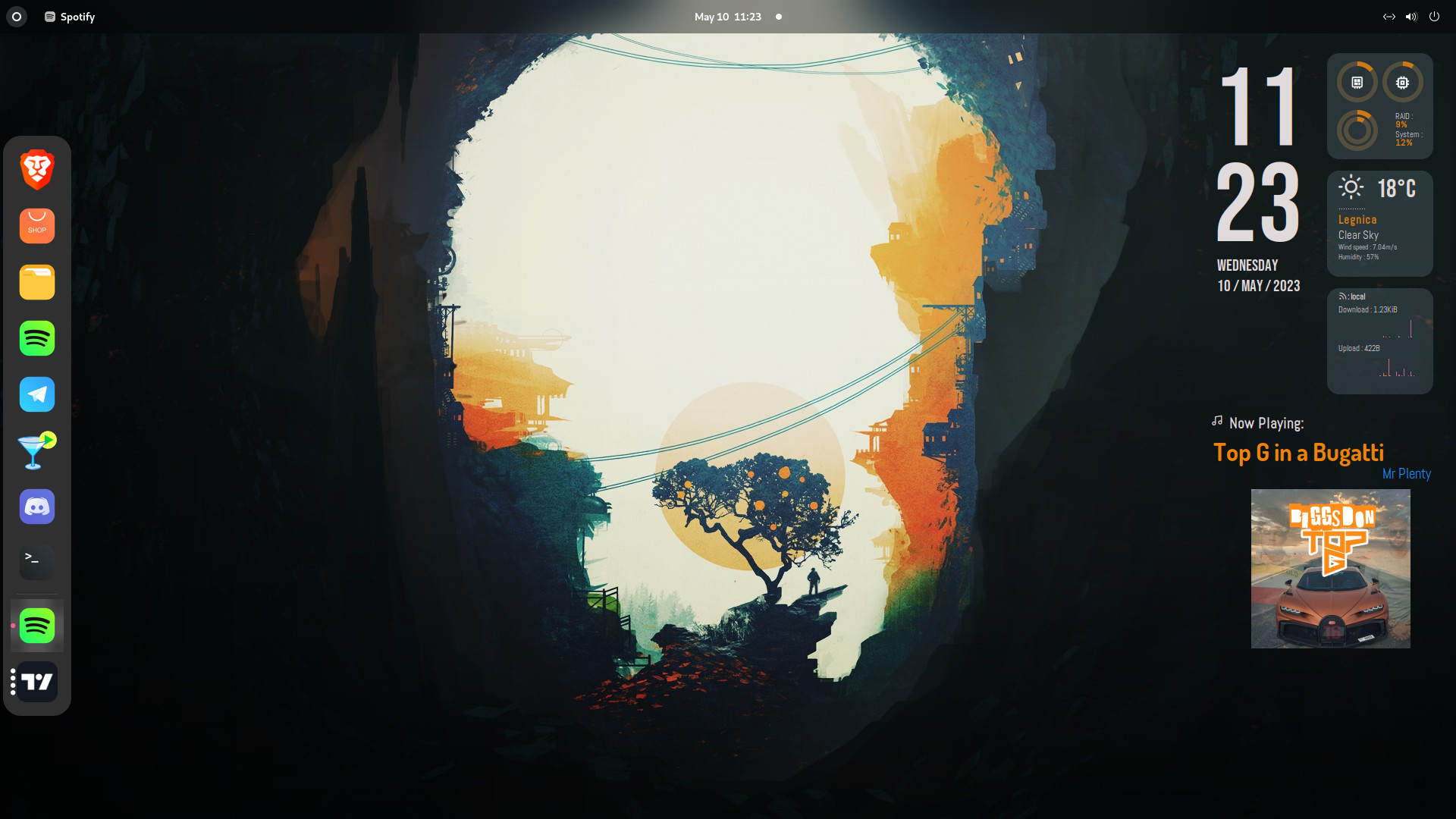
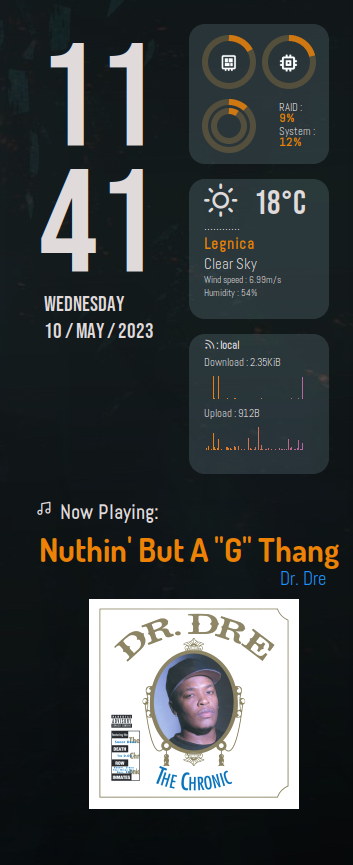
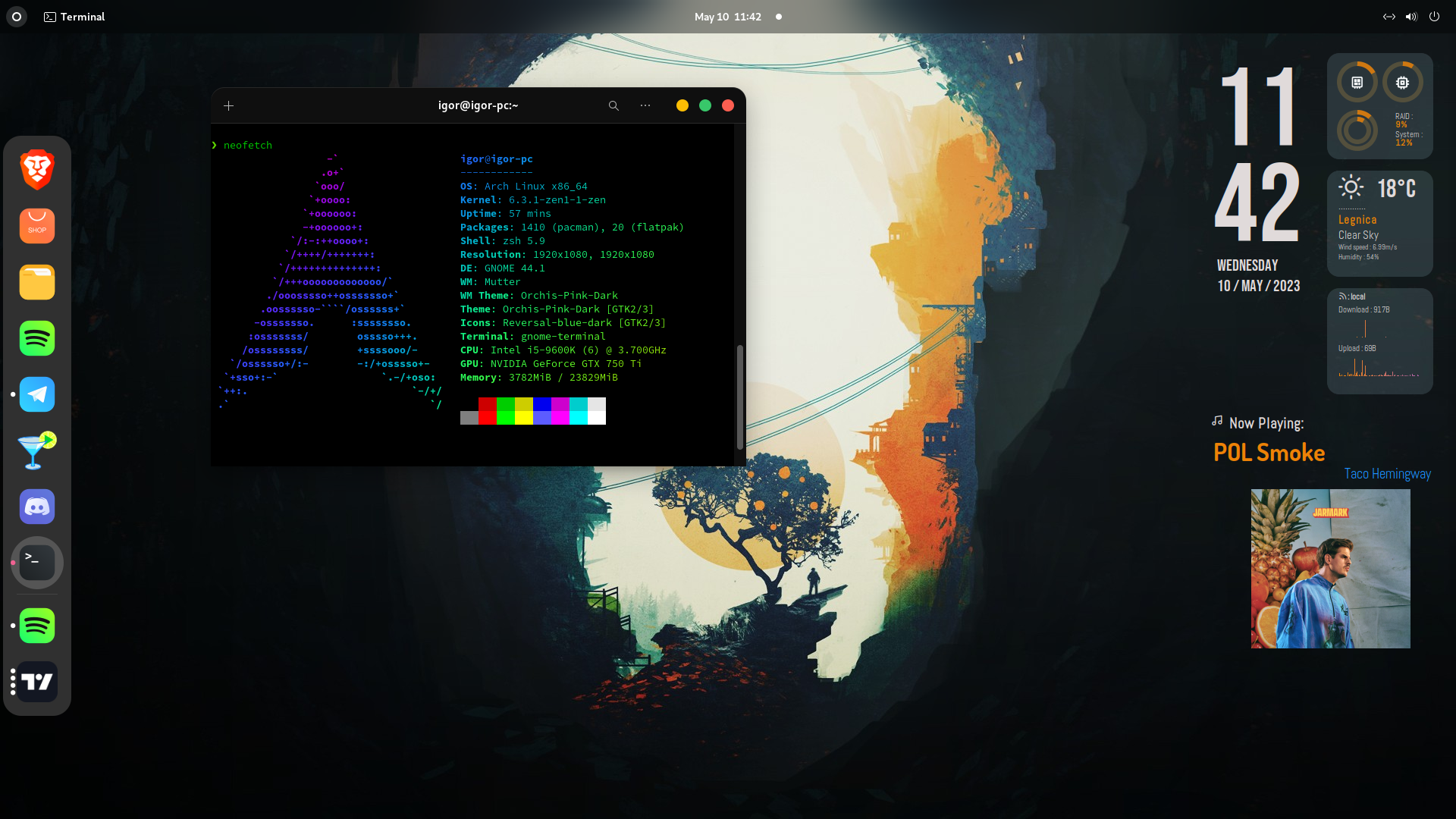
Regulus-Spotify is a conky theme available for all Linux systems. This theme is based on the Regulus theme, which is available at https://github.com/closebox73/Leonis. It displays weather, time, date, CPU, RAM, discs, and internet usage. When a song is playing on Spotify, it displays the song's name, artist, and cover.
You can either follow the steps provided below to install the theme, or make use of the installation script that is available in the releases tab. You can also change appearience of theme executing initial-setup.sh script. Regardless of the method you choose, it is necessary to install all dependencies.
Clone the repository
git clone https://github.com/igorw765/Regulus-Spotify.git
Install the required dependencies:
sudo apt-get install conky jq cairo lua5.3 ffmpeg playerctl sed git
Download all the fonts from the font folder.
If your monitor resolution is not 1080x1920p, you may need to modify the code manually. To change the position of elements, play with the offset, voffset, and alignr values.
To modify the color of the text, execute color.sh script located in scripts folder.
To change the rings color, execute rings.sh script located in scripts folder.
To display network speeds properly, execute network.sh script located in scripts folder (You still need to manually change color of the graphs).
Assign your current city's city_id to the city_id= line inside the weather.sh file located in the scripts folder. You can find your city's ID on the OpenWeatherMap website. You can also execute localization.sh script located in scripts folder
Start the theme by running the start.sh script:
bash /path/to/Regulus-Spotify/start.sh
The start.sh script will set the necessary permissions and start the conky command to display the theme.
conky.desktop file. Note that certain adjustments may be necessary.This code was tested on Arch Linux with the Gnome desktop environment.
The wallpaper shown in the screenshots is included in the following repository: https://gist.github.com/85942af486eb79118467.git
This project is licensed under the GPL-3.0 License. See the LICENSE file for details.
If you like this project and find it useful, you can show your appreciation by buying me a coffee! Your support helps me continue developing and improving the theme.
PayPal





