wifi channel watcher
Bugfix for enterprise BSSID lookups

Monitor channel usage of neighboring routers / access points and get a desktop alert if your active channel is not optimal (has more than 1 user on it, other than you). Troubleshoot your wifi without lifting a finger!
Additional options:
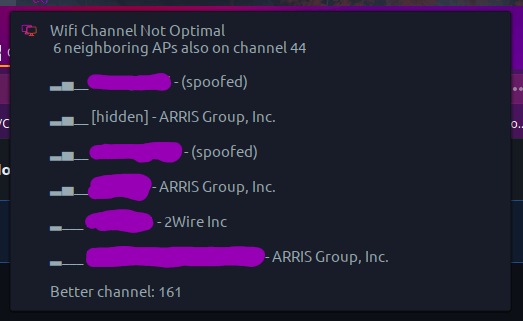
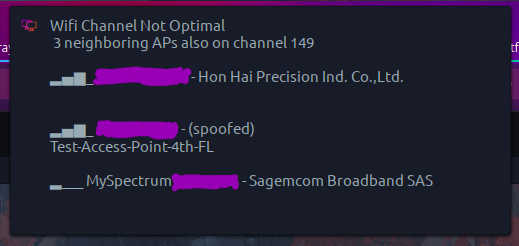
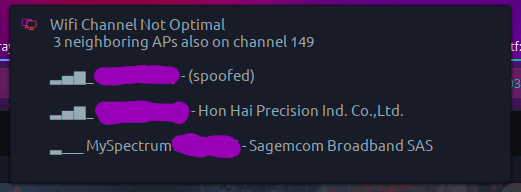

This script can be cloned and run manually, or added as a service that runs on a scheduled interval.
See detailed install instructions for built-in systemd user service options (no sudo/root needed).
After installing dependencies (most Gnome users may already have them), clone the repo to a directory on your hard drive.
git clone https://github.com/angela-d/wifi-channel-watcher.gitThat's it.
You can manually run the script any time via command-line:
/your/directory/path/to/wifi-channel-watcher/channel-watchIf you previously cloned this repo (prior to the version(s) mentioned, you'll have to add the new config variables to ~/.config/wifi-channel-watcher/config.conf in order for your existing config to be read by the script.
You can also simply delete the folder: ~/.config/wifi-channel-watcher and re-run the script to re-initialize setup (wipe existing config) to take effect, also.
Prior to v1.3.0
~/.config/wifi-channel-watcher/config.conf file:
CHANNELS_5G="36|40|44|48|149|153|157"
IGNORE_5G="1|2|3|4|5|6|7|8|9|10|11|12|13|52|56|60|64|100|104|108|112|116|120|124|128|132|136|140|38|46|54|62|102|110|118|126|134|134|142|151|159|42|58|106|122|138|155|161|165"
CHANNELS_2G="1|6|11"
IGNORE_2G="2|3|4|5|7|8|9|10|12|13|14|16|36|40|44|48|149|153|157|161|165|52|56|60|64|100|104|108|112|116|120|124|128|132|136|140|38|46|54|62|102|110|118|126|134|134|142|151|159|42|58|106|122|138|155"Prior to v1.2.0
THRESHOLD variable to your ~/.config/wifi-channel-watcher/config.conf file:
THRESHOLD="1"All customizations are optional, in most cases, the script will work out of the box.





