echo2ui
1.0.0

echo2ui channels stdout & stderr of any program to userland (Desktop environment) when they crash or exit with non zero exit codes using minimal set of bash utilities.
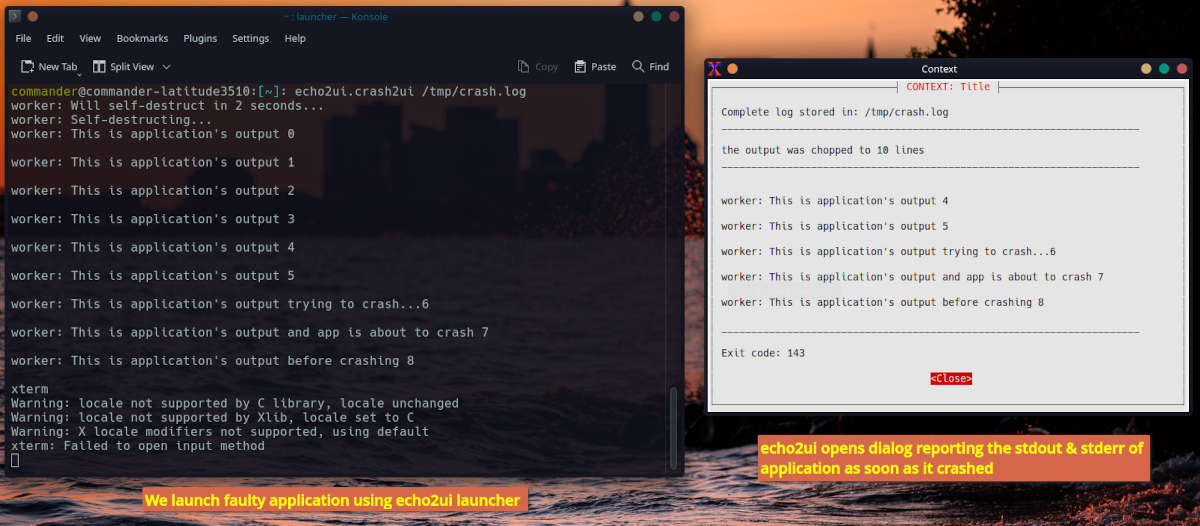
The main motivation behind developing echo2ui is to bring the output of program to userland (Desktop environment) or to user's attention.
Few example cases which echo2ui is aiming to target:
How windows handels the above situations:
They provide some short of dialog box that report all if the three issues mentioned about, remeber the irritating missing *.dll messagebox?
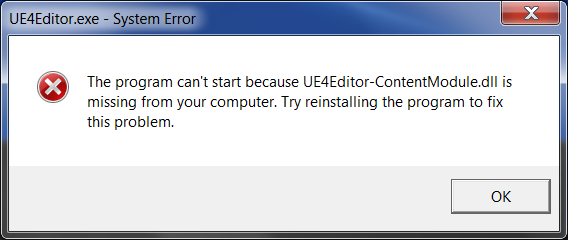
How Linux desktop handels the above situations:
No, we don't bother to provide any information to userland or the environment user is interactig with (we generally assuming that all users are launching GUI applications via console? ) So, we left the user is with no clue by making them unaware why the application failed to start or crashed.
They will also not be able to report to developers the exact output of the application when it crashed on their system.
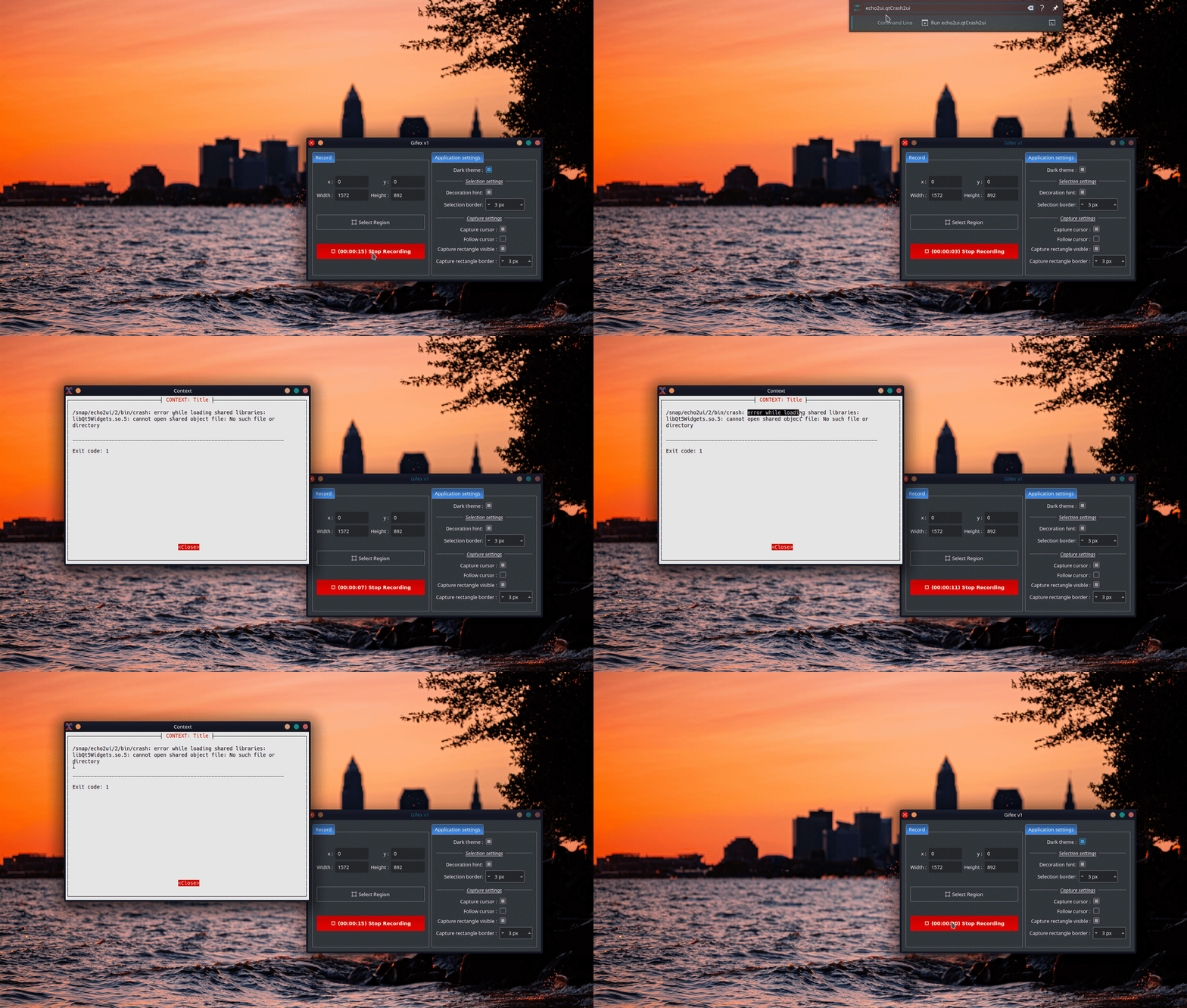
How echo2ui will handle missing .so or any other crash
The main source code of this project lives in src/ directory that contain 3 scripts as of now:
echo2ui
echo2ui shows informational messages using xterm and whiptail
Usage: ./echo2ui [context name] [title] [message] [width] [height]
Example: ./echo2ui 'My Context' 'My Title' 'Hello from echo2ui!' 60 20
launcher
this wrapper script will launch the application and bind it to echo2ui
Usage: ./launcher [launchable-app or its path] [path to log file (optional)]
Example 1: ./launcher wonderwall
Example 2: ./launcher wonderwall /tmp/wonderwall.log
echo2ui_util
it's a common utility script shared between script present in the same directory
echo2ui aims to stay as slim as possible. Right now it just need:
Independent snap app that ship these three dependencies and provide working example of echo2ui's functionalities is ~4Mb in size and ~6Mb in size when using LZO compression.
snap install echo2ui
This example snap ships 4 applications:





