RustPlayer
latest

An local audio player & network m3u8 radio player using completely terminal gui. MacOS, Linux, Windows are all supported.
RustPlayer is under development. If u have encountered any problem, please open issues :)
radio.ini for details.radio.ini to ~/.config/rustplayersnap install rustplayer --devmode
The binary release of macOS, Ubuntu/Debian Linux, Windows can be found in artifacts of latest prerelease. Click the top item of the list to download the latest release.
For Arch/Manjaro users, use yay -S rustplayer instead.
Play with lyrics. If no lyrics found, the wave animation will be the replacement of the block. See screenshots from Linux and macOS below.
The screenshot from Deepin
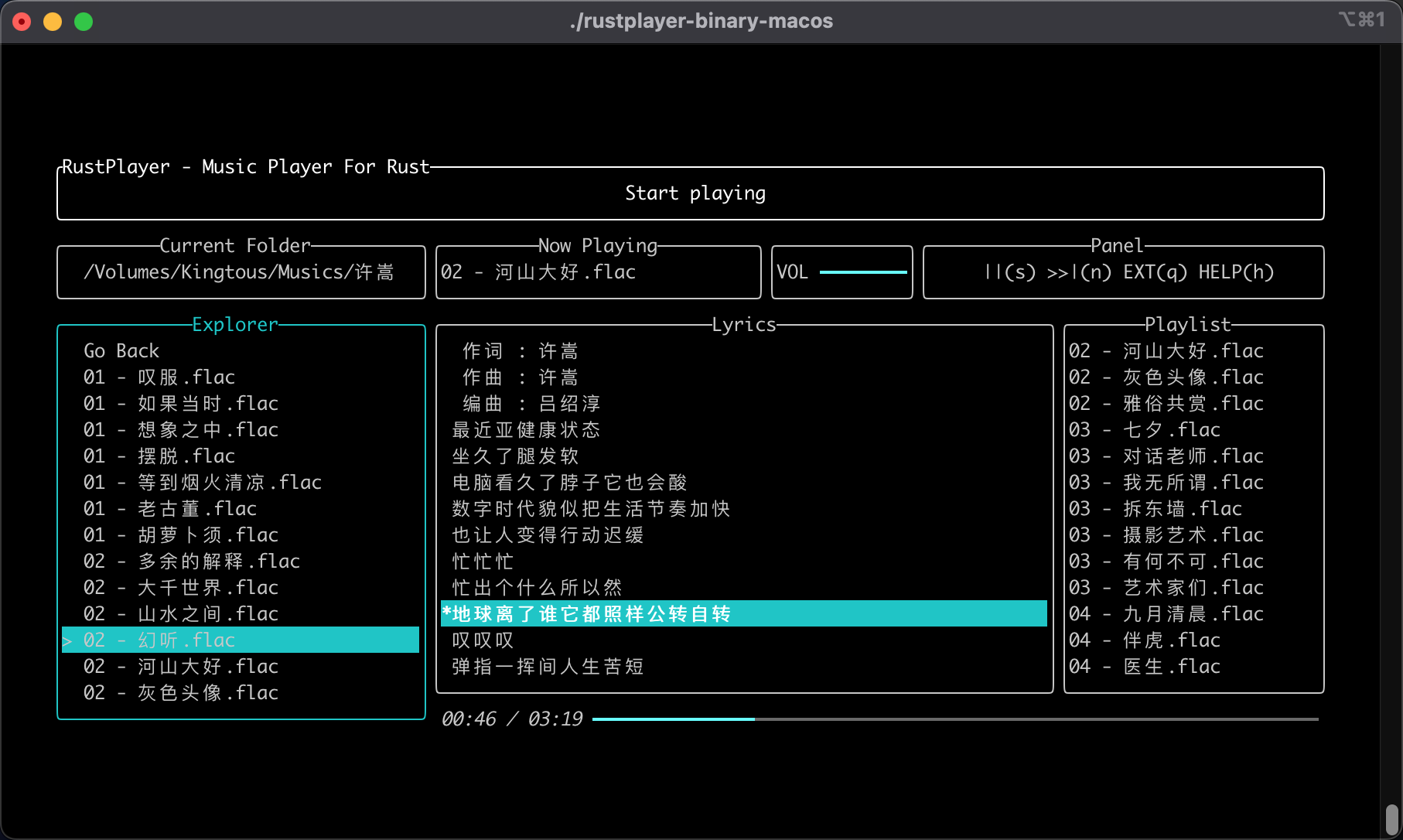
If u found this binary release is not working or u like compiling RustPlayer by youselef. Yes, The step to compile RustPlayer is really easy.
.github/rust.yml for detailscargo run in root of this project.if u think this repo is helpful, this project and let me know :)
Q: No sound in Linux, console shows "unable to open slave". I'm using snd_hda_intel drivers.
A: check your valid sound card. Check by lspci -knn|grep -iA2 audio. An example is:
04:00.1 Audio device [0403]: Advanced Micro Devices, Inc. [AMD/ATI] Renoir Radeon High Definition Audio Controller [1002:1637]
        Subsystem: Lenovo Device [17aa:3814]
        Kernel driver in use: snd_hda_intel
--
04:00.5 Multimedia controller [0480]: Advanced Micro Devices, Inc. [AMD] ACP/ACP3X/ACP6x Audio Coprocessor [1022:15e2] (rev 01)
        Subsystem: Lenovo Device [17aa:3832]
        Kernel modules: snd_pci_acp3x, snd_rn_pci_acp3x, snd_pci_acp5x
04:00.6 Audio device [0403]: Advanced Micro Devices, Inc. [AMD] Family 17h/19h HD Audio Controller [1022:15e3]
        Subsystem: Lenovo Device [17aa:3833]
        Kernel driver in use: snd_hda_intel
In the case above, 2 audio devices found in your Linux. Let's check which device is in use, we will use index to identify the default device. Type modinfo snd_hda_intel | grep index, if only shows:
parm: index:Index value for Intel HD audio interface. (array of int)
which means index 0 will be chosen to be the default output device.
In this case, you can try device 1. create files below:
> cat /etc/modprobe.d/default.conf

options snd_hda_intel index=1
reboot and check if it works.





