api debugger
1.1 release

A like Postman API debugger that supports custom encryption.
A background API interface debugging tool similar to Postman that supports custom encrypted transmission.
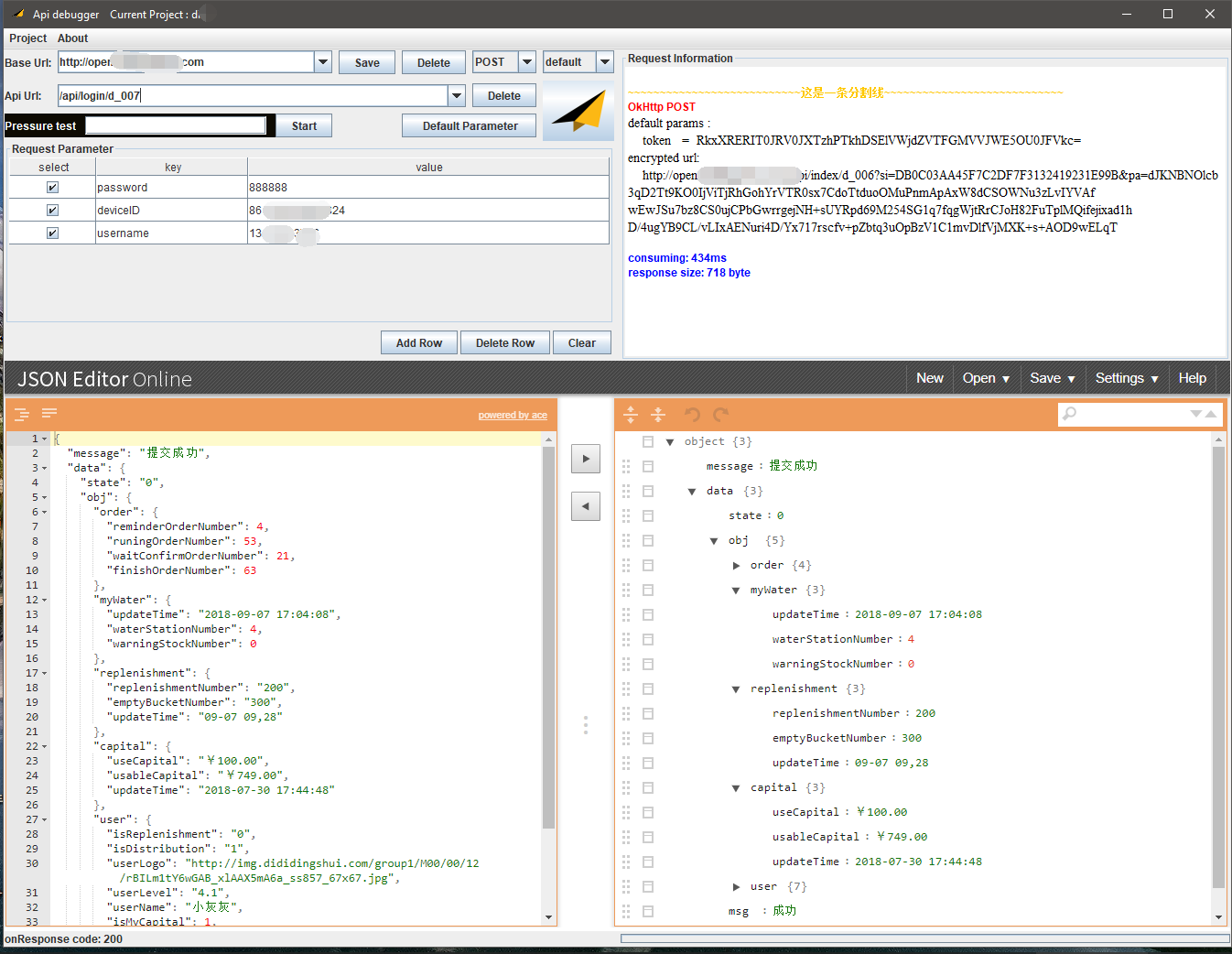
Click to download the latest release package. On a computer with JDK1.8 or JRE1.8 installed, double-click the jar package to run it directly.
Create a project: Menu bar Project > new > Enter project name > OK
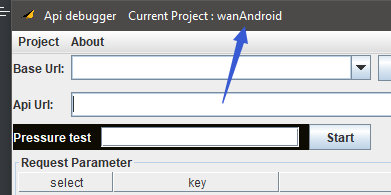
It's OK to see the currently opened project.
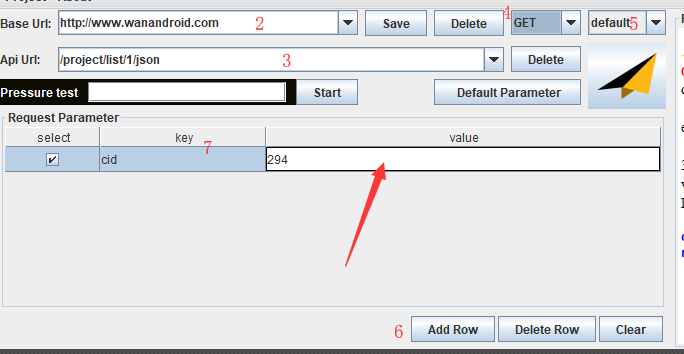
Enter BaseUrl and click Save to take effect.
Enter interface Url, the last request Url = baseUrl+interface Url.
Select the request method, and now only POST and GET methods are done.
Choose the encryption method.default is not encrypted and sent directly.
Add Row Add a request parameter.
Fill in the key and value of the request parameters. It should be noted here that the value will be saved and taken effect after the table loses its focus and turns blue.
Click the small plane to send the request. The relevant information of the request is displayed in the Request Information in the upper right part. The request result is displayed in the Json Editor below.
After the request is successfully returned, the URL, method, encryption method and request parameters of this interface will be automatically saved to the database. Adding other requests requires only direct input of the interface url, parameters, methods and other configurations for testing, and the information of the previous interface will not be overwritten.
The App interface is implemented using Java, and the logic is implemented using Kotlin. The internal database is ObjectBox, and the network request is Okhttp3. If you need to achieve the purpose of custom encryption, you need to expand it yourself.
**[Key] After the fork repository clone is local, use IDEA to open it. Download jxbrowser-corresponding platform-6.20.jar (link: https://pan.baidu.com/s/1B3ErPhbrocIaGhu3zg8RMA Password: 1wn9) Copy it to lib (it's too big and it's hard to pass).
After building the out folder, unzip jsonView.zip into the outproductionclassescomlongforusapidebuggerui directory (this is the case when generating the jar package, these files will be included in the jar package. Gradle should have other more elegant methods, which have not been implemented yet).
Implement the abstract class com.longforus.apidebugger.encrypt.IEncryptHandler to the default implementation class com.longforus.apidebugger.encrypt.DefaultEncryptHandler
 /* *
 * Created by XQ Yang on 8/30/2018  5:11 PM.
 * Description : 加密处理
 */
abstract class IEncryptHandler {
    //这个加密类型的code,同一工程不允许出现相同的
    abstract val typeCode : Int
    //显示在界面上的名字
    abstract val title : String
    //实现get方法的参数加密
    abstract fun onGetMethodEncrypt ( params : Map < String , String > ? , builder : Request . Builder , url : String )
    //实现post方法的参数加密
    abstract fun onPostMethodEncrypt ( params : Map < String , String > ? , builder : Request . Builder , url : String ): RequestBody
    override fun toString (): String {
        return title
    }
}
Create a new implementation instance and add it to com.longforus.apidebugger.MyValueHandler#getEncryptImplList . The 0th is the default display item. You can now select your own encryption method in the encryption method.
 object MyValueHandler {
    val encryptImplList = listOf< IEncryptHandler >( YourEncryptHandler (), DefaultEncryptHandler ())
   }
Package runnable jar packages:
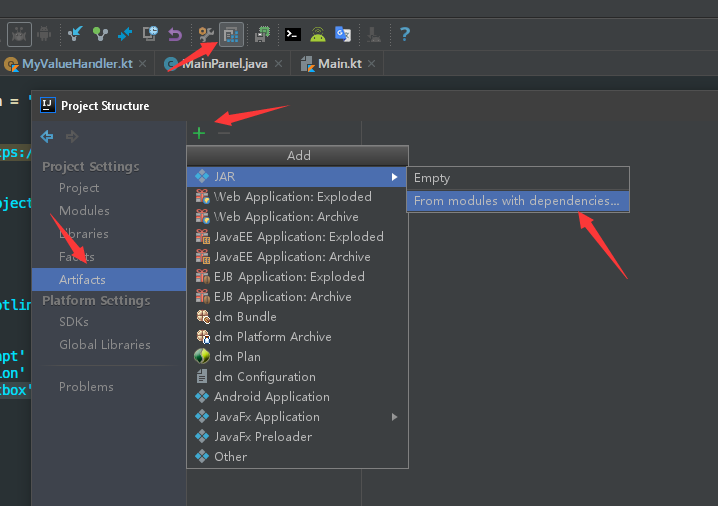
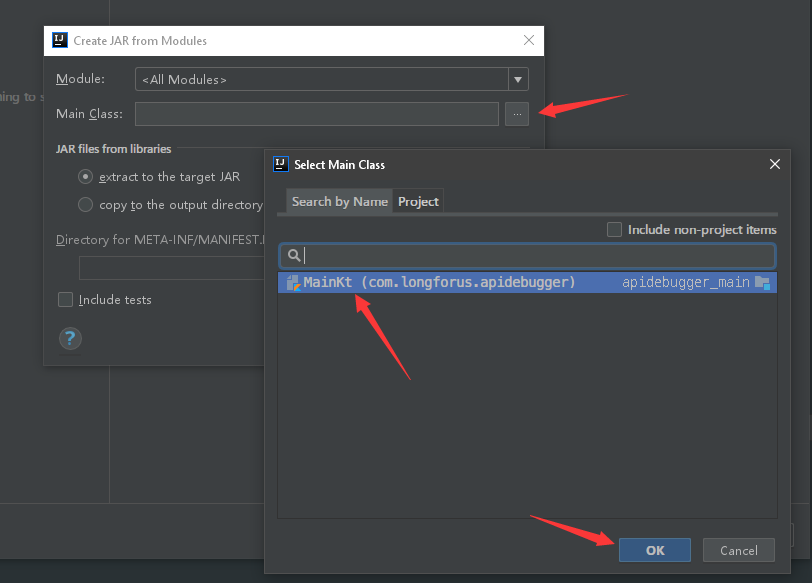
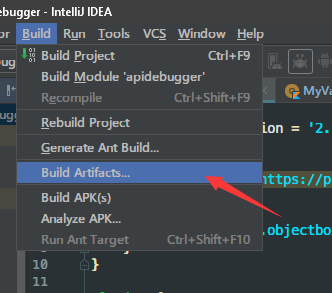
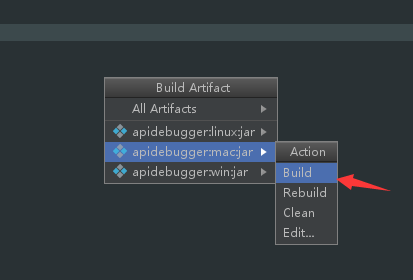
Add splash splash image: Copy splash.png to the outproductionclasses directory, and add the last line to the manifest file generated in the previous step.
   Manifest-Version: 1.0
   Main-Class: com.longforus.apidebugger.MainKt
   SplashScreen-Image: splash.png





