eepresetselector
23

A GNOME Shell Extension to quickly show and load EasyEffects Presets from top panel
EasyEffects (formerly known as PulseEffects) is a GTK4 application to apply multiple filters and audio effects to your audio inputs (microphone) and outputs (speaker, headphone etc.). It lets users to download community presets or create their own. Installed presets can be viewed and selected from EasyEffect GUI or using terminal commands.
This GNOME Extension lets users to quickly view and select the preset they want right from the GNOME Shell Status Bar without opening the EasyEffects App or typing commands on the terminal.
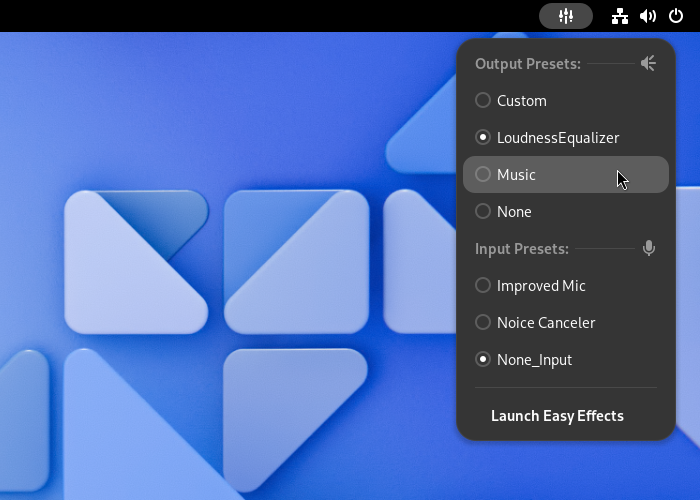
This Extension depends on EasyEffects to function. It makes use of command-line options easyeffects -p and easyeffects -l.
Both Flatpak and non-flatpak versions of EasyEffects are supported.
To fix some of the common problems you might possibly have after installing the extension, make sure that you have:
Also try rebooting your system after a fresh install of EasyEffects to prevent or fix some possible issues.
To be able to install extensions from extensions website, you need to have:
gnome-browser-connector package (from your package manager)Note: Because of the review process, new versions on the GNOME Extensions Website may lag a few days behind sometimes.
Extensions developed for GNOME 45+ is incompatible with older GNOME versions and vice-versa. If you use GNOME Extensions Website or some application like Extension Manager it should install the latest compatible version for your GNOME version. But if you'll install it from source you should pick the one that is compatible with your GNOME version.
| Branch | Version | Compatible GNOME Version |
|---|---|---|
| master | v21 | GNOME 45 + |
| legacy | v17 | GNOME 3.38 ... GNOME 44 |
Clone the repository:
git clone https://github.com/ulville/eepresetselector.gitcd eepresetselectorIf you need a specific version rather than the master branch:
git checkout <tag-or-branch>Replace <tag-or-branch> with the version's tag name e.g. git checkout v17 or a branch name e.g. git checkout legacy
Run install script:
makeLog out and login.
Enable the extension from GNOME Extensions app.
The extension shows 'Output Preset' and 'Input Preset' title names as parsed from the output of EasyEffects' command-line interface so it already comes in the system language (If supported by EasyEffects).
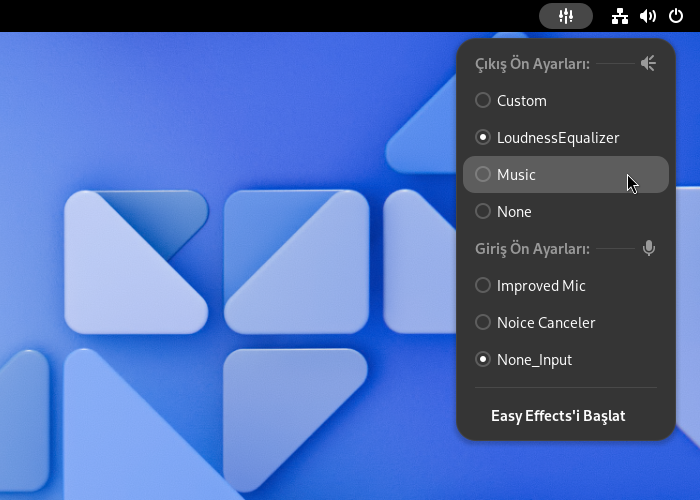
For notifications and preferences we need translations. Available translations are:
Create an up-to-date template file:
make potOpen it using your favorite PO editor e.g. "Poedit". Create a translation from it for your language, make your changes and save it as a .po file in ./locale directory.
Remove the .pot file
Update translatable messages by running
make translationsEdit the PO file you want to work on using your favorite PO editor and save.
I use ESLint 8 and a custom eslint config specifically created for GNOME Shell Extensions. Please use eslint to format your code before committing.
Install eslint to the project directory (this uses package.json to install needed eslint version and its dependencies)
npm installTo check eslint warnings
npx eslint -c .eslintrc.yml <filename.js>To fix issues automatically
npx eslint --fix -c .eslintrc.yml <filename.js>Or you can integrate eslint with your editor of choice. For VSCode I use the official ESLint Extension from Microsoft.





