plasma cursor eyes
1.0.0

Rolling eyes that follow your mouse pointer for the KDE Plasma Desktop inspired by gnome-applets/geyes and derivatives.
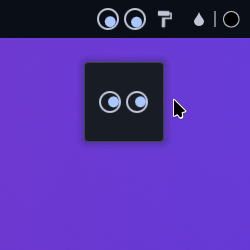
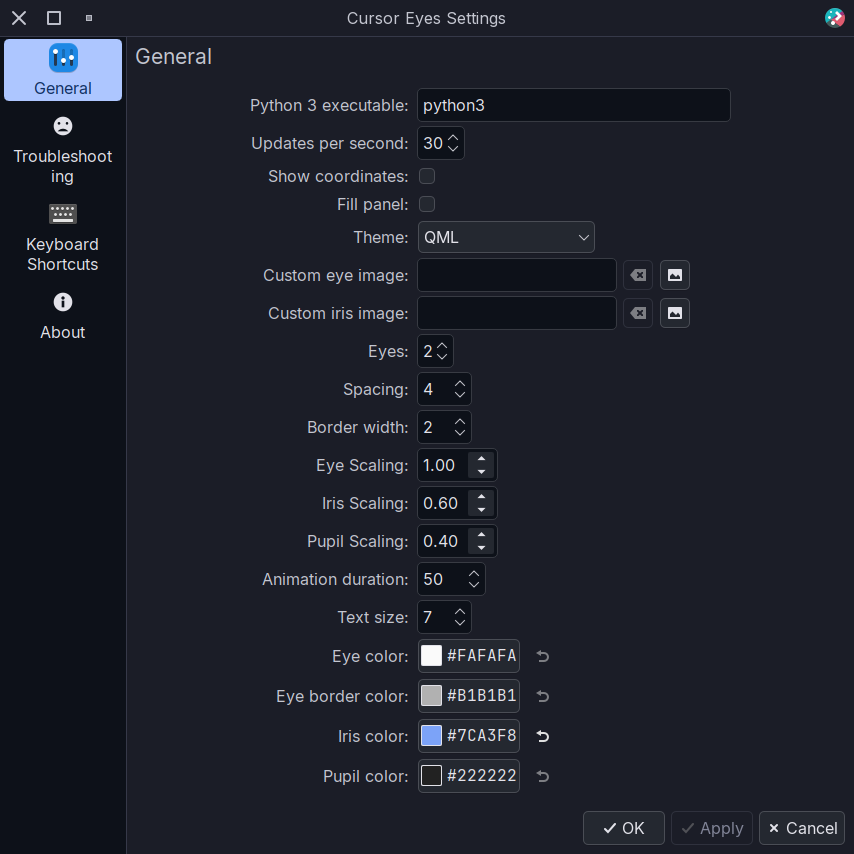
gdbus)kwriteconfig6) to toggle the KWin Script, or you can do it manually from System Settings > Window Management > KWin Scripts > Cursor Eyeskpackagetool6) to install the KWin Script from the widget, or you can install it manually following the steps belowImportant
Depending on the hardware you may experience a increase on CPU usage when moving the cursor around while using this widget.
This is due to the current implementation of the widget and the KWin script polling the widget's python D-Bus service. This will be fixed by reimplementing all (or what is possible) as a cpp plugin (no ETA)
It should return to almost normal when the cursor is not moving (idle mode). Usage can be decreased by reducing the updates per second from both widget and KWin script settings.
Install the widget from the KDE Store Plasma 6 version
git clone https://github.com/luisbocanegra/plasma-cursor-eyes
cd plasma-cursor-eyes
./install.sh
ALTERNATIVE You can also install through the ./install-with-cmake.sh script but requires additional dependencies (mostly intended for development/packaging)
Install dependencies (please let me know if I missed something)
cmake extra-cmake-modules plasma-frameworkInstall the plasmoid
./install-with-cmake.shInstructions to add new themes are here





